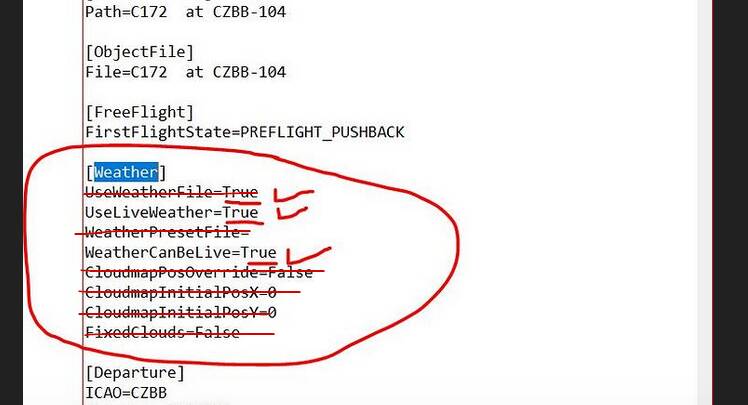
What we’ve seen is you have to remove everything from the [Weather] section except for these two lines:
UseLiveWeather=True
WeatherCanBeLive=True
We’ve concluded the additional parameters are causing the issues with the Toolbar. We don’t know why, but that was the observation.
So in your screenshot:
That was the situation at that time, it could’ve changed in subsequent updates.
Let us know how it goes.