But did the files have specific names? Like how all the files in the one store folder have package names.

Yes those are the files. So as I mentioned cut them out of the folder and paste them to a temp folder just in case.
But how do I know which ones are from the most recent update, I don’t want to cut them all since that will mean I have to reinstall all of them. Btw I already moved them all today so that is why they all say last modified today
Did the sim start the update process for you after you moved them?
Yes it, it starts to basically reinstall the whole game since all the files are gone.
Do you remember the specific names of the files from the newest update so that I can just remove only those?
Give me several minutes and I will create pics to post for you. There are 180+ so there will be several pics.
And just to confirm before you do all this for me, which I really appreciate, you’re getting pictures of the files that were put in there from the most recent update correct?
Yes I will be doing that
Ok thanks, I gonna go shower so that should give u some time
Here you go, there are 10 separate pics. I don’t guarantee that you have the exact same files depending on you sim but hopefully you can sort through and be successful.
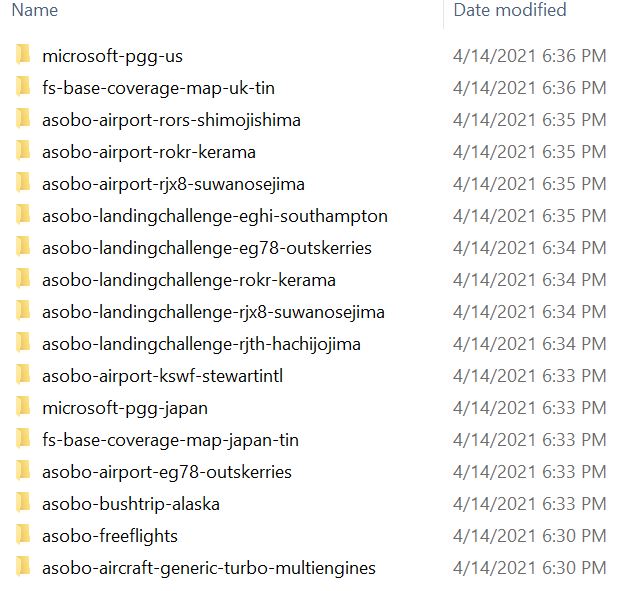
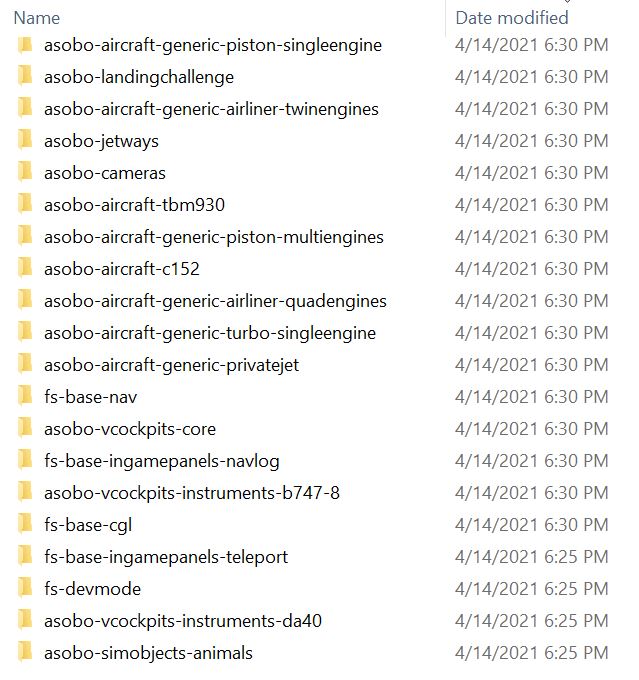
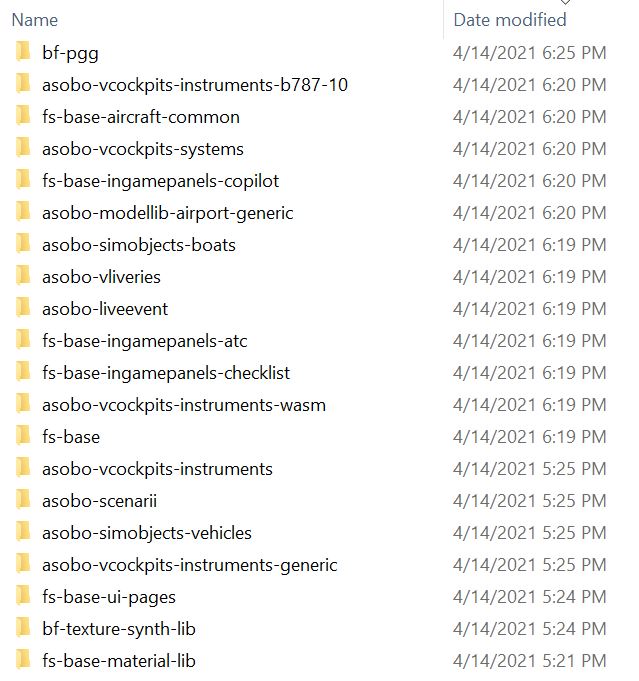
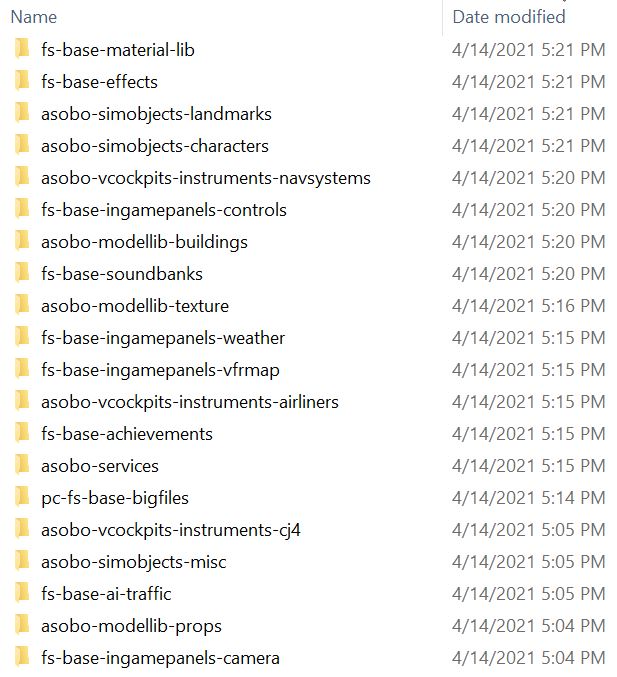
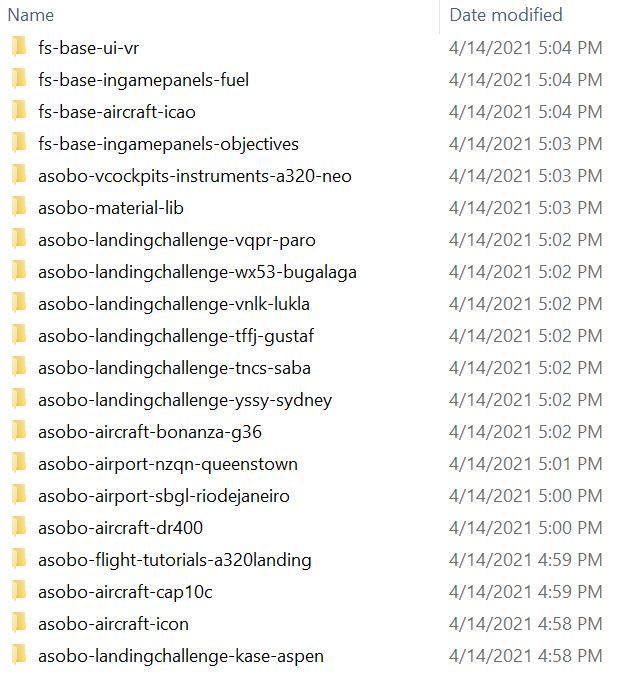
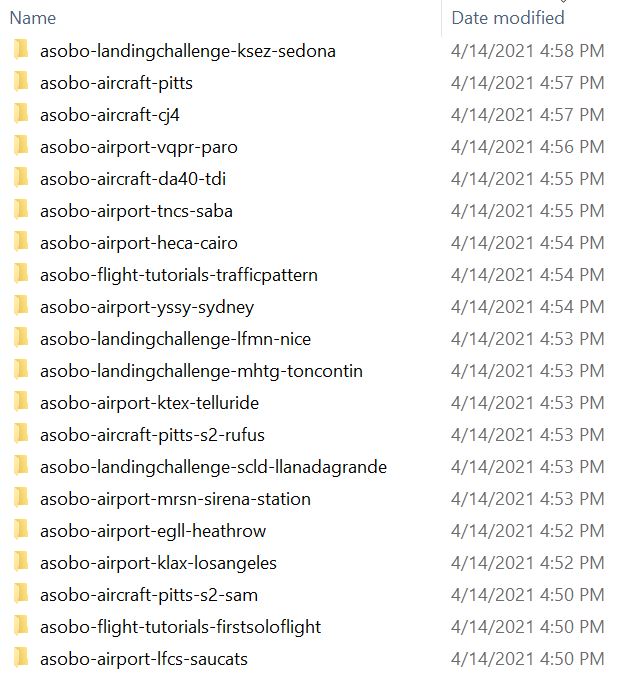
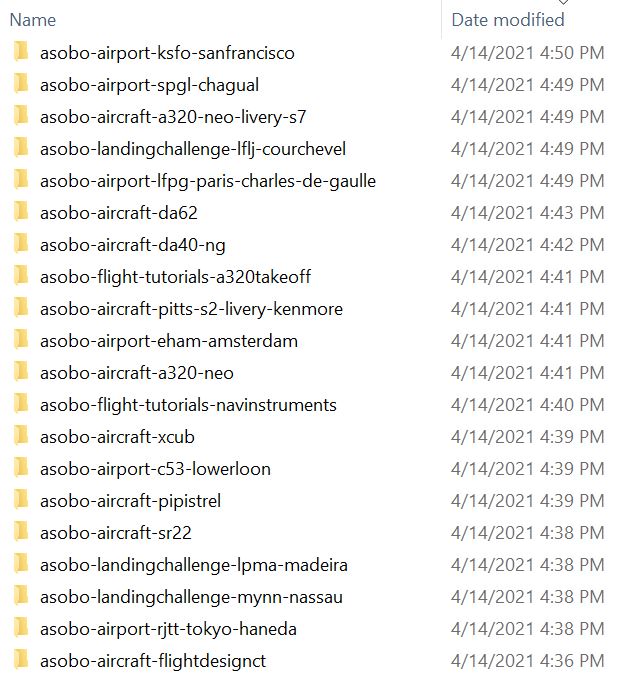
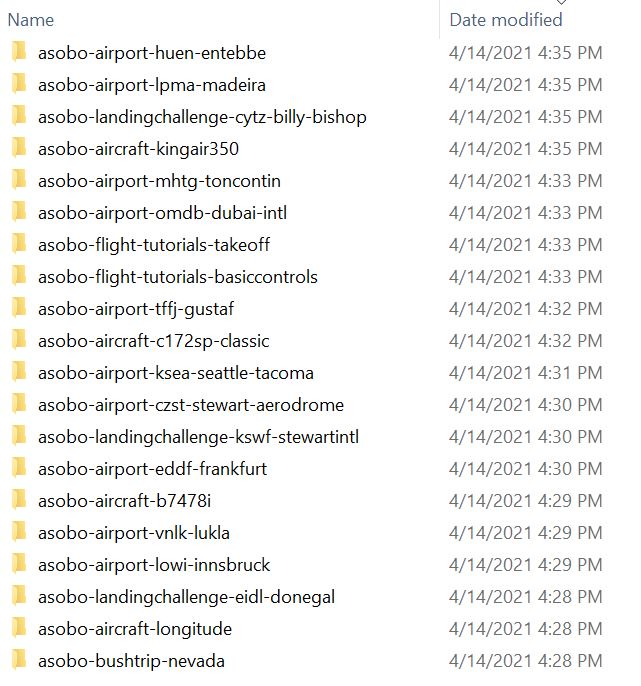
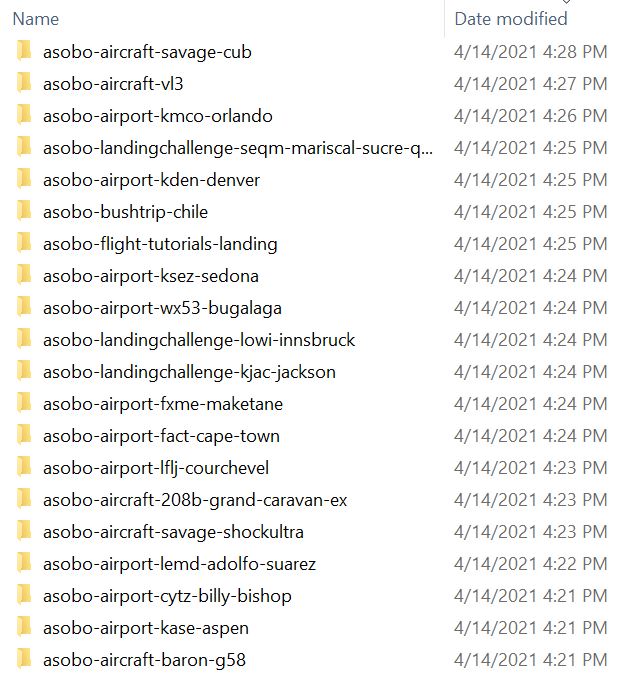
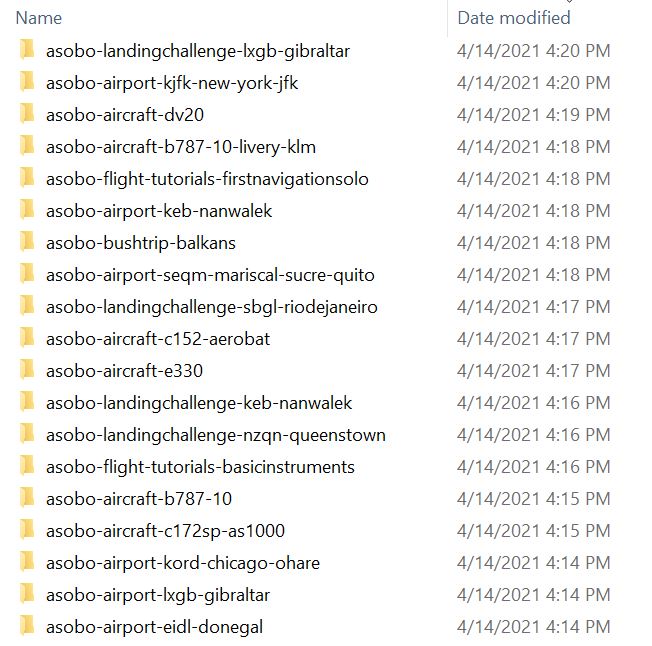
1 Like
After months of great use suddenly I can`t get past the “checking for updates” screen. I have noticed over the past week it started to take longer to get past it but now we are up to 90 mins and still waiting!
Anyone else having similar issues and does anyone have a solution?
NOT steam version - I have the Microsoft store download. As I said, it hasn`t given me any issues for some time.
Do you have any Community mods installed? Or perhaps you are using an addon linker, and maybe configured it incorrectly? I’ve heard of some folks getting in to trouble with messing around with the core files.
Have the same problem all of a sudden [MS Store version] - first time since installation last August. Cleared out the Community folder and still the same. Was working perfect earlier today. Just put two new add-on’s . Removed them first - no go - Cleared out the Community folder completely - no go.
Any ideas ?
Try disconnecting network while you start the sim. Sounds like it’s not at the same place and stalling instead of a ctd (what I was seeing), but mine was ctd’ing just after the Microsoft/Asobo copyright page - just before checking for updates - and starting the program with no network fixed it for me. Checking for updates obviously includes network stuff so disconnected network may help you get past that too. Once I was fully loaded in and sitting on tarmac, I reconnected network. All subsequent program launches have been fine for me.
No idea if this will help you, but maybe?
Please report back if it does help.
1 Like
Thanks for advice and reply.
Got it fixed by removing the content.xml file. Restart the sim and MSFS creates a new file. I think the problem manifested after installation of a freeware scenery package in Community folder. Even after removal of the package still had the problem. Got the advice from another thread.
1 Like
Do you have any add-ons in your Community folder? If yes, please remove and retest before posting.
Are you using Developer Mode or made changes in it?
No.
Brief description of the issue:
Initial download was accidentally disrupted before completion. Restarting the game and it is now persistently stuck at checking for update screen.
Provide Screenshot(s)/video(s) of the issue encountered:
Detail steps to reproduce the issue encountered:
Restart my game
PC specs for those who want to assist (if not entered in your profile)
Build Version # when you first started experiencing this issue:
Are you on the Steam or Microsoft Store version?
Microsoft Store version
Did you submit this to Zendesk? If so, what is your ticket #?
Yes
I deleted FlyByWire A320nx and all went well afterwards
1 Like
Same issue here I dont have FBW a320 installed but I am still stuck on the update screen.
Same issue here, even with an empty community folder.