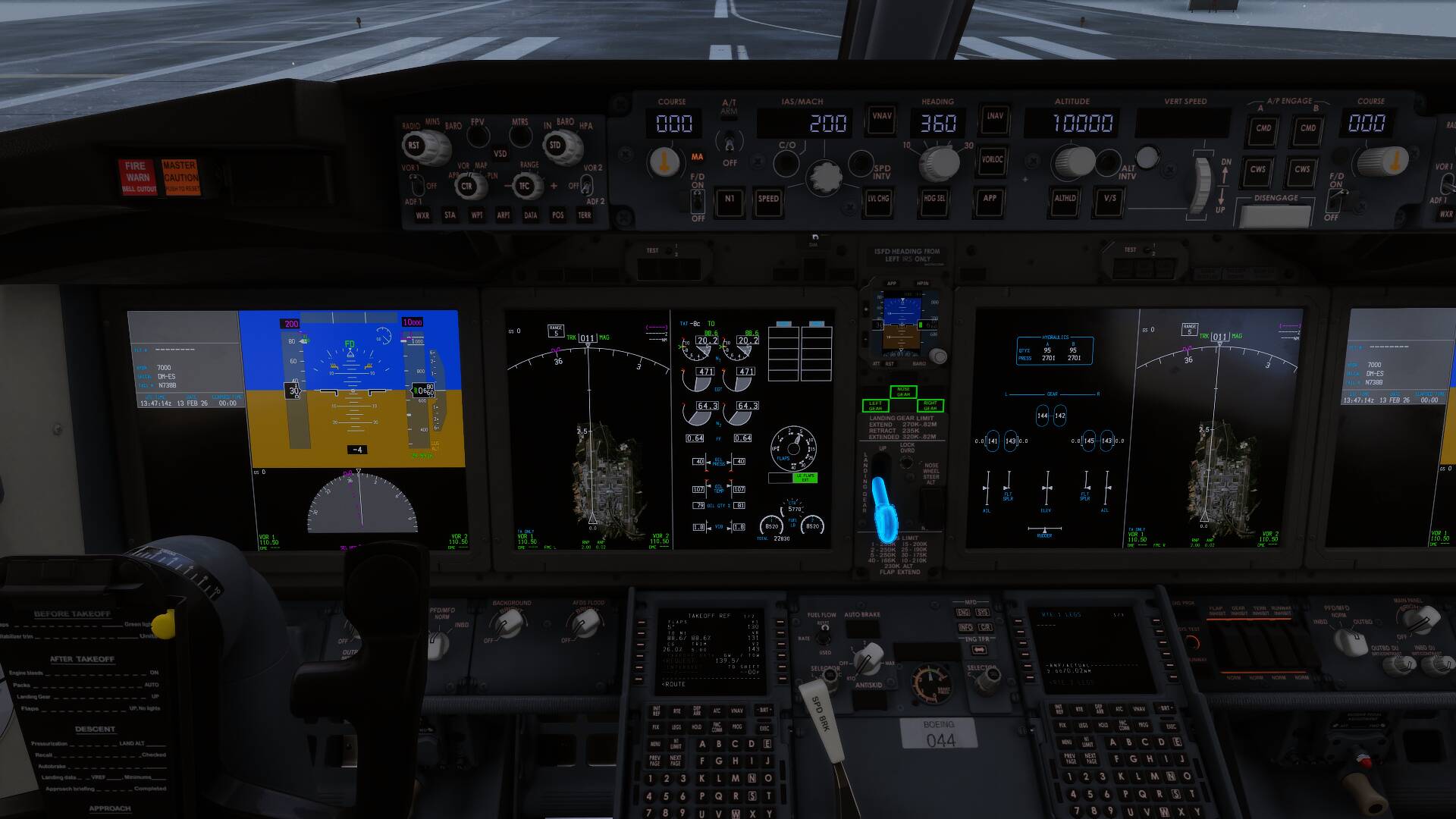
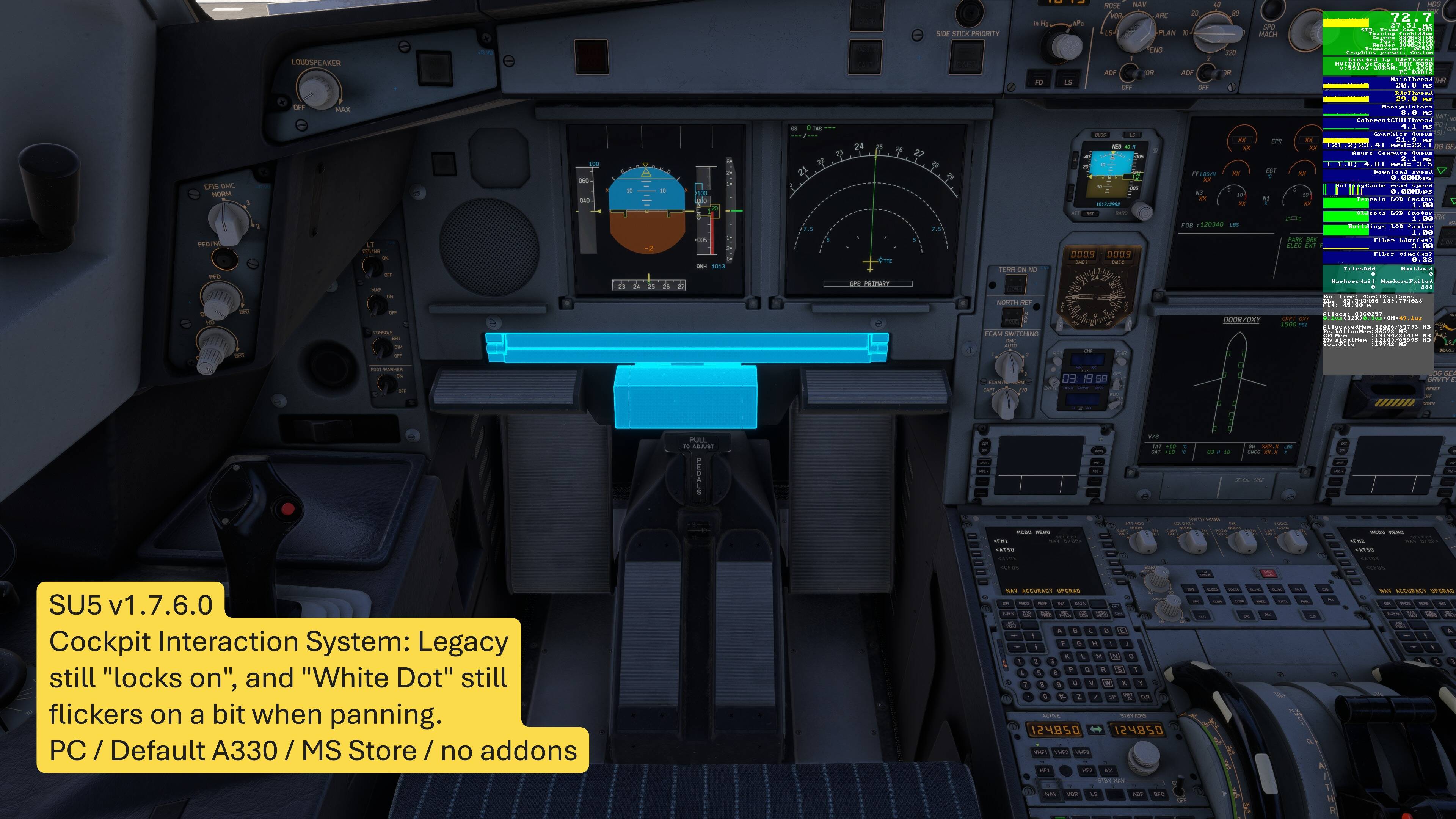
Cockpit Interaction System shows although turned off, but only when moving inside the aircraft as the mouse hovers over clickspots. SU5B1
REPRODUCTION STEPS:
- Enter cockpit view
- Set your mouse cursor over any clickspot in the flight deck
- Move slightly to any direction with W-A-S-D or arrows (whichever you have), and make sure the cursor is on the clickspot still when you stop moving. That clickspot should become illuminated and highlighted in blue
Cannot replicate with the 1st party B737:
Which aircraft is on your screenshot ?
so far with the TBM/KA350/Caravan I got same problem as OP
PMDG 738. The headrest was the easiest to show it with, but it happens to absolutely every clickspot. Only checked and tried the PMDG 73 so far
Are you able to replicate with 1st party aircraft ?
I’ll check that out momentarily. Expect to hear back in about 5 mins
1st party 737 MAX. Still happens
Weird, I still cannot replicate.
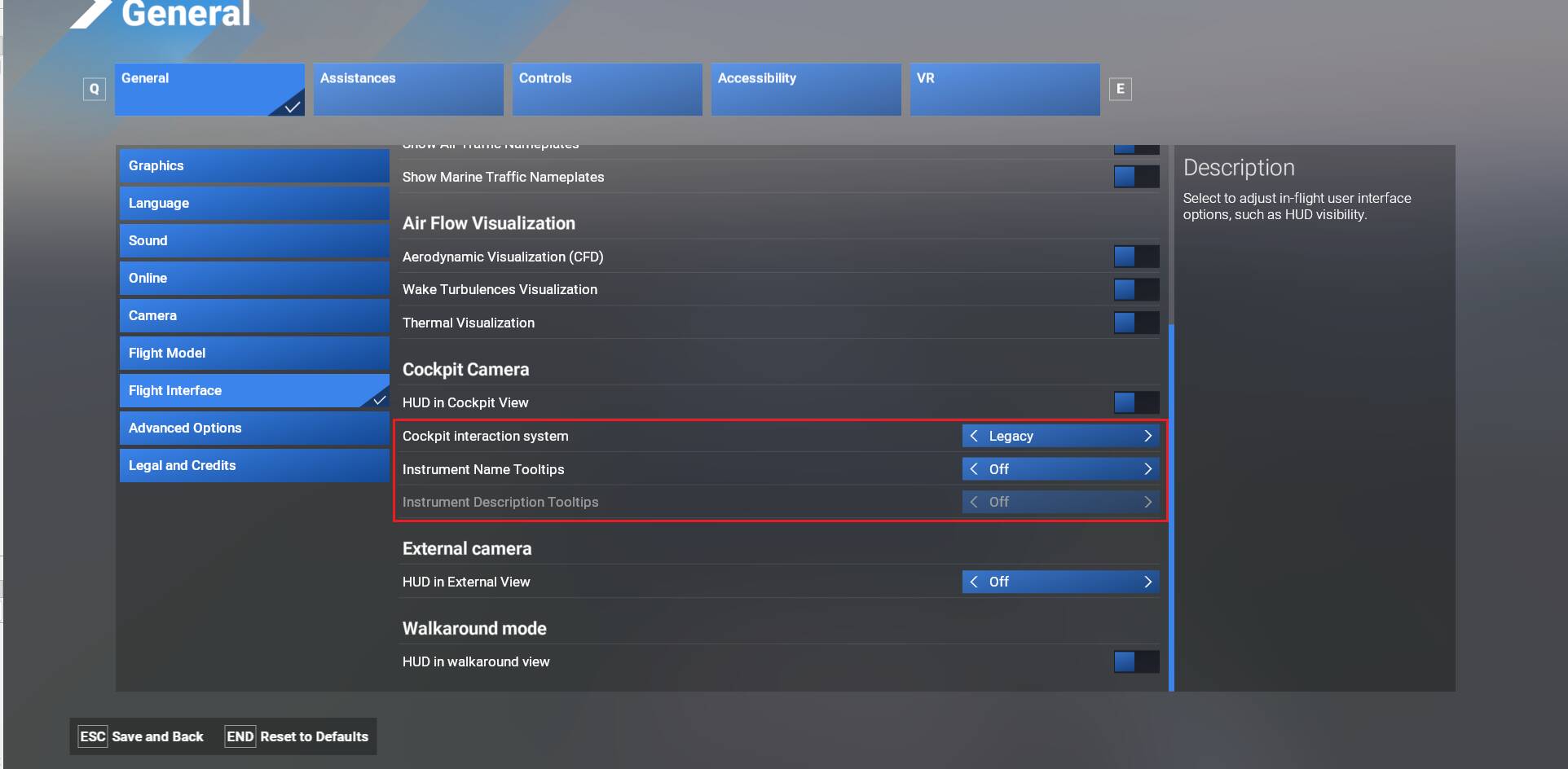
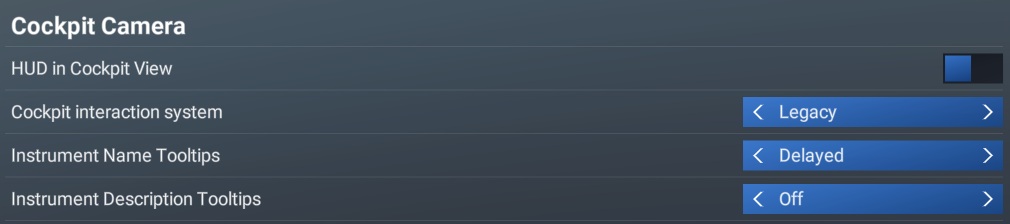
Do you have the same settings ?:
So far Legacy seems to not work at all. Got the Blue highlight on every plane.
Have you tried to select Lock, save and select back legacy ?
Same for me, it remains the same
Same for me. PC MS Store version.
Settings > General > Flight Interface >
- Show the white dot cursor in freelook = OFF (but still flickers on here and there)
- Cockpit Interaction System = Legacy
I use an Xbox controller on PC (for now), and it happens with the controller, not with the mouse.
Xbox is infested with This from the beginning - Not possible to enable Legacy interaction mode on Xbox, btw.
Maybe sanity is served by learning to like the thing you hate. Having the center of my screen “blue snag” a control and thereby violently end my well planned flight is peak satisfaction. Please, don’t change a thing Asobo!
This seems to be related to the movement in the cockpit. This was easily reproducable with the default MAX.
Just moving the mouse around and over the buttons in legacy mode everything is fine and as expected
When moving around the cockpit without touching the mouse the look highlights appear when the mouse touches an interactive element.
Can replicate with condition of having the mouse pointer always displayed. Once the pointer is hidden and you move the camera then there is no blue highlight.
Another way to reproduce is to move the yoke (using A & D) while the pointer is over an element:
@adriaolstaa : is this the same behaviour for you to replicate ?
Yes, you are correct that the issue only appears as long as the mouse cursor is visible. While it is hidden I don’t see any highlights. Maybe a better way to formulate the bug would be to say, that only mouse movement inhibits the blue highlights in legacy mode, while anything else shows the highlights when the cursor is above an interactable element.
Description of the issue: I noticed the blue highlights when hovering over control switches, even though the cockpit is set for legacy. It can be helpful, but once the layout is known, I find it annoying and want it to stop.
FREQUENCY OF ISSUE
How often does this occur for you (Example: Just once, every time on sim load, intermittently)?
Every time
REPRODUCTION STEPS
Please list clear steps you took in order to help our test team reproduce the same issue:
-
Enter the cockpit
-
Hold the mouse pointer over a control.
-
The control will highlight to blue
YOUR SETTINGS
If the issue still occurs with no mods and add-ons, please continue to report your issue. If not, please move this post to the User Support Hub. NO
What peripherals are you using: Honeycomb Bravo, Thurstmaster T16000m, CH rudder pedals, mouse, keyboard
[PC Only] Are you using Developer Mode or have you made any changes to it? NO changes
[PC Only] What GPU (Graphics Card) do you use? xfx Radeon 7900xt
[PC Only] What other relevant PC specs can you share? Ryzen 9800x3d, 32 G mem, 4TB NVME (x2)
MEDIA none included
Please add a screenshot or video of the issue occurring.