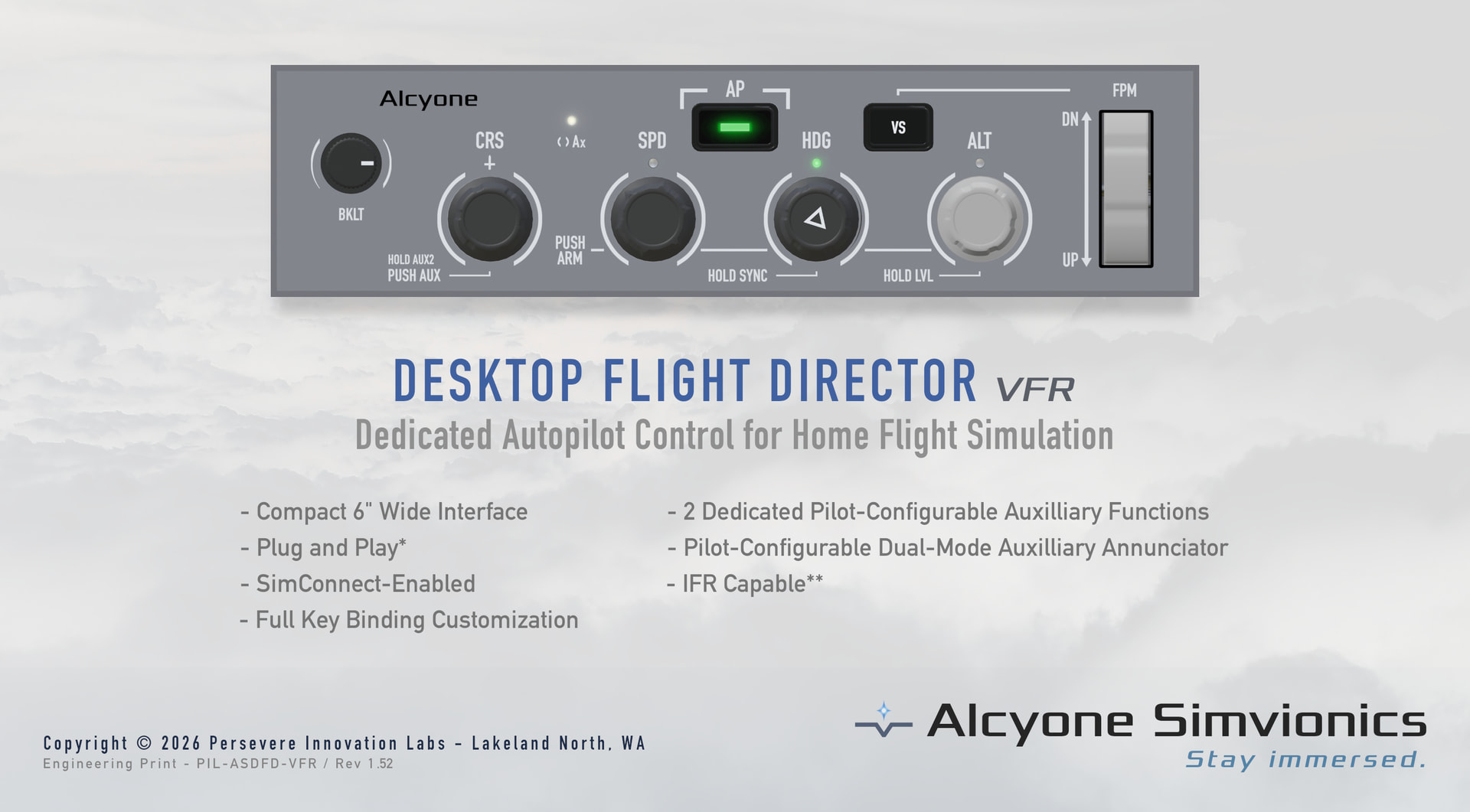
I’ve been rather quiet since releasing a texture pack because as I was working on the installer for it and flying the CRJ I got disgusted with trying to use the mouse to turn knobs on the flight director. So I started making a little knob panel and realized I might as well make it a product. An AP control panel for home desk users who want something a little more airliner styled, without taking up too much real estate on their desk, and with affordability in mind.
Currently I’m building the first unit and working out the batching process. Once I have it built and firmware & software finalized I’ll build the batch. I am only one person, so initial quantity will be limited to 25. As I get closer to making a batch of them, I will update. 
Edit: (Updated image)
That actually looks very tidy for a desk setup. The first thing I’d care about is whether it talks through standard sim events / SimConnect rather than being tied to one aircraft, because that usually decides how useful these panels are once you move between different add-ons. If you get that part right, I think a lot of people would also appreciate some adjustable knob acceleration for heading, altitude and course so you’re not endlessly spinning.
Great question. I’ve designed it to use both standard and simconnect, though things like the annunciator lights can come out of sync with the sim in standard mode since it doesn’t have any way to check the mode states without simconnect. I intend for this thing to be fairly universal for the most part.
Edit: I do plan to have both grey and near black faceplate options, along with another model version with a different layout that’s more GA-themed.
Will thise be seen as a HID device i.e. could it be configured by external software such as SPAD or FSUIPC?
It will be seen as HID and configurable with a lightweight external application, among other capabilities. Now my vision and ambition with the endeavor is much broader than just the DFD and so I’ve designed this with that larger picture in mind.
Once I have the first unit built I will be doing a demo video with full feature explanation.
I like it! One query though, I don’t fly the CRJ any more so I can’t remember what its panel looks like, but most airliners I fly have the speed knob to the right of the CRS and HDG knobs. Your device would be more useful for other airliners if the speed knob was on the left.
This is a great point that I went back and forth with quite a bit when deciding which side to put HDG on. I do fly other airliners and am eagerly awaiting the A220 but in most including the CRJ the SPD knob is between the CRS and HDG knobs.
My reasoning for ultimately landing on placing it to the right was keeping vertical navigation controls grouped together. There are indeed two versions of the faceplate for this model, this legend and one with additional IFR related legend elements.
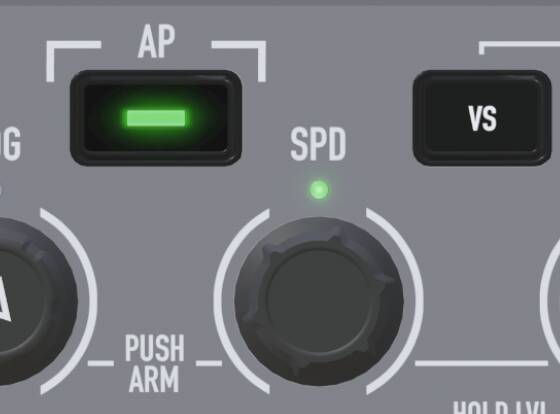
Edit: Here is a closer view so that you can see the tactile differentiation in the SPD knob itself.
Just thought I’d drop you a note that I’ve gone ahead and swapped those two knobs. I won’t post a pic here but I’ll get some information onto my dc channel in the near future.
Awesome! I look forward to it…
A little behind the scenes peek to show that yes this is real. This is not the actual form factor, it’s just my dev unit head.