Thrustmaster TCA Quadrant Airbus Edition is not responsive in H 125 , on Cabri G2 helicopter is normal
Sam issue here since launch… basically just can’t control the throttle well with the TM TCA quardant and the MFG rudder paddle… the weird curves by TM still seems to be active yet in sime all axis looks set to neutral, it is the sole deal breaker making me unplayable in the Fenix and other aircraft as I enjoy manual flying so much… IMO this is a very basic thing to get working before release Asobo..
Do you have the same issue if you follow the OP’s steps to reproduce it?
• Similar to what other users posted in this thread
Provide extra information to complete the original description of the issue:
• Inputs via Thrustmaster TCA set (joystick and single throttle quadrant, both input via axis or via buttons) sometimes start lagging extensively.
Input is not detected at all, detected with delay, or detected while input is no longer being made. This can for example also be the camera controls, resulting in endless spinning camera, needing to restart the sim completely
The controllers are plugged directly into the USB ports of the mainboard, no hub of any kind is being used, and no other game controllers are active besides them
If relevant, provide additional screenshots/video:
• https://www.youtube-nocookie.com/embed/pshE9iGn8mQ (watch the control surface movement. I’m flying over EDDW, which has photogrammetry scenery, FPS is not lagging, only server bandwidth is)
No issues of this kind can be observed in the MSFS 2020, which I also have still installed
edit: Issue persists independet from where and with what I fly, making the simulator basically unplayable at this point
1 Like
Very, very bad!
After starting a flight no control inputs are working. Neither keyboard, mouse, Joystick (Airbuscollection from Thrustmaster). No flights are possible. I have to close MSFS 2024 via the taskmanager!
In MSFS2020 everything works fine.
Are there any solutions from Microsoft?
Edit: The problem apears only when the TCA-Controls (Sidestick, Throttle+Spoiler+Flaps) are connected. I tested the MSFS2024 with my (very) old Proflight Yoke System + Throttles. Then the Simulator works fine and I made some nice flights.
Then that’s probably not a msfs 2024 problem. Did you check the driver software of your Controls ? Do your drivers recognize your hardware correctly ?
I had a similar problem with my VIRPIL base.. After the installation of an older driver, the problem has gone.
Bye, walter. Good luck.
I still cannot believe that they released a sim which you cannot even see your axises moving. Unbelievable.
3 Likes
Using the template below will greatly help the team reproduce the issue and ease the process of fixing it. Before posting, search for an existing report. If you are not sure it’s a bug, please first report in User Support Hub.
2 tags are required - add them in the tag section next to the title above:
Feel free to delete this quote section after adding your appropriate tags.
ISSUE DESCRIPTION
Description of the issue:
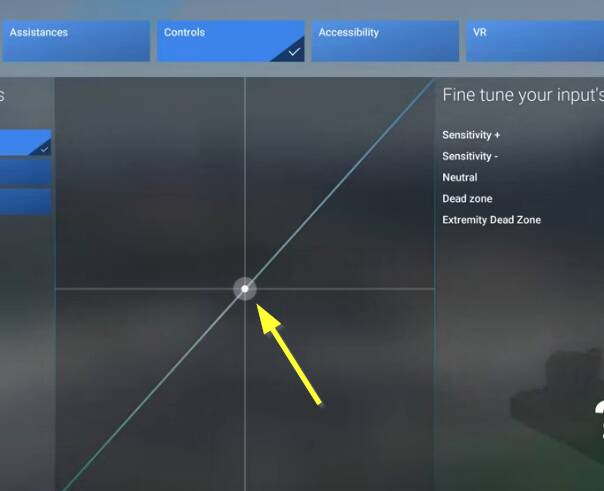
When I choose the settings menu for controls and change into the hardware settings to adjust the sensitivity for example for the joystick (applies for all other kind of controls like rudder or throttle too) the tab does not show the control movement - the white dot in the middle is not synchonised with the control movement, no matter which axis. In the game the controls are working allthough.
[PC Only] Did you remove all your community mods/add-ons? If yes, are you still experiencing the issue?
n/a
FREQUENCY OF ISSUE
How often does this occur for you (Example: Just once, every time on sim load, intermittently)?
This occurs 100% reproducable
REPRODUCTION STEPS
Please list clear steps you took in order to help our test team reproduce the same issue:
1.open settings menu, go to the controls settings
2.select a profile and a control like joystick, rudder or throttle
3.go into the hardware settings, where it is possible to adjust the sensitivity
4. move the control / use the axis on the control -
5. you will see that the white ball in the middle of the sensitivity graphics is not moving
YOUR SETTINGS
If the issue still occurs with no mods and add-ons, please continue to report your issue. If not, please move this post to the User Support Hub.
The problem occurs too with no addons installed.
What peripherals are you using, if relevant:
Logitech G940 Joystick and Rudder, Honeycomb Bravo Throttle Quadrant
The controls are working with the sim but the movements are not represented in the sensitivity settings tab of the controls.
[PC Only] Are you using Developer Mode or have you made any changes to it?
No developer mode
[PC, MSFS 2020 Only] Are you using DX11 or DX12?
[PC Only] What GPU (Graphics Card) do you use?
NVidia RTX 2060
[PC Only] What other relevant PC specs can you share?
Intel i7-9600, 64 GB RAM
MEDIA
Please add a screenshot or video of the issue occurring.
[END OF FIRST USER REPORT]
 For anyone who wants to contribute on this issue, Click on the button below to use this template:
Do you have the same issue if you follow the OP’s steps to reproduce it?
•
Provide extra information to complete the original description of the issue:
•
If relevant, provide additional screenshots/video:
•
Do you have the same issue if you follow the OP’s steps to reproduce it?
•
Provide extra information to complete the original description of the issue:
•
If relevant, provide additional screenshots/video:
• Hello, I am new to this forum but I am having problems with the Xbox X, Flight Sim 2024 and Honeycomb Alpha yoke and throttle quad, while the Charlie pedals seem to work. With the yoke and throttle quad I cannot get the engine on the Cessna 172 to run. It starts and then quits, and no amount of throttle or mix adjustments seem to remedy the issue, and all axis’ are reversed. I have tried various settings changes but nothing seems to work, and frequently when in the settings page the program crashes. Flight sim 2020, with the same peripherals, works fine. Any suggestions on how to fix this problem?
Thank you in advance.
I have the issue with not responding controls (not only axis), as soon as the mouse hovers over an undocked MSFS window.
See All controlls disabled while mouse hovers over undocked gauges/panels probably some of you might have the same situation.
Your vote is highly appreciated!
Joe
I’ve remapped so many times my new TB flightdeck and they work and then next flight they don’t work. It’s a nightmare and I paid 130.00 for this disapointing mess. Deleted 2020 because it updated and dropped working.
Me too: Yesterday despite a lot of tries to remap the rudder pedals break axis to the breaks it showed, that this mapping is ignored during flight certification lessons, where it is working during free flights - What a mess! Fortunately other mapping like joystick mappings are working even during flight lessons.
ISSUE DESCRIPTION
Description of the issue:
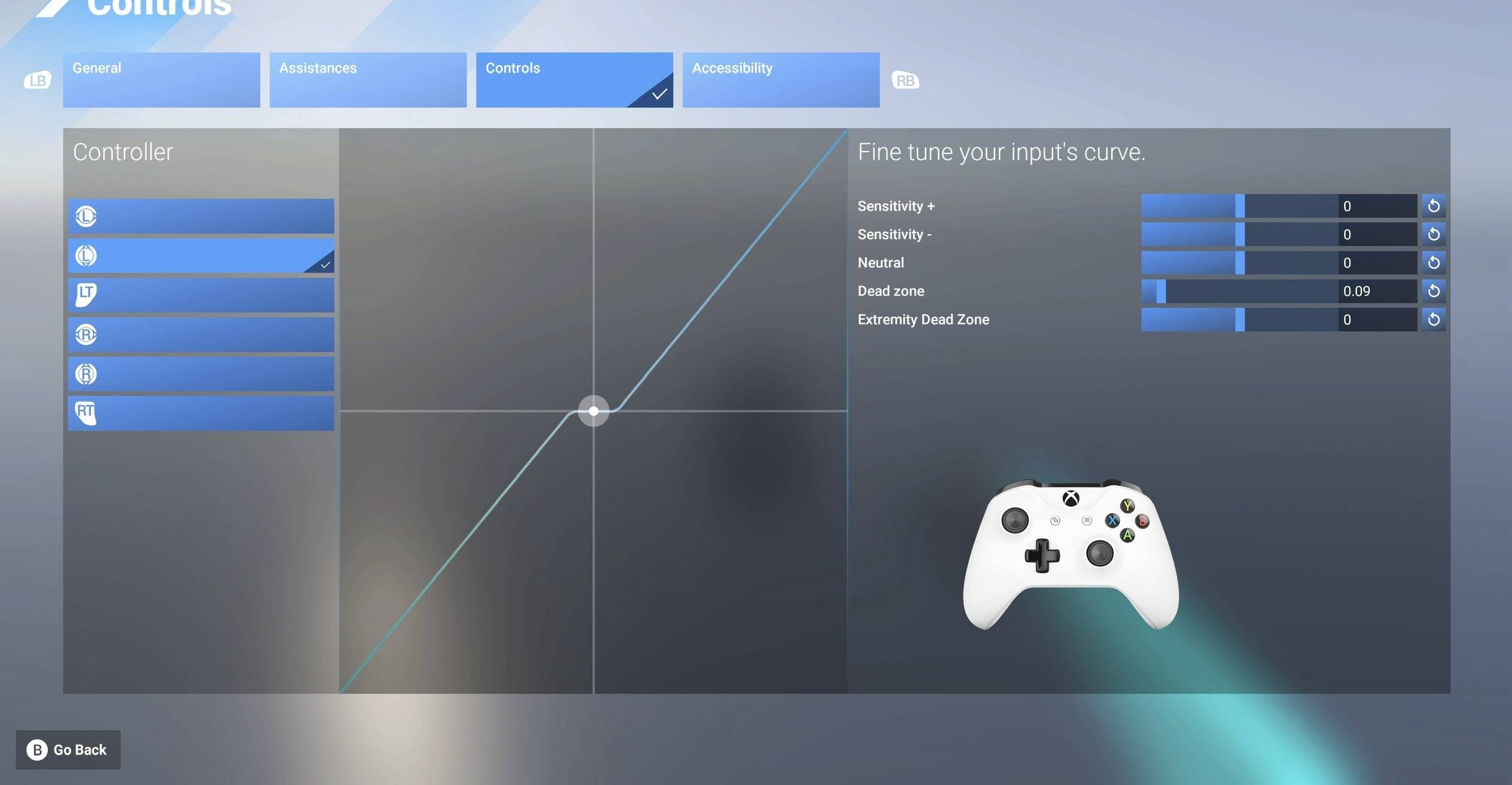
Can’t select the menu options to adjust controller sensitivity on Xbox.
FREQUENCY OF ISSUE
How often does this occur for you (Example: Just once, every time on sim load, intermittently)?
Everytime
REPRODUCTION STEPS
Please list clear steps you took in order to help our test team reproduce the same issue:
- tried a second XBOX, with the same result
- tried to set this after latest patch
MEDIA
Please add a screenshot or video of the issue occurring.
[END OF FIRST USER REPORT]
For anyone who wants to contribute on this issue, Click on the button below to use this template:
Do you have the same issue if you follow the OP’s steps to reproduce it?
•
Provide extra information to complete the original description of the issue:
•
If relevant, provide additional screenshots/video:
•
Same for my trustmaster hotus 1 cant use because my twist rudder is damaged so i need to map it to axis on my throttle cant even get my cursor to acknowledge the deadzone, sensitivity settings
2 Likes
Do you have the same issue if you follow the OP’s steps to reproduce it?
•
Provide extra information to complete the original description of the issue:
• I have exactly the same experience. For me this game is unplayable unless I can adjust controller sensitivity.
If relevant, provide additional screenshots/video:
•
I recently purchased MSFS 2024 and am experiencing significant issues with the cockpit camera view when using my Thrustmaster Boeing Yoke. Upon loading into the cockpit, the camera immediately rotates downward, fixating on the floor, and I am unable to freely move the camera using my mouse.
I have spent several hours attempting to reconfigure the controls and troubleshoot the issue, but it seems to have only worsened. I would greatly appreciate any guidance or input on how to resolve this, as it is preventing me from fully enjoying the game.
After playing around, the yoke doesnt move the view, but I cant use the vertical aixis to look around in the cockpit. I cant freely zoom in and have the view stay there, as it just snaps back to center. Any help is appreciated!!
•
I see the same thing on PC. My hardware controls work in flight, but the Sensitivity settings do not display any changes nor does it show the axis movement.
Have a look at this thread:
I see the bug is logged. Is there any point contributing to the bugs after it’s logged? Any moderators can enlighten me?
If you have any extra information it would be beneficial to post. Either way just add your vote. More votes equals higher priority.
1 Like
I don’t understand why they say the problem is solved. It still doesn’t work.
2 Likes