Have flown either the PMDG 737-700 for XBOX or the AAU_02 787-100 daily since they were available. Well, almost daily. Love flying both of them. The -700 is of course a little more work, and the Dreamliner is, well, dreamy to fly. Game servers willing, I have completed many more flights than CTDs in either (or any in FS actually) keeping my requirements modest (live weather and no AI or live traffic on). Have flown into/out of many large add on airports as well. Again, I think more has to to with MS game servers and internet connection/latency than anything else; well except the white dot/frame thing we all love so much! Good flying!
1 Like
Overall works if u leave the leg page alone. I had 3 consecutive ctds just by adjusting one waypoint to a slower speed before localizer capture. I wanted to do this to be able to see when the green dot decel slowdown indicator will be plotted and to allow the vnav to predict the descent and slowdown before GS capture. The FMC leg page was giving that waypoint a 250knots 10nm away from the runway which is not a good thing.
Instead putting this results in the sim jamming and my RAM usage went up gradually from 12GB all the way to 29GB lol. Had to resort to terminating msfs before my RAM is finished.
Not sure about the CTD, but you can get the correct speed prediction by the FAF as long as you properly select your approach speeds on the perf page. Then the computer will compute the approach decel.
Most if not all speed errors/issues within the 787 in the current state are user/pilot error and not aircraft. Flew flawlessly 14 hours without any issues and the approach landing was just fine provided you have configured your descent/landing pages.
This is what i ended up without touching the legs page and leave it as it is. No T/D.

Forced to self calculate my t/d and start the descent with flch. Halfway through tried to do something as a direct to a certain leg and the lnav became buggy. Still no vnav descent prediction.

I have selected fl350 as my cruise alttiude not sure why most of the leg waypoint is giving me 185 as my height. This probably the reason y it could not compute a t/d prediction. Funny thing econ climb had no issues.
No TOD means you didn’t configure your descent or something in your legs page or your INIT REF page. It should all be there.
1 Like
Not from my end. By right at once reserve fuel,zfw, cost index, cruise height is all filled in along with setting up the routes and airway and selecting the STAR SID it should be able to take care of everything before pushback. Without needing to modify most of the legs. Not sure if the BINKS ILS16LZ STAR approach into RJAA is bugged but i’ve tested the PMDG into it without issues. Last used the same route about 1 month ago.
If you don’t mind. Post your exact route with at least the departure and arrival runway and I can plug in stuff and see if it shows a T/D on my end. Also, remember to check the route in the PFD and FMC before pushing beforehand. 
To have a ‘top of descent’ point you need an end of descent point. The second image of your ND looks like a dropped trifle which suggests something somewhere isn’t loaded correctly.
After BINKS there is no route. Does the FMC show a discontinuity? Either that’s a bug and it isn’t loading the procedure properly or you’ve not put the correct information in.
1 Like
RJOO>RJAA
14R>ASUKA4 Trans SHTLE
Y79>LELIN>MAMAS>LIGNI>BINKS>
BINKSN>ILZ14L
Gross weight 181.3tonnes, Fuel 15.2 tonnes
CRZ ALT 350, Cost Index 28
Attempted another go about a while ago. This time but all the legs was properly filled automatically but i could not manually input the speed restriction on the descent vnav page plus the transition speed on the descent page is also blank. I just leave it as it is and proceeded to pushback and start etc.
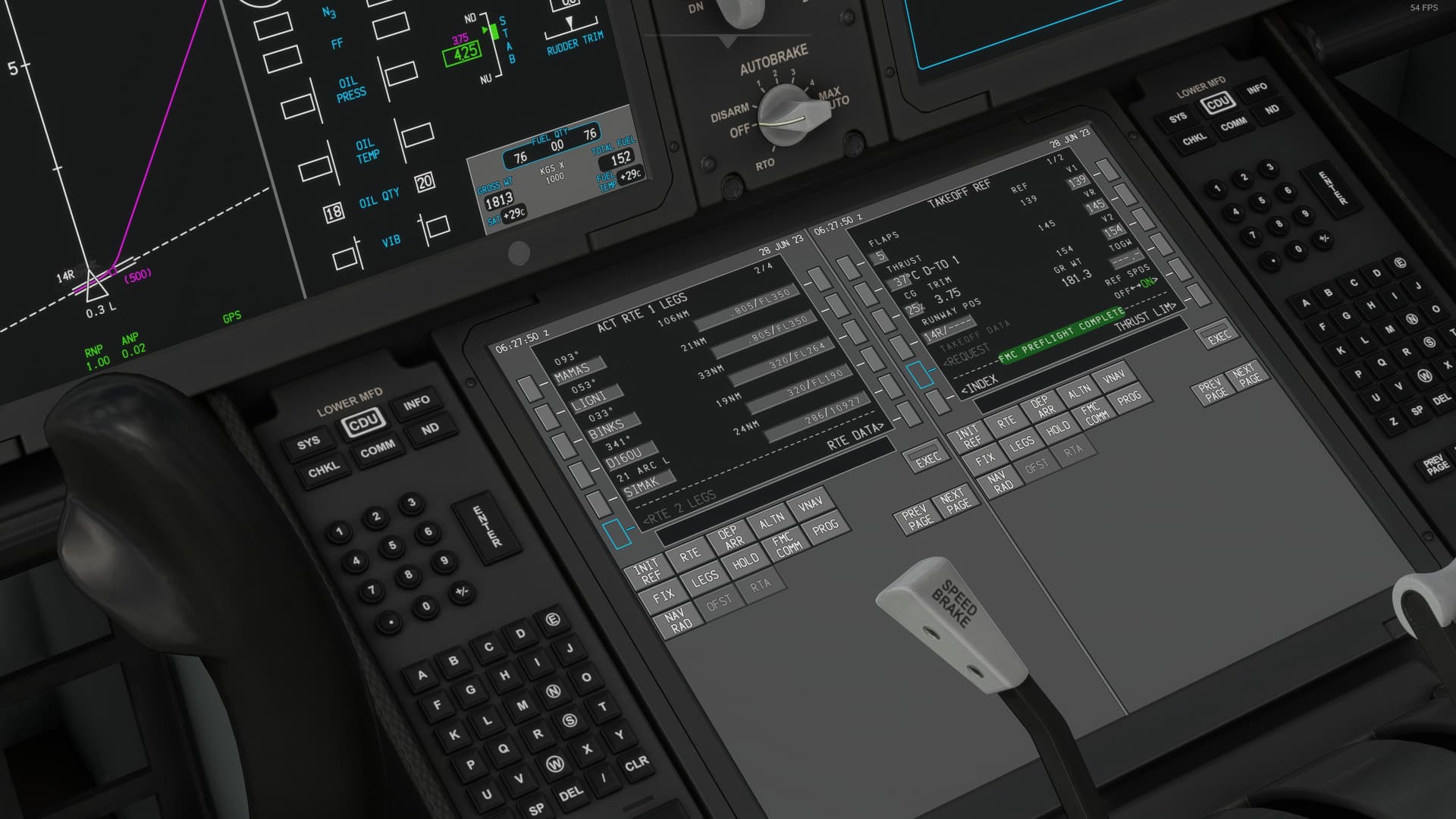
On take off i had a ctd right on accel height and retracting all the flaps. It seems to only occur at the vicinity of RJOO. Cause i came in from RJAA had no ctd.
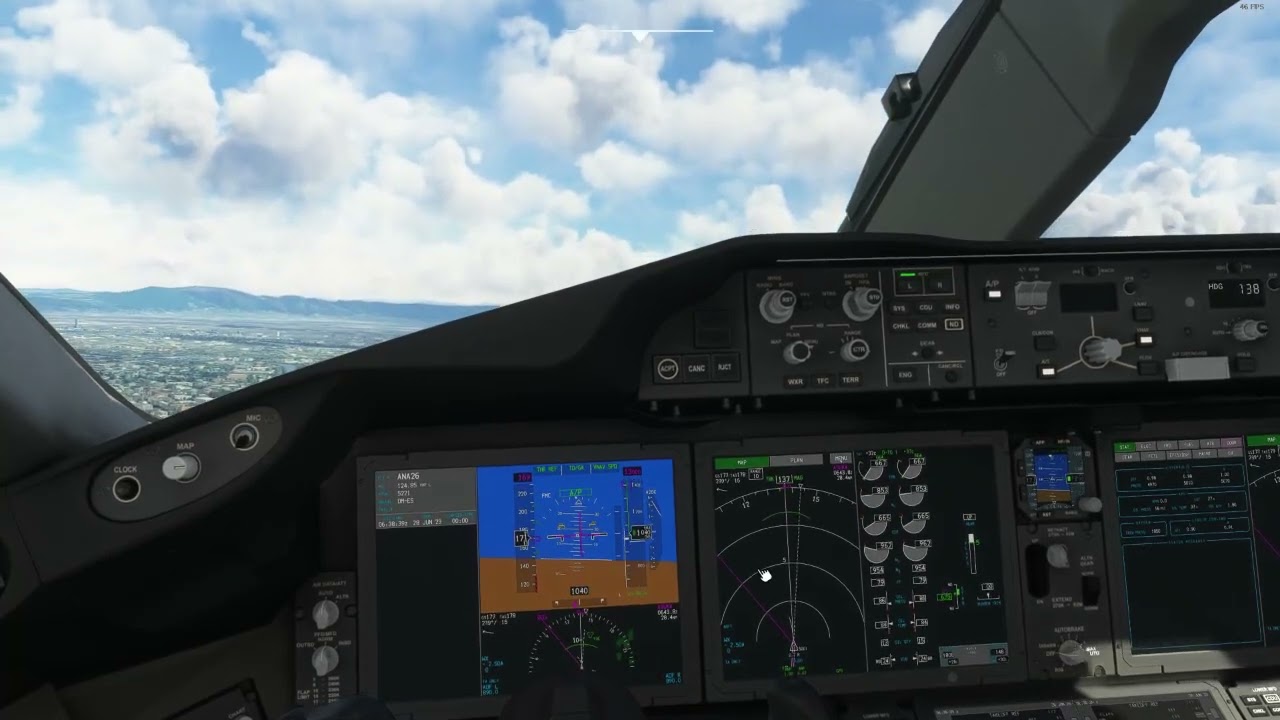
Ram went from 12GB± up to 24GB or more lol
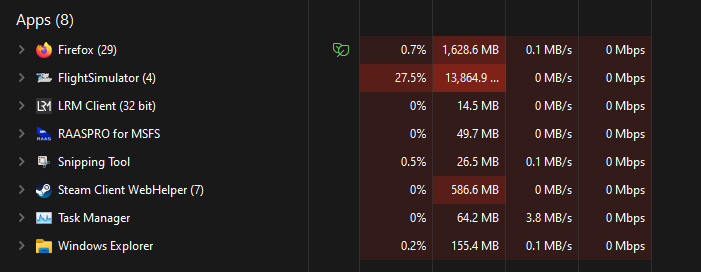
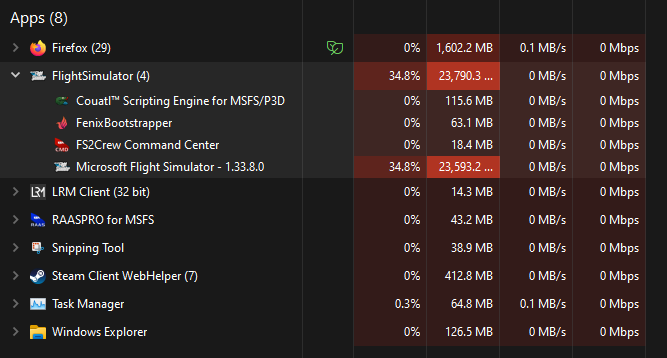
If i did not force terminate msfs my ram usage would be at 99%
1 Like
No DCT that was cleared when i was on the ground. That odd LNAV curve occurred the moment i bypass D160U for SIMAK by selecting SIMAK on the left scratchpad and inputing over on the left scratchpad of D160U during descent(ON LNAV+ FLCH mode 300knots IAS as i got no t/d+vnav prediction everything is shown as 250/185 on each leg not sure why). The plane seems to skirtle itself by following that arc shape line. I had to resort to temporary using HDG mode to point it towards SIMAK and then giving up and clearing it all the way to LAKES instead then finally a proper LNAV line was drawn and LNAV can be used again.
On the issue of the 250/185 on each leg waypoint. It seems to only occur during cruise halfway. It would result in the T/D gone missing.
Without knowing what you’ve done it’s very difficult for me to figure out what’s wrong.
From a principle point of of view, what you have there is a DME arc that is coded as part of a published procedure. It you alter it at all it will screw it up.
In reality if ATC were to take you off that arrival the likelihood is that you wouldn’t be put back on to it and would be vectored to the ILS. If you were taken off it and then for whatever reason needed to pick it back up you would leave it in the kit and then use heading to get you back to within the LNAV capture parameters before rejoining. Once you start overriding waypoints in the FMC on arrivals with arcs etc the only way to fix it is reload the procedure.
I can’t speak for this sim, but certainly in the real aircraft generally the only time you wouldn’t see a T/D point is user error. It’s sure fire indicator that something has been input incorrectly somewhere.
1 Like
I’ve been getting Route Discontinuity errors in the FMC and gaps displayed on the VFR map when importing flight plans from the World Map. Seems to happen in every flight I generate right before I’m expected to begin the approach phase. I’ve no idea whether it’s me or a bug.

You must join it all up by pressing delete or clear, then execute, eg press delete on the fmc, then press the lsk next to your route discontinuity, then execute voilla!
3 Likes
I’ll give that a go. Thank you.
I reinstalled. I selected the waypoints to the left and right of the discontinuities then execute, and voila! Works on every flight I generate.
Thank you very much!
1 Like
So glad that sorted it! Voila!! I really want to use my 787 as the avionics are really good now, and apart from some stutters I liked it’s flight dynamics also , that is right up until the mains touch . then my 787 behaves very badly. A dev mentioned this bug was rare but was reproduced and will be in a future fix. It is typical of my luck having offended many Gods in previous lives to encounter every bug going however, I was just wondering if there is an update coming soon as it is grounded and I want to use it.
2 Likes
So the route discontinuity thing IS a bug and you’ve just given me a temp work around correct?
If some great mod team could put Navigraph in there I would happily pay $20 for that.
You reinstalled what?