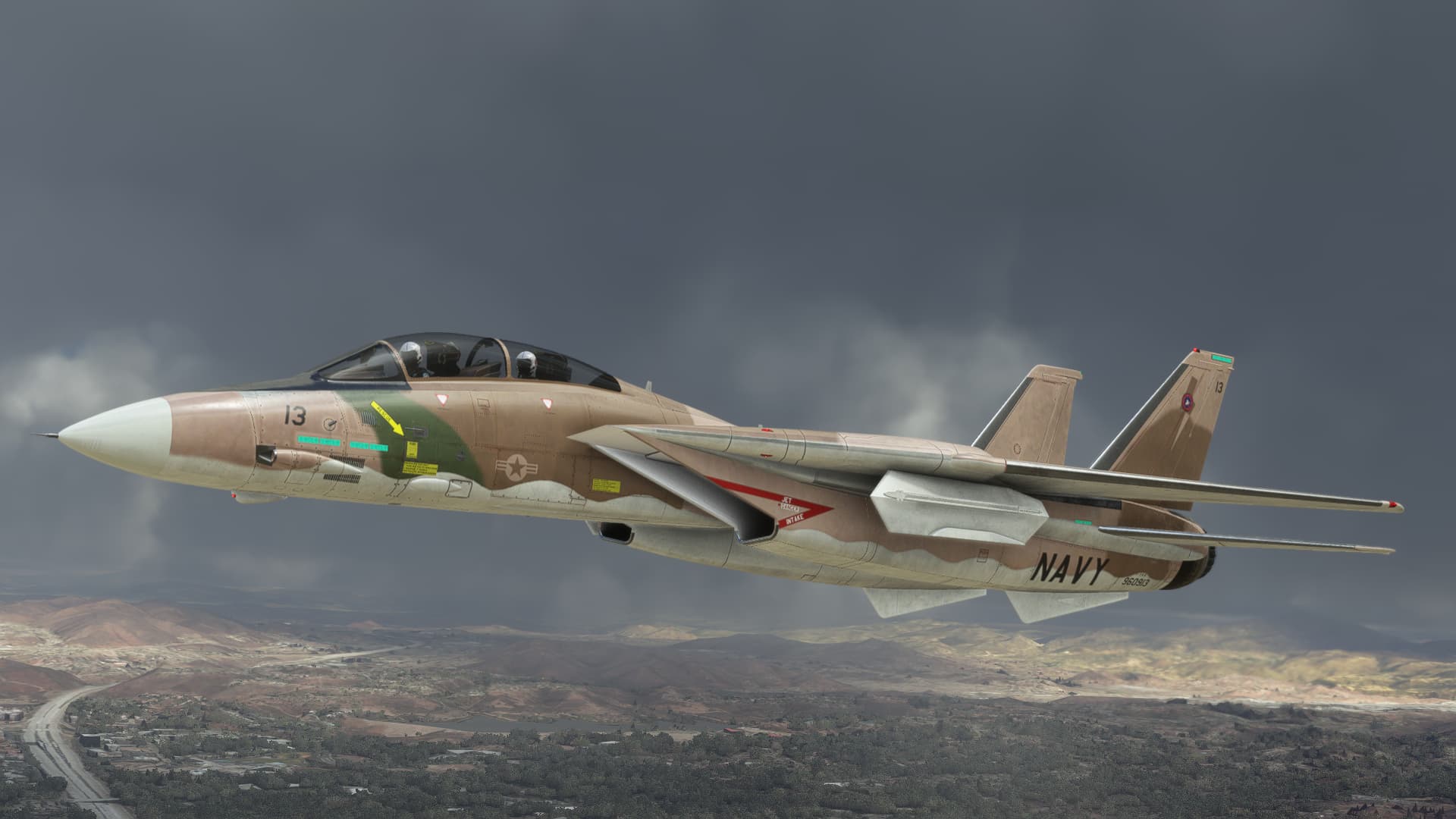
Last one probably, been working on it this afternoon: “Bad Cat 13” from NASWC, seemed only right to include an aggressor. Total of 13 liveries in the package now, 7 for the F-14A and 6 for the F-14B.
11 Likes
Hi,
does anybody have a hint what to do with the HUD?
Actually I have a small and still too bright and blurry HUD.

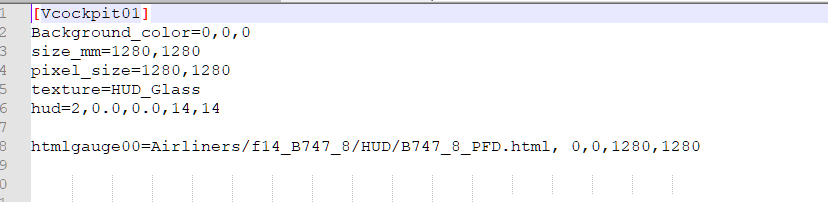
my settings are:

thanks
regards
Rudy
For the blurryness,just use the knod on the left of the centre screen.“HUD BRT”
For the size..Have you by any chance moved forward with left ALT and arrow keys,while also zoomed out ?
Rudy, could you check your panel.cfg and ensure the first value of HUD is 2? Like HUD=2,0,0…
If is set to HUD=1,0,0… Means you don’t have the lastest version we published.
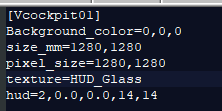
BTW the HUD of the F15 is okay it has the right size and it is cristall sharp.
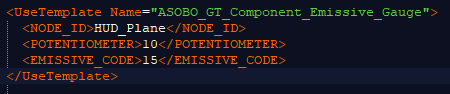
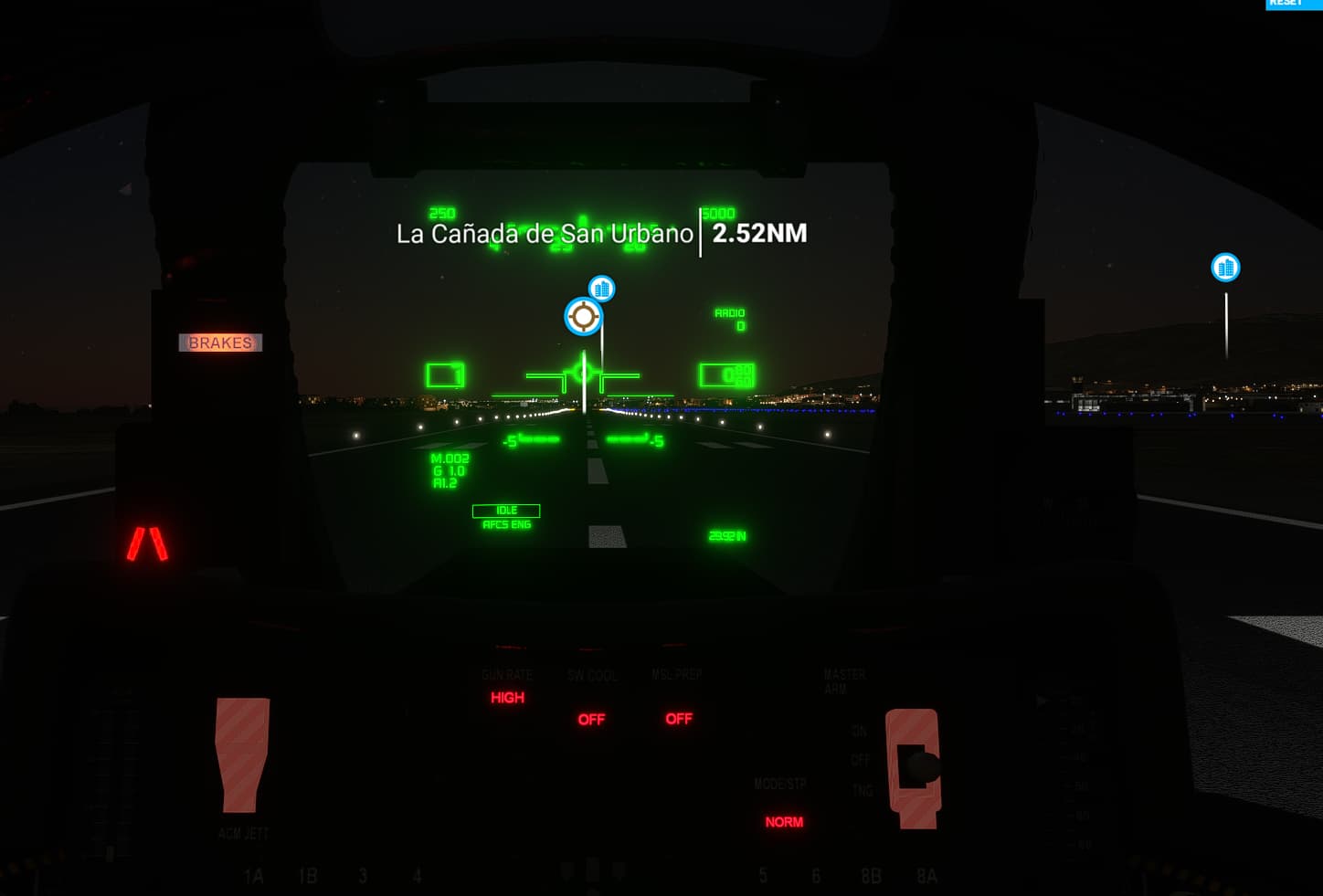
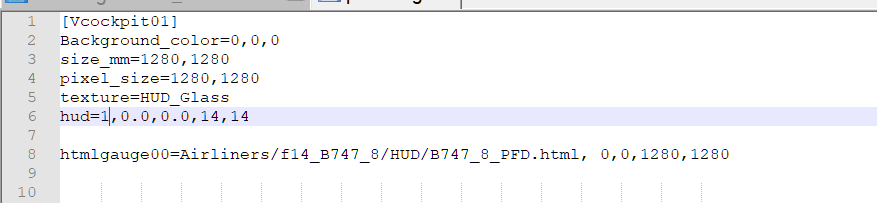
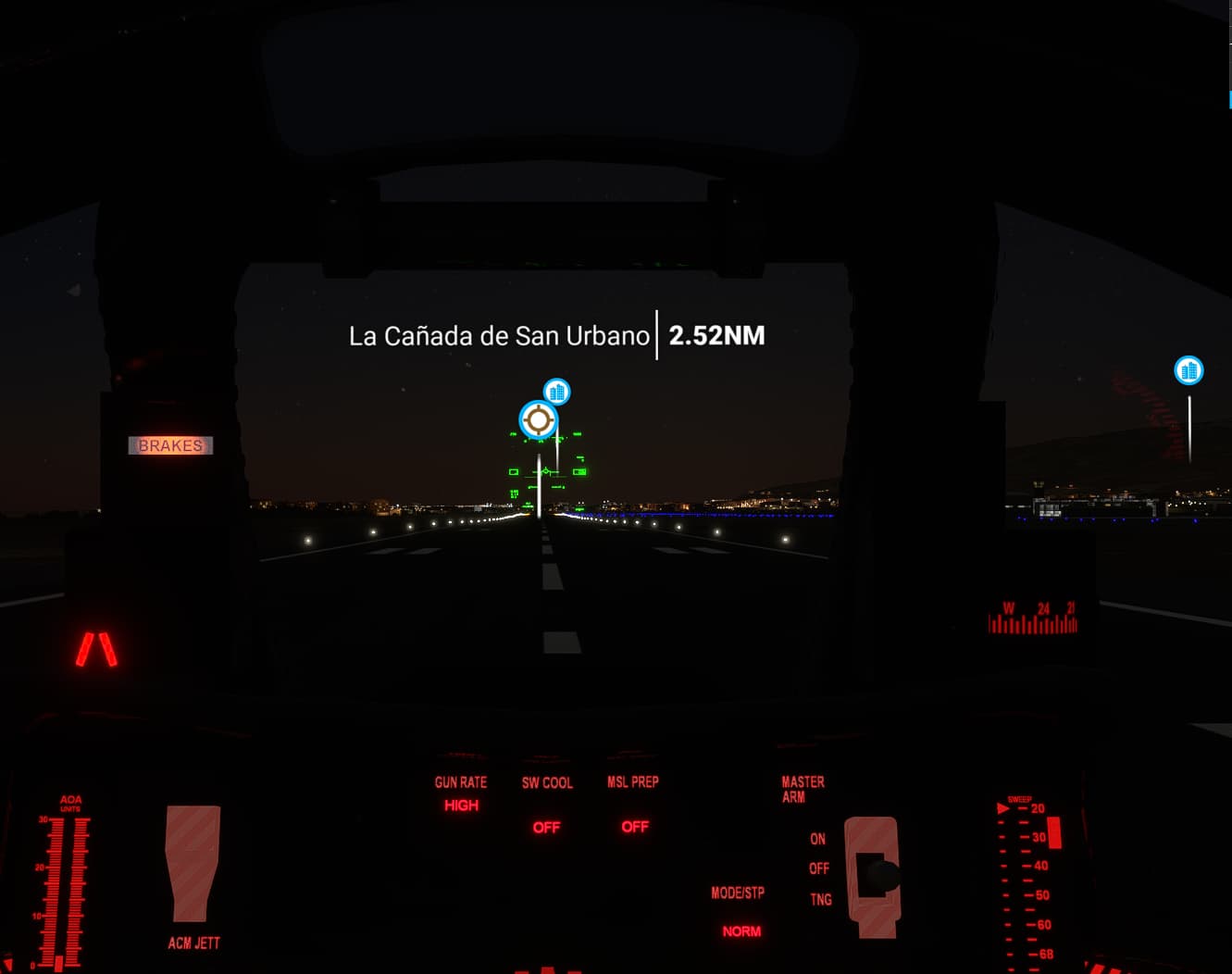
about that, are diferent textures 15 and 14 so you can lower the emissive code in the 14 if you find it too bright. For example “10”.
leave the potentiometer value as it was.
As I did. Look at my settings. And the panel.cfg is identical to yours
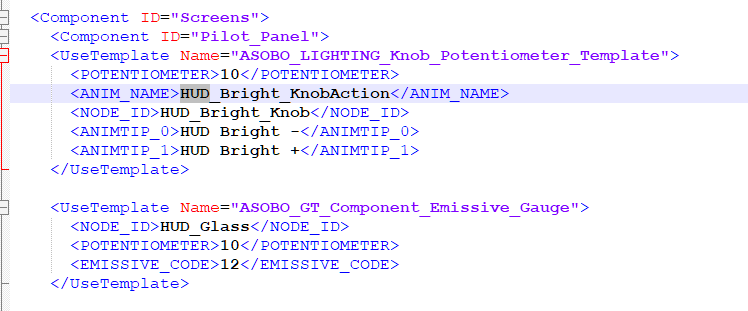
You changed the potentiometer value (should be 10 not 8), leave it as original, is emissive code what defines the base brightness
I’m using TrackIR. They did something with the driver in the curent update. Could that cause the problem?
Look my post above, you have changed the potentiometer value, in your picture you set 8 and should be 10

okay, I changed it to 10.
But what about the size?
This is the right one. So verify that both panel.cfg’s in A and B match. Each plane has its own panel.cfg
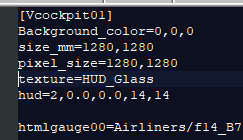
You have it like that on both the F-14A and the F-14B? that is the question.
if both are set to 2, then the game is not reading them for some reason. Verify that you don’t have any f-14 mods that contain a panel.cfg. Only the original folder
yes, both. I never touched them.
don’t you have any liveries mod or something? You will not have by chance, the emergency mod that we published to fix the panels when the su7 came out, right?
Rudy, something in your community folder is causing the game to not read the HUD value at 2, and that’s why you see it at that size.
Everything was okay before the last Asobo update
I know, but according to Asobo’s devsupport, the HUD had to be changed from value 1 to 2, precisely because of the problem you are having. If you have the HUD set to 2, this problem should not be happening on your end, since we published an update prior to the last Asobo update that corrected the problem. If you don’t have any f-14 mods in the community folder it should work. I can’t think of any other explanation for your problem.