DC Designs F-14A/B Tomcat Announcement & Discussion

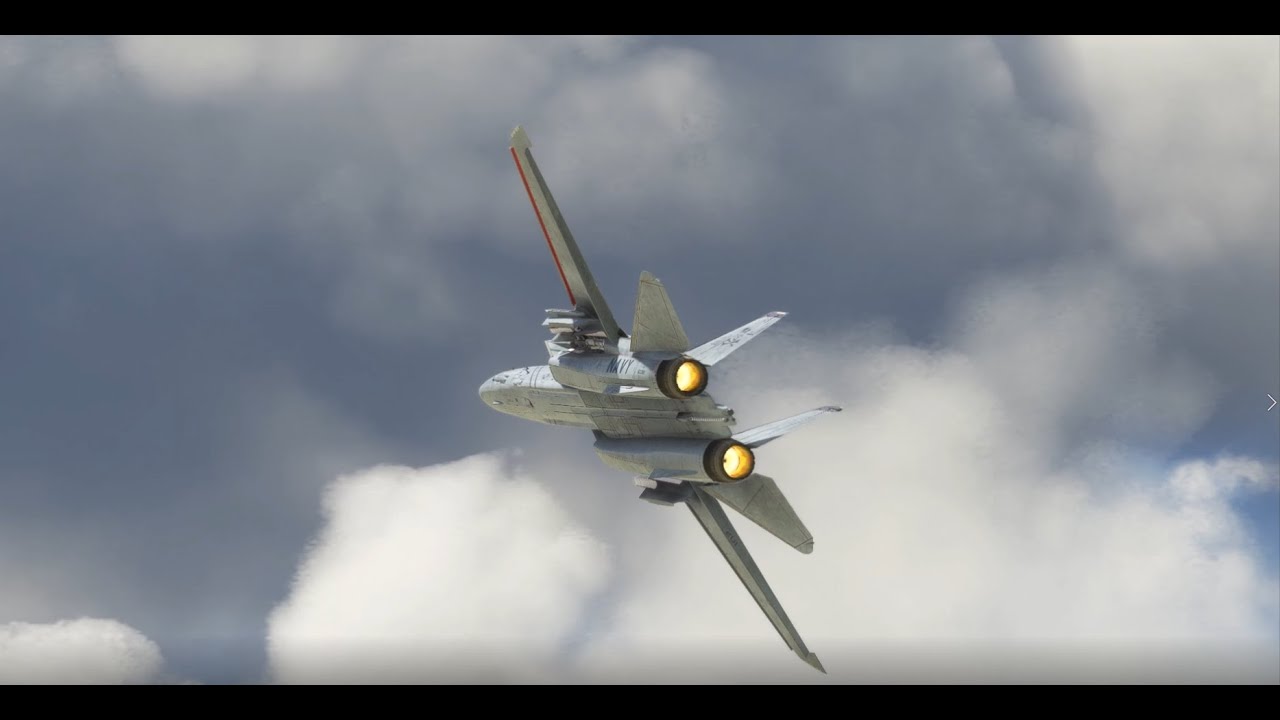
My F-14A Display routine for 2022’s “Wings Over The Web”, which will be live on Microsoft’s Twitch channel on May 22nd. This practice was flown yesterday, at NAS Pensacola, Florida, and is performed to “crowd left”. The WOTB display will be the other way around, “crowd right” - the display can be flown either way.

The F-14 is in the colours of VF-84, call sign “Victory 201”, and bears the names of the DC Designs team on the canopy and oleo bay door :slight_smile:

6 Likes

nice. are you gonna show off any other of your creations?

1 Like

Cool video. Nice to see the updates! Can’t wait to hit the MS Store

1 Like

Yes, F-15s will follow soon once we’ve completed the updates, and I will be re-flying the SC Designs F-16 display sequence also now that my camera work is a bit better. It’s tremendous fun flying these routines in Virtual Reality :slight_smile:

3 Likes

Awesome video! Takes me right back 20 some years ago when I last saw the Tomcat perform at an airshow!

1 Like
Last Saturday (May 7th) a replacement ThrustMaster t.flight Hotas One flight stick arrived
and worked fine while I flew around in slower planes, up to the 747. The odd thing is the F-15’s weren’t in the Select Aircraft dialog. I have to figure that out still.

2)Yesterday,I was able to put the Topmachstudios-F-22a-raptor into the mods.
I selected it and it become “Ready to fly”, but none of the flight surfaces worked.
The throttle worked and brakes…so it just stayed on the ground until it crashes.

3)Today I started fs2020 and I get a screen telling me to insert the game disk!
I took out all the mods that being used. No change,

I’ve been through the MS Store update process in the right way, I think
but there weren’t any updates, as expected.

At the minimum 3 reboots were done, at various points, just for fun.
I need help to figure how to get the F-14 and F-15 back into the aircraft that can be selected for flight. Please, a guide to that process will be what I need and thanks in advance.

So I gotta say that the F-14 and the P-40 are my favorite planes since I was a kid (cough cough) was a loooong time ago😂 been holding out for this for the top gun update as I am newer to the game and it’s a big purchase! I’m exited to hear that there is an update and liveries coming! The countdown is on!!!

1 Like

1 Like

Whaaaaaat!? The earliest I’ve seen it available is the 26th..

:wave: Thank you using the Bug section, using templates provided will greatly help the team reproducing the issue and ease the process of fixing it.

Are you using Developer Mode or made changes in it?

Dev mode not used, no changes made

Brief description of the issue:

When applying Auto Pilot during flight on F14A / B, the plane goes into wild spiral until auto pilot is disabled.

Provide Screenshot(s)/video(s) of the issue encountered:

Unable to provide screenshot or video as it appears that the latest update may have broken the in-game recording as well…

Detailed steps to reproduce the issue encountered:

get into flight on the F14 A /B aircraft, get to at least 10 000 - 15 000ft and engage auto pilot… that’s it, plane will go into wild spiral until auto pilot is disabled…

PC specs and/or peripheral set up if relevant:

Windows 11 Pro, 21H2, 22000.675
Intel i911900K
64Gb RAM
2Tb Samsung 980 Pro SSD
ASUS ROG STRIX RTX3080 O10G

Build Version # when you first started experiencing this issue:

Game version 1.25.9.0, F14 update version 1.0.3


:loudspeaker: For anyone who wants to contribute on this issue, Click on the button below to use this template:

Do you have the same issue if you follow the OP’s steps to reproduce it?

Provide extra information to complete the original description of the issue:

If relevant, provide additional screenshots/video:

Here in Washington only large screens have it playing and only at 7pm then they will play it again on Thursday

1 Like

Really looking forward to flying the F-14 off carriers once the Top Gun DLC comes out. I know there are various carrier mods out there already but Asobo’s efforts should hopefully be better with proper carrier launch and landing functionality built into the sim.

2 Likes

I’m so glad you posted about that. I only recently discovered Thursday night showtimes as I didn’t know about pre-release screenings, but now I found a large screen theater not too far away that has it, like you said, Tuesday at 7pm. Went ahead and grabbed a ticket and I’m good to go!! :sunglasses:

Back on topic, I haven’t had a chance to fly the Tomcat since the latest update but I can’t wait to check her out!

1 Like

No changes to autopilot by us as far as I know, so this might be something new since SU9. Of course, AP in fighter jets is for wimps anyway :stuck_out_tongue:

You don’t put anything about your airspeed in your bug report. Too fast an the AP won’t work on anything, it wasn’t particularly configured for Mach 2 fighters.

1 Like

Hello, just started up my Xbox and saw an update for the F-14. was happy to see un update and all I can say is i got 3 crashes from 3 attempts. Is this known already ?

I changed airport and it loaded without crash. I loaded the first airport with 3 crashes and now it loads there too. I think we can forget this problem. Still strange since I was able to load a diff. Plane at the first airport with no problems before I started testing the f-14

I am not sure if you are new to the F-14, but I had a similar issue. Codenamejack stated earlier in this thread there is a specific order you need to turn AP on. What I do is click on the AP switch, then the altitude switch which is 2 to the left of the AP (not sure of the correct name sorry don’t have MSFS open) and then set the Altitude hold switch on the instrument panel all the way forward on the starboard side.

I hope that helps

3 Likes

Sounds like typical MSFS instability to me. Airplanes themselves rarely are able to crash the whole sim on their own.

1 Like

Sometimes you need to take a short break, the auto pilot comes in useful :grimacing:

1 Like

I’m not sure I’ve read a single topic about a 3rd party airplane where there wasn’t some discussion of it causing a crash and/or the autopilot not working correctly. I think I’ve only seen one or two instances where the problem was confirmed to actually be the plane and not a conflict with another mod, a bug with the sim itself or user error. As a developer I have to tip my hat to your patience and willingness to engage with all users and take all reported issues seriously even though 99% of the time it’s not an issue on your end. Also, the F-14 is great and lets me indulge all my TopGun fighter pilot fantasies :smile:

1 Like