Hah, yes, that’s true I suppose. You could always just trim for level flight at low airspeed ( 300 knots say ) but I do understand that it’s nice to have a basic AP for these sorts of things.
1 Like
Thanks!  I do try to listen to all users, often the solution to problems is hidden within their explanations.
I once buzzed the tower at Miramar in the F-14, in VR, just to see what Capt. Lloyd Abell saw when he did the fly-by for the movie shots. Surprising how close and tight he was to the tower at 350 - 400 knots for it to work and how low he was also, barely 100 ft
3 Likes
thanks for the update, an evolution of a great product. actually got some flying done in the B model. always was a great fan of watership down so the black bunny is a great addition
1 Like
The F-14 update hit the MS Store and the liveries look sweet. I haven’t flown it yet. Big ups for the VF-74 Be-Devilers and USS Saratoga. It brings me back to the good ol days lol. I will fly later today and will report back 
2 Likes
Great to have some hi-vis liveries and that they are on the Xbox side too
2 Likes
Well I crashed into a high voltage tower trying to land at kitty hawk in bad weather and had a compression stall landing at CYYZ flying the B in both. I love the way it flies and the new effects well done DC Designs!
4 Likes
i haven`t spent much time in the B model so far(love the vf84 livery) but now spent some time in it. am i missing something ,i cant get the tail hook to deploy. i get my speed down ,flaps and landing spoilers. select tail hook down in the cockpit but no joy. going to check out the A model now.
Tailhook animation is non-functional at the moment, as it’s not reading the sim variable for it ( another Asobo omission, there are no instructions for this at the moment ). Tailhook is working though, the animation is merely a visual thing that I hope to figure out soon. Very annoying, Asobo do that a lot - canopy variable in the sim still doesn’t work for instance.
1 Like
no worries, just looks so cool when down and dirty. i sometime wonder especially after SU9 who side Asobo is on?
1 Like
Love the updates , excellent work! 
I’m on Xbox , the extra liveries are greatly appreciated, especially this beauty 
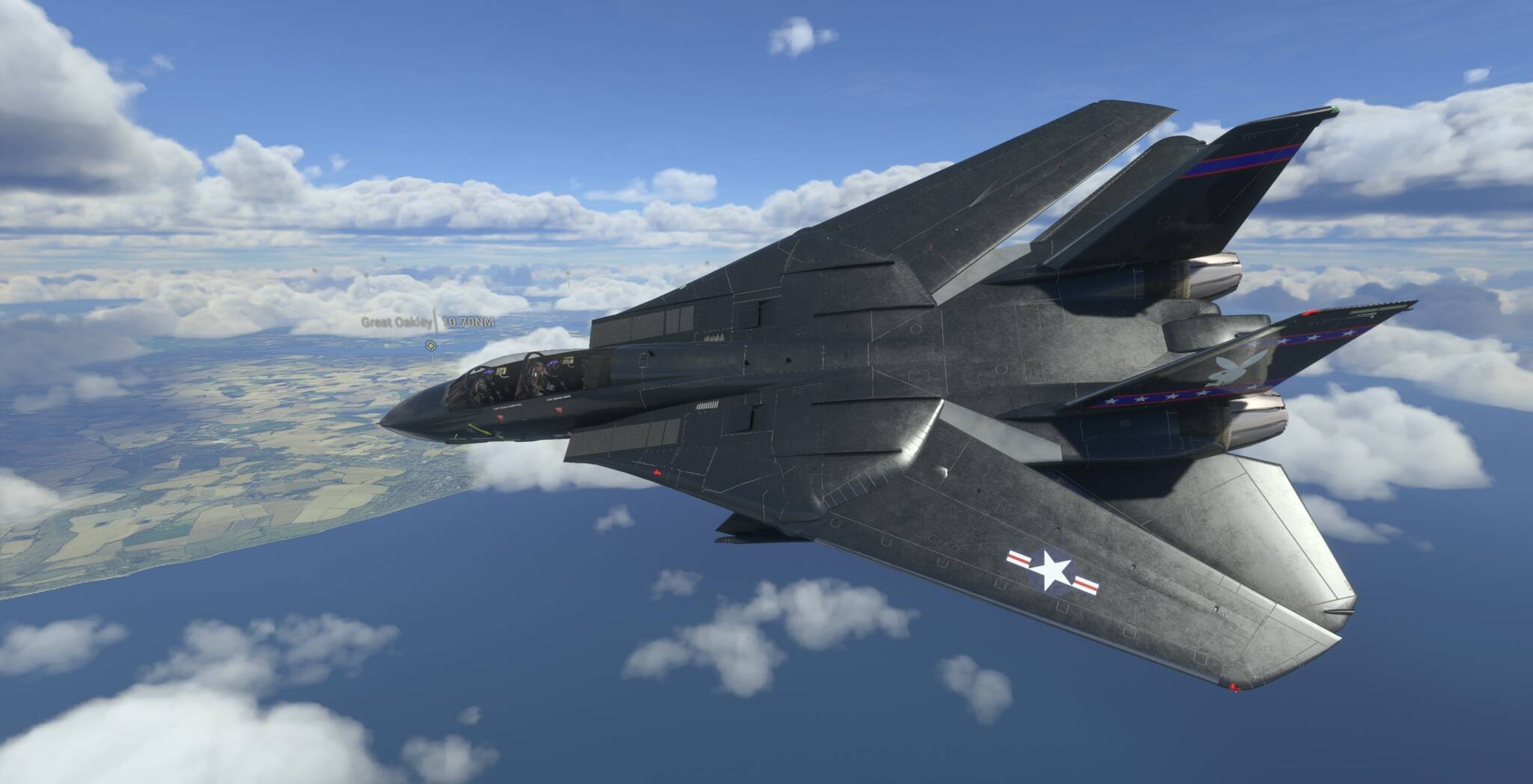
5 Likes
for a change an update that spoilt us.
1 Like
I am getting a lot of compressor stalls flying the B, I never had that issue with the B, before the update. Did something change (obviously things have changed it’s an update lol) or do I need to learn how to fly? (cue Pink Floyd)
No it’s not you, the F-14B should not suffer compressor stalls but the code for it has somehow made its way into the airplane from the A model. I have corrected this. Fortunately there will be a new update with the Top Gun DLC so the bug won’t be there for long.
To avoid compressor stalls in the A model ( and for now the B ), avoid hard rudder inputs when below 250 knots indicated and 13 degrees AoA. Just like the real F-14, that will stall the inside engine, which can then lead to a spin and the second engine flaming out.
5 Likes
I have seen this issue occur myself after a sim update. I thought that I read in another post that it was an issue with the memory for the scenery cache. I believe the proper solution was to clear the scenery cache after the update, though loading the program at a different airport and then going back to the the original airport also seemed clear the scenery cache and fix the problem. I hope that this helps with figuring out what was happening after the update.
1 Like
The wing vain switch is also now operable in the B as well so it seems like a lite more of the code from the A made it into the B.
1 Like
More of a reason to fly the B model before it "repaired"
@DEAN01973 I think I may have found a bug in cold and dark start.
After a few minutes of flight I loose all electrical power, this doesn’t happen if I start on the runway or in air. It also doesn’t happen when I CTRL+E.
My best guess is that something in SU9 changed the generators state on startup. There is no generator switch on the aircraft so my batteries are dying.
Next thing I will try is binding generators to a button press and see if that does anything or if my batteries still die.
1 Like
Thanks for the info, that might be a real thing they’ve changed so yet another bug created by Asobo! Generators can also be created with code alone though so I will check first to see if there is anything wrong there that I might have done, although I’ve done cold and dark starts and flown around for ages without an issue so this could be Sim Update 9 as you suggest
I have done a few cold starts and a few longish flights and no issues for me. I am on PC.
I’ll give that a try