ISSUE DESCRIPTION
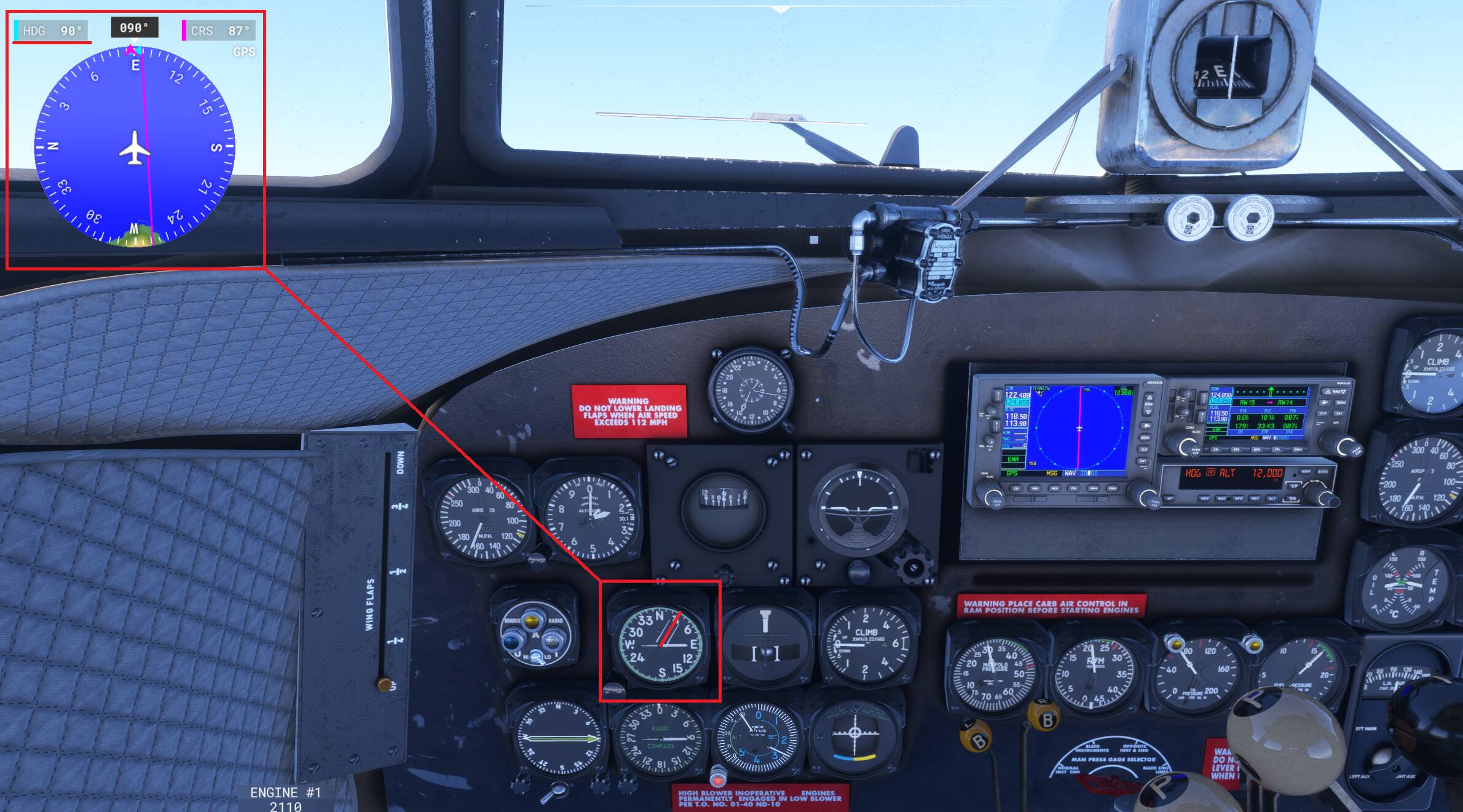
DC-3 heading bug cannot be set using the “Desired Heading” knob in the cockpit, making the HDG mode on autopilot unusable. The heading bug can be however set manually using a key binding but is not reflected in the cockpit. Without using the keybinds the heading bug will always remain at 0.
FREQUENCY OF ISSUE
Persistent
REPRODUCTION STEPS
Please list clear steps you took in order to help our test team reproduce the same issue:
-
Load Douglas DC-3 (retrofit)
-
Adjust “Desired Heading” knob
-
No heading bug input observed
YOUR SETTINGS
PC/Steam
MEDIA
One of the things the Duckworks mod fixes. I fly the DC-3 only with the mod.
Duckworks DC-3 for Microsoft Flight Simulator | MSFS
Yes, i’ve watched this video and it does work the same way for the classic version with the gyro-based system, however on the retrofit the desired heading or any other system aboard the aircraft does not generate the heading bug at all.
There are also videos that show the retrofit version in the 2020 sim using the desired heading bug to set the bug itself. Currently on the 2024 the only way to select the heading in the retrofit is using keybinds.
Here is a video that talks about the retrofit setup and operations, at 22.50 he describes the heading bug dial. At around 35, just after takeoff you can see the aircraft following that desired heading setting while in AP HDG mode.
1 Like
Ok, just realized you mentioned retrofit in the description. I have also added it to the title to make sure no one is missing it  .
.
1 Like
FYI, this issue is still present in SU4 beta v1.3.31.0.