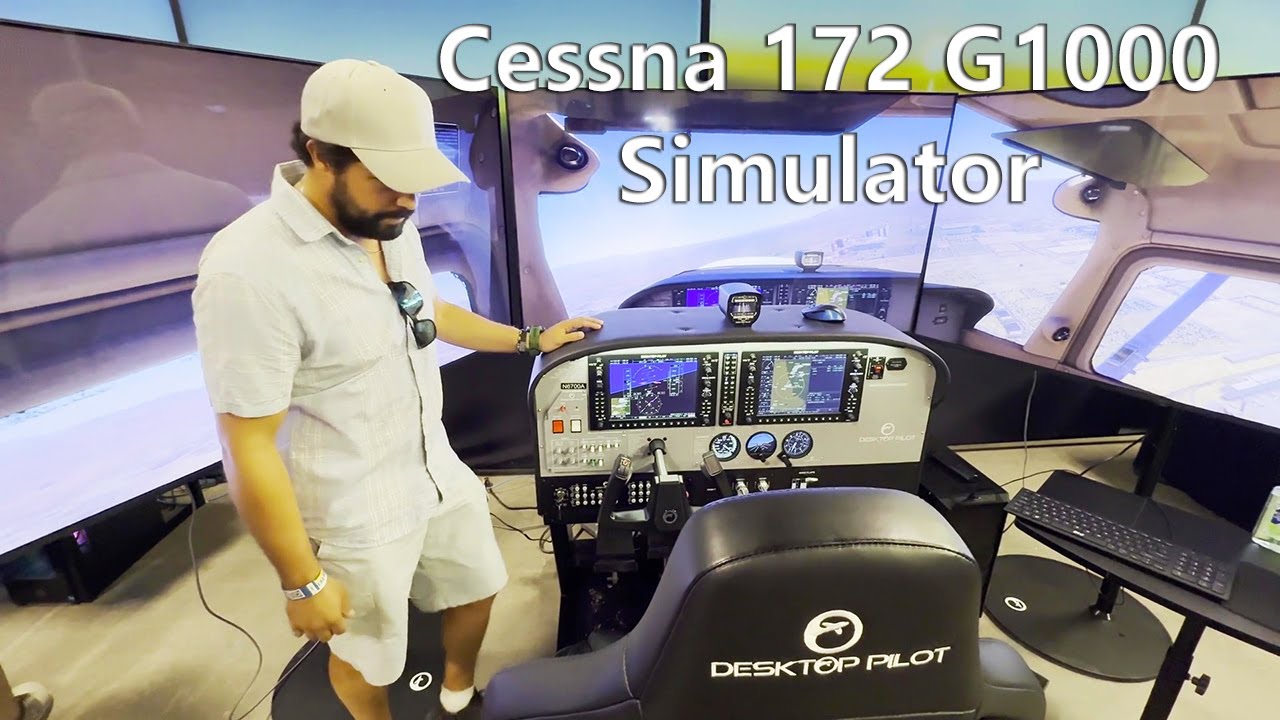
Desktop Pilot has taken off as a company providing many Flight Simulator panels and now, Avionics. At the SUN 'n Fun, I got to meet the team, and was extended the courtesy of testing out their Cessna 172 Simulator, with Garmin G1000 Avionics, and providing feedback to the Engineers. They did a fantastic job with this new creation. For those of you who can make it, check them out at the FlightSimExpo: https://flightsimexpo.com/ 
That’s really nice! However, for me, seeing the cockpit still on the main monitor kills the whole experience. Blame it on MSFS, not allowing a way to completely hide the cockpit (even FSX could do that!). I guess, in a large enough space, you could position the product to hide the view of the cockpit, which will also take away some of the surrounding landscape/sky. Anyway, until Asobo figures out a way to allow this, (home cockpit and multi monitor users begged for it since before the release of FS2020) products duplicating the cockpit are much less appealing.
So two things…1) That is X-Plane 2) I was testing the simulator and speaking to developers directly - I wanted to also watch the behavior inside the simulator - That’s why it was set up for me that way.
Thanks for the explanation. But you do agree that there is no way, in MSFS, to just have your excellent product and, behind it, the outside view like in a real cockpit. There is no way to eliminate the aircraft panel.
In all the years that this discussion exists no-one has been able to describe how this would work. I have asked multiple times in that discussion without getting a sensible answer.
So I’ll try again here: what would you want? Irl part of the outside view is blocked by the instrument panel. So when you would hide the ip in the sim, you’d still want to position your view realistically to show the piece of landscape/sky you’d normally see.
So what’s the point of hiding the ip when I would reposition the view to overlay the sim’s ip with the physical cockpit?
I hope my reasoning is a bit clear. This topic has intrigued me from the start.
There are 3 reasons to want to hide the cockpit.
1- In a real aircraft, you can divert your eyes to look out the window or raise/position your seat, etc. to get a better view of the outside. In MSFS, you can zoom in but everything, including the cockpit gets zoomed. You don’t see more of the outsuide view. The cockpit is everpresent. (Some addon aircraft allow you to move vertically until you are above the plane, which gives you only the outside view., though not exactly the same view perspective as in the seat). This would be nice with a home cockpit setup (which I don’t have, by the way…)
2- When you say the home cockpit would just take the place of (hide) the virtual cockpit you are still limiting the option to look above it etc because you will see the virtual cockpit unless you you are stationary. From a non-home cockpit user (like me) perspective, it is great to just look at the scenery (isn’t that one of the great improvements we bought ythe sim for?) with s completely hidden cockpit in any plane.
3- Are all home cockpuits the samne size? I assume the answer is “no”. Therefore it would be so muich easier to just have an option to have no cockpit with the same view perspective to allow any type of hardware/home cockpit configuaration.
Interestingly, this much requested option from the time FS2020 was announcedwas already avaiable in FSX 20 years prior!