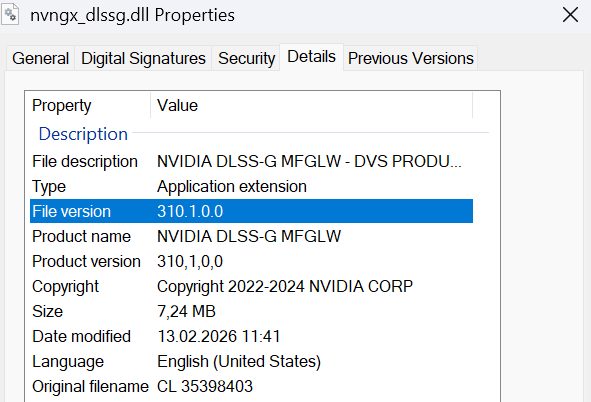
It was mentioned by @BrawnierHook18 in the SU5 Feedback thread that SU5 had reverted to an early version of DLSS, so I thought it would be worth discussing in more detail, in case this is an accidental reversion, or intentional decision by Asobo?
Note - this also seems to affect the version of FSR 3.1 DIrectX 12 MSFS is using, and may be a root cause of the various FSR 3 Frame Gen issues in this first interation of the beta…
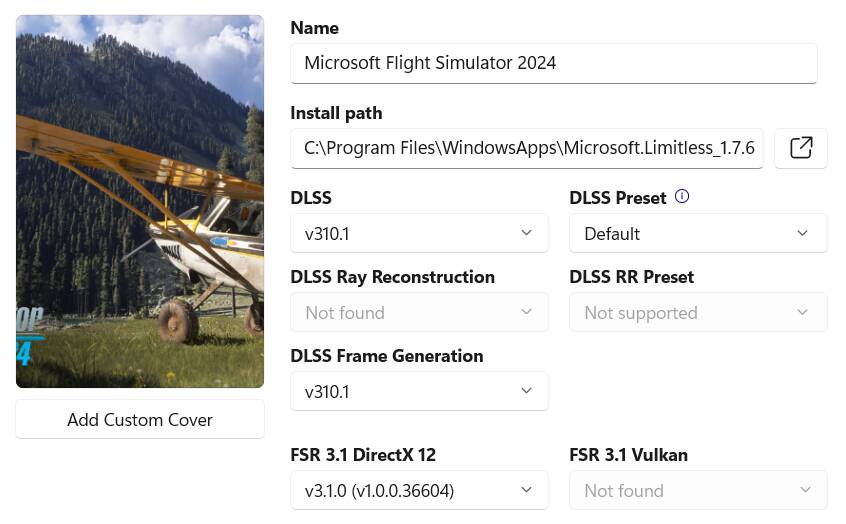
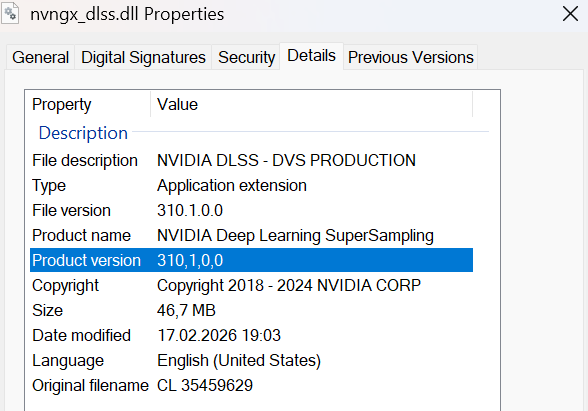
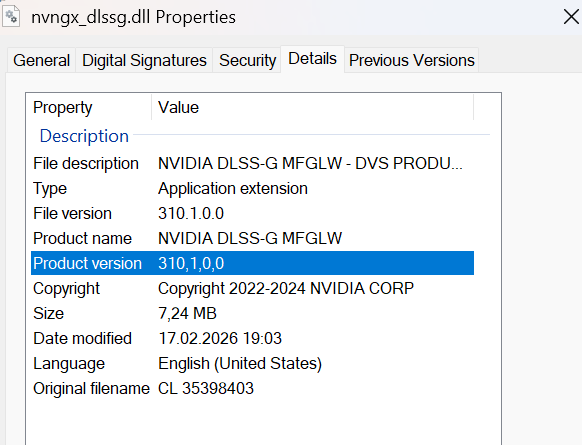
These are the DLSS versions found in the default install of SU5 v.1.7.6.0 - DLSS version 310.1.0 appears to be from January 2025? (note I am using DLAA so Preset letters may be different if using Quality, Balanced, Performance, or Ultra Performance for DLSS Anti-aliasing).
Then I applied the NVIDIA App “Recommended”. Then I reverted the NVIDIA App to defaults, and applied the latest via DLSS Swapper:
| Source |
DLSS |
DLSS FG |
FSR 3.1 DirectX 12 |
| SU5 Default |
v310.1.0 (E) |
v310.1.0 |
v3.1.0 (v1.0.0.36604) |
| NV App “Recommended” |
v310.5.2 (K) |
unknown |
unknown |
| DLSS Swapper Latest |
v310.5.3 (K) |
v310.5.3 |
v3.1.4 (v1.0.1.41314) |
SU5 v1.7.6.0 Default
NVIDIA App > Recommended

DLSS Swapper Latest

(PSA: Important, if you are going to modify DLSS settings, either via NVIDIA App, or DLSS Swapper, it is important to only make changes in 1 of the 2 apps. If using the NVIDIA App to set the DLSS override to Recommended, then DLSS Swapper should be at original defaults. Likewise, if you are going to use DLSS Swapper, then NVIDIA App DLSS Override should be at default.)
1 Like
Sorry, I’m not keeping up with all this DLSS stuff. Does running the Beta version of the Nvidia App have any affect on this?
Not really, I don’t think so at the moment…
If you don’t change anything (via NVIDIA App or DLSS Swapper), then in the MSFS SU 5 beta, the DLSS version seems to have reverted to 310.1.0, which is from Jan 2025. This would be the DLSS files installed in the MSFS application directory.
If you use NVIDIA App to “override” the DLSS version from MSFS, to the “Recommended” from NVIDIA, then it will be version 310.5.2… which is provided by the NVIDIA App at the driver level, and does not change the MSFS files…
If instead of NVIDIA App, you use DLSS Swapper to get the very latest version, this replaces the DLSS files in the MSFS application directory with new ones.
I don’t think the “beta” of the NVIDIA App has anything newer than the default NVIDIA App version. That was only a temporary situation in January, where they released v4.5 with Presets L and M for the “Performance” and “Ultra Performance” modes. But 2 weeks later it became the official version of NVIDIA App. (If I understand it correctly!)
1 Like
I think I am right here that it happens every time there is an update and has done since original game launch.
If you are using the nvidia app and have the DLSS Override settings to recommended then it does not matter as it will use the latest dlss libs installed with the driver, currently, 310.5.2.
If you use DlssSwapper then you will notice that they go back to 310.1, as this is what is installed with the latest game update. You can of course override using using DlssSwapper to the latest versions, 310.5.3 PROVIDING that you have the DLSS Override set to Use 3D app setting in the Nvidia App.
In short it will happen again with the next beta.
1 Like
I don’t recall MSFS 2024 ever shipping with the latest DLSS version in the first place. It has typically used older builds, so it’s not a revert.
If anyone still has SU4 installed, it might be interesting to see what version Asobo included in the release version (without NVIDIA App override, or DLSS Swapper swapped)?
Even if not the latest version, I’m a bit surprised they are using such an old version… MS / Asobo have spent 15 months on optimization, trying to squeeze performance anywhere they can, and I would assume there are benefits to newer DLSS versions…
I’m sure they have a guide to support trailing NVIDIA and AMD driver versions, so I don’t know if this is a carefully managed process, or overlooked, or …?
This really isn’t anything new. Neither MSFS 2020 nor MSFS 2024 has ever been installed with the very latest DLSS version - they’ve always shipped with older builds.
Also, if someone used a DLSS Swapper to replace original DLSS files with a newer version, then later reinstalled MSFS 2024 or updated to the beta, it’s completely normal for the sim to restore its original bundled DLSS files. That would overwrite whatever was swapped in before.
So there’s nothing unusual about this - it’s just the installer putting back the official files.
MSFS 2024 SU4
DLSS
DLSSG
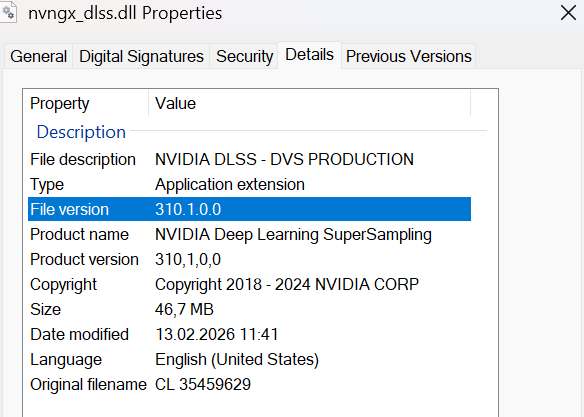
MSFS 2024 SU5 beta
DLSS
DLSSG
Solution
The screenshots show the DLSS versions are the same as in SU4.
MSFS has never shipped with the newest DLSS - SU5 is just using the same version as before.