131 gigs goes to 33 gigs.
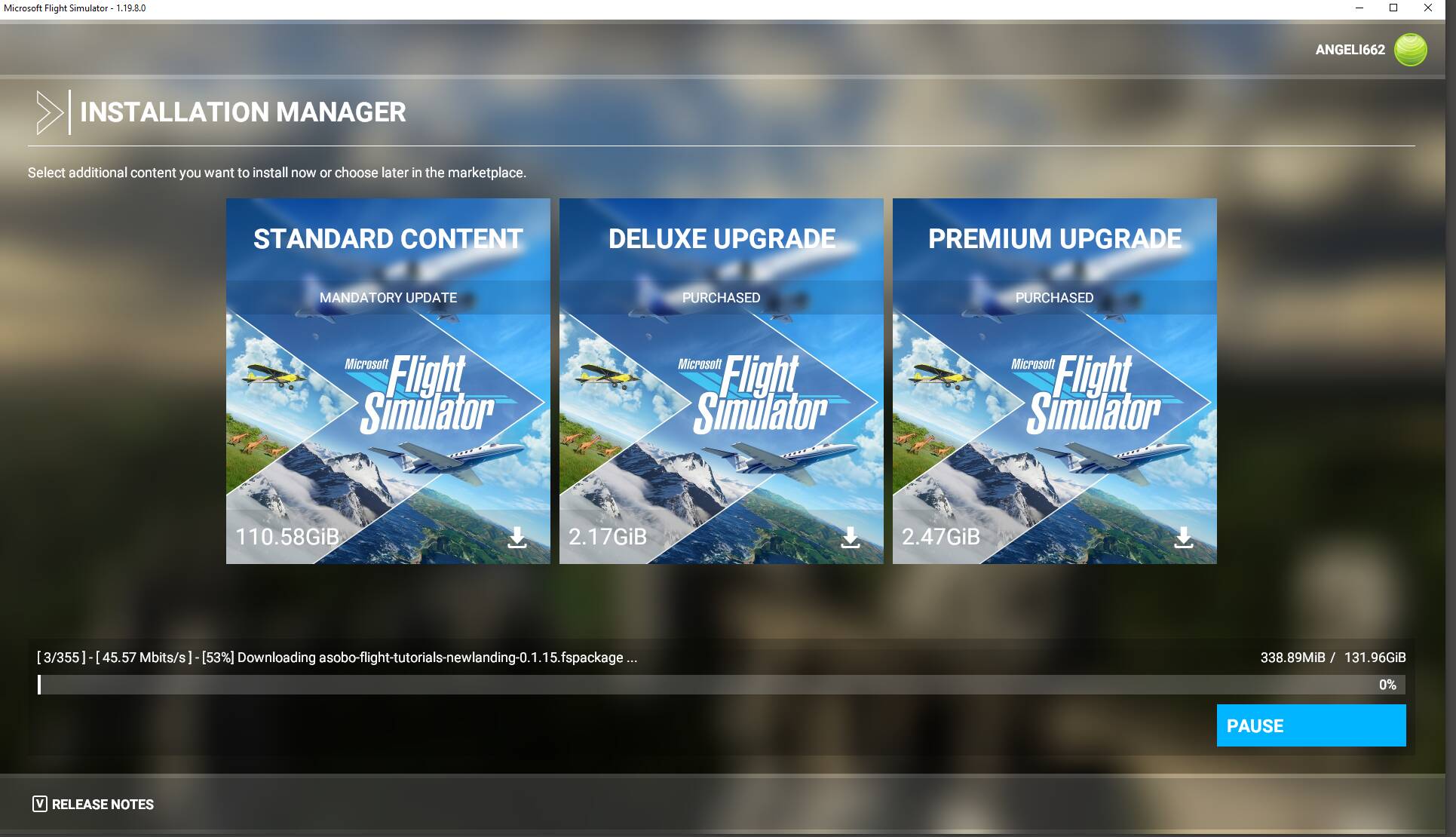
For me, it downloaded the whole 131 GB, then had another bunch of CE downloads. The largest one is still being downloaded, this after two days=48 hours of getting the base files to download. I hate, hate, hate this distribution method, if it dont work this time. I am outta here period, including assisting folks herein because I would have nothing constructive to say. Yes, lots of folks are using this mess and being relatively successful with it, thousands, are not.
Ok, stopped big DL earlier to work in yard, shutdown PC. Got finished, started PC, check in store, yep, they are there. Closed store opened game, and yep now they show up. However, the F-14 controls now do not work with Virpil JS, although it’s active and has buttons which work. Now the HUD and avionics work, no lights on the Honeycomb TQ in F-14, and have not totally tested those levers, buttons to see if they work. Believe updated plane, going out the get latest version, and that may clear up problems. FWIW-took My backup community folder stuff, moved it to community folder and all of it shows up in Content Manager. Maybe, things are looking up. Still trying to get F-14 working will advise.
With SU6, I was first notified on Steam where I had to wait for a download of about 250MB. Then when i started the sim, I had a download in the gigabytes for SU6. Then you have to go into the content manager and download all of it again. I didnt know this for the first 8 months of owning this. I looked last June and seen that like in the photo above. I saw I had nothing installed. So I installed it and it took a long time. I wish there was just one download to deal with.
Personal Comments:
One of the reasons the World Update content isn’t auto-installed after the base patch is to give the end user a choice on which components of the update to install. For example, I want the POIs and some of the airports. I do not want the Landing Challenges. Each World Update allows you to drill down and determine which parts you want at any given time. This saves on valuable space as well as time and data consumed.
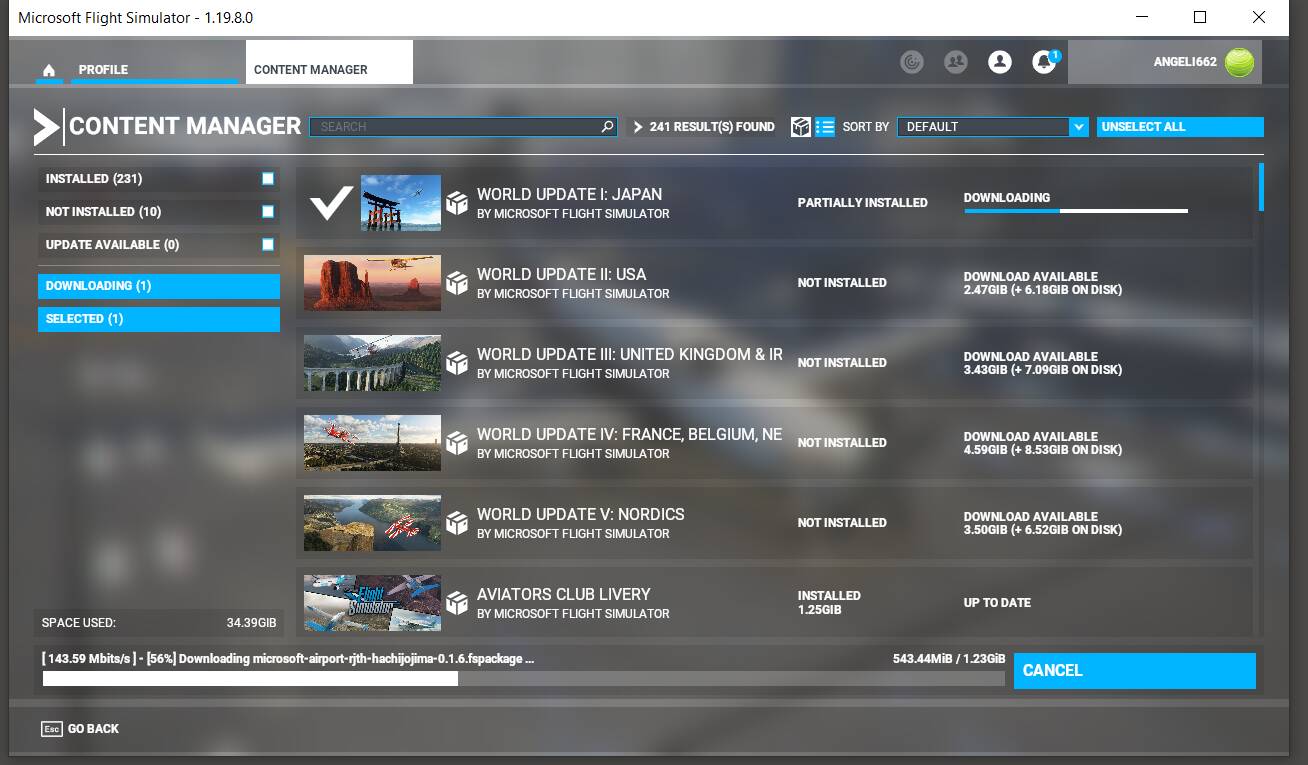
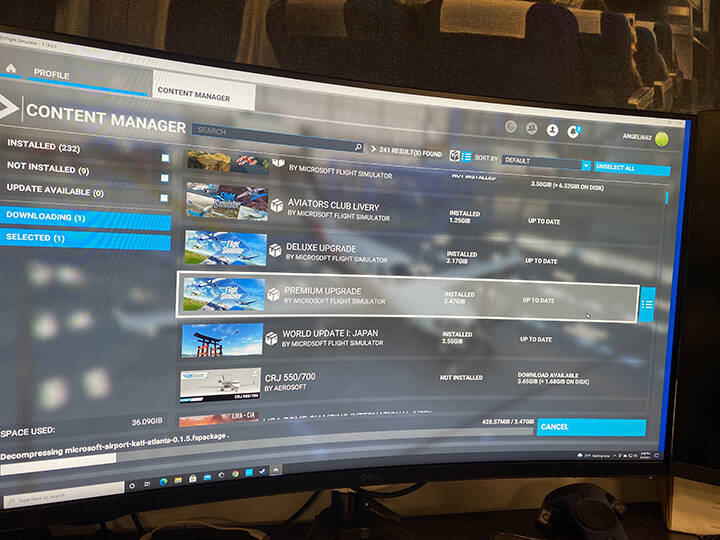
This isn’t about the update; and this is about the “STANDARD CONTENT,” which is about 110 gig after the sim installed 131 gigs, and you proceed to another update like world, etc., the 110gigs or the “STANDARD CONTENT” is no longer in the content manager, only the "DELUXE UPGRADE, and PREMIUM UPGRADE, please look at the pics above and the one below.
If you bought Premium (which includes Deluxe) or just Deluxe, those packages get pushed down after Standard (which is the 100 or so GB) in a full reinstallation. Everyone has the Standard Package if you think about it.
What exactly are you concerned about? Based on those photos you own the Premium package like I do. That’s a normal looking screen from what I can tell.
As you can see on the pics, I own the premium; I have done a full Window and Sim reinstallation, which start with 131.96 gigs; after the installation, I continue to the updates on my content manager, which says the total disk used 33.9 gigs and it doesn’t show the standard content. Still, just the deluxe upgrade and premium, I don’t understand why, after all the updates my Sim is only about 50 gigs.
I have and own the full disk version of premium de luxe version of the sim.
I have the same issue i noticed after WU5, before i was on 149gb or so, and after it was reduced to 79gb or so
Altough it is working normal and if i select the files in the msfspackages and check the amount it still says 149gb or so.
In game it works normal no issue with download WU6.
The only thing that is strange and annoying to me, is ms-store here only basic is confirmed, premium and the de luxe not, and it says my system is not capable, while i always had digital ownership before and as always it worked well and fine.
The “totalizer” for lack of a better term in Content Manager, doesn’t count the base 100-110 GB install. When that changed, I have no idea. Somewhere after SU4 is my guess.
My installation shows 46 GB after installing what I wanted from all six World Updates. But my total install by checking SSD via Windows File Explorer shows close to 200GB which is about right with my mods included.