Not a new topic, but after browsing for hours still find no solution.
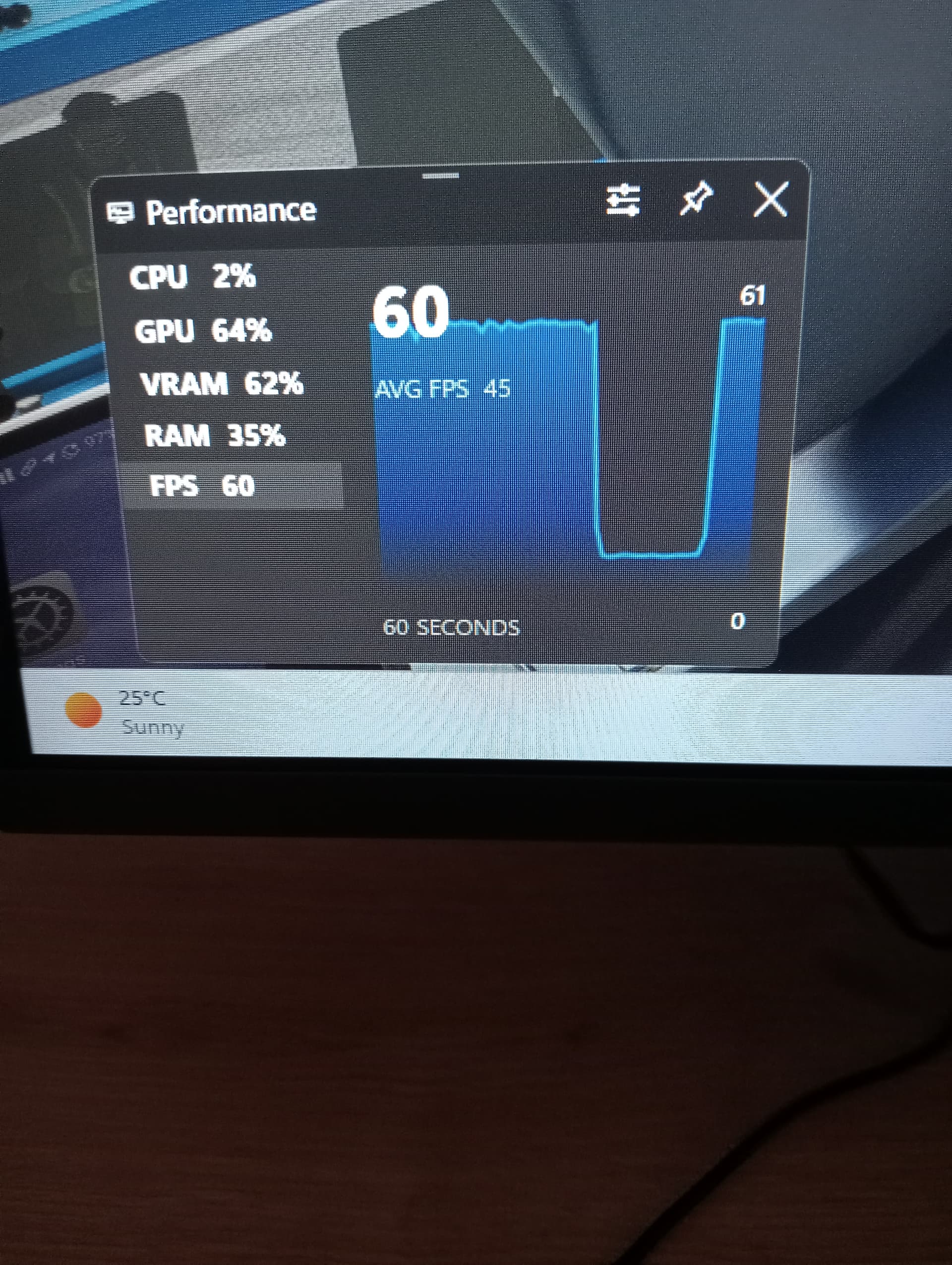
My sim starts normal, everything smooth and high performance (over 100 fps). Than after 10 minutes, for the first time the fps drop dramatically for about 5 seconds and come back to normal again. This repeats every 5 minutes. The glass cockpit pfd in A320 freezes that time completely. So in takeoff and landing crucial and therefore unflyable Sim.
I have a complete new system, new Installation of msfs 2020 ms-store , updated all drivers and “played” for hours with numerous settings. But no result. Very frustrating.
I know the issue came by here before, I read all these, but did not find a solution in any of them.
I tried to look in the Task manager at the time of the drop, but could not figure out anything there.
I will check how I can install Glaswire to see if that’s bring me any further.
It is probably not MSFS itself but something in the system. But nothing is sure yet.
I installed the Thrustmaster TCA pack X. This came with a driver. And also Fenix A320 with app and driver. For the rest it is a brand new (clean) system without any add-ons (yet). Could that be something?
I had the same issue yesterday morning. Horrible performance. Drops like that are not caused by settings. Flew again that evening and smooth as ever. It’s a client server game and the problem this time is the server. Probably some issues resulting from the Microsoft server crashes last week. Wait it out.
You didn’t tell us the motherboard; Some motherboards, in order to squeeze out the last bit of performance, run Intel CPU’s at higher than recommended by the manufacturer. Shortens the life of the processor via overheating. Your problem sounds like the CPU throttles back at regular intervals. This video may help. The same content provider has a couple of videos on this topic.
This sounds suspiciously like the “when a device is connected/disconnected the simulator freezes for several seconds” issue. It’s common for power settings to cause USB or Bluetooth devices to go idle after a few minutes; for instance if you have a Bluetooth mouse or keyboard that you’re not actively using during flight it might time out and this might cause the re-indexing of devices or whatever it is that causes this problem.
If so, changing power settings may help. I don’t know the exact settings to change; what I do know is that the input manager tool I use, spad.next, specifically checks for a power timeout setting on USB input devices and warns me about it when it finds it configured the wrong way, with the ability to fix it for me if I run spad as administrator.
You can use Resource Monitor in Windows. Click the network tab and you can see which processes are active and the IP addresses of where they are communicating to.
Glasswire isn’t required, but it makes the process more intuitive.
I’d check that, task manager for CPU usage during the FPS drops, and power settings like others have mentioned.
It could be dashost.exe communicating with another device on your network.
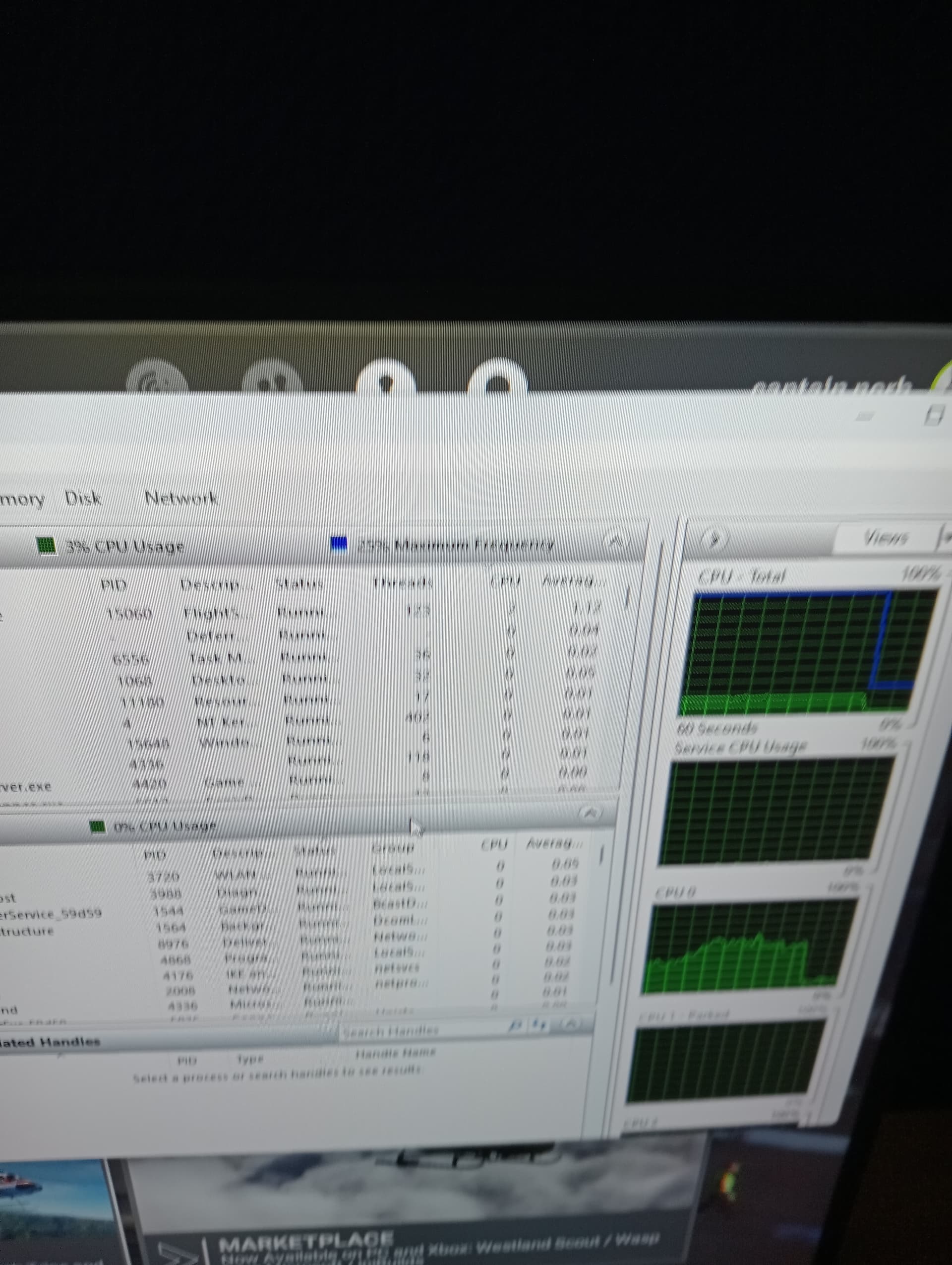
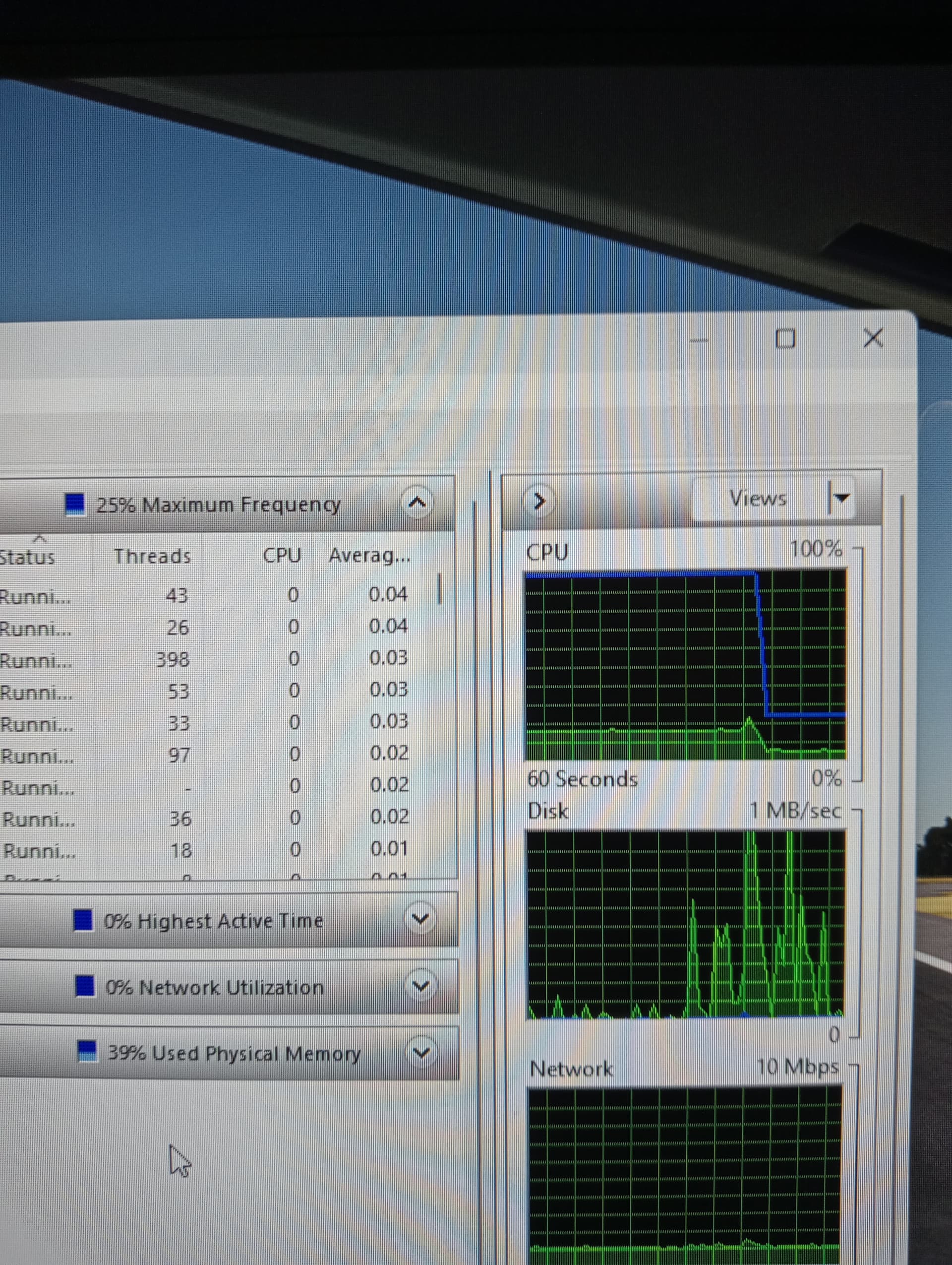
Thanks to you all I could do more research. I found out that exactly when msfs performance drops, CPU usage drops as well and CPU frequency goes to 25% (while when msfs is running stable it is 100%).
The fans speed up. After few seconds everything back in normal running situation.
See also the pictures. The graph matches exactly the fps graph from yesterday.
So where brings us this? A hardware problem? CPU gets too hot and need a cooling period?
High CPU temp is worth checking out, but it wouldn’t explain why it happens at hard, 5-minute intervals, unless some process was throwing it over the edge at that rate.
If you go into Power Options from the control panel, you can create a custom power plan for high performance with minimum CPU power setting at 100%. Switch to that power plan and see what happens. It may not ID the culprit, but it could make the sim playable for the time being.
I found out it is the cpu temperature that causes the performance drop.
I started with opening the PC case and noticed the drops were much less frequent. Than I put an extra fan in front of the case and again even less frequent.
I installed Core Temp and saw with msfs running, CPU temperatures could reach above 90° Celsius up to even 100°.
And finally: at the moment of the performance drop you see temperatures decrease down to 60°-70° Celsius at which point performance comes back to normal. So the CPU is pausing to cool down.
Now knowing this, I do not know how to solve this. The temperature in the room is around 28° Celsius these days.
Look for a better cooling system? Special fan? Anyone experience with that?
And for all who have reported these periodic drops as well, you can check the temperature as well!
If so, you could get an aftermarket CPU cooler/fan assembly. Air or liquid is your choice. I use air and it has never been a problem, but all of it relies on good airflow in the case. Positive pressure (more air going in than out) is also a good idea generally, and it keeps things cleaner.
Edit: I would also question if the cooler is seated properly. The ambient temp is a bit warm, but those are really high temps for the CPU. You may want to try this first.
As another tactic, you could lower LOD for terrain and objects in the sim settings as they are particularly CPU-intensive.