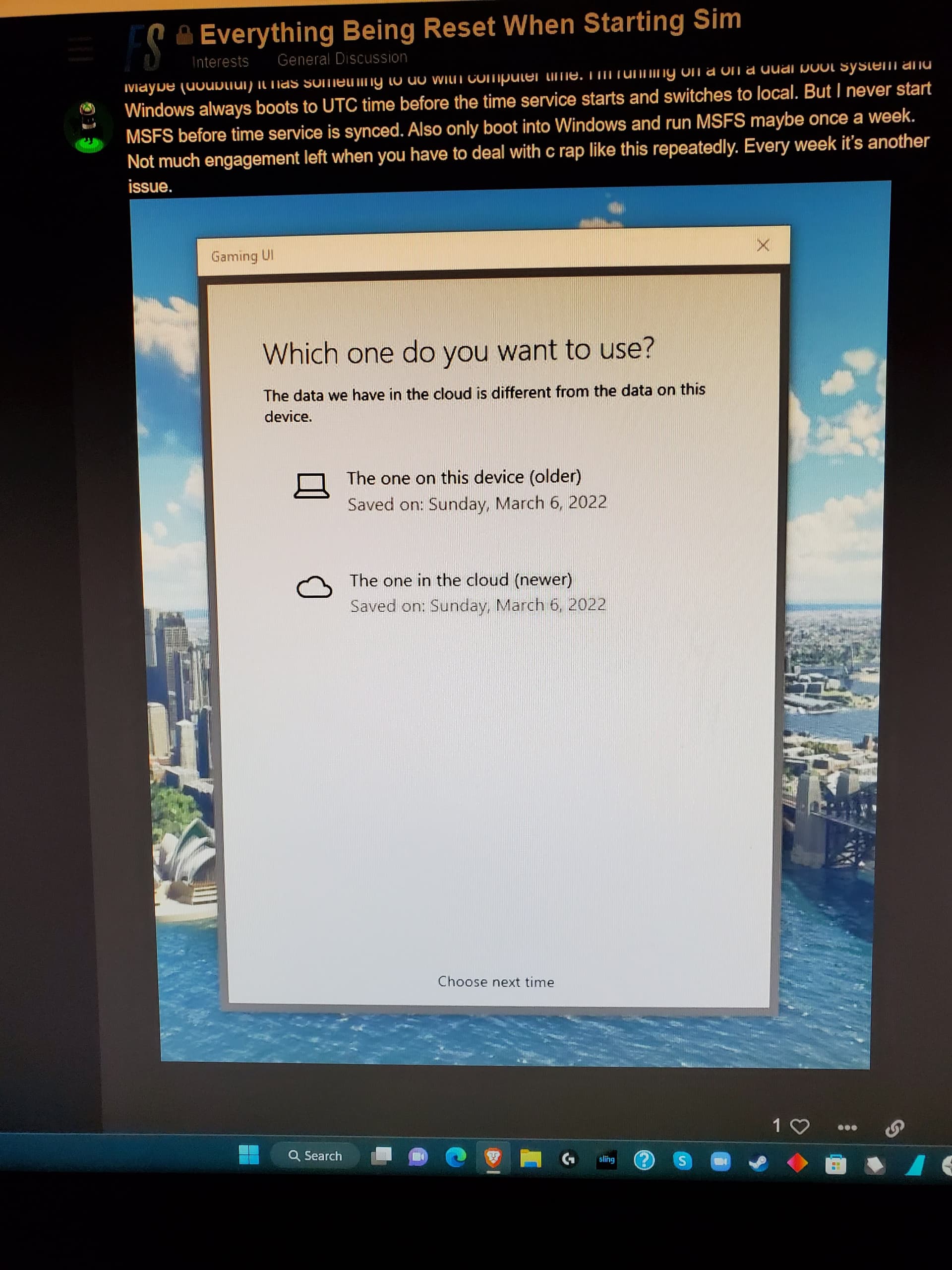
Both yesterday and today I received a message during startup telling me that some data differed between my PC (older data) and the cloud (newer data). It then asks you to choose which one to go with, your PC or the cloud data. There are no further explanations as to what this is about.
I noticed a few comments about this were posted earlier this year, and after they made their choice at least a coiple of users complained that they lost a wide range of game settings, including graphics, data, and controls.
I decided not to make a choice yesterday or today. I simply closed the error message window, and I noticed no difference during game play. I’m not sure for how long I’ll have the option of ignoring the message though.
I’m hoping someone knows something about this message and how it should be responded to. Thanks in advance for any help you can provide.
I have this same message after the last update, the same message of different data in the cloud and in the pc. I also decide to choose later.
Please, I would appreciate it if you could tell me how you solved it.
Is there any update on this? I have been getting this for quite some time and it is anoying me like crazy. I have tried every possible thing I can think off besides a Windows reinstall… Anyone?
So it appears that it was indeed the profile in the cloud that was causing the error message to pop up. I followed the steps in this post on the forum and the problem is gone. Tip: I used Total Commander to copy both folders in steps 7 & 9. I was glad to see that all my bindings had been saved and are still working after I completed all the steps
Any of the options are basically fine because in most cases they are simply different by some minutes, hours or maybe one day, depending on your last gameplay. I personally prefer to select the local copy always in this case because it´s usually the latest one, then make any change to config at UI to force that files are saved and updated, restore the change and that´s it. Cloud is usually back to sync after a normal flight and game closing.
Game will always use your local files to launch, will also update your local files when you change settings or to store the last selected aircraft for instance. When closing game local files will be also updated and then the cloud backup will be normally sync in accordance based on your local files.
In most cases both sets are going to be the same and differences may exist in the timestamp, caused by sync errors for instance. You can also see this prompt if you paste an old backup of your local files as not only timestamp but also files themselves can be different. Anyway game will always update your local files automatically if required to match the current game version config definitions. This is what indeed happens on the first run after a SU is deployed, as you will still have the old configs created with the previous game version at that point.
Therefore, there´s no specific reason to select the cloud copy because that will just overwrite your local files with the ones existing on the cloud. If files are missing, for instance after a clean install, they will be automatically downloaded from cloud without any prompt. On the other hand, if cloud data are corrupted for some reason your local ones can become corrupted as well. That´s why I prefer to select the local ones and I always keep a local backup of my settings before and after every SU, just in case.
Thanks for your reply. When I first got this message I chose one of the two options and after loading the sim all my binding were gone. From then on I associated this choice with losing my bindings. From your post I understand that this should normally not happen and I should not have performed all the steps above