Update / Possible root cause found – OS time sync, DNS & IPv6
Hi everyone,
I’d like to post an important update and also apologize if, in some of my previous replies, I sounded frustrated or harsh. At the time, I genuinely believed this was a core sim bug, and I appreciate everyone’s patience.
After extensive troubleshooting, I believe I’ve identified a system-level issue on my PC that was very likely responsible for the extreme wind behavior I was experiencing near the ground.
What I was experiencing
-
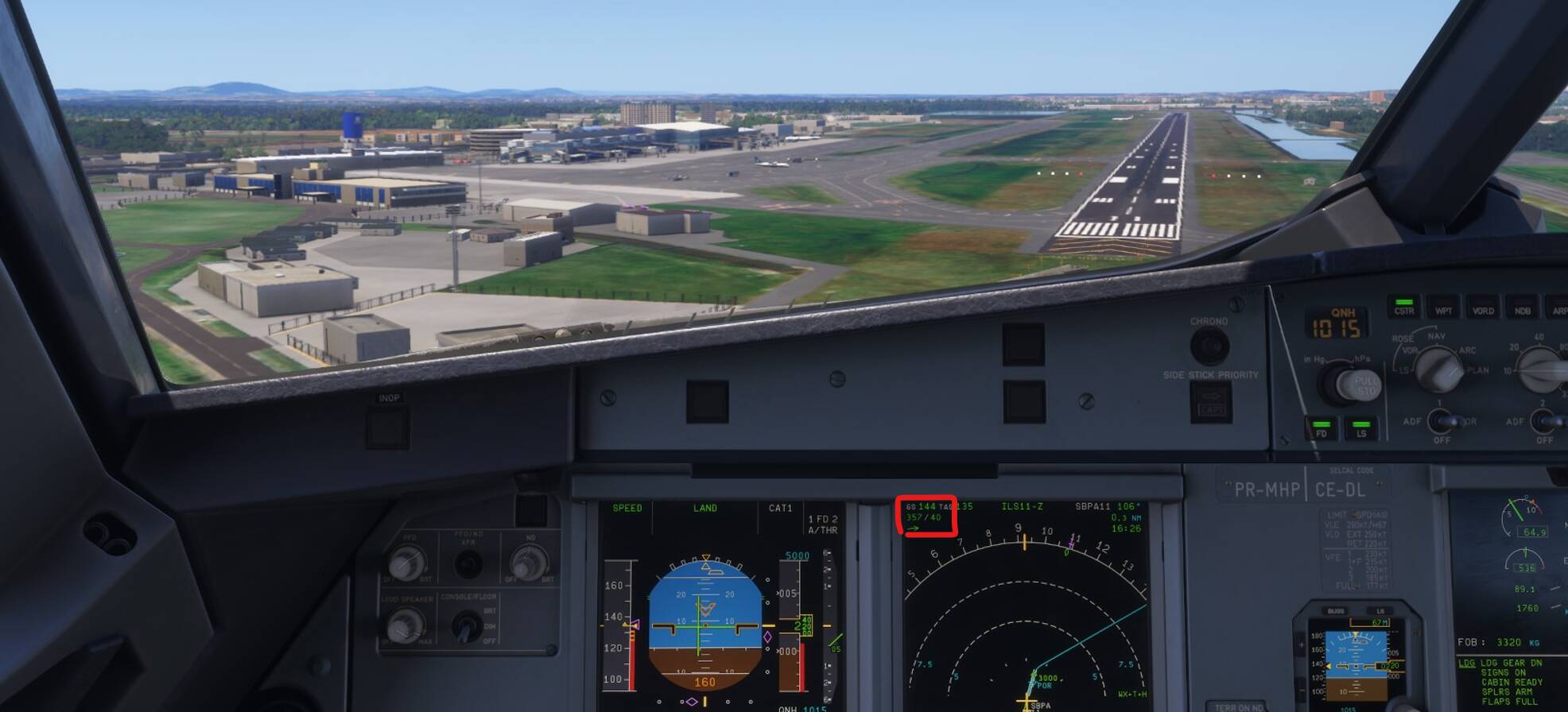
Sudden wind direction changes (sometimes close to 180°) and large increases in wind speed below ~500 AGL
-
These were not gusts and would remain until touchdown
-
This was not related to turbulence settings
-
Occurred at multiple airports worldwide
-
Happened with both default and 3rd-party sceneries
-
Reproduced consistently in every flight using Live Weather
The key discovery
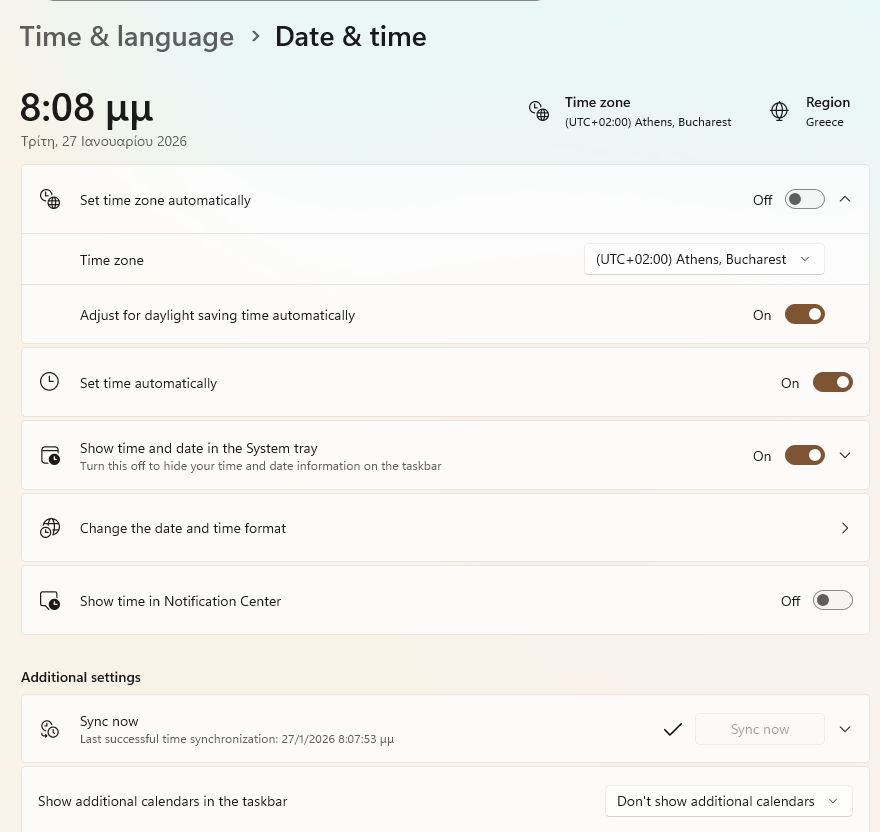
My Windows Time service had been broken for years and was not properly synchronizing with internet time (NTP).
MSFS relies on correct system time to:
Because my OS time was out of sync, the sim was very likely misinterpreting or falling back on weather data, which only became obvious during the most sensitive phase of flight (final / short final).
What fixed it
-
Re-enabled and repaired the Windows Time service
-
Forced a proper NTP resync using w32tm
-
Flushed the DNS cache
-
Verified that time.windows.com and METAR-related endpoints were resolving correctly
-
Disabling IPv6 completely and kept only IPv4 enabled
After applying these:
-
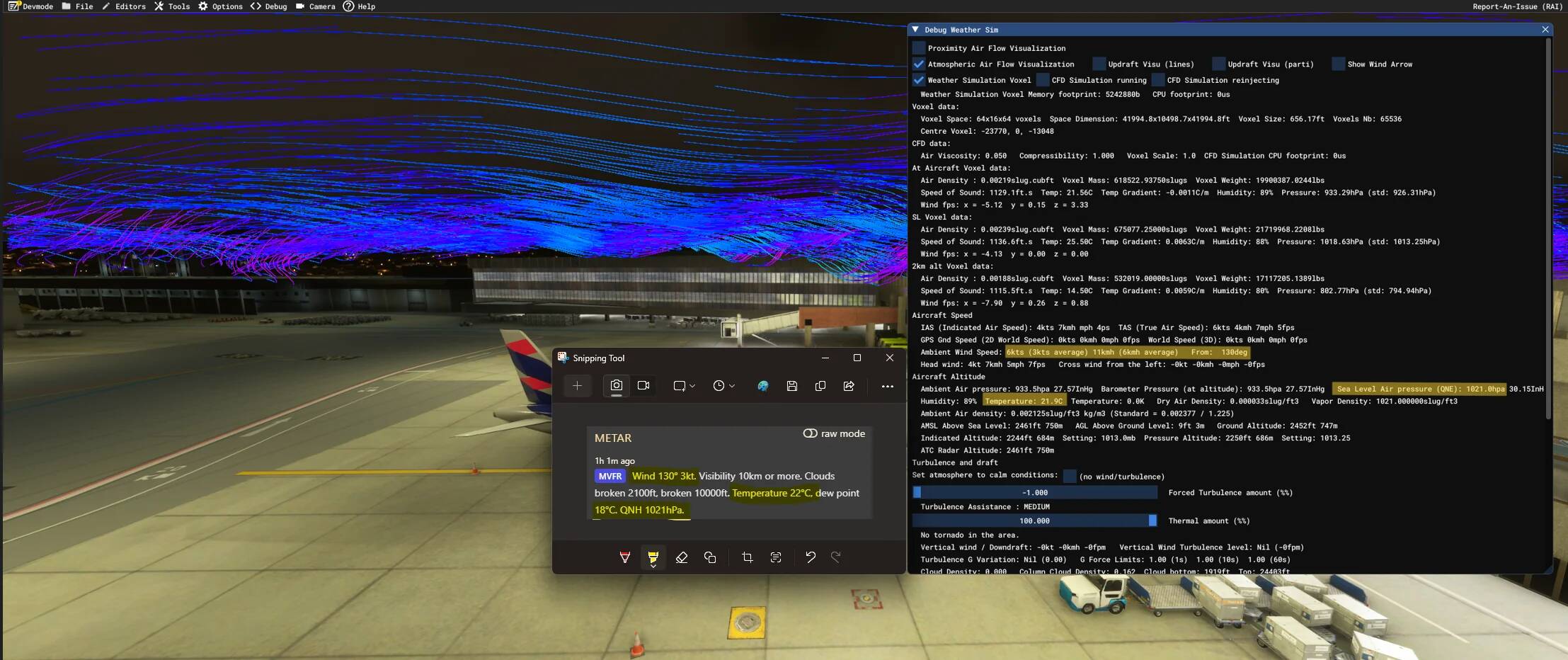
Live Weather data in Dev Mode matched real-world METAR perfectly
-
Weather Debug wind vectors became stable and coherent
-
Volanta, Navigraph Charts, and Beyond ATC all reported identical METAR data
-
Most importantly: the extreme and unrealistic wind behavior completely disappeared
I’ve already performed multiple ground tests, and everything is now behaving as expected. I’ll continue validating this during flights, but so far the issue appears fully resolved, for now.
Screenshot shows the weather debug now showing correct live METAR info and the atmospheric visualizer showing smooth, stable wind lines, updating normally and on the right direction acording to metar. (not the case before the troubleshoot)
Additional note
While in my case the most visible symptom was extreme wind direction and speed changes close to the ground, it’s very possible that OS/Windows time sync, DNS, or IPv6-related issues could manifest as other Live Weather problems, not just wind, such as:
-
incorrect or outdated METAR data
-
sudden or illogical weather transitions
-
mismatches between in-sim weather and external tools
-
inconsistent Live Weather behavior between similar flights
Because Live Weather depends heavily on time-stamped data and server validation, any system-level desynchronization can cause subtle but very hard-to-diagnose issues.
Why I’m sharing this
This is not obvious at all, and the sim provides no warning when OS time sync or network resolution is broken.
If anyone is experiencing similar “impossible” Live Weather behavior, I strongly recommend checking:
Who would have thought that a Windows time sync issue could be responsible for 40-knot crosswinds on short final inside a flight simulator? Definitely not on my troubleshooting bingo card.
Thanks to everyone who contributed ideas and insights, and apologies again for assuming this was purely a sim-side bug.
Hopefully this helps someone else avoid weeks of frustration.
EDIT (01/31/2026):
After 5 complete flights, I can confirm this solution resolved the behavior described by me in the original post. All flights displayed winds compatible with the current METAR, stable and predictable.
The extreme change in direction and speed is resolved.