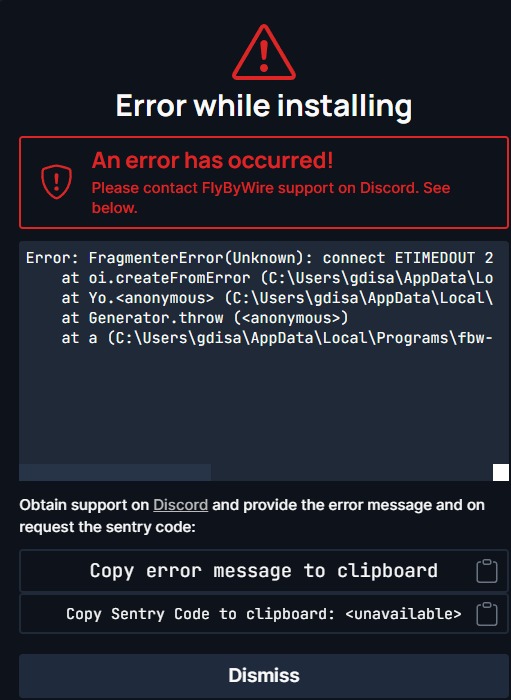
I have always have been able to update the FBW A320nx , however the latest installer keeps failing and won’t update. I have tried uninstalling and re-installing with the latest version of the installer and I still get the error. Any suggestions will be appreciated.
Hello,
I have moved your post to the Party Addon Discussion > Aircraft section, as the Default Aircraft section is only for un-modded aircraft that came with the sim.
Yes, it is version 1.1.1 of the installer, it still fails on switching to Dev version. I will try re-downloading the installer. Just reinstalled, I can get Stable version and it will switch to Custom version, but fails on Dev version.
I have the same problem. The issue is the MSFS Community folder is now “Read Only”. If I remove the read only property, it reapplies the read only property immediately. This will not allow the FBW updater to work. Updates will fail every time now. Only way around this is to download the latest build off the FBW website and extract it directly into the Community folder.
I had no issue with the latest installer. What I did was:
I didn’t have the installer installed in the first place. So for those who do, maybe it’s a good idea to completely uninstall the installer.
I delete all the older A32NX mod folder from the community folder. This includes the one Inside the community folder and the one outside it, in the Packages Folder. Completely delete them both.
I download the latest installer version 1.1.1 from the GitHub Page.
Run the Setup.EXE as Administrator.
Once installed, Run the FBW Installer as Administrator.
Thank you! This fixed my issue with the development version. I had the stable version installed and was able to switch to the development version today using the “switch” button in the FBW installer.
it seems you’re not able to connect to our download servers.
To verify that this issue is not caused by your Internet Service Provider, you can try again by using a VPN service. We recommend for example https://protonvpn.com/free-vpn/ as they offer a free plan. You can also use any other VPN of your joice.
(ProtonVPN is not associated with FlyByWire Simulations. We only suggest this solution as an example.)