Hi,
Not sure if I will need those extra case fans but I did spot them in a picture of a very similar case build on parts picker. They might not be needed for additional cooling & if not I can always sell them for a few quid 
They are Artic P14 PWM PST 140mm
As already mentioned this is my first build so just learning & trying to cover all avenues
1 Like
I knew there be questions 
The artic AIO comes with two cables to choose from. All in one cable which is labelled CPU on the connector. I think this must connect on the MB block where it says cpu fan1?
The other cable for individual control has 3 headers on it. If I chose this cable It’s not clear on the instructions where these should be installed on the MB.
I’m confused as to which cable to use
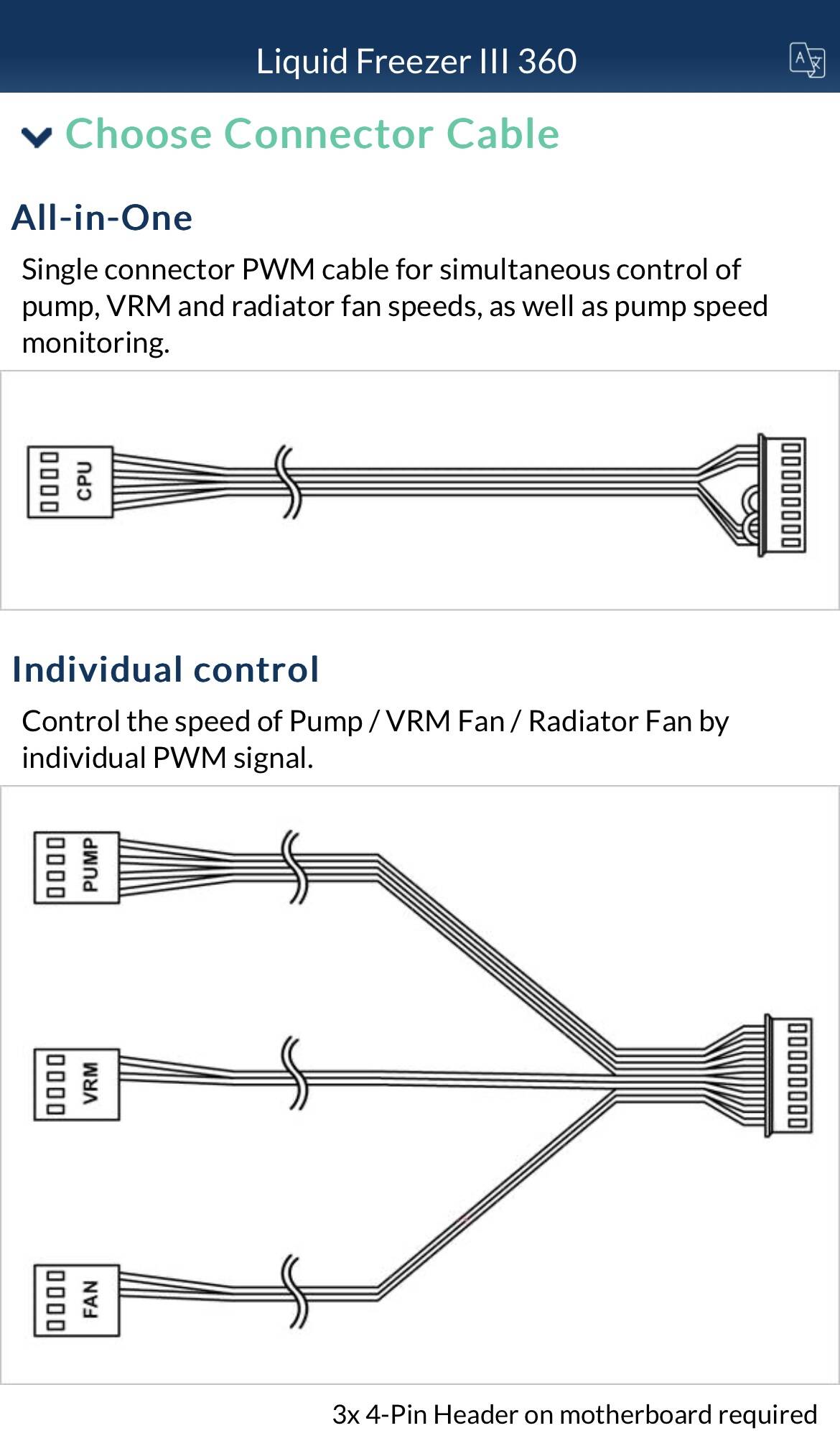

PUMP → PUMP_FAN
FAN → CPU_FAN
VRM → SYS_FAN1
On this motherboard the pump speed is displayed incorrectly. To get the correct value, you need to divide the displayed RPM by 2
2 Likes
PRO TIP - when installing AIO ALF III first mount the pump to the mounting clips (bracket). Then apply the appropriate amount of thermal paste to the CPU and install it in the socket. Next, mount the pump with the clips to the motherboard. If you do this in reverse - you may have trouble attaching the pump to the mounting clips.
1 Like
Thanks for confirming where to plug the cables much appreciated. I’ll go with the individual control cable.
As I’ll be fitting this cable will I have to adjust settings in the bios ? Not sure I understand what you mean about the rpm value

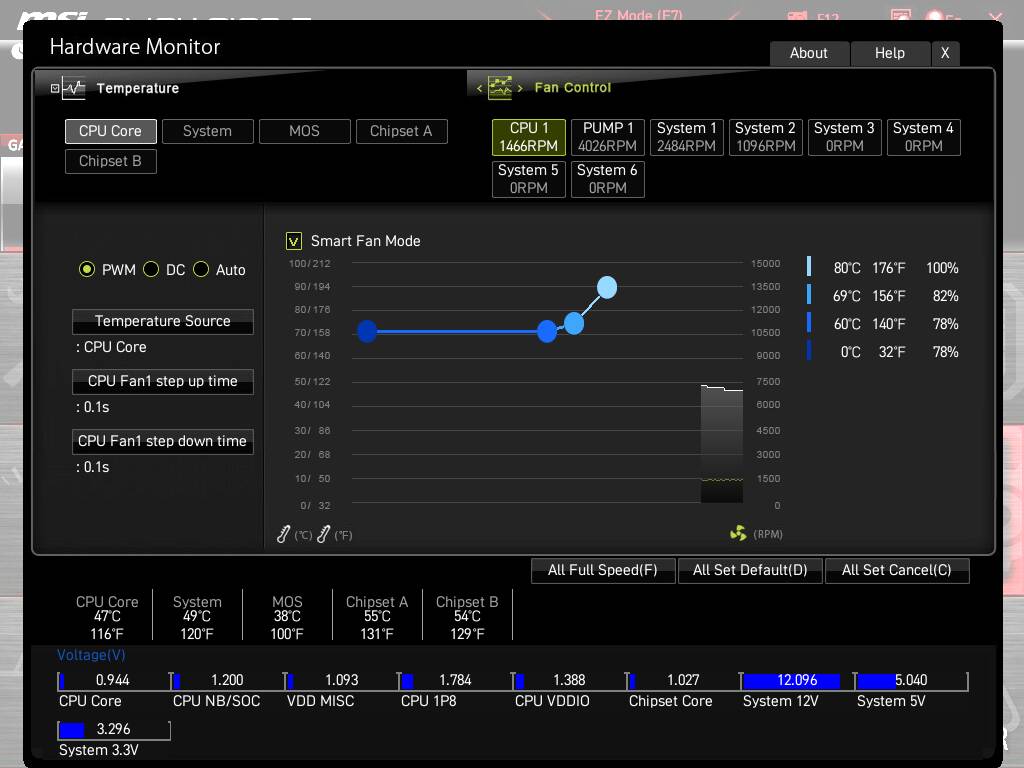
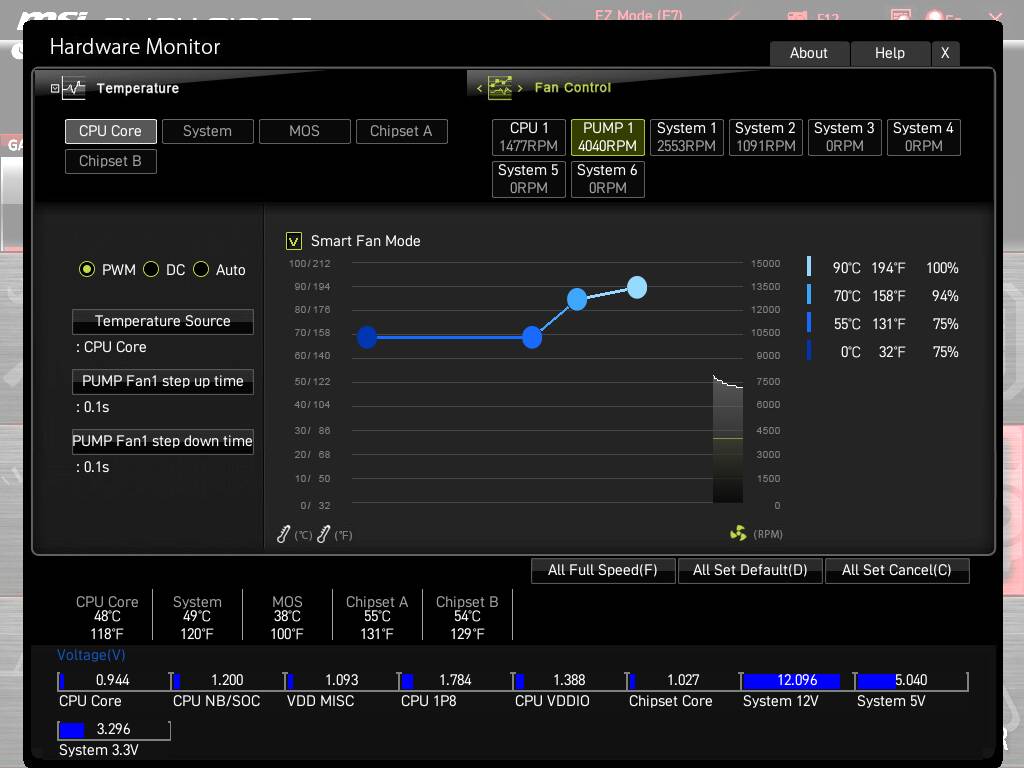

Thanks for taking time to post those images but going to honest not sure exactly what I’m looking at.
Cpu1 Rpm what is this referring to? The little fan inside the artic case on top of the cpu? Should I be looking for a certain rpm for this?
Pump 1 rpm, what is this referring to the pump and fan on top of the cpu? Isn’t this the same thing as cpu1? you say divide it by 2 = 2020 but where do I input these figures ?
System 1, is this a fan on the case?
Blimey I feel lost already and not even switched it on yet lol. Funny thing is I’m actually dreading installing MSFS2020 as that seems a complicated matter especially when it comes to the graphics card, drivers & settings etc.
Cpu1 Rpm what is this referring to?
The speed of the three fans attached to the pump radiator.
Nope - this is just the “pump speed control”.
Nope
VRM = VRM Fan Module

This is just a display error that I mentioned earlier - you don’t need to enter any values.
1 Like
Perfect thanks. I assume then any headers on the mb labelled sysfan 2, 3, 4 or 5 is where I can plug my case fans into? And they need to be set to PWM as they have 4 pin connectors?
Exactly.
Yes and no - It depends - how you want to control the PC case fan speeds. I have mine set to DC because my fans are controlled by the fan controller that came with the case.
I only set PWM for the CPU fans and pump rpm - the case fans run at maximum speed to push cooling air into a PC case and extract warm air from it.
1 Like
Thanks mate really appreciate your input as I’m learning a lot from all this.
1 Like
Happy to help.
edit
@Bmthmikey
If you’ve never built a PC before it might be best to invite someone over who can assemble PC, install Windows,drivers and configure the BIOS and Windows settings for you. Otherwise, you might feel as lost as if you were in a jungle without a compass and iphone 
1 Like
All up and running and windows installed👍
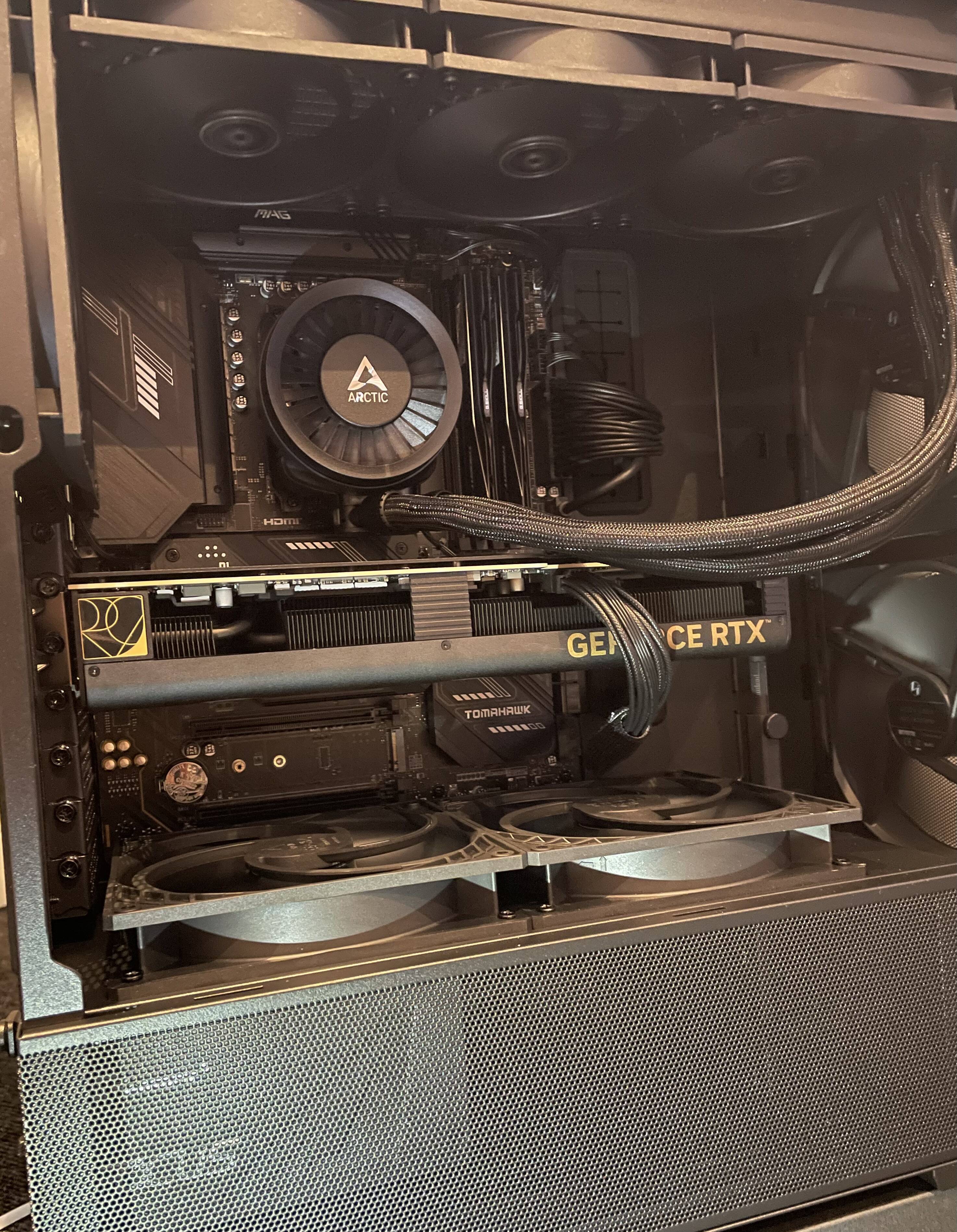
Just looking at the bios which looks to me is not up to date. How do I go about updating this?
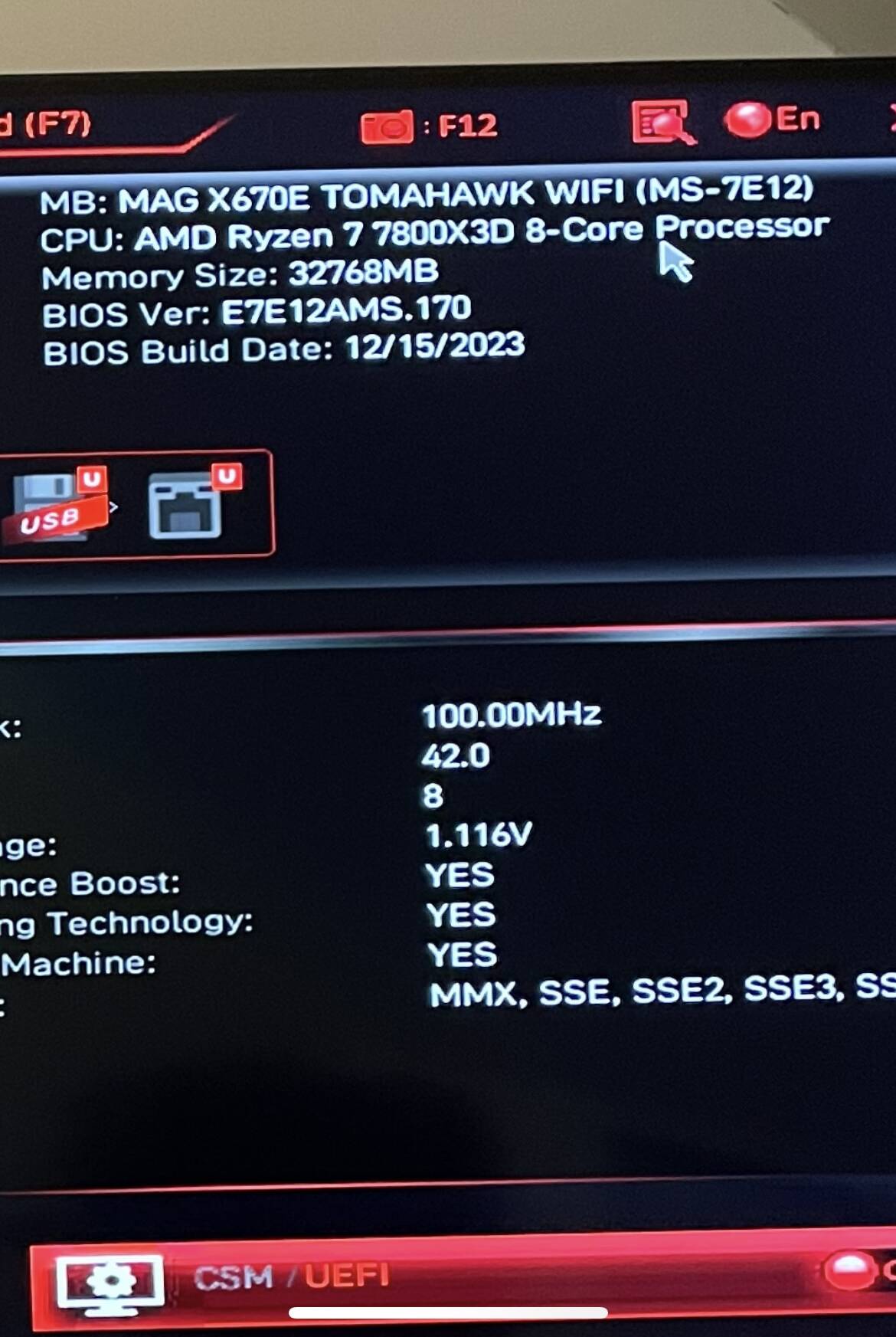
Also as I have a nvidia graphics card is the GeForce experience the correct software to tweak settings ?
Thanks
3 Likes
You can find the latest BIOS and instructions on how to update it at the link below.
MAG X670E TOMAHAWK WIFI (msi.com)
You don’t need NVIDIA GeForce Experience for this. The NVIDIA Control Panel is sufficient.
1 Like