I haven’t been able to save any profiles for my joystick since day one. No solution as yet. Aerosoft were no help and I doubt the next patch will either. Not one guru can tell me where the profiles are saved so I can see if they are.
1 Like
Is anyone else randomly having their custom control setups reverting back to default, while still named your custom setup? I play with an Xbox One controller and twice now I’ve had to completely rebind the controls.
There seems to be an issue with XBox Controller Bindings resetting. I think I have seen it posted several times on the forum.
Just wanted everyone to know it reset again. 
I did not have my controller on before launching the game. I will try to do so before launching the game again and see if there is any difference.
Same issue here, it’s driving me insane. Turbine77 is incorrect, Bluetooth devices (such as these controllers) do indeed have unique identifiers, like MAC addresses.
dr34dlock4727. Thank you. It is some small comfort to know I am not alone.
My situation is that I cannot recall anything that is saved. That is everything.
I have done every thing possible to try and solve it and have pretty well given up.
The sim works well but not being able to have all my flights logged, controls mapped is a real PITA to put it mildly. If you get a solution please tell me. Good luck
I’m finding that starting my Xbox controller before firing up MSFS seems to ensure my custom bindings are preserved. However, during long flights my Xbox controller times out (goes to sleep) and at that point I lose my custom bindings on it. I try and keep it active to avoid the timing out is the best solution I guess.
1 Like
Thanks but I am using a Logitech joystick only.
Seriously, it’s their brand name controller. They need to get their act together.
1 Like
Just put this in another thread…but think it belongs here.
Using my (new) Microsoft xbox controller, wireless version. It is populated with controls for just about everything, none of which I need. Just going to use it for Drone view. The mapping are not relevant to me.
Made a new profile, erased all keybindings and axes and mapped the few things I need. Saved it. Worked fine.
Next day the thing or the sim had repopulated everything with the default bindings.
Any suggestions???
Update…, yesterday I made a new 3rd profile, erased everything, new bindings for me. Saved, just opened it and BAMM all the default again. GRRRR!@
And to compound everything it had corrupted my trackir to not working…and my default wiev was changed to on top of the wings.
Then tried an old wired Nintendo controller. This works.
Sim remembers bindings, even when plugged in mid game, but I get entangled in cables.
NOT GOOD THAT XBOX BRANDED PRODUCT CANNOT BE BROUGHT TO WORK PROPERLY WITH XBOX GAMES.
This is exactly the problem I have been having with my Xbox wireless controller. We should all try and keep to one thread and hopefully with enough upvotes this issue will be addressed by MS/Asobo !
Hi guys!
I got a workaround for you.
Just create a duplicated backup profile inside “profile manager”!
So that there are at least this profiles for your wireless controller:
- Default
- my setting
- my setting backup (duplicated copy by profile manager function)
I did that and after a while, as soon as the “game-resets-all-bindings-by-random-bug” appeared (caused by controller turned into standby/off after time, or I turned it on at wrong time):
i could simply duplicate the “my setting backup” profile and i was back to normal 
This works because the game won’t reset all of your profiles but just the current enabled one.
- Tested with wireless XBOX one controller
1 Like
As an interim solution this works thanks ! Still hope MS can fix their own controller one day.
1 Like
Yeah I’m up to Controller Profile 14 now (haha) because I keep forgetting to make a duplicate/backup. It seems to reset the current selected profile to the default settings, so as long as you have at least two profiles with all your changes you will have one to switch to after your current one is reset.
Not sure if these overwrites are happening at random times or upon restarting.
Filing this in Zendesk was useless. Followed instructions to update controller firmware etc. Still an issue.
Hi everyone,
Is anyone else having a problem when their Xbox One controller winds up going to sleep, MSFS 2020’s controller profile key binds AND sensitivity completely resets itself? I have to re-apply my keybinds and sensitivities all over again, and I’ve had to do this over a dozen times since buying the game.
I have 4 controller presets configured in the preset manager, 2 presets never re-populate themselves (they have zero assigned keybinds for some weird reason), and then the other 2 presets ALWAYS reset the configurations after I close MSFS and re-open it after a while, or even restart/shut down my computer. The problem arises again.
How do I fix this from happening? Can I copy/paste my controller preset config anywhere?
Thanks,
TheWoefulGhost
Yep Thank God that was the fix to this issue Thanks for the post I just started having this problem today
I purchased an Xbox Wireless Adapter for Windows 10 and my preset manager controls STILL RESET when I start the game up again. Can this get fixed, or is there a resolution?
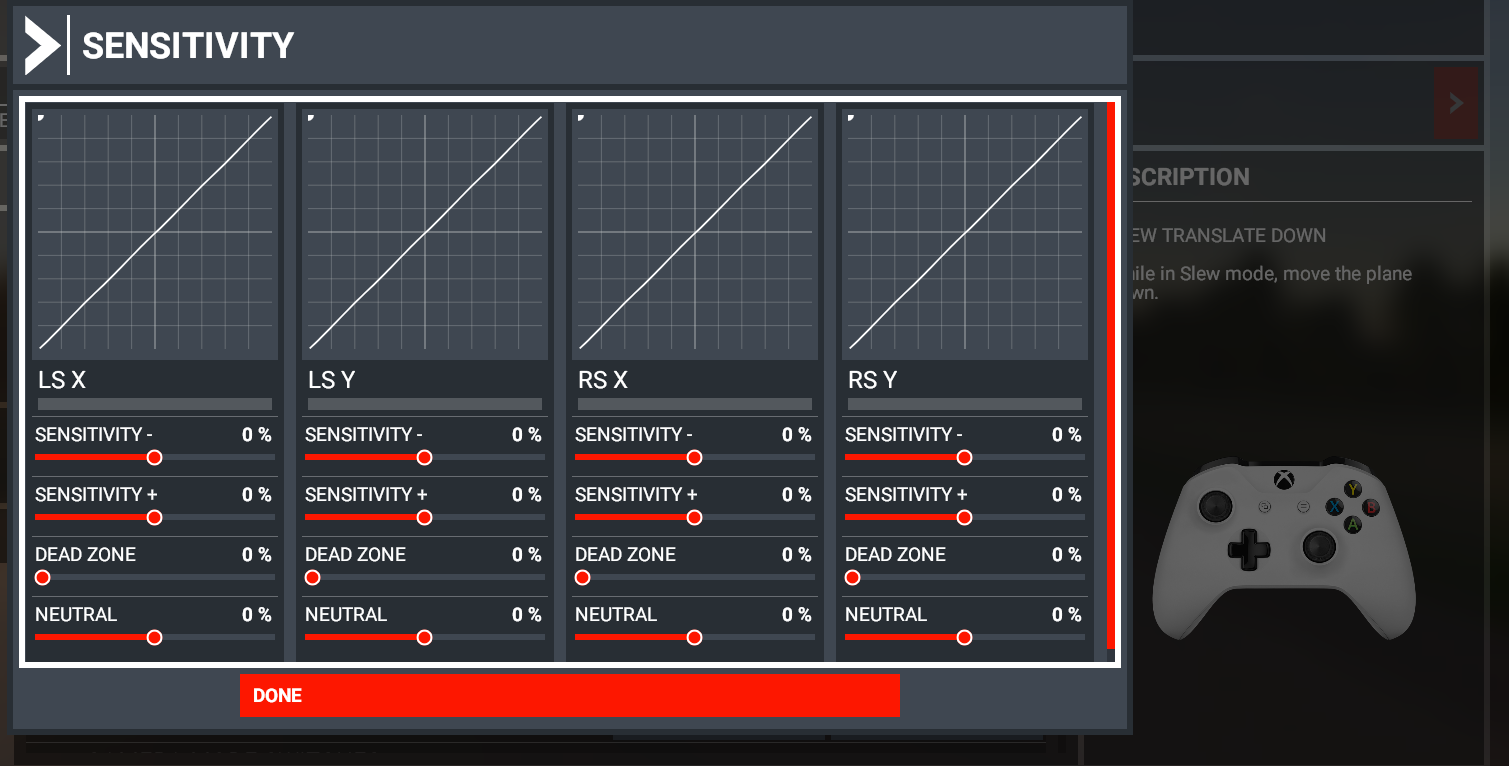
When my Xbox One controller, or computer, ends up going to sleep or when I shut down my computer and then power it on the following morning, MSFS 2020’s controller profile key binds AND sensitivity completely resets itself. I have to re-apply my keybinds and sensitivities all over again, and I’ve had to do this over a dozen times since buying the game.
1 Like
I suspect that this is a Windows USB thing. On Windows 7 I had the old wireless interface and every time I connected my gamepad it was assigned a new ‘deviceID’. Never did find a way to have a persistent ID. Was only an issue with wireless controllers. Some titles didn’t care and I could actually switch controllers mid game if the battery started getting low. Here is hoping you have more luck.
It’s NOT a Windows USB thing because this problem happened when I connected my controller via Bluetooth exclusively as well.
You’re correct, some titles (such as Modern Warfare) save the controller profile independently and don’t encounter these issues at all.