What would be better:
A. Three monitors on a floor mount independent from motion rig movement; or
B. Three monitor mounted on the motion rig itself?
Any feedback would be greatly appreciated.
Cheers.
What would be better:
A. Three monitors on a floor mount independent from motion rig movement; or
B. Three monitor mounted on the motion rig itself?
Any feedback would be greatly appreciated.
Cheers.
or C. VR with motion compensation - the ultimate virtual experience!
My thoughts on this
I do not have motion rig myself but if i would id consider a three beamer setup with
Laser beamers or at least short throw and create 180° view and ir head tracking.
Unfortunate as i am, i lack the space and finance to do so, but i do have thoughts about it.
It would be awesome and more of these kind of words.
Good luck with your setup
Sebastiaan
Thanks for the feedback!
I would love a triple projector setup as well but MSFS did not implement the required controls to properly configure the views. There is a lot of chatter on the forums about wide screens and multi-monitors…
For now, I am thinking a multi-phased approach (easier on the budget lol): buy a cockpit assy first (aluminium profile maybe) and then look at incorporating a motion system. Still not sure about the visual system.
Ref my question above, I wonder if the monitors would fail prematurely as a result of being tossed around. Also, if the monitors were not attached to the rig, how much of the picture would you lose when the rig is pitching, rolling, etc.
VR has its benefits but until pass-through is perfected, it is not ideal for someone who wants to be tactile with the cockpit instruments, write ATC instructions/ATIS info on piece of paper and read checklists…
To have monitors attached to the moving rig is imo and expensive way with high risk off damage
And is also a lot of weight and to me this does not sound good in safety matters.
Also logically seen it seems immersive breaking for the size screens would be needed like
80 inch big screens to have some proper fov and keep proper operating space.
But the best and cheapest way if you have the space to experiment with and bezel free
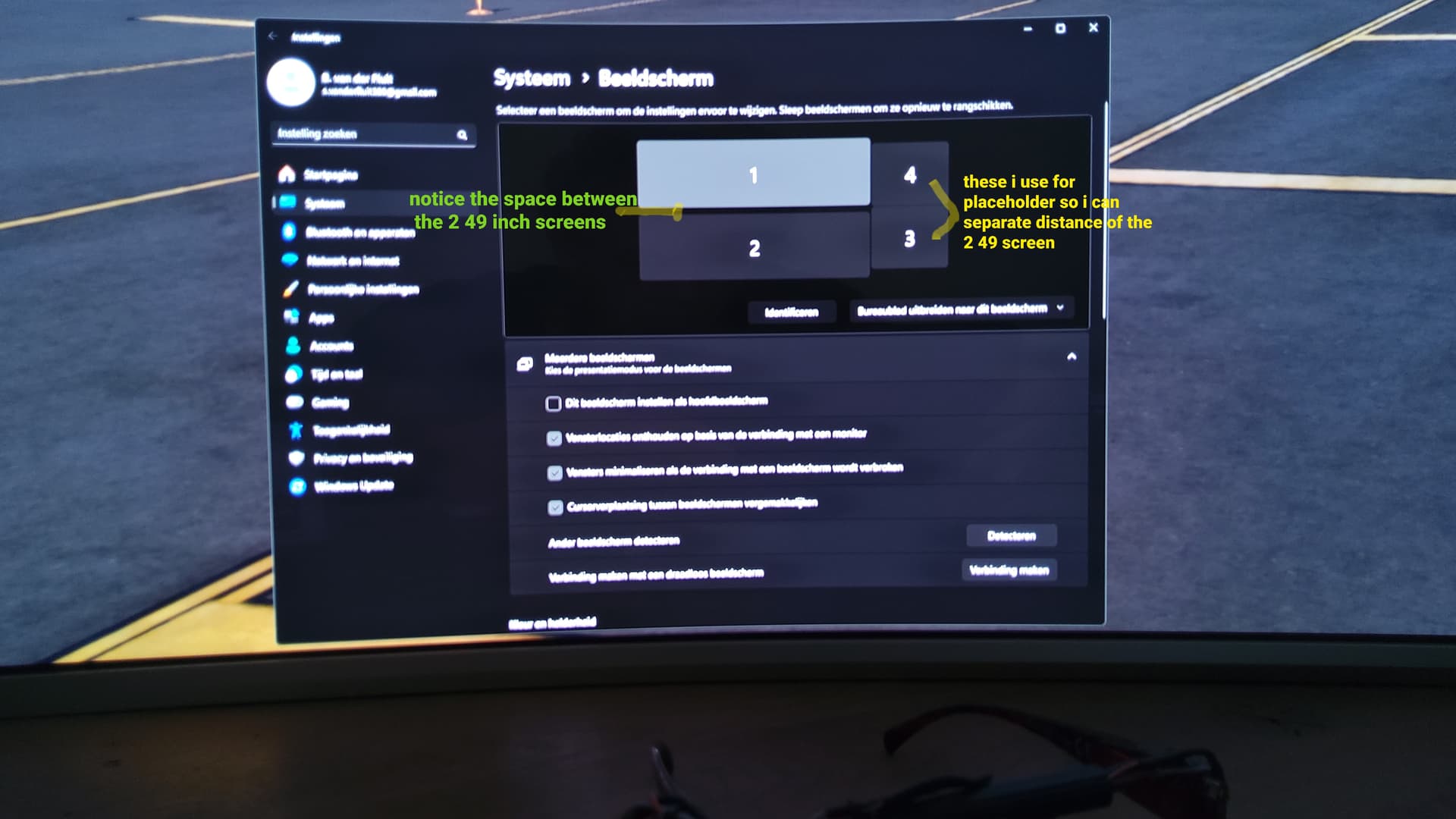
All you need is two small monitors with it used as dummy monitor to create space between the views out. And the visuals will be more alligned making it easier with the handout tools in the game (got some tricks for this to up my sleeve )
For the short throw beamers (tip try to rent them at first to experiment and see if you like another option get them secondhand ) use the same brand and type
(momentairly i use this trick with two 49 inch wide screens stacked on top of eachother)
This to recreate some virtual space between the monitors see picture
Which give me this view in sim (see picture below never mind colours because ■■■ with tablet)
Look Inside
now think of this with beamers so no bezels involved
Offcourse it is a matter of choice but this gives a lot of freedom in the sim
And with a ir cam suited to your rig much lighter to bear
From ground to cealing view awesome i think
Come on i know you want it because i can feel the itch