After installing SU2, I have been getting the strangest stuttery juddering when moving my head using Track-IR. I played around with the new AMD FSR3 FG option and went back to Nvidia FG but the juddering just got worse.
I think but can’t be sure that this occurs when you have 2 monitors with different refresh rates. My main monitor is 120hz and my second monitor 144hz.
It is not caused by Frame Generation but changing the settings in the sim makes the issue much worse. At least it did for me.
SOLUTION
I set both monitors to 60hz in the Nvidia Control Panel and locked the sim to 60fps with RTSS and locked Track-IR to 60fps with the Nvidia Control Panel, and the head tracking is smooth again. YMMV.
Restart the sim once you have changed the DLSS AA or FG settings to what you want and then change the settings mentioned above in the Nvidia Control Panel before restarting the sim.
I experienced the same last night while testing. I have 120hz 4k LG C1 and 60hz 1080p monitors. I had to enable Vsync to get rid of crazy stuttery, framepacing movement while panning view. I tested all options. TAA didn’t give me this behaviour with vsync disabled. The moment i switch to DLSS and any DLSS preset, stutter began. The moment i enabled Vsync over dlss preset, it was smooth as butter again. Somethings changed again and it is really annoying. I am on 566.14. Default DLSS versions for sim are 310.1 on both dlss and fg. I have gsync/vrr active btw.
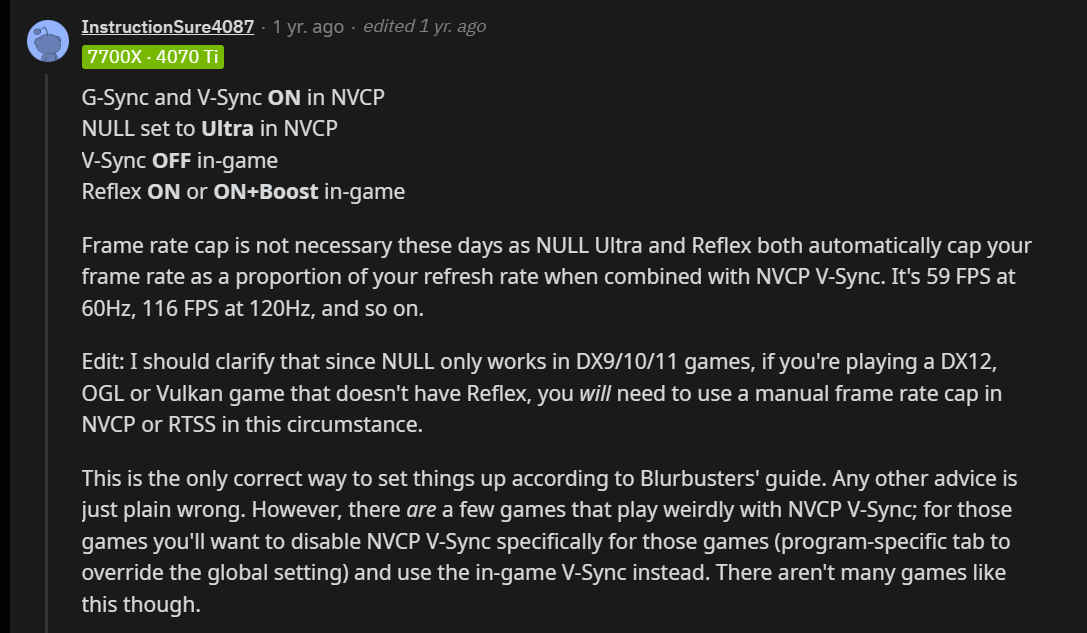
If you are using GSync, VSync should be enabled in NVCP and off in game, if you are interested, see below…
Tried the suggestions above but the only way to get rid of this panning issue was by enabling FSR3 FG.
This might sound crazy, but I’ve resolved this by activating Developer Mode. That’s it. Activate it, juddering while moving my head stops, then just deactivate Developer Mode. I’ve repeated this a few times.