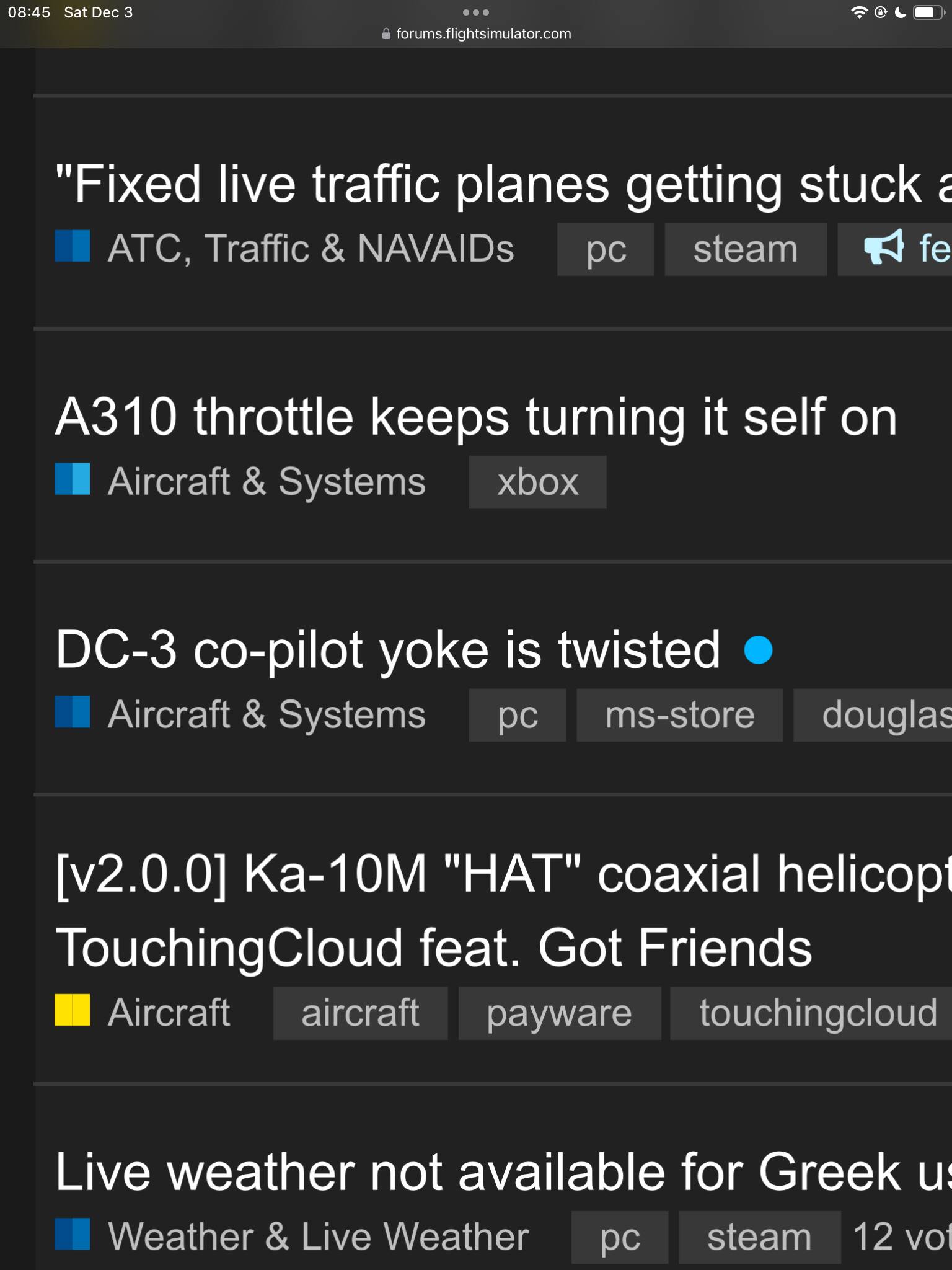
I’m guessing(hoping?) that the reorganization and re-coloring of the forum categories is still a work in progress, but I’m a bit confused already.
Besides the seems-like-an-awful-lot-of-subtle-shades-of-blue coloring, why are these two “Aircraft & Systems” threads utilizing two different two-tone shades of blue when they are the same category?
See this zoomed on screenshot:
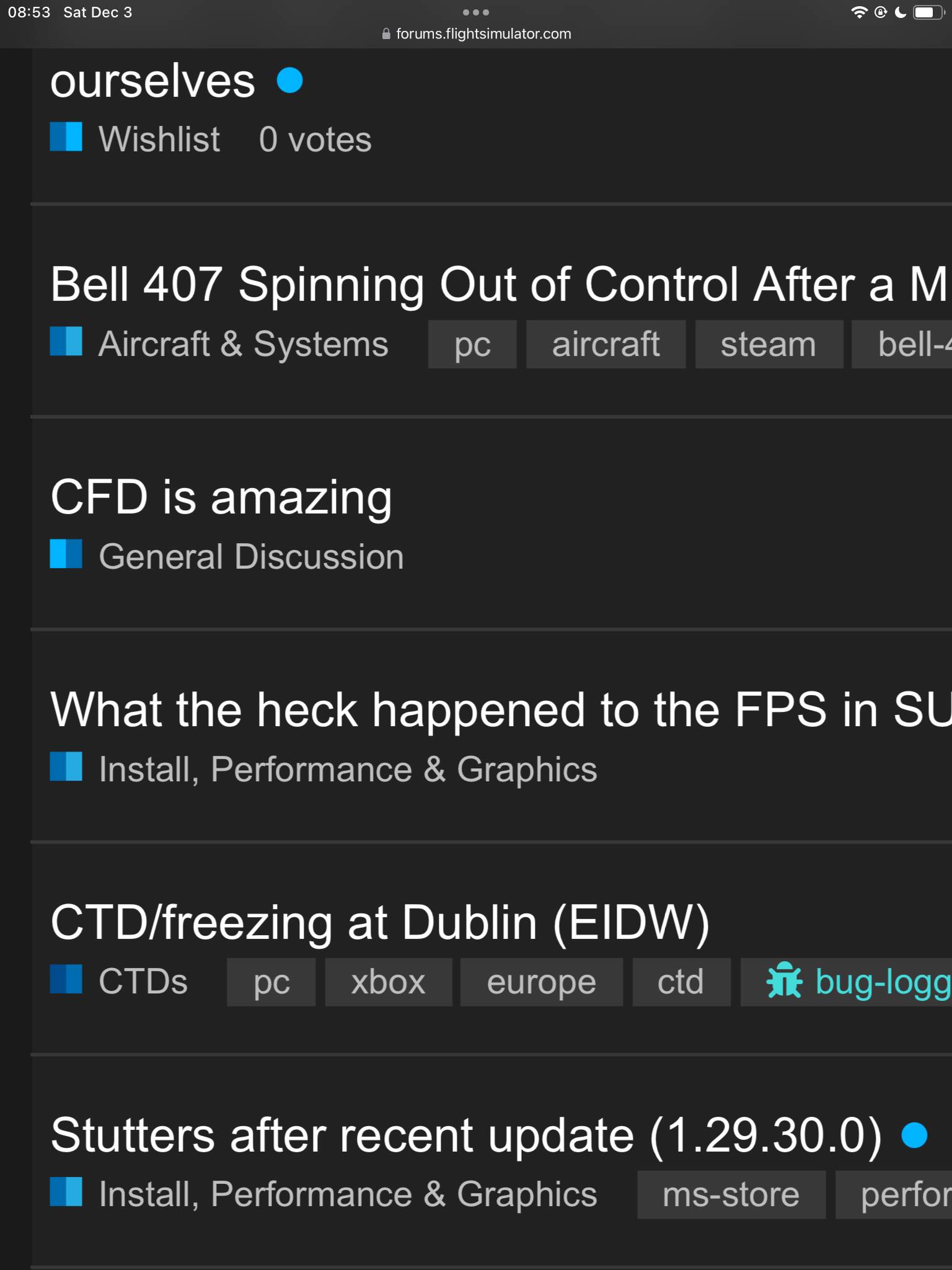
Here’s another example where I’m confused.
Why is the General Discussion light blue/dark blue and all the others dark blue/light blue?
I don’t really understand what these two-tone color schemes are supposed to be communicating to me and how to differentiate all the subtleties of blue.
Thanks, but what about the category that has two different two-tone indicators?
Is that a forum rendering bug or are individual categories now going to be using more than one two-tone color scheme?
I feel my question is lost in translation here.
I’m not talking about the two-tone, in general. I’m talking about TWO DIFFERENT two-tones being used for the same category.
Look carefully at my first screenshot, the Aircraft & Systems category is being shown with two different two-tone color schemes. Why?
I’m going add, too, that a color key or an explanation addendum be added to explain the purpose of the two-tone coloring in terms of what it communicates that makes it different from the solid category colors.
I like it from a graphic design/esthetics standpoint, but there is, obviously, more to it than visuals.
And please think of those of us suffering from visual impairment. We need an option to select simpler, plainer colours.
yes, a path-marker:

==>

Example for other category:

==>

Therefore is the feedback, that these color schema is’nt good ( or better very missleading ). But not the Two-Colors, more “same or very similar colors” for different categories and more worst " sub-categories can have same colors as completly different top categories now".
In eg. VR or Thirdparty are all Sub-Categories same colored as the top category, and so it looks like one “green” icon if we are in sub-category


But there are still two color-areas in that “gree icon”
PS: @Hester40MT .. correct me if that was not meant 
Thanks for this.
It really does seem to boil down to a poor choice in using varying shades of blue rather than starkly contrasting, clearly definable variations in color.
The colors will look off for a little while during the forum changes throughout December - sorry about that!
4 Likes