If you have a 4090, under 10 FPS because of high VRAM usage is always a bug.
In the alpha i could easily put everything on Ultra with a 4080 including texture resolution. FPS was still 70+. And the 4080 has ‘only’ 16GB VRAM opposed to the 4090 that has 24GB. No game will use anything near that.
But here i have everything on Medium and DLSS Quality so it renders at 1440p and it still happens.
Yup. Thats weird - unless one actually can exceed Vram limit on a 4090.
Guess it is possible if you/one get 10fps…so TloD 400, Ultra textures etc might be too much even for a 4090…
Unless there is a ‘bug’ somewhere.
But again for ANY system: load in with a complex AC at a complex airport, insert AI TFC and other programs you use: watch Vram usage and tune things from there.
Wish I had a 4090 myself, as settings on the 4080 must be dialed down in 4k (but thats totally acceptable - still looks good and more importantly it is smooth) and I am mostly GPU limited now (as opposed to ms2020).
I can easily exceed the 16gb vram, so might be possible to exceed the 24 on the 4090 too.
Kind of reminds me of Crysis3 (was it?) in 2013 that pushed gfx to the limits, and no system in the solar system could run everything at max…
There’s one more thing you maybe could have shown: Simply re-start the mission, and compare the FPS (and VRAM & shared RAM usage) while setting up the cockpit that you get (versus the 50 fps that you had originally before you started taxiing out).
Yes, I lowered the texture size to medium in the previous test. This does not impact the VRAM problem.
I have reported here in the past. Simply loading into KJFK into those gates gives me the low VRAM problem. I don’t see remedies that settings can solve it. I will however for the sake of testing duplicate what you are describing to demonstrate it.
In the alpha test i also had TLOD set to 400 and textures to Ultra though. The whole weekend i didn’t get a single FPS drop or issue. It was amazing.
We now have world updates etc. added to the sim but even in places without world updates or custom airports i don’t get near the performance like it was then. Even in the default Cessna.
Rgr. Didn’t try the Alpha. Might be the ultra-thin client that was available at that time with no live WX? New CFD included? Was no/limited stones, grass, ground textures? Displacement mapping? Ray tracing? Traffic?
All I know is 2024 runs nicely as long as I dont exceed Vram limit, which I easily can do if I want - same as dx12 2020.
Thinking about some sceneries: PacSim Incheon is 13GB as far as I remember. Put in a complex AC. +8k textures.TloD 400. Load in terrain. Grass, trees, vehicles, gsx, AI/Vatsim AC blablabla.
Plausible it could exceed 24GB vram the way ms2024 seem to work as of now.
Is the new LoD system working as intended? Guess very few airports/AC actually use the new LoD system - need to be configured with the 24SDK…maybe it will help when developers configure their add-ons with the new LoD system?
same issue for me, 4070, AMD 7600X 32gb RAM. I get nice smooth performance otherwise, but then suddenly start to stutter and drops to under 10 fps. And stays like that!
My system is fine, but nothing high-end these days: i7-11700KF, RTX 4070 Ti Super 16GB, 32GB DDR4-3600 memory. Set at 1440p, TAA, a mix of high-end and a couple Ultra settings (clouds for instance).
EDIT: I realized I had iniBuilds’ KJFK installed. I removed and tested again. No change. Still rock solid at or close to 60 FPS for me and roughly the same VRAM.
EDIT #2: I repeated the test and this time, an AI aircraft spawned over my location at the gate. My VRAM peaked at about 13.5GB out of 16GB available but slowly dropped. After powering up the aircraft and just sitting for a few minutes, I went to drone cam and back a few times, spun my camera around, etc. No real change and VRAM continued to drop. Then I went to drone cam, elevated my view a bit and just started AI planespotting. As I’ve sat here for the last 15 minutes or so, VRAM has dropped as low as 10.9GB but as more traffic moved around it climbed again as high 11.6GB. Currently at <11.2GB as I write.
All this has made me begin wondering if those of you experiencing issues are running any software or utilities on your PCs that might possibly be interfering with the CPU moving stuff out of VRAM freely? Obscure monitoring programs, performance utilities, etc. Also, do people experiencing the problem have Resizable BAR enabled or not (I have it enabled)?
You’re absolutely right. Asobo has the “Ideal” spec for MSFS 24 as having a 4080, which means those with a 4080 shouldn’t have to turn their settings to low/medium, because that is nowhere near ideal.
I feel the same way, I have a 4070ti with 12GB of VRAM and have run into the VRAM bug as well. Turning down to low settings is just a workaround, it’s not a fix.
Because after all, if I have to turn MSFS 24 down to low settings just to enjoy it, I might as well just use MSFS 2020 because that sim looks better than MSFS 24 does at low settings. Not to mention it’s better optimized.
I have a 4070 Ti Super and can comfortably run everything on Ultra in 4K with DLSS Quality and Frame Generation enabled—with the default “bare” sim and no addons. In more demanding scenarios, like using the Fenix, it’s a different story—but developers can’t be expected to optimize for third-party mods, of course.
I’m not saying they shouldn’t investigate and address performance issues—I just think the reference point must be the bare sim.
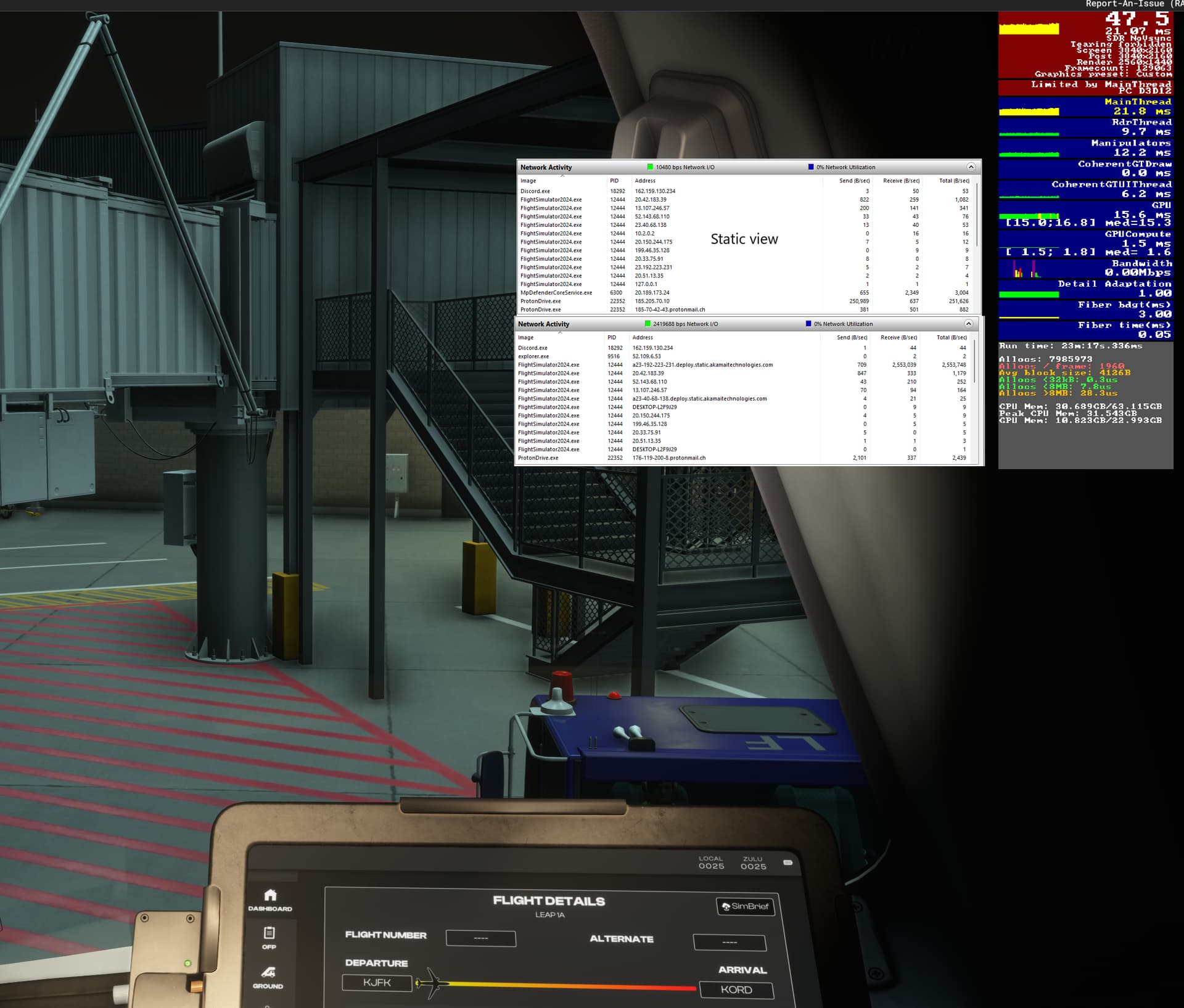
I got “Low Bandwidth” warnings, and it took a long time to load into the gate.
Once loaded things stabilized quickly. Notice the network ‘Receive’ bitrate when the camera had been static for a while vs. just after I panned around using mouse freelock. I guess that’s expected. My FPS never really varied, though.
Are they? That would be unfortunate I’ve only been flying GA aircraft so far, where the new sim truly shines. I tested the iniBuilds Airbuses at MK-STUDIOS LEBL, gate 254 (my standard testing scenario), and got around 70 FPS with frame generation enabled, but haven’t flown them yet. Based on this initial testing and the streams I’ve seen, I assumed they’d perform well, though I’ll be testing them in flight soon.
That said, I 100% agree that all default aircraft must perform acceptably with ideal specs—let’s say a minimum of 30 FPS (without FG) at any default airport, high settings.
Getting some really weird readings here. Look at ingame fps counter and the AMD FPS counter at the bottom. On the Ingame I am using 12gb, yet on the amd FPS counter I’m totally fully using all my Vram and I think the excess VRAM is loading into the normal RAM which explains the low fps.
After ending flight, and wanting to change aircraft the game crashed.
 if you/one get 10fps…so TloD 400, Ultra textures etc might be too much even for a 4090…
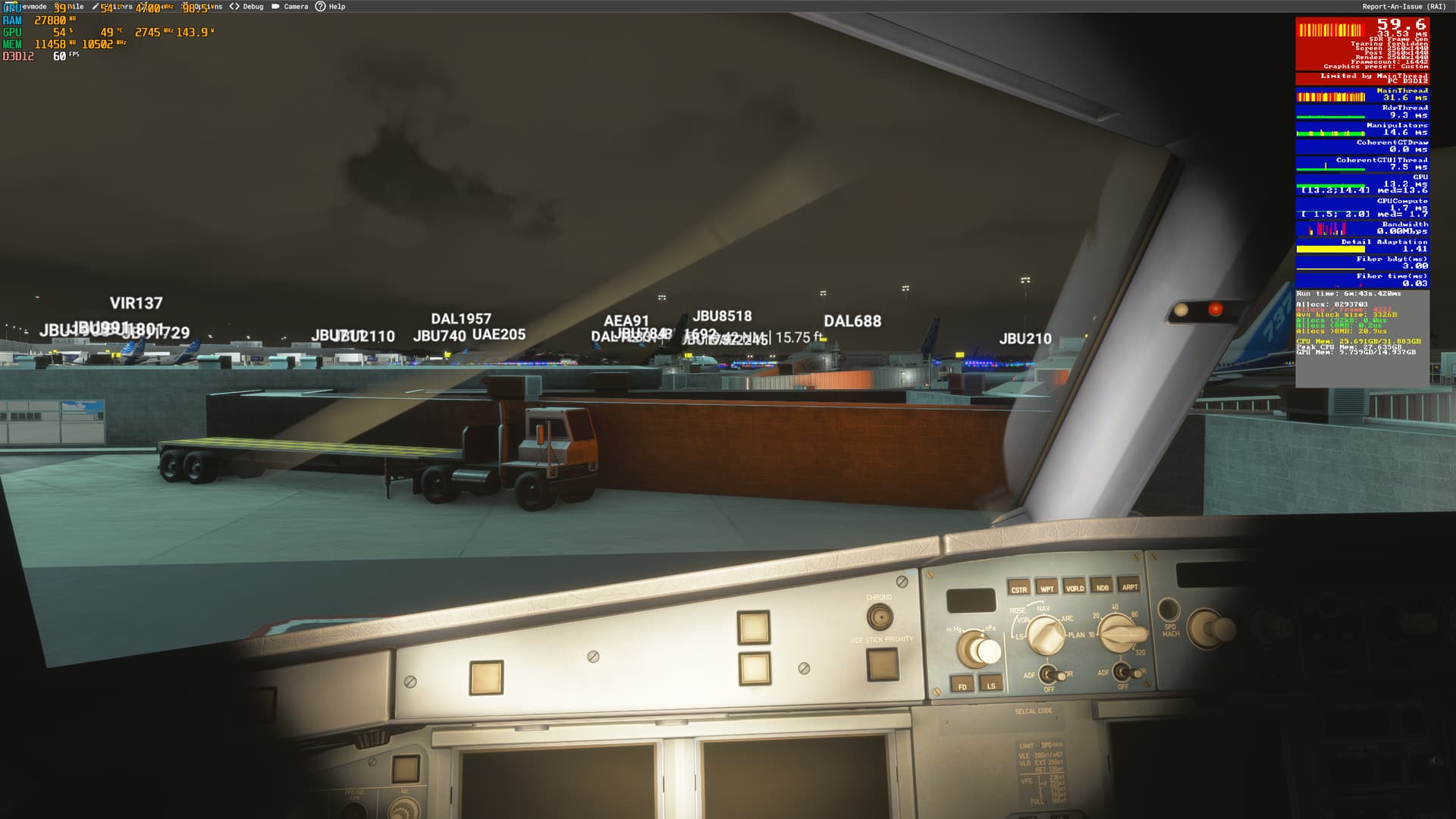
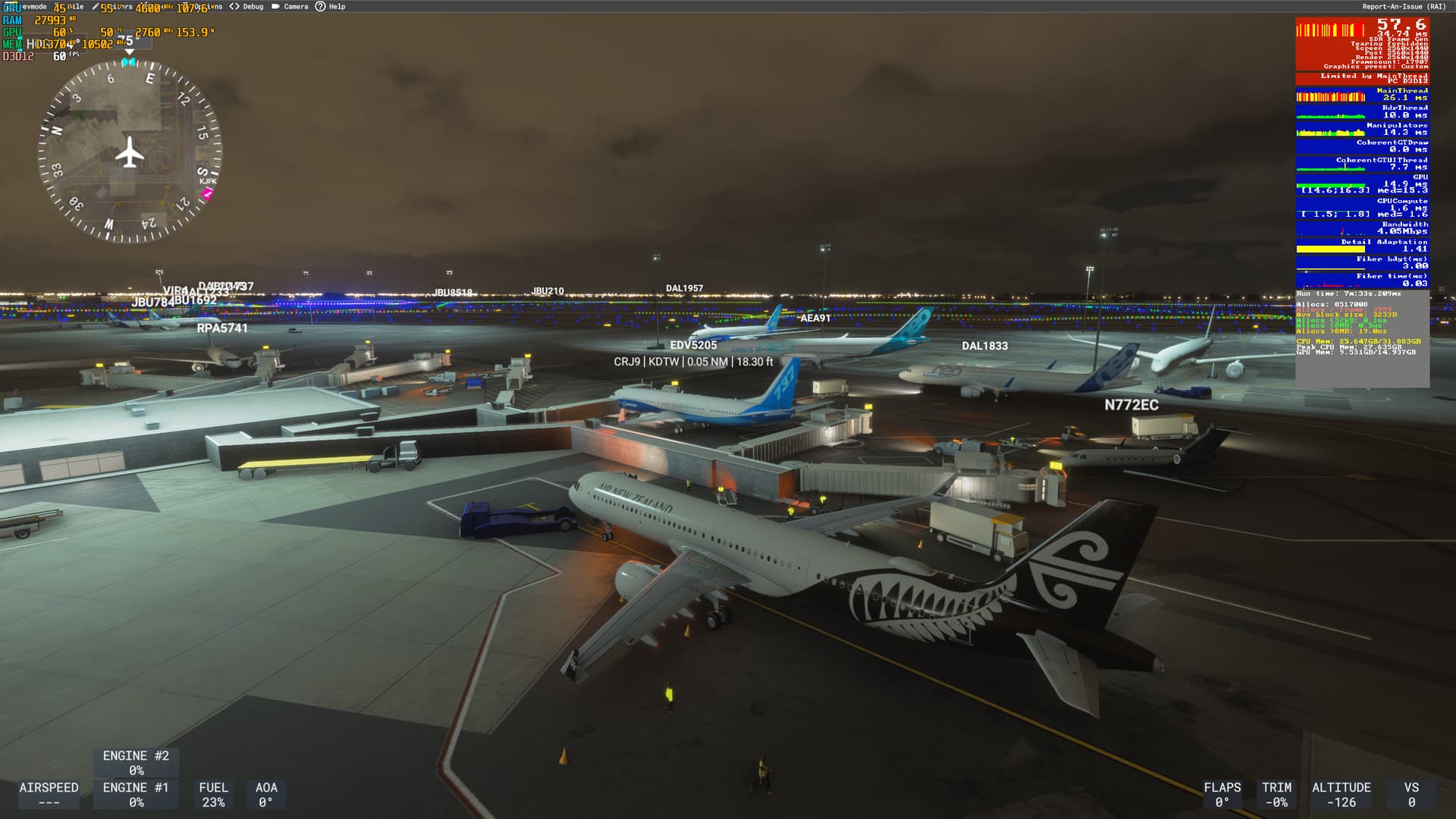

 I’ve only been flying GA aircraft so far, where the new sim truly shines. I tested the iniBuilds Airbuses at MK-STUDIOS LEBL, gate 254 (my standard testing scenario), and got around 70 FPS with frame generation enabled, but haven’t flown them yet. Based on this initial testing and the streams I’ve seen, I assumed they’d perform well, though I’ll be testing them in flight soon.
