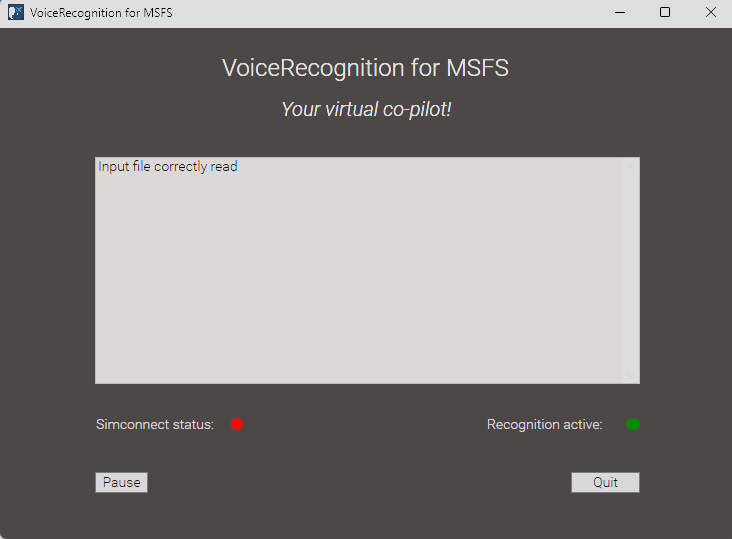
I have released the first beta of my little program that allows you to control your aircraft with voice recognition. E.g. use your voice to say “gear up” and your gears will be switched up.
The voice commands are customizable, and can be defined in a simple text file. It can utilize basic simconnect events, or Mobiflight events.
Please see my Github page for this tool, and let me know your experience!
Honestly, I don’t have any specific events in mind yet - I haven’t really thought about it in detail. As for SPAD.next, if I’m not mistaken, there’s a free trial period you could use to test it out.
EDIT
SPAD.neXt comes with a 14 days trial of the ‘complete edition’. After 14 days a valid license Key is required. No refunds will be granted, if you do not make use of the 14 days trial and then recognize SPAD.neXt is not working for you.
Thanks for your interest and for taking the time now and in the future, to look into this - I really appreciate it.
EDIT
Even though I have the full paid version of FSUIPC, I also have the SPAD.next Complete Edition with a lifetime subscription and honestly, it’s worth every penny. So if you don’t have it yet, I’d definitely recommend giving it a try.
For the current flaps up commands, it uses Mobiflight. You can change that yourself to FLAPS_UP in the voice_commands.yml text file (just delete the ‘Mobiflight.’ text on those lines if I am correct).
You have to keep the program running whenever you are simminh of you want to use the voice commands.
Btw, it is totally unrelated to any key bindings in the sim, so no need to make any changes there.
Nice - I remember when Paul Endersby did his sim voice checklists it was so simple and easy, yet put many commercial programs to shame and worked in all sims (or anything else, for that matter).
Good of you to share.
*Edit: This may be of help to people doing their own commands:
It should open a window when it is running. If you dont see that, it probably is still blocked.
I cant prevent the message that it is unsafe as a non-professional developer. But that is why I share the code at Github, to ensure that there is nothing wrong with it.
it doesnt give me the message anymore, but it still doesnt open anything… jammer maar helaas? No idea what is wrong here. I so only need simconnect or am i missing something?
New version 0.3 published on Github. Make sure you download release 0.3. The interface has been improved. And the voice recognition can be turned off by the voice command “co pilot off” and on again with voice command “co pilot on”. This will prevent unwanted voice recognition during flight phases in which this is not relevant.