Hi all,
Was wondering if you could help, not sure if this is an Nvidia driver issue, or something else, but I have a very frustrating issue with MSFS 2024 since I performed a GPU driver update on 8th Jan 2026. (To enable DLSS 4.5 in with release 591.74)
The issue is really repeatable, and so is the temporary fix.
Plus, I have a list of things I’ve tried to resolve it, none of which make a difference. All listed below. Please can I draw on your collective wisdom, as this is driving me crazy.
Issue
When panning and zooming, I get a regular momentary stutter, approx, but not exactly at 1s intervals.
Unusually, this is - a) Inside the cockpit, b) Outside views, c) In PMDG B737, Fenix A320, Default Cesnas, Default airliners (Everything) d) at third party less complex airports (BHX) e) More complex 3rd party airports Ini LHR and FRA etc. f) Default airports g) At the gate, in taxi and in cruise h) in the dark, in the rain with clear skies and at daytime - basically everywhere, and doesn’t follow familiar patterns like being bad at a gate at LHR, but OK in cruise!!
Pre-Condition
Purchased this PC in November 2025, and the Sim ran perfectly. Never any stutters anywhere, not even on approaches into FRA / LHR. But, a bit laggy at the gates at those airports, but to be expected.
Specs - AMD Ryzen 7 9800X3D, ASUS PRIME X870-P WIFI, 64GB Corsair VENGEANCE DDR5 6000MHz, GEFORCE RTX 5080, 2TB SAMSUNG 990 EVO PLUS M.2
How the issue started
On around the Thursday after release, I downloaded the latest Nvidia GPU driver 591.74 to enable DLSS 4.5 to get rid of the speed tape ghosting etc. At the time you needed to “opt into beta” in the Nvidia app. I Don’t think I ever got DLSS 4.5 working at this point, as you needed to override model presets to model M, and I never quite got this right. But this is when it all started. I thought, oh well, DLSS looks laggy now, so I’ll switch back to TAA. The stutters were still there.
Left the sim over the weekend, and came back on Thu 15th when the Nvidia App had been updated so DLSS 4.5 was no longer in Beta, and watched guides to switch it on properly. (Override model presets to “recommended” and then select DLSS “performance” to enable DLSS 4.5 model M.)
Seemed to be activated now. Ghosting gone, speed tapes less blurry. But, this stutter was still there. So I thought, thanks but no thanks, and went back to TAA. Stutter still there.
It was at this point I thought, It’s happened since updating to 591.74 in the first place. So, I re-installed the driver using the Nvidia app “clean install”, and it was still the same.
I then rolled back to the 18th Dec version. 591.59 - and all was OK again. Phew. Until a restart and it was back.
I then went for the shader cache - no good.
I then used DDU, and re-installed 591.59 - great - all good. After a restart it was back.
I did the above sequence of events for Dec 4 version 591.44, and even back to 577.00 from July 2025, and the results were the same each time. After a new (or the same) driver re-install using either DDU or the Nvidia app, it initially “fixes” the issue, but then after 2, 3 or 4 restarts the issue is back.
Measurements that accompany the issue
Using Dev mode in MSFS, I can see one particular parameter changes when the issue is present, and to another value when the issue is not present.
- Issue NOT present - Flips between “Limited by Mainthread” and “Limited by GPU Queue” with Mainthread timing in the teens of milliseconds - 11 - 18ms.
- Issue PRESENT - Constantly “Limited by Mainthread” with Mainthread timing pegged at over 30ms.
Screenshots


Things I’ve tried.
Every graphics setting in the game. Even switched EVERYTHING to low, and issue still present.
Changed Gsync - on / off
Changed Vsync on / off
Changed resolutions
Frame Gen, on, off, 2x, 4x etc
Changed HAGS on to off and back
Selected clean install, not clean install, do not install audio drivers, etc etc.
As you can see, I’ve tried many of the suggested fixes for this sort of thing, but nothing works. It seems, whatever the initial installation of 591.74 bought with it, has stayed regardless of DDU, Driver version, Nvidia app version / app present / not present etc.
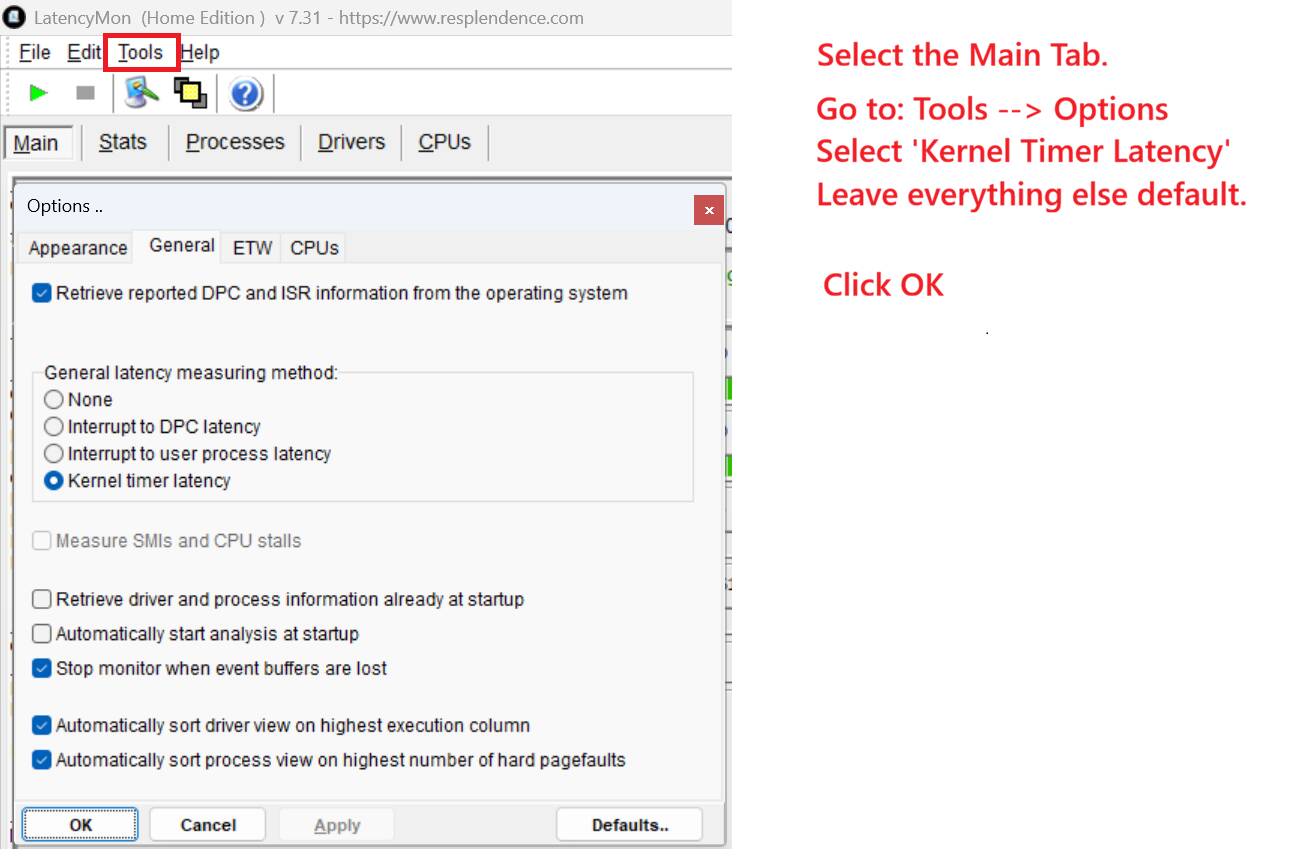
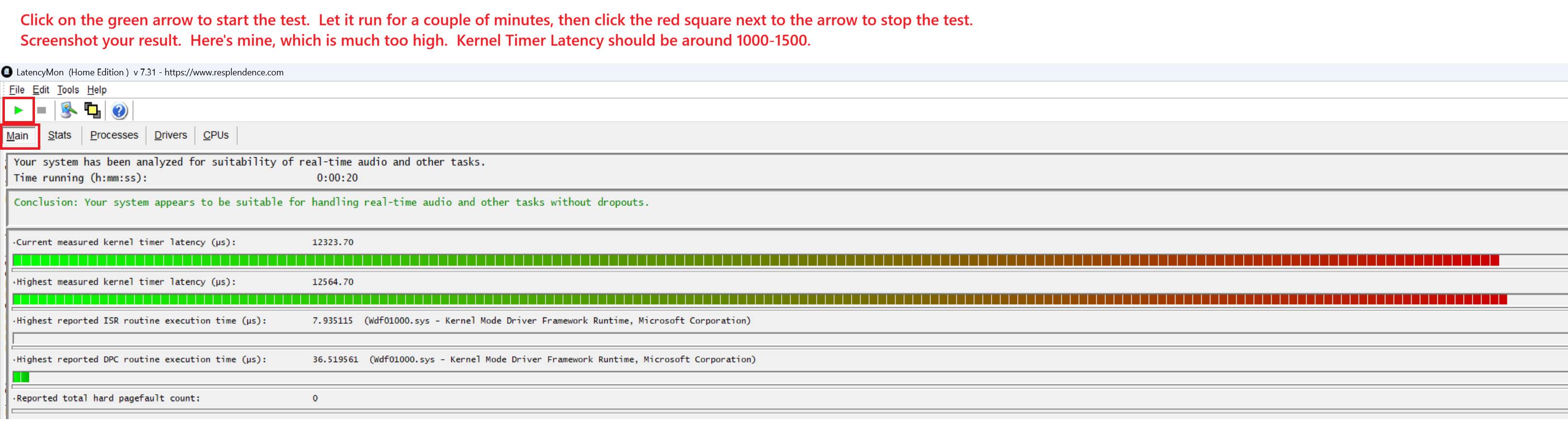
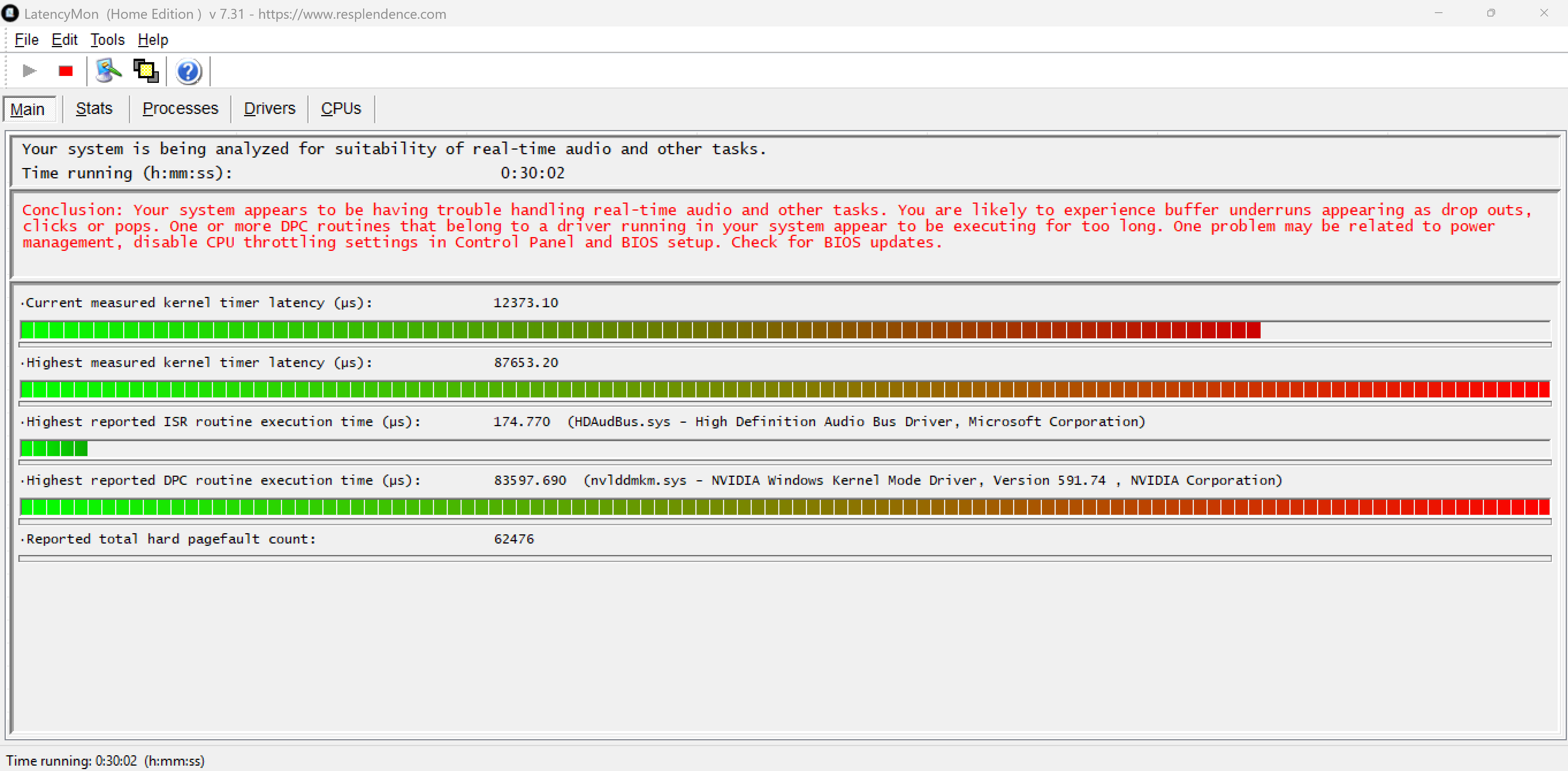
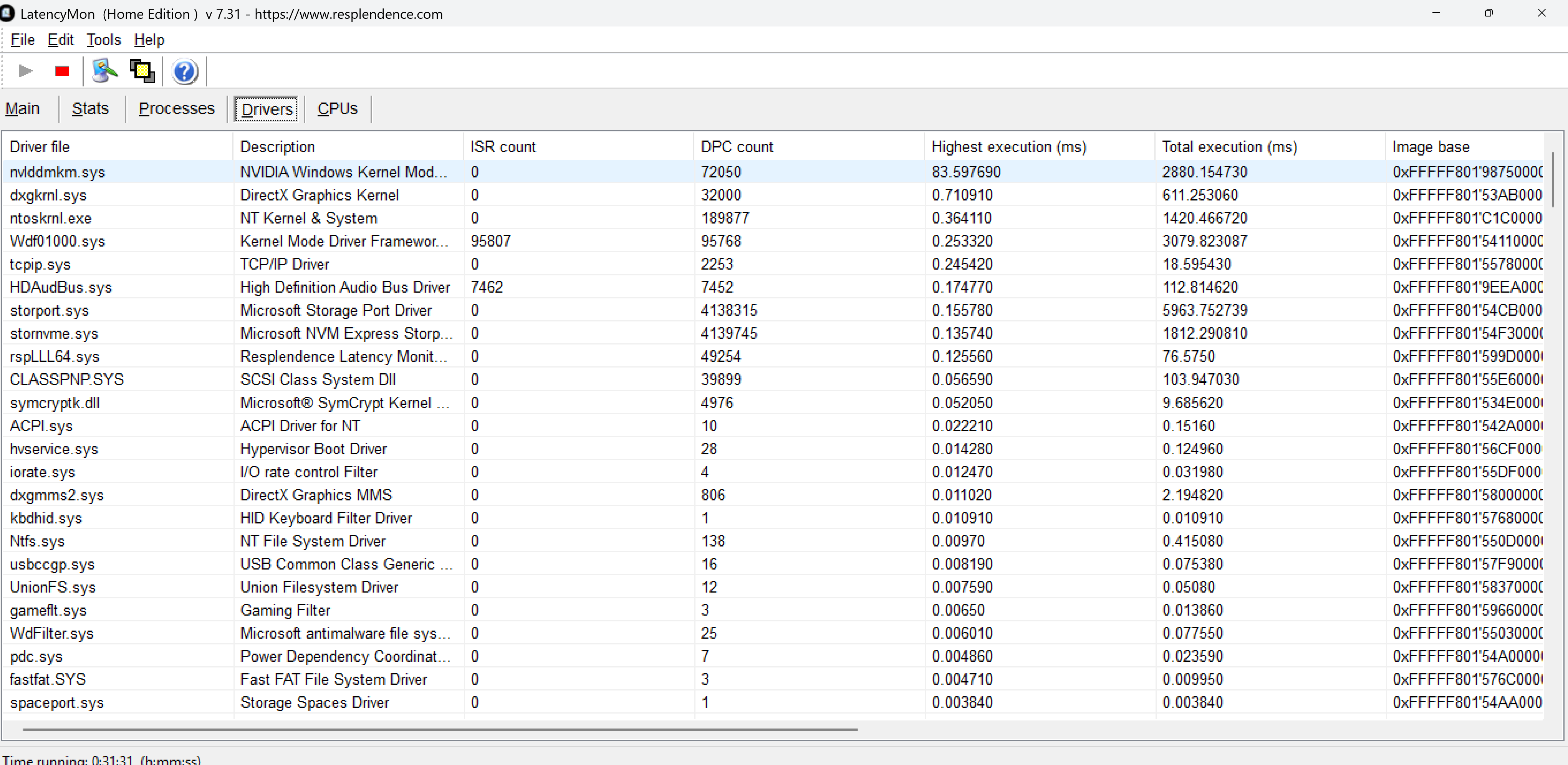
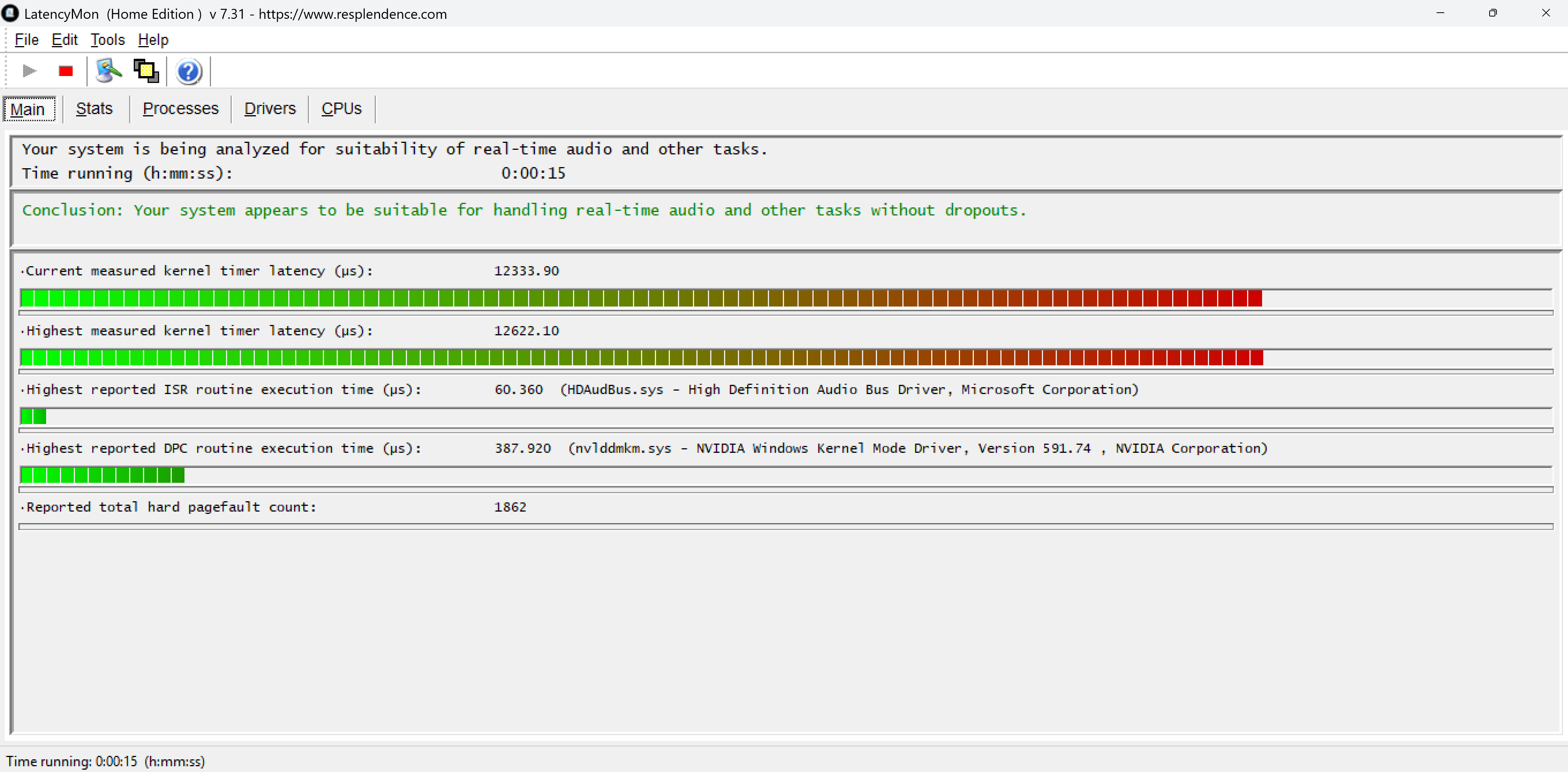
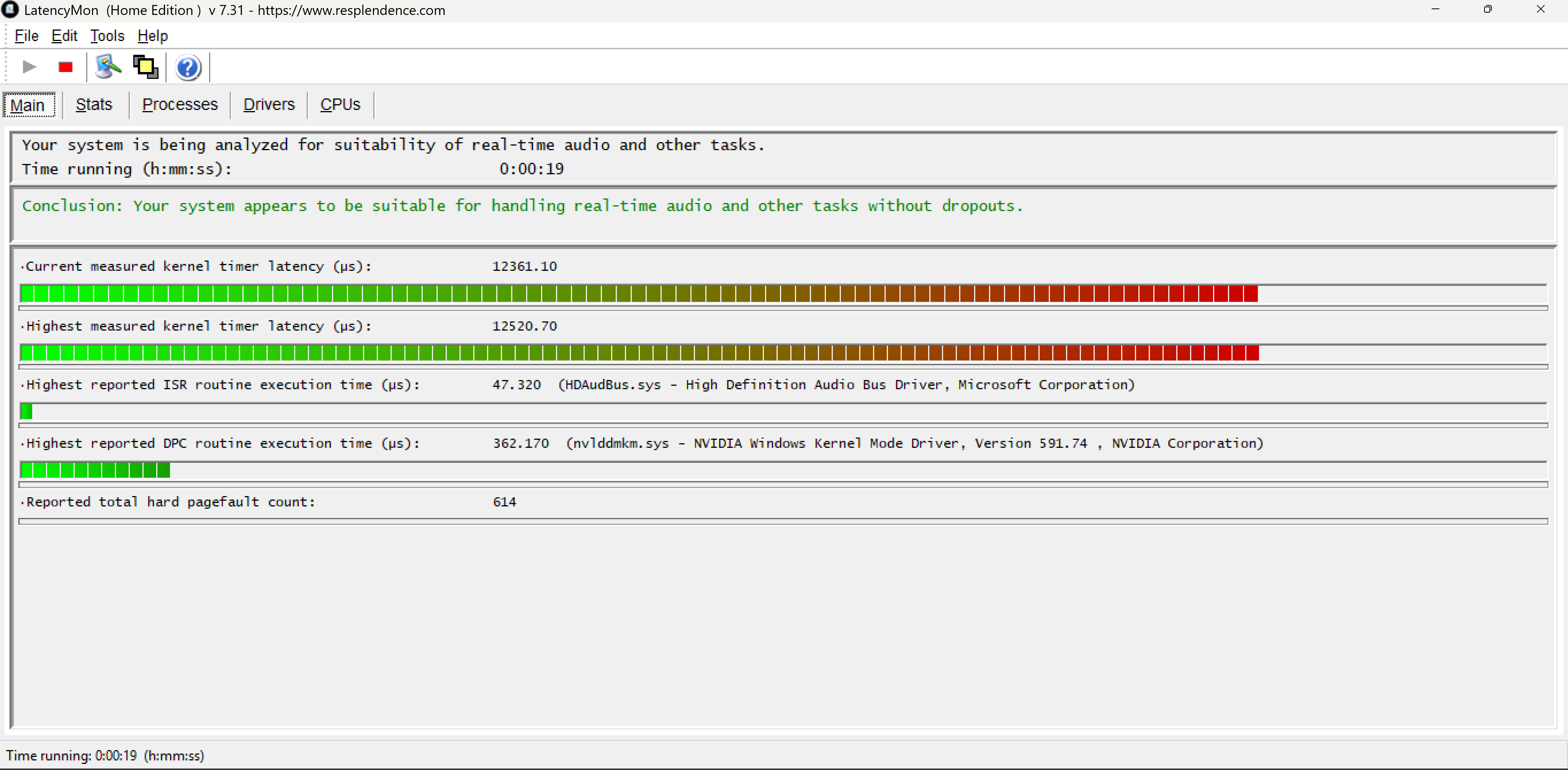
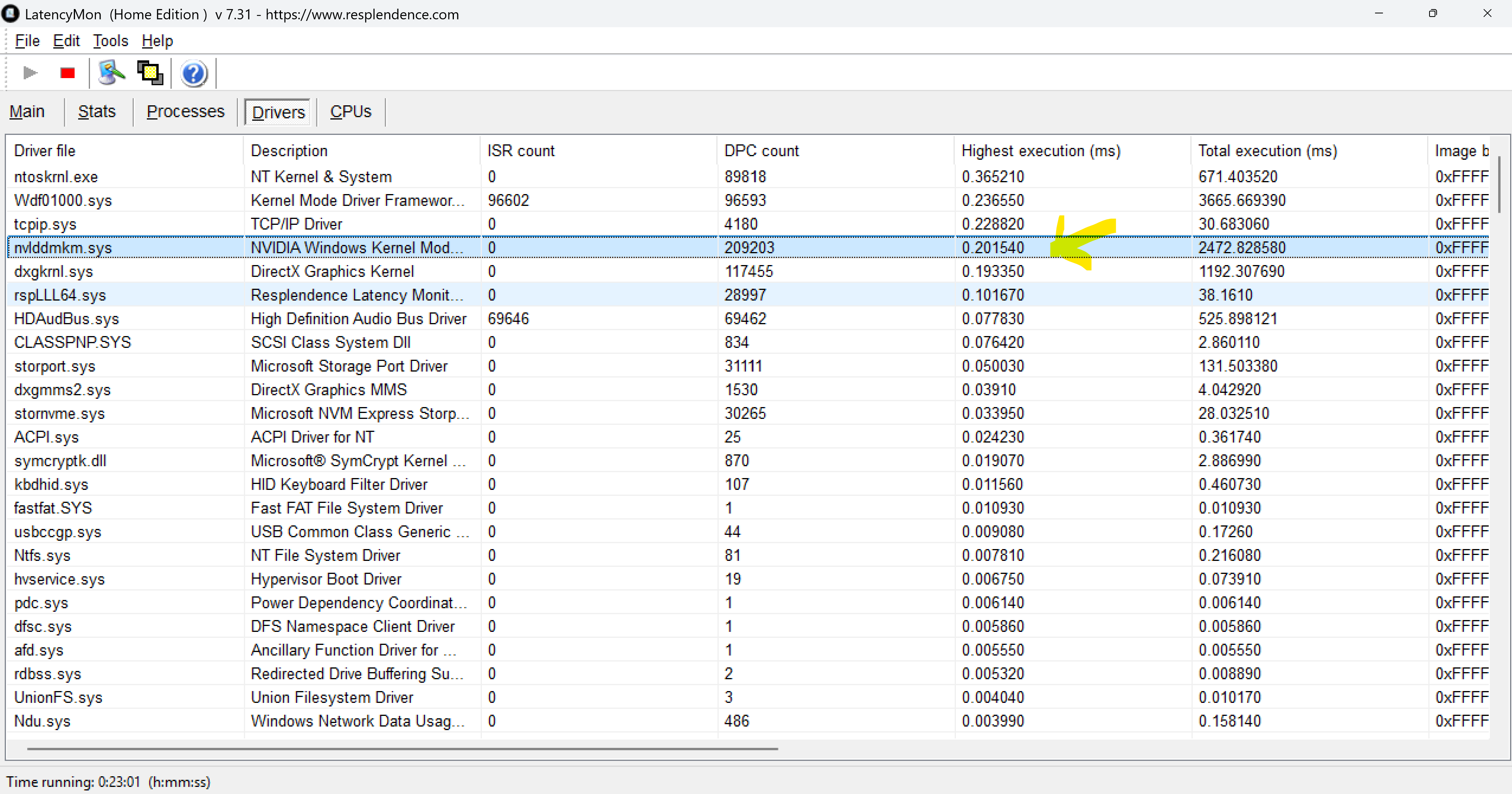
With the mainthread observation above, is something else unrelated running in the background? Any Diagnostic steps you can suggest all will be GREATLY received all.
Thanks in hope.







 tried a lot but can not resolve it ..