Thank you! Got it working . All is well!
best regards
Hari
Thank you! Got it working . All is well!
best regards
Hari
Version 2.9.7 – March 31st, 2024
GSX Pro NEW: Added Internal support for iniBuilds A300-PW variant.
GSX Pro NEW: Added Cockpit door detection to FBW A320, Headwinds A330 and DC Design Concorde.
GSX Pro Change: Don’t sync custom Pax Number from airplane code to GSX Passengers number if it’s 0, fixes iniBuilds A320 V2 BETA not synching with Simbrief.
GSX (all versions): New LVariables useful for 3rd party integrations:
GSX (all versions) Change: Updated manual documenting these new Developer features.
GSX (all versions) Change: Show fuel units according to Simbrief units of measure even on airplanes with Custom refueling.
GSX (FSX/P3D): Prevent error with 0 carts due to 0 or negative Payload.
GSX Pro Change: Auto-restarter won’t pause restarting while Notepad is open anymore.
GSX Pro Change: Windows 8 Compatibility setting Disabled.
Can someone tell me why on some 3rd party airports it’s not possible to place the PAX GATE inside the terminal? When I do it in 3D editor and then move to the next pax waypoint the PAX GATE point jumps to the terminal roof. I understand that the author of the scenery needs to change something but what it is exactly?
The current walkaround is to place PAX GATE just in front of the terminal but it results with several passengers spawning at the same time, before they start moving one by one. It does not look good. It would be nice to have them spawning behind the terminal wall or doors.
Collision mesh maybe?
Version 2.9.8 – April 7th, 2024
GSX Pro Change: Improved method to handle the variable number of carts for loaders, saving Simbrief data from departure, so it will be consistent on landing and will persist across restarts.
GSX Pro Change: Internal profile for Fenix A320 will automatically set up Towbar Pushback to be performed in Full freeze mode, to fix issues caused by changes in ground handling with SU15 Beta.
GSX Pro Change: Parking Position/Stop ruler more visible and with better resolution, to make it easier to eyeball custom Stop positions while creating custom airport profiles.
GSX (all versions): New LVariables useful for 3rd party integrations:
FSDT_GSX_SETTINGS_GOOD_ENGINE_START = to read if the “Confirmation for Good Engine Start” option is Enabled.
FSDT_GSX_SET_GOOD_ENGINE_START = Add-ons can set to 1 to temporarily override the “Confirmation for Good Engine” settings.
FSDT_GSX_SET_PUSHBACK_FULLFREEZE = Add-ons can configure a Towbar Pushback to full freeze the airplane (like with Towbarless).
GSX (all versions) Change: Updated manual documenting these new Developer features. Tables listing LVars have a clearer layout, indicating which variables should be read-only and which ones should be written by add-ons.
GSX (all versions) NEW: Added the following Handling operators: Eurowings Wings Handling (Spain).
Thank you - that didn’t work but happily a fresh install of GSX did and I have sound again now. Very odd but resolved at the moment.
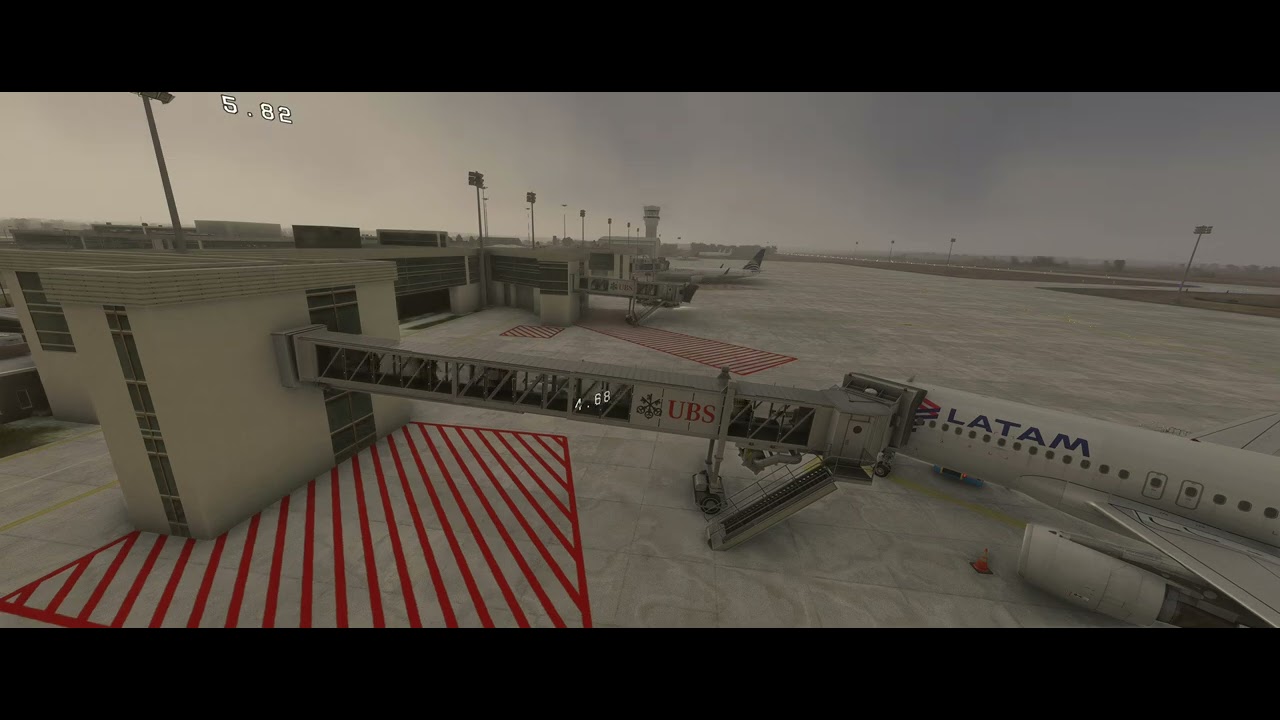
Anyone know how to fix this? Passengers go to the end of the jetway and instead of entering the plane the go back to the terminal. Then they turn around and go again towards the plane but now at lower level, below the jetway floor. Finally, they enter the plane. There are only two waypoints defined: PAX GATE at the terminal end and WPT 1 at the bottom of the jetway. I moved WPT 1 to different locations along the jetway but the result is always the same, passengers turn around once they reach WPT 1.
GSX jetway is disabled.
It’s a free scenery from Aeropuerto INTL de Córdoba Ambrosio Taravella (SACO) for Microsoft Flight Simulator | MSFS
Are you using a custom profile, or have you made the waypoints yourself?
When there’s a jetway, you shouldn’t use any custom waypoints, GSX knows how to move passengers from the terminal gate to the jetway rotunda and then to the airplane exit.
It is possible to use custom passenger waypoints on a gate with a jetway but, they are used ONLY to represent a walking path BEFORE the jetway starts, so it’s usually used when the jetway is made of two parts: a static one that represent the “bridge” which connects the terminal with the jetway insertion point (the “root”) and the actual animated jetway which connects the root to the airplane exit so, with a straight bridge, you usually place only ONE waypoint when the bridge starts at the terminal, and passengers will walk from there to the root, then will proceed from the root to the rotunda, then the exit, with no need for any waypoints.
The “virtual” waypoints are provided by the sim though the Simconnect Navdata API, because they are dynamic (the rotunda is always in a different position when extended to different airplanes parked in different places), so it would be useless trying to setup static waypoints there, that’s why they can only be used for the static part of the jetway.
Since the jetway in your screenshot is a single animated object directly connected to the terminal with no bridge, and the terminal doesn’t have an interior, you shouldn’t use any Pax waypoints there.
It’s my profile I created from scratch.
I tried without waypoints but passengers leave the terminal about 1m below the jetway. It’s like the jetway bridge was horizontal but as you can see it’s higher on the terminal end.
I guessed that was the problem. You used the wrong tool ( waypoints) to fix the jetway root height problem.
Unfortunately, the floor height at the root is not available from the sim and, since real-life jetway roots have different heights so, if the jetway is not default, you must setup the root floor height in the airport profile for every different jetway model used by the scenery.
This is of course fully explained in more detail in the manual, the chapter named Custom Jetway Floor heights on Page 75, no use repeating it here, but I’m sure it will clear to you after you read it.
That was it! All sorted now. Thank you. The manual explains the whole process very well. I just wrongly assumed creating waypoints will be enough, but [jetway_rootfloor_heights] parameter is even easier as one entry works for all jetways.
Although, I couldn’t find jetway name in the Couatl.log. I had to use Simobjects model Statistics from Dev mode menu.
A little Help Please!!,
GSX pro has been working fine since I first installed it on Mar 27, 2024
… UNTIL the last windows 11 update :
When i click the shortcut " Start Couatl for GSX MSFS" I get the error message “Windows cannot… find” c:\Program files(X86)\Addon Manager\ Couatl64\Couatl64._ Boot.exe"
I have uninstalled and reinstalled GSX pro with no success . I Have manuallY checked the folder to make sure that the .EXE is there. My Trend Micro Antivirua EXCEPTION list includes this Addon Manger folder.
What am i doing wrong?
best regards
hari
First, you don’t need to start it manually. MSFS will do it.
Second, did you try opening it directly from the folder, not via shortcut?
The executable file is called Couatl64_MSFS.exe
I’ve just been onto the FSDT site, in order to buy GSX Pro and was redirected to order.shareit.com. This looked odd and as I have a tendency towards paranoia, where online shopping is involved, thought I’d check that this is indeed a valid site, before entering any personal/payment details.
Official posts on the FSDT forum do say that they factor out their payment acceptance process, but that is apparently via an organisation called Digital River, which doesn’t appear to have any connection with the order.shareit.com URL.
Thank you, I just uninstalled/ reinstalled it again and this time it worked fine . go figure!
best egareds
hari
Official posts on the FSDT forum do say that they factor out their payment acceptance process, but that is apparently via an organisation called Digital River, which doesn’t appear to have any connection with the order.shareit.com URL
Of course https://order.shareit.com is owned by DIgital River Inc., and this could have been easily verified, if you checked the secure certificate, which is what you are supposed to do, when you are buying from a new site and are in doubt:
When you are on https://order.shareit.com click on the “lock” icon on the left of the address bar in the browser, it will open a menu saying “Secure Connection”,
Click on the > sign, it will open a new menu saying the certificate is valid. Now, if you are on Google Chrome, there’s a “down” icon which will show the certificate, while on MS Edge the icon to show the certificate is on the top-right.
When the certificates opens, you will see that is signed by Digital River GmbH, which is the european branch of Digital River.
That’s how you check if you really are on the site you are supposed to be.
About DIgital River, it’s one of the oldest and well respected ecommerce providers in the world, has been active for 30 years, it’s quoted on Nasdaq and, during the years, has acquired a lot of ecommerce companies, like MyCommerce, Esellerate, Share-it, SWREG, all names every well known to anybody who has been using a PC for a number of years.
Basically, there aren’t many companies as reputable as Digital River to buy any software from.
Thanks for that. I did check whois, which had precious little info on the owner, but wasn’t aware of how to check the certificate, so I consider myself educated. I suspect that will help me to manage my “online shopping paranoia” greatly in the future. 
I’m sorry if you took my post as being in any way accusatory and thanks again for your reply.
What about support emails that haven’t been answered in months + private messages that are also being ignored for months?
The support is such a joke. Probably one of the worst I have ever encountered.
Hi,
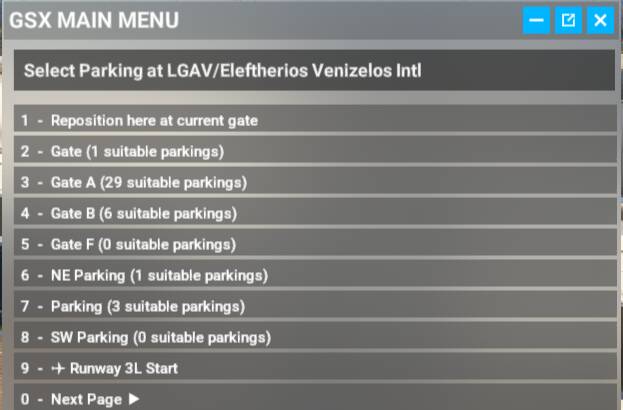
I have one question about how to navigate the GUI, maybe I have missed something. When selecting a gate you can see something like this:
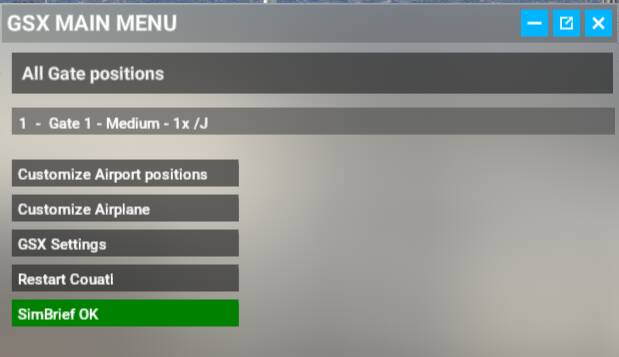
If I from here select for example #2 on the list, the following is displayed:
Suppose I don’t want to select anything in this child list and instead want to navigate back to the parent list, how do I do that? The only way I have found is to close the whole window and open it up again from scratch. The All Gate positions box at the top is not clickable.
No emails has ever been “ignored”, of course.
Don’t you think it’s possible that, if you haven’t got an answer, your email might have not been received instead ? Maybe trying to reach us in different ways like:
The FSDT support forum
The GSX Channel on Discord
The FSDT Page on Facebook
That is at least what I would do, if saw my emails to any kind of support are not being answered, before posting in public they are “ignored”.