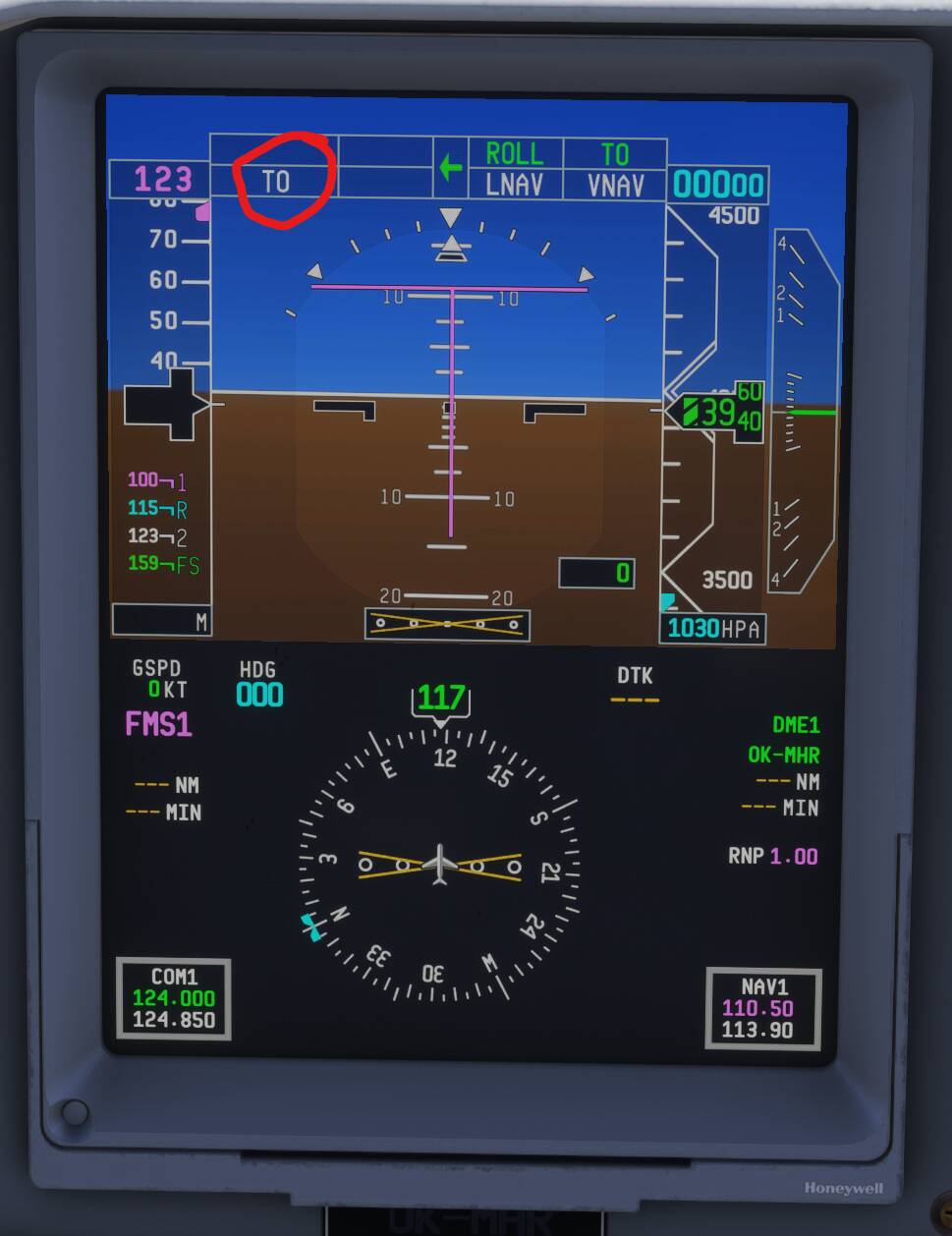
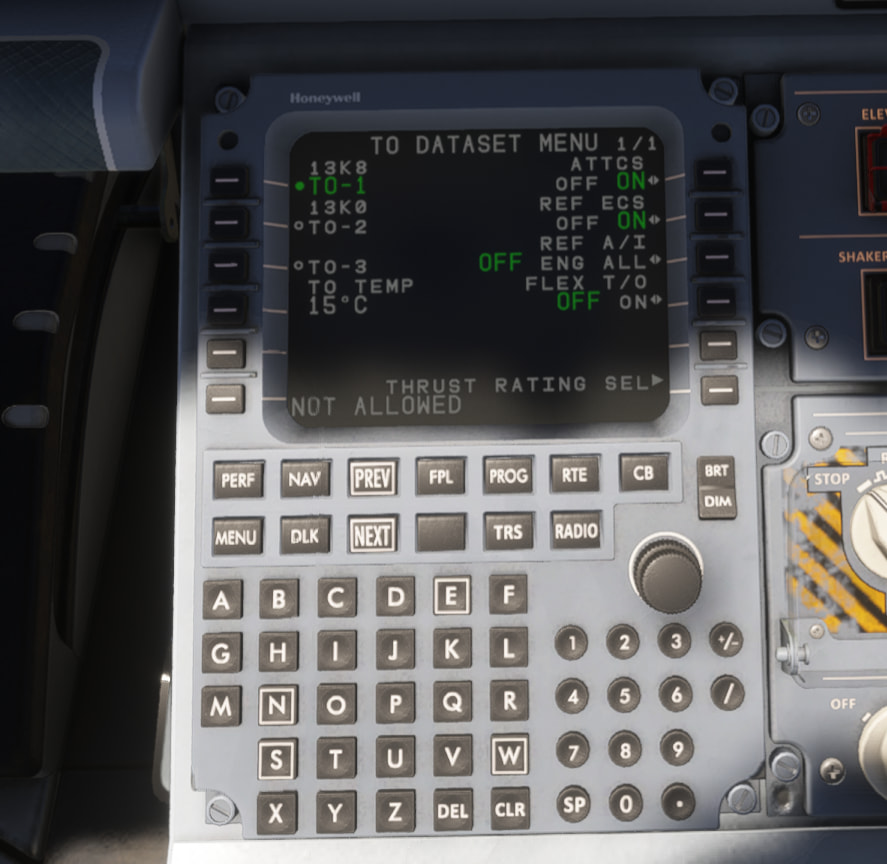
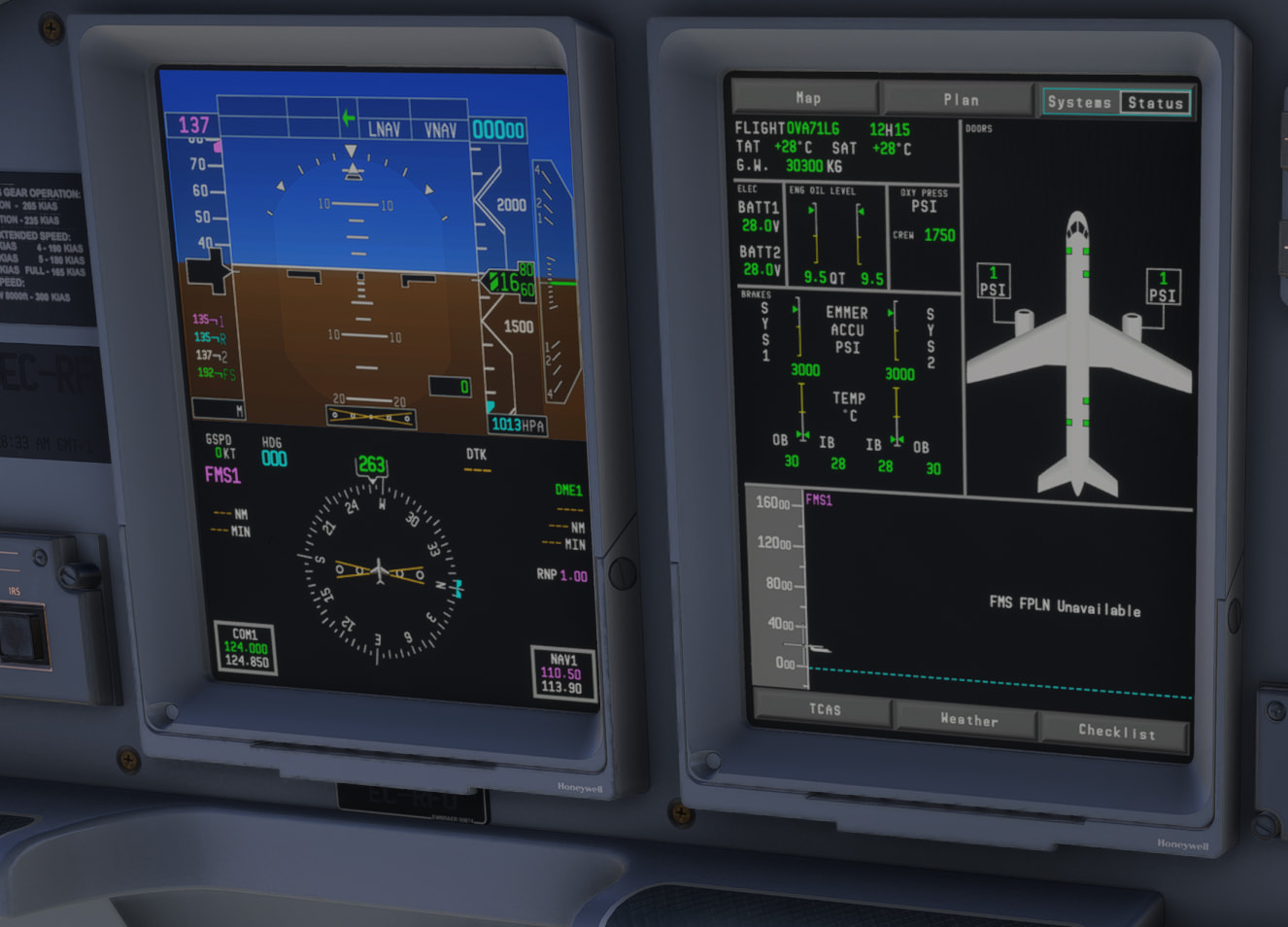
FSS E-Jets: Take Off Pitch and Navigraph Updates

I purchased the FSS E-Jet mods for the Embraer 190 and 195 two weeks ago. Getting the aircraft to fly properly has been an adventure – and Aerosoft’s Support Desk largely has not been responsive (nor is the Discord any help).

To begin with, the software that I downloaded direct from the designer doesn’t have the same features that I’ve seen in video tutorials (e.g. British Avgeek). For example, the system that imports Simbrief plans that Avgeek runs through doesn’t work in my software.

I have worked my around some of the problems, including Simbrief importing, but two issues remain that are especially bothersome:

  1. I cannot get to take off pitch function to work properly (which makes getting the plane off the ground a nightmare); and
  2. The software download did not include Aerosoft’s Navagraph updating tool. So all of my flight planning is off.

Has anyone encountered these issues and if so, can you provide guidance?

For support you should go directly to developer’s (FSS) Discord channel, not Aerosoft’s. And make sure you have the experimental version of the E-Jets installed. That one contains VNAV etc. A description how to do it in Aerosoft One is here:

Things to know | E-Jet Series | FSS Documentation Hub

There’s a thread about E-Jets over here:

FlightSim Studio Embraer 175 - Discussion Hub / Aircraft - Microsoft Flight Simulator Forums

2 Likes

Thank you. I’ve uninstalled the version I had and reloaded the experimental version. Will give it a spin.

1 Like

Thank you for your post! Your topic has been moved to a sub-category of the User Support Hub

The General Discussion category is meant for discussions that fall outside of our other sub-categories.

If you would like other users to help you with an issue you are experiencing in the sim, consider these User Support Hub categories for your future post:

User Support Hub > Aircraft & Systems
User Support Hub > ATC, Traffic & NAVAIDs
User Support Hub > Crashes (CTDs)
User Support Hub > Hardware & Peripherals
User Support Hub > Install, Performance & Graphics
User Support Hub > Scenery & Airports
User Support Hub > User Interface & Activities
User Support Hub > Virtual Reality (VR)
User Support Hub > Weather & Live Weather
User Support Hub > Miscellaneous

Further my earlier reply to your helpful comments, I now have the Navigraph updater and have surmounted the problems I had encountered integrating my Simbrief flight plans and perf data. So all good there. Take offs are better, although despite paying careful attention to take off pitch, the plane tends to level off after about 1000 feet using Vertical Navigation. So I’ve gone back to using Flight Level Change, which seems to work. Beyond that I’ve had several freezes, a couple of CDTs and weirdly, one occasion where all of my key strokes went dead. So there are plenty of challenges here. Nevertheless, when things go well the E-Jets are pretty to look at and fun to fly.

1 Like

I’m really glad to hear that. Actually for climbs using the FLC mode is a correct procedure (with VNAV activated for constraints), it’s how the real plane is flown. I’m going to paste VNAV instructions we got for beta tests:

Engaging VNAV

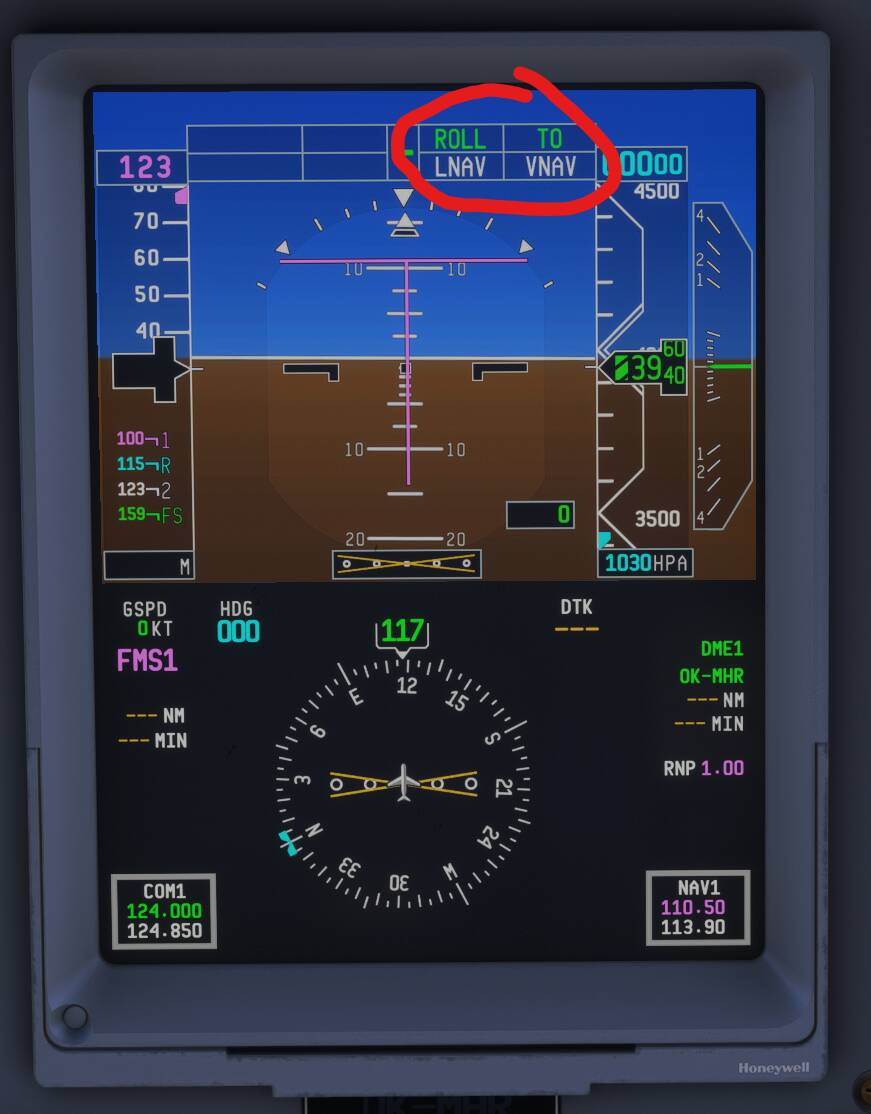
There is a VNAV button on the autopilot glareshield button. But under normal circumstances you don’t have to touch it. You simply press the TOGA button on the Throttle before takeoff and LNAV and VNAV will automatically arm and engage after takeoff.

This is the only moment where you will see the flight mode annunciator show VNAV. Vertical Navigation is a general autopilot control but not an active autopilot mode. You must understand this to interpret the FMAs correctly that will come up during flight.

The rule of thumb is:
Any magenta mode refers to MCDU data.
Any green mode refers to manual (pilot) input.


Climb

The climb is executed in magenta FLCH mode. That is what you know as CLIMB from Airbus for example.
Unlike green FLCH mode, which you’ve used so far, this mode will respect altitude restrictions given by the MCDU.


Cruise

Upon reaching target altitude, the vertical autopilot will first change to magenta ALT SEL mode and once established at the target altitude to magenta ALT HOLD.


Descent

To follow the descent profile, you must ensure you are in magenta mode (most likely ALT HOLD if at cruise).

To initiate descent, set the target altitude lower than your current altitude. The vertical autopilot will enter magenta PTH mode` when passing Top of Descent.

PTH mode follows the vertical deviation indicated on the PFD, sourced by the MCDU and displayed on the Vertical Situation Display (lower MFD).

If you want to descend before TOD, press DES NOW on the MCDU cruise page.
This commands a 1000 fpm descent until intercepting the calculated vertical path, then continues automatically.


Power Management

During descent, proper power management is the pilot’s responsibility.

The MCDU calculates a steady 3° descent path (unless limited by constraints). It does not create level-offs used in Airbus/Boeing for slowing down.
Flaps are responsive enough to manage speed reductions.

If in FMS SPEED mode (magenta), the target speed bug will follow MCDU constraints or 250 kts below 10,000 ft.

Actual airspeed control remains with the pilot.


Approach

ILS Approach

ILS approaches can be flown by pressing the APP button on the glareshield when within ILS range.
The vertical autopilot will automatically switch to GP (green) when capturing the glidepath.

1 Like

Many thanks. All very helpful. Will do my best to apply the guidance in upcoming flights.

1 Like

Thanks for the helpful information here. Im trying to learn the ejets as well and this has been a great help

1 Like

Mhron,

Further our very helpful exchange, I have the 190 flying well, but the 195 is encountering WASM crashes consistently. Is there a work around?

WASM crash can happen in any aircraft, some are more prone to it. Actually, I can see many people having them with the E-Jets. I’m lucky that’s not my case. There’s no workaround except trying to find the reason for it - addons conflict, some particular procedure that can lead to the crash etc. Sorry :man_shrugging: Also sometimes it can help to manually delete the aircraft’s WASM folder and let the WASM compilation happen again for the first start.
Thanks again.

1 Like

Do you know where the specific WASM folder is for the EJets only? I’m having to clear WASM after almost every flight in the 175 because my altitude callouts just disappear after the first flight never to return.

Simply trying to ask FSS for simple suggestions on how to fix is useless as they won’t offer support for the experimental build, and they refuse to allow open chat on their discord between users.

For the Steam version of MSFS2024 it’s in C:\Users\[username]\AppData\Roaming\Microsoft Flight Simulator 2024\WASM\MSFS2020. I have three folders there: fss-aircraft-e17x, fss-aircraft-e19x and fss-aircraft-e19xfreighter. It isn’t a MSFS2024 native aircraft, so they’re inside MSFS2020 WASM folder. You won’t find them in the MSFS2024 WASM folder.

I’ve googled a location of these folders for MS Store version of MSFS2024:

%LOCALAPPDATA%\Packages\Microsoft.Limitless_8wekyb3d8bbwe\LocalState\WASM\MSFS2020\

Here is another question, but related to my earlier issues with take offs. According to Avgeek tutorials on the mod, one should arm the TOGA butter in the throttle at the gate. Clicking the button in my version of the mod does nothing. It also does not arm on or before arriving at the runway. Again, are you aware of any fix?

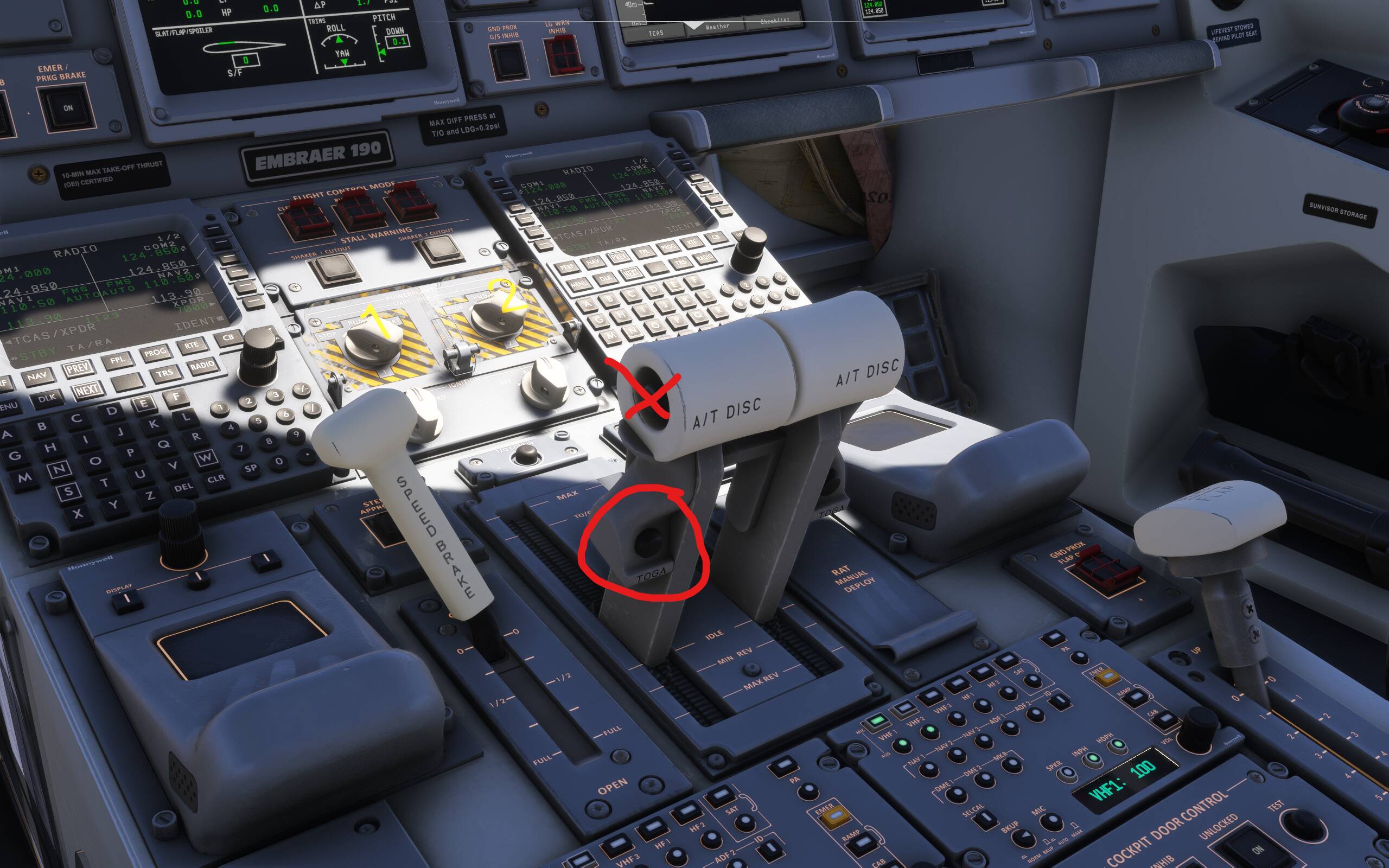
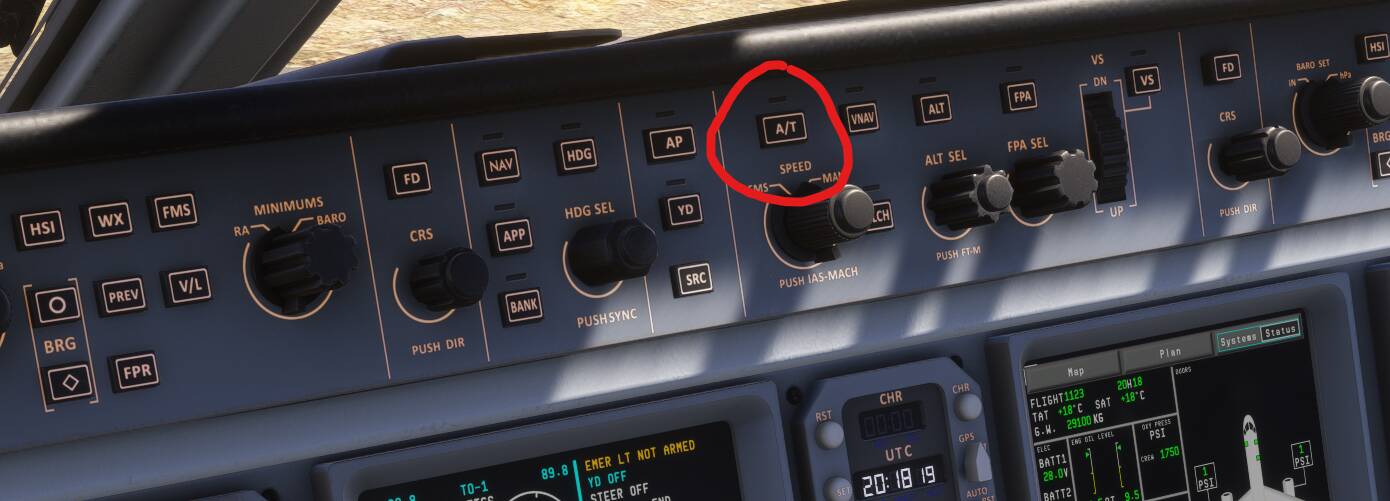
Sorry but that is not a widely recognised bug, I don’t know about any fix then. I have no problem activating TOGA mode before take-off. There are two steps you should do for a proper take-off though: 1) Activate TOGA on the throttles (some airlines do it already at a gate as part of the before taxi checklist while some others do it before runway line-up) AND 2) activate A/T (a button on the glareshield).

  1. Make sure you push the correct button. TOGA button is on the back of the throttles, not on the side (that’s A/T disconnect) :

That will give you this:

  1. A/T button on the glareshield:

That will lead to this:

Now you’re set for take-off (at least autothrottle-wise). Just advance the throttles over 50% N1 and the autothrottle takes over.

As they say, one picture is worth a thousand words. I was using the wrong button to activate the TOGA. So many thanks again.

1 Like

So on to the next question. Thrilled as I have been to overcome the take off issues encountered flying the 190-195, I purchased the 170-175. Tuned everything up, downloaded a boatload of liveries and went at it. However, in both aircraft I have hit the wall. After putting my flight plan together – and usually just as I begin to taxi, I lose control of my keystrokes and my throttle freezes up. Only the mouse and my added software for views works. So once again, any help that you might offer would be most appreciated.

I’m sorry to hear that but I have never experienced that. It sounds to me like a WASM crash but I’m not sure. There might be some addon conflict? I would try to fly one flight without anything else installed in your community folder. You can temporarily move the content to a different folder before starting the simulator. And see if that helps.

1 Like