Many in those days claimed to the “FSX model” but weren’t. But it doesn’t mean you couldn’t get it into MFS 2020. However, after attempting many imports, mostly airliners, I have found that some models will not display no matter what, some will be mangled / broken beyond repair, some will display with repairable defects (most common), and others will be intact with all animations working as they should. Hope the mirage mod will work out for you. We’re all new at this, but with time and experience, we’ll get better to know which ones are even worth importing before going down the long and arduous path. Importing the model and getting it to display is only step 1.
Try this. When you load mdl for the 1st time change the 2 to a 1 before hitting the set button.
Next export that and add _interior as in “plane_interior.mdl” save. It it shows in MCX that will be the interior.
Next Import the mdl again and leave the 2 click set then check annimations and textures then export as fsx and will ask to replace
Thank you ! That is the process I used but no luck !
Meanwhile, I found another mirage 2000 file (which may be a earlier or later version of the same mdl file) and applied the method with P3D 4.1 SDL XToMdl and it works ! Except the canopy is opaque blue and I do not know how to change the alpha channel.
Oh by the way, it does not fly either, stuck at idle even if throttle in VC is correctly animated. I guess it comes from aircraft.cfg and engine values to tweak.
Has anyone got a DH Chipmunk working yet?
Hi, i am getting one issue when try to import the fsx airplane. i have the C-17 from virtavia and want to import to msfs. i know that maybe is not legal but is not for distribution, just for me.
Well, my issue is, when i try to load the interior.mdl i get an error saying that file was not compatible with msfs and 3d model may not work properly, then, when i try to open with MCX it says that mdl file is a non supported mdl format. will this file locked somehow? if is, there is any chance to unlock?
this is my first attempt to convert one aiirplane so i´m still learning how to use this programs. any help will be apreciated.
kind regards
when i try to load the interior.mdl
in which program?
when i try to open with MCX it says that mdl file is a non supported mdl format
it is happen with some models, but still this it may be loaded by the game successfully.
you need more experience, don’t stick to single airplane.
I will try to convert the a340-600 too. The mdl file of my C17 doesn’t load with the MCX and with the fsx legacy importe, inside the model tab says that the file was not compatible with msfs and the 3d object maybe not be loaded. However, I tried the ukmil but cockpit textures are a mess. For example, I have the A321 mod and shows inside community folder 2 folders. One says a321 and other a321_cvt. When I try the conversion, only is created the airplane folder and the fsx instrument folder if Im not mistaken. Don’t really know what step I am missing. Need to spent several more hours searching for good video tutorials or something like that
there is a bug in importer - it says interior model not found even if it exists and configured, so ignore it until next update.
*_cvt folder is MSFS cache, just do not touch it. you have to delete it manually each time you make model edits by MCX, but that is only case.
gauges conversion results extracting into “Community\legacy-vcockpits-instruments”, if you are not familiar with HTML/JS, you probably should not go there too.
most important are CFG files inside of aircraft folder, if they configured properly you will get at least working plane, worst case without textures.
i apreciate all your pacience to explane me those steps. most of the people here have a huge knowlege about creating airplanes and other things and i dont. these are my very first steps inside the moding world.
well, the ukmil c17 already shows up inside the sim, now i just need to fix the cockpit textures, buttons wich dont do nothing and the sound.
looks like the engine sound is on the loop, probably some config needed to be fixed. the textures and the buttons maybe is the same, some config or something like that.
i will try to check the aircraft cfg and study the code lines and so on.if i can fix this, my next conversion will be the A400M and the A340-600.
until then, i need to mess around with the c17 to preform trial and error until understand how to fim him.
Will it be free to download
Hello ZootSuit9682, When will a version for personal use be available?
It wont unfortunately , i am not allowed to share or distribute this aircraft.
However it is surprisingly easy to get good results using the latest version of legacy converter. I suggest giving it a go 


Your process of opening the FS9 mdl twice and saving it to new FSX mdls sounds correct - perhaps the issue was your XtoMDL version being too old? Not sure but glad you got it working in the end!
Test of the PPG, my first and only import. I don’t know anything about tuning the MS aircraft files so this is bone stock from the importer. Still it actually flys. The motor sound is way too high, the textures didn’t work or are somewhat transparent. Some other issues… but who cares!? I can’t wait to try this in VR.
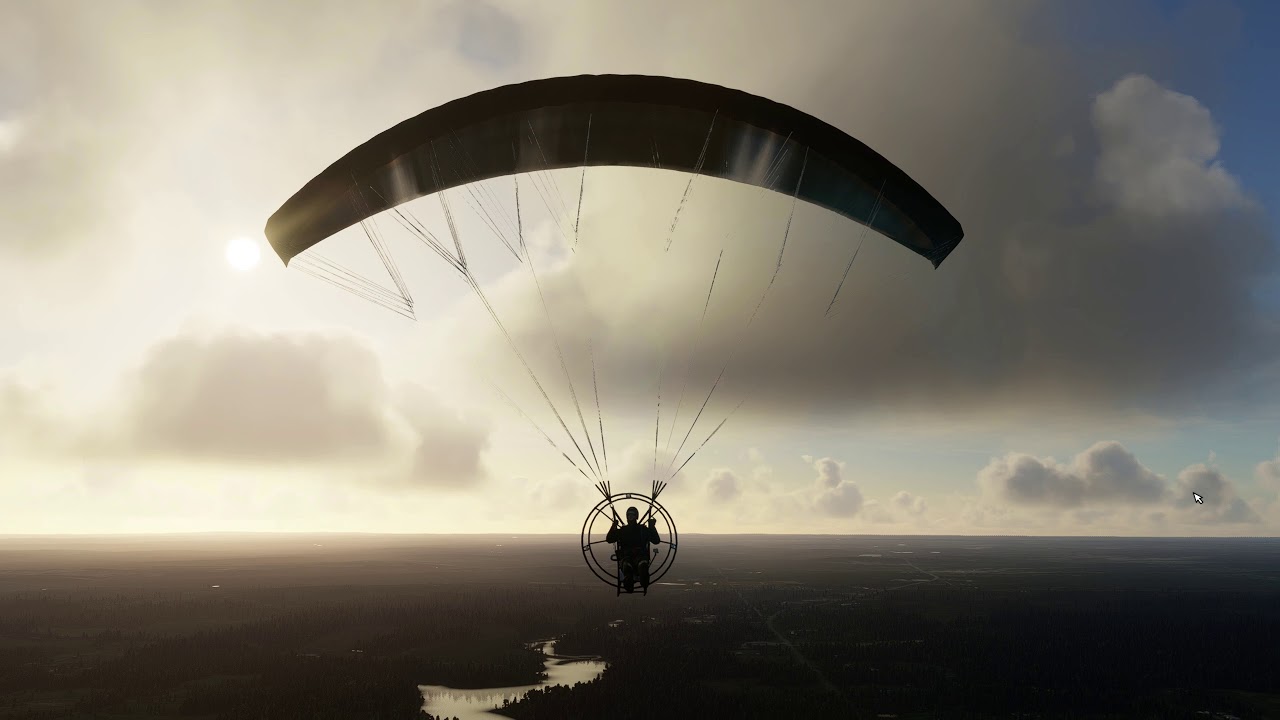
That looks AWESOME! I’d love to have it for VR as well. Nice job.
The high sound volume is consistent across conversions. I use the Windows volume mixer to turn the game down to compensate
Thanks.
It works for some models but others still do not show in FS. When I load them from the developper menu while on a runway, something displays for less than a second and it seems to be some part of the 3D model but 1/8 size or so. Then everything disappear.
About XToMDL version, is there a newer version than the one in Prepar SDK 1.4 ? And, if it exists, does this newer version make FSX/FS2020 compatible MDL files ?
Anyway, that’s cheerful to see the FS community being so active again.


If they show up and disappear, it is likely related to visibility conditions of the model parts. Different parts of the model can be coded to appear only when certain conditions are met. For example: “when parking brake is on, show the wheel chocks”. Yours may have the entire thing set with a custom condition for some reason. Take a look at the visibility conditions in the Object Hierarchy in MCX and ensure that anything that should be visible all the time is set to None.
Looks like the textures are either missing, not in the layout.json, or the wrong file format. Make sure they are present and either a 32 bit bmp or dxt5 dds.
The glowing is caused by emissive textures being set in the model. In FSX these would usually only be shown at night but MSFS does not support this so it makes any texture with an emissive variation set glow at all times. Delete the emissive texture from the material properties and it should no longer glow.