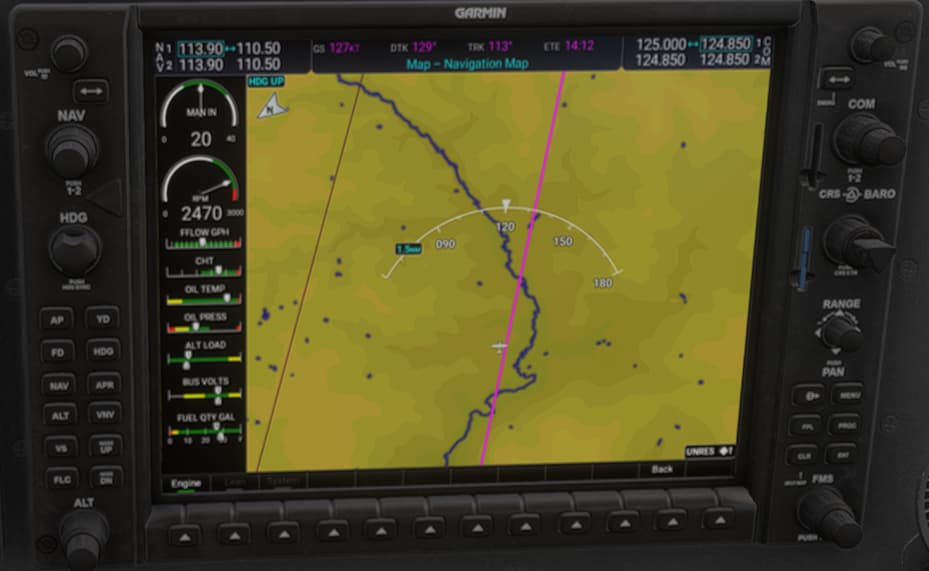
Engine leaning page not appearing when clicking on the Engine - Leaning softkeys on the MFD. I have only seen this on the G36 Bonanza so far: C172 for instance is fine. This in Free Flight
Did you remove all your community mods/add-ons? If yes, are you still experiencing the issue?
Yes and yes
FREQUENCY OF ISSUE
Every time
REPRODUCTION STEPS
Load into any free flight with the G36 Bonanza
Once airborne and at the altitude you would normally start leaning, click on the “Engine” soft key and then on the “Lean” soft key. The Lean page does not appear
YOUR SETTINGS
What peripherals are you using, if relevant: I do not believe this is relevant as it has never happened before in either MSFS2020 or 2024 and it also does not happen with the C172. But FWIW: MS FFB joystick, Thrustmaster T16000M throttle and rudder pedals
Are you using Developer Mode or have you made any changes to it? Happens with or without Dev Mode
What GPU (Graphics Card) do you use? RTX4080 Super
What other relevant PC specs can you share? ASRock X670E MB, 9800X3D CPU, 64GB PC6000 memory at Expo settings, no other overclocks
MEDIA
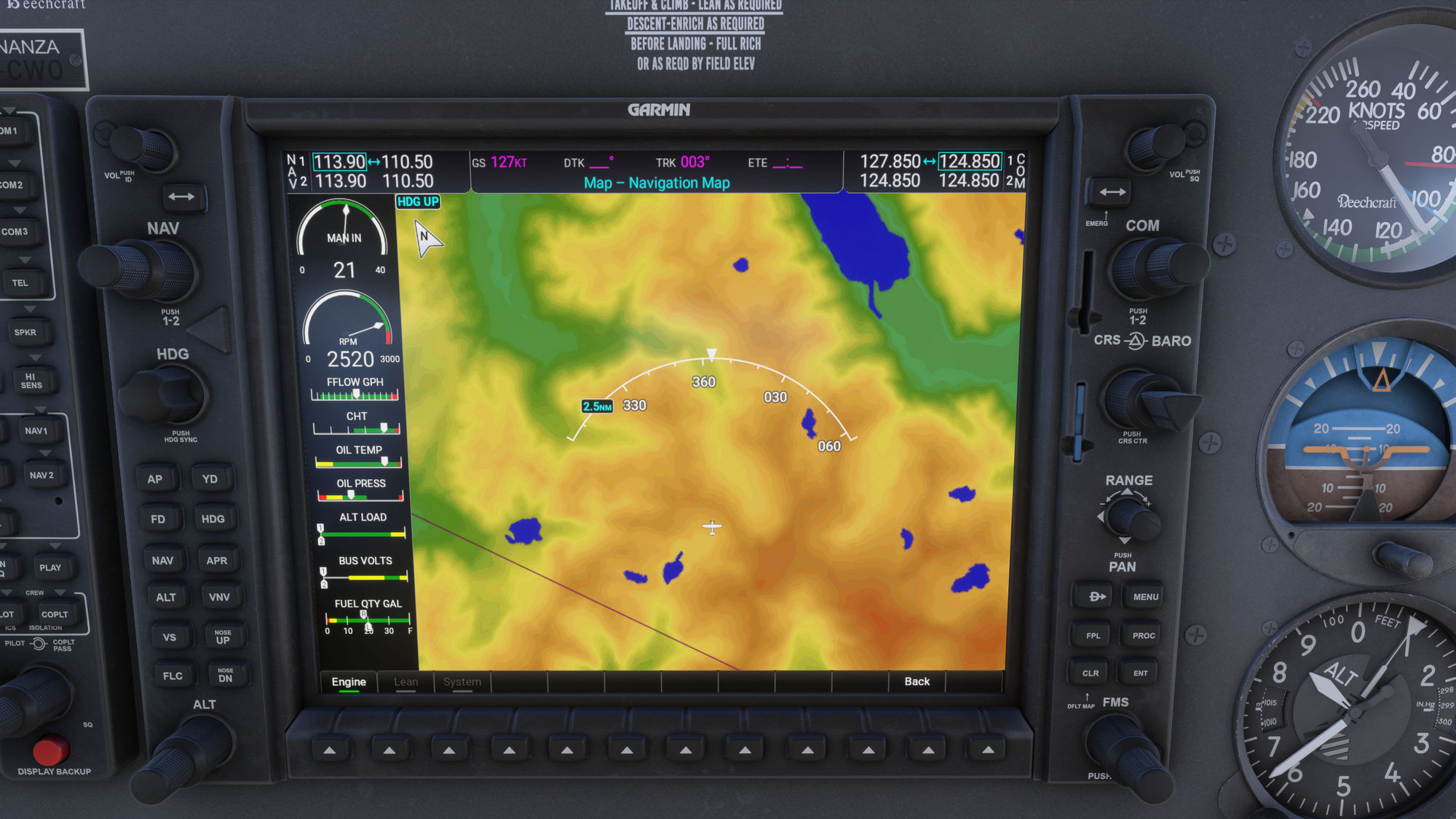
Bit of a but contradiction but here you can NOT see the issue!
Do you have the same issue if you follow the OP’s steps to reproduce it?
• yes
Provide extra information to complete the original description of the issue:
• Lean page is greyed out. Don’t know if it has been introduced in SU1 or issue also exists in the Live version.
If relevant, provide additional screenshots/video:
•
There are only two versions of the NXi in the sim: the V1 (2020) version, for backcompat, and the V2 (2024) version. Both have the lean page.
That being said, the lean page is configured to be active based on the aircraft’s panel.xml, so this may need to be adjusted by the aircraft developer.
Do you have the same issue if you follow the OP’s steps to reproduce it?
• Yes, but only with the Asobo Bonanza G36, not the Bonanza G36 Improvement Project
Provide extra information to complete the original description of the issue:
• • This appears to me to be an aircraft-specific G1000 problem. I did not see the ‘Lean’ page on the MFD of the default Asobo G36 Bonanza, but I loaded my Bonanza G36 Improvement Project and the ‘Lean’ page was there.
If relevant, provide additional screenshots/video:
*
Do you have the same issue if you follow the OP’s steps to reproduce it?
• Yes
Provide extra information to complete the original description of the issue:
• Using the default Bonanza G36 in career mode flying VIP mission, in freelance. When leaning fuel and attempting to use the G1000 “Engine” tab, the soft-key options for “Lean” and “System” are greyed out.
If relevant, provide additional screenshots/video:
• See Media below:
@WildeMulqueen thanks for answering. Problem solved, I was using an ancient third party livery whose panel.xml prevented G1000 to work properly. I recovered the default panel and now I have all the commands available. Thanks again
I have this same problem but have no liveries or anything in the Community Folder and the Lean option is greyed out in MSFS 2024 with the G36 Bonanza with G1000. Works just fine in the Cessna 172 and C400.

 For anyone who wants to contribute on this issue, Click on the button below to use this template: