Since you seem to be a very good engineer and tuner, have you noticed that there is an oil indicator between the CHT temp and Oil pressure gauges? If you had leaks, the level would be abnormally low and therefore this light would go to the red (it works perfectly because tested several times).
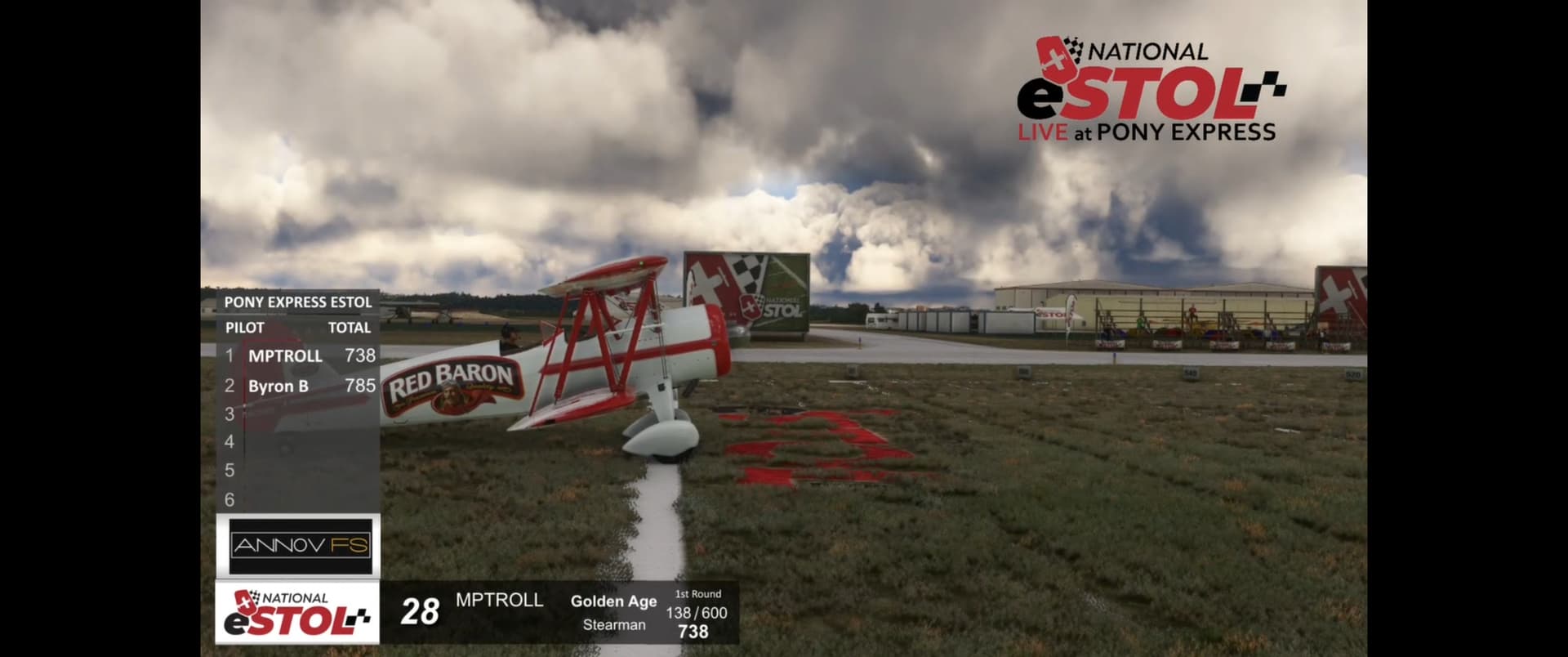
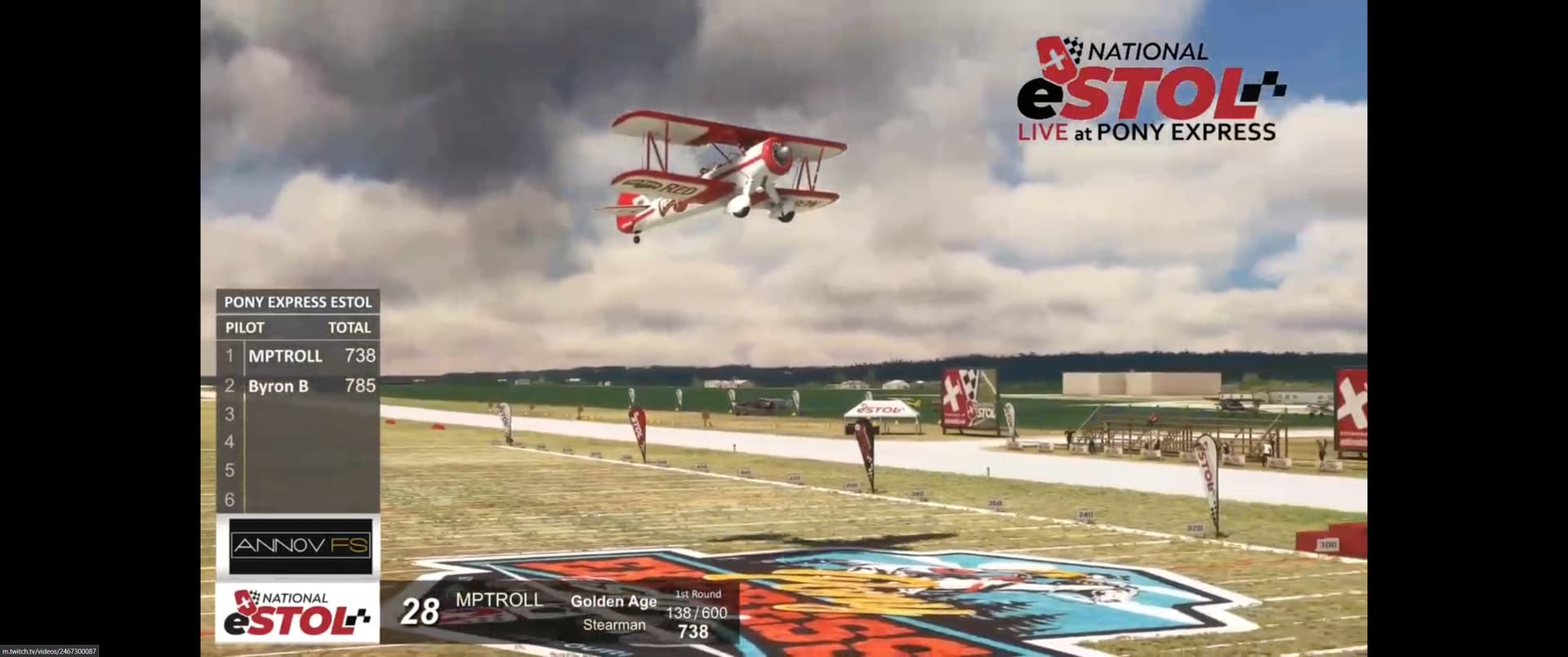
In any case MPTROLL (XBOX) and BYRON who just lined up on Australian e-stol competitions seem to better control this plane.
Ref: Twitch
2 Likes
thanks for the shout out there! I would like to bring up one thing that seemed odd with the aircraft on those runs in particular. (I know the conditions for the flight arent ideal for the stearman in the first place) but at the start of the run I started at 50% fuel as thats the least amount of fuel I am aloud to bring in these competitions, but on my second run my plane suddenly got heavier and I noticed my fuel had gone from 50% to 100%. backwards fuel leak? anyways had a great time bending up the super stearman in comp.
1 Like
Hello
If at the end of your flight, you follow the instructions in the manual:
- correct landing
- engine shutdown: magnetos off, fuel cut off and battery off
- back to the main menu
Under these conditions, the persistent data is saved on disk and at the next startup they are loaded into the simulator.
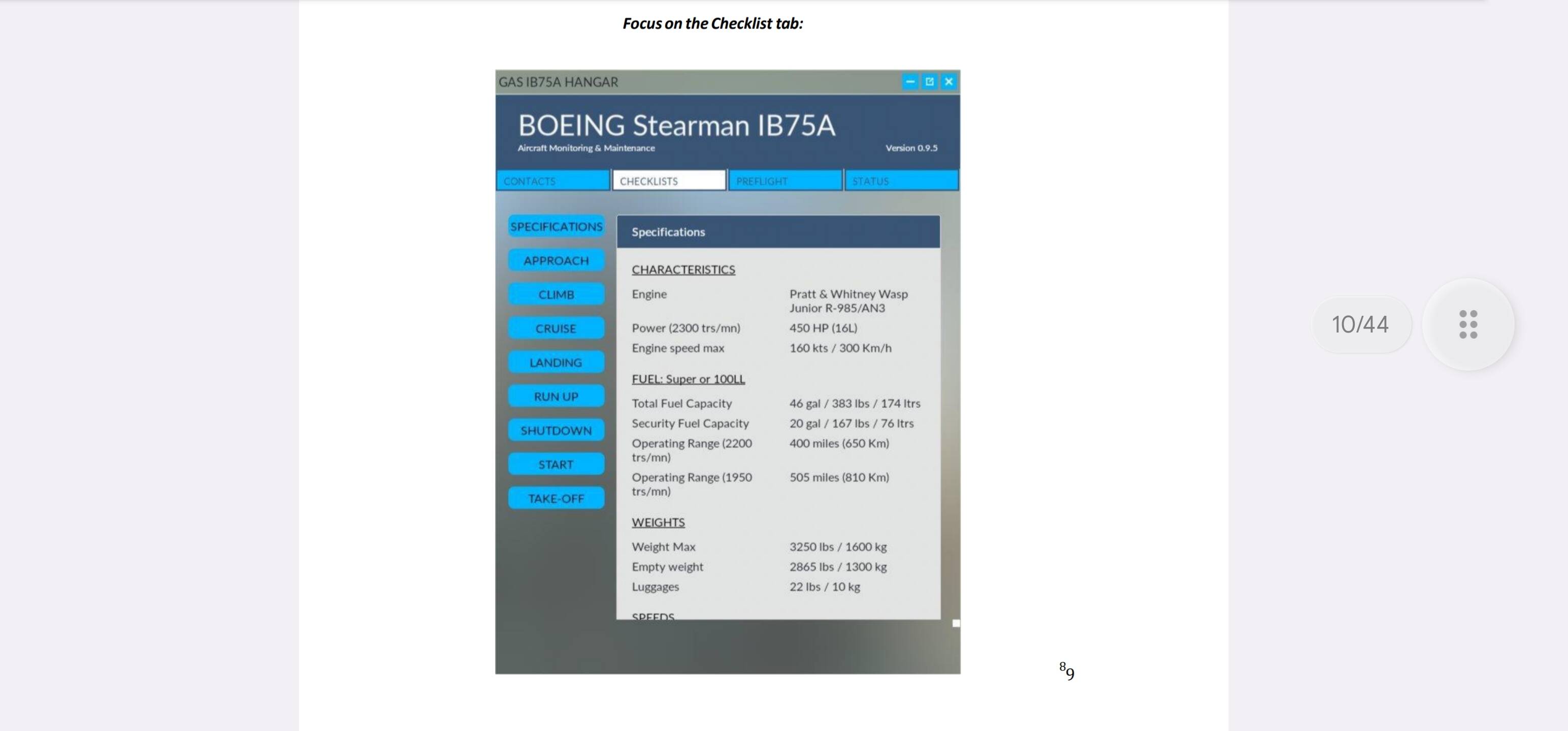
If in case of problems, you open the DATA Box and use the switch RESET (engine off and battery off before using this switch) in this case, the wear values are reset and the full fuel and oil are redone.
I had fuel added in between laps, part of why I did the go around on the second landing attempt. at no point was reset hit, also never opened my weight and balance after setting 50% fuel. had multiple people witnessed the weight change.
from what was said above, is the only way to set the fuel to less than 100% prior to flight then by running the engine until Im at 50% then reloading the flight?
also, I absolutely love the attention to detail on these planes, hope GAS continues to bring more vintage aircraft into the sim, really love your PBY and look forward to your Champ @LagaffeVFR5476
2 Likes
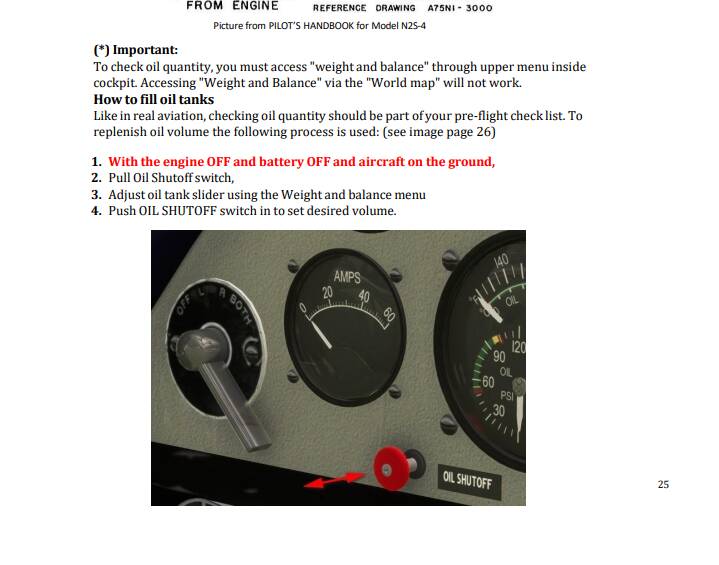
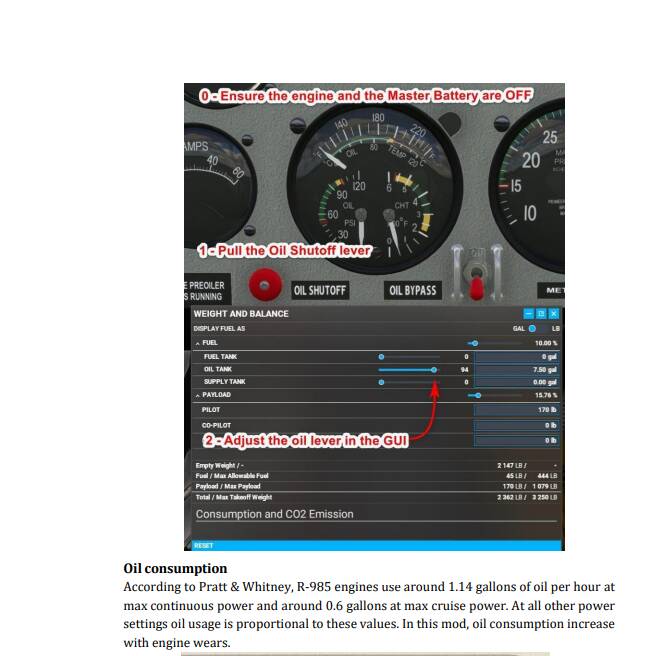
After loading the aircraft and before starting the engine, verify that the batteryis OF and open the OIL BYPASS.
Then open Weight and Balance and configure fuel and oil as you want.
Return in the cockpit, shut OIL BYPASS and you are ready to start with the fuel and oil quantity desired (it’s just that I have described in the POH in the folder Documentations of the add-on).
1 Like
Okay so fuel is adjusted with the oil bypass open like the oil, got it.
1 Like
No it’s not exactly that I answered above. As I said before: all is in the Documlentation folder, so read it.
I spent more than 3 weeks writing the documentation, then translating and rereading it with my colleagues so that it is understandable so make at least the effort to read it 
As said before, if you don’t have access to the documentation, you can find it here: https://goldenagesimulations.com/documents
1 Like
DISCLAIMER: pls disregard my addresses below (except bugs on xbox) my mistake, pride comes before a fall – and I fell hard,  lesson learnt.
Stop sending people back to manual. Start testing your plane properly. It is still full of bugs. At least on xbox.
This is the last time I lend You a helping hand.
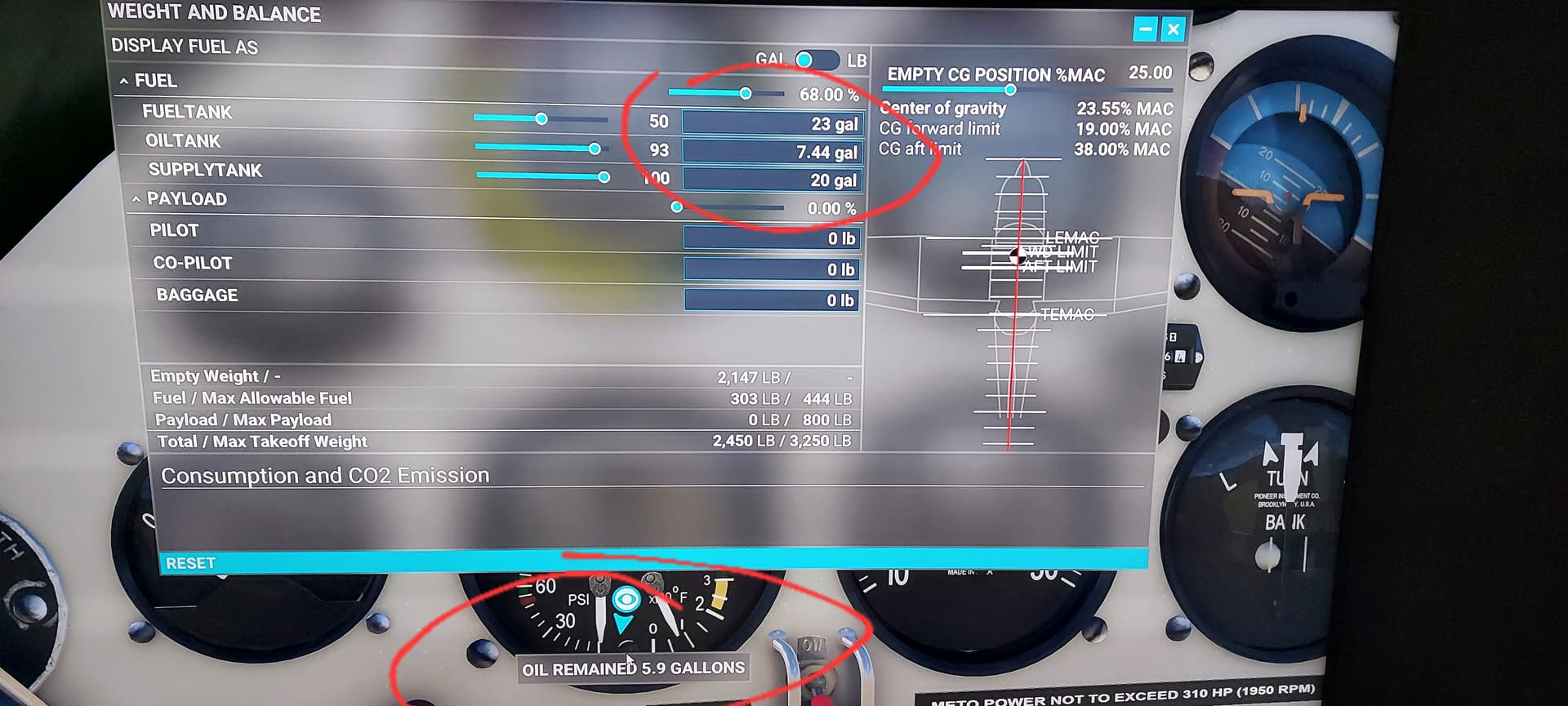
So… What what is wrong on this pictures (xbox x)? 
“This is the last time I lend You a helping hand.”
Good Thanks
2 Likes
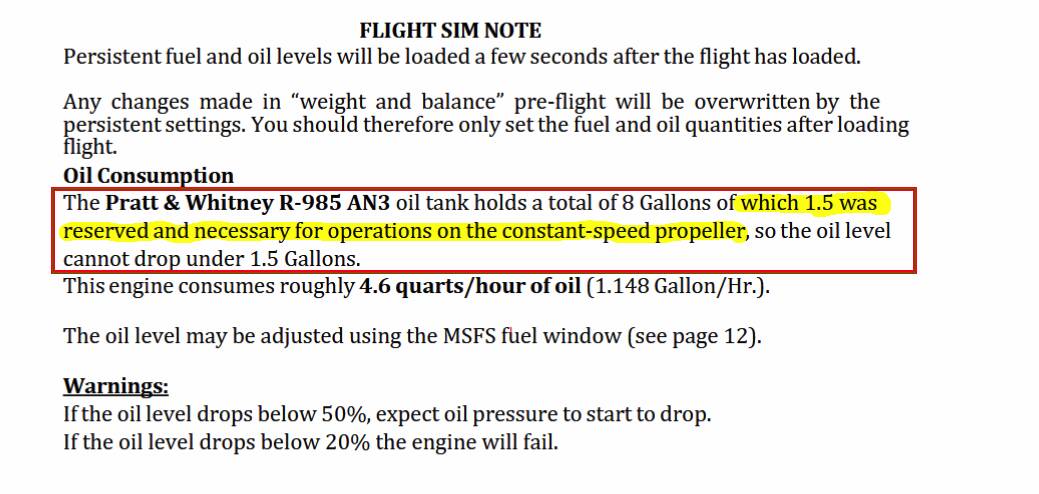
But where is Sherlock Holmes … we lost 1.5 gallons of oil in the engine … 
 … Maybe by reading the documentation and the oil section things are clearer
As far as I’m concerned, this is my last answer to that kind of question. Good evening!
1 Like
I agree 100% no need to discuss this any longer. Thanks
1 Like
My bad, Im sorry, if this is your logic then ok. For me however stay mistery how this 1,5l of governors oil is secured from leak and excluded from total quantity. .
while I appreciate the attention to detail in your manual, the fact you add fuel via the oil shut off being open was skipped in your manual, the only refence to that procedure is in the oil section talking about replenishing oil and makes no mention of fuel.
as an A&P (mechanic) I am more than familiar with reading manuals for aircraft. now in hind sight seeing that oil is refilled that way and it being under the fuel weight would make sense that fuel is added the same way. but it should probably be noted that the procedure is the same for fuel.
1 Like
After reading through this thread and the manual several times - following the check list, following the recommended temperatures, rpms and power settings, I still have not been able to complete a single flight without the CHT maxing out and causing an engine failure. I have reset the aircraft via the data box and reset switch.. I have even maxed out the CHT idling at 1100 RPMs waiting for the oil to get to 40C. Granted the OAT was 25C (Flying in Bora Bora). Just getting the plane into the air without cooking the engine is a challenge - Was able to extended the time in the air by putting on the boost pump to cool the CHT, but no matter what I do, the CHT rises to max. This is in FS2024 with the latest update.
Needless to say, CHT maxing out while oil temp is still below 40C is a bit perplexing - Used the oil bypass on last attempt to get oil above 40C then closed the bypass allowed me to get airborne with oil above 40C but CHT was all ready touching the yellow mark. Not counting out I am doing something wrong - but it does seem a bit touchy to say the least.
EDIT - After contacting GAS via their support Email - I was informed that if you bought the Super Stearman via simMarket - in the My Downloads section - it does not list the upgraded version - you must go through the “purchase” option for the V2.0 (no cost) and then you can download the revised version - Thanks to GAS - excellent customer service
1 Like
This is not the venue for tech support. Contact us
as provided in the product declaration. Good
Night
I just got the Super Stearman on Xbox how do i make this menu appear ? I cannot find it in my toolbar
That tool bar is not available in the Xbox version all functions are duplicated in the default toolbar and the Camera views menu.
1 Like