hello guys, did the graphic settings were set to low after the new update [1.26.5.0]? very annoying…
if you have NVidia Experience installed, make sure it’s not set to ‘optimize’ your graphics settings for you. It normally makes a huge mess of things.
3 Likes
For me after most updates, the settings are set back to “medium” and i have to switch them back to ultra again.. it’s been like that since release. Very annoying and reminds me on the fact, that I’m somehow still playing a huge “beta test” after almost two years 
1 Like
ohh yes, thanks that was the issue!
Same to you, get rid of NVidia experience, or turn off the ‘optimize game settings’ function.
2 Likes
Good to hear, enjoy the skies.
1 Like
After all those years you lead me to the fix, thank you!
These “optimized settings” are exactly the “medium” settings i used to have after each update.. disabled the optimization now and hopefully it won’t happen anymore, yay!
Yeah, the Nvidia “experience” used to screw me over every other time i loaded up a game… now i do the “advanced” installation and donot install the nvidia experience as it’s not really upto the task of analysing my system and actually giving me proper settings. Haven’t had to look at settings that much, since 
Have a great flight!
Woof ~ Woof & Salute!
Steiny
2 Likes
You’re saying the nVidia stuff changes settings inside MSFS?
Just want to make sure I understand. I’m very annoyed by this too.
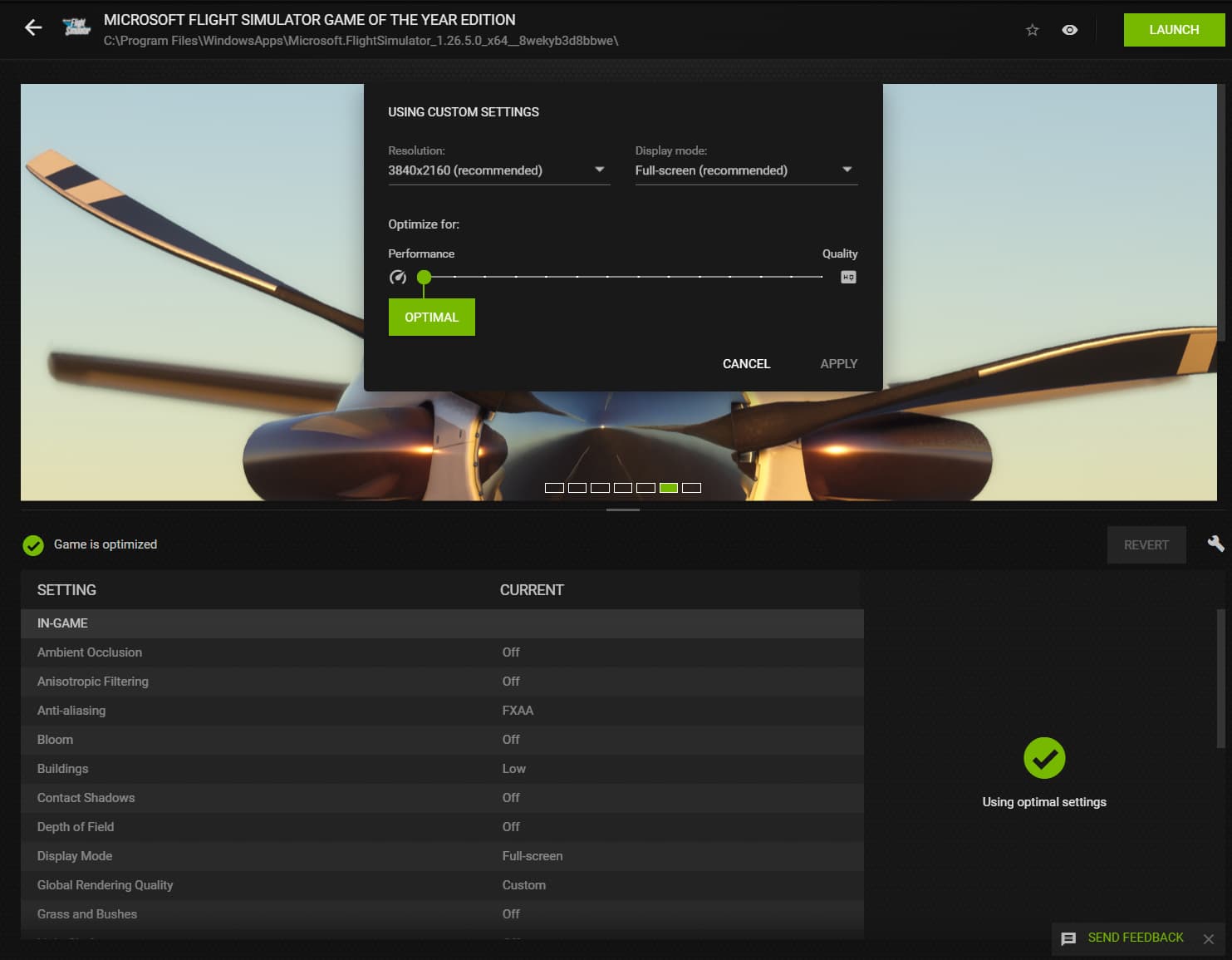
How do I tell it not to change it?
Edit: I guess it’s this?
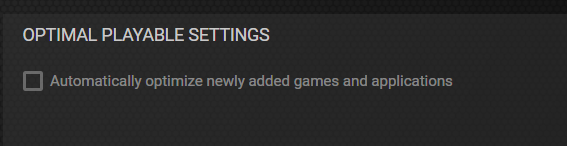
Maybe after each update it thinks it’s a “new” game. Really quite annoying
1 Like
Well i will keep the Geforce Experience installed because apart from this game optimization it also brings some nice feature with it (not to mention keeping the drivers up to date).
But nevertheless, this is a great improvement!
This topic was automatically closed 30 days after the last reply. New replies are no longer allowed.