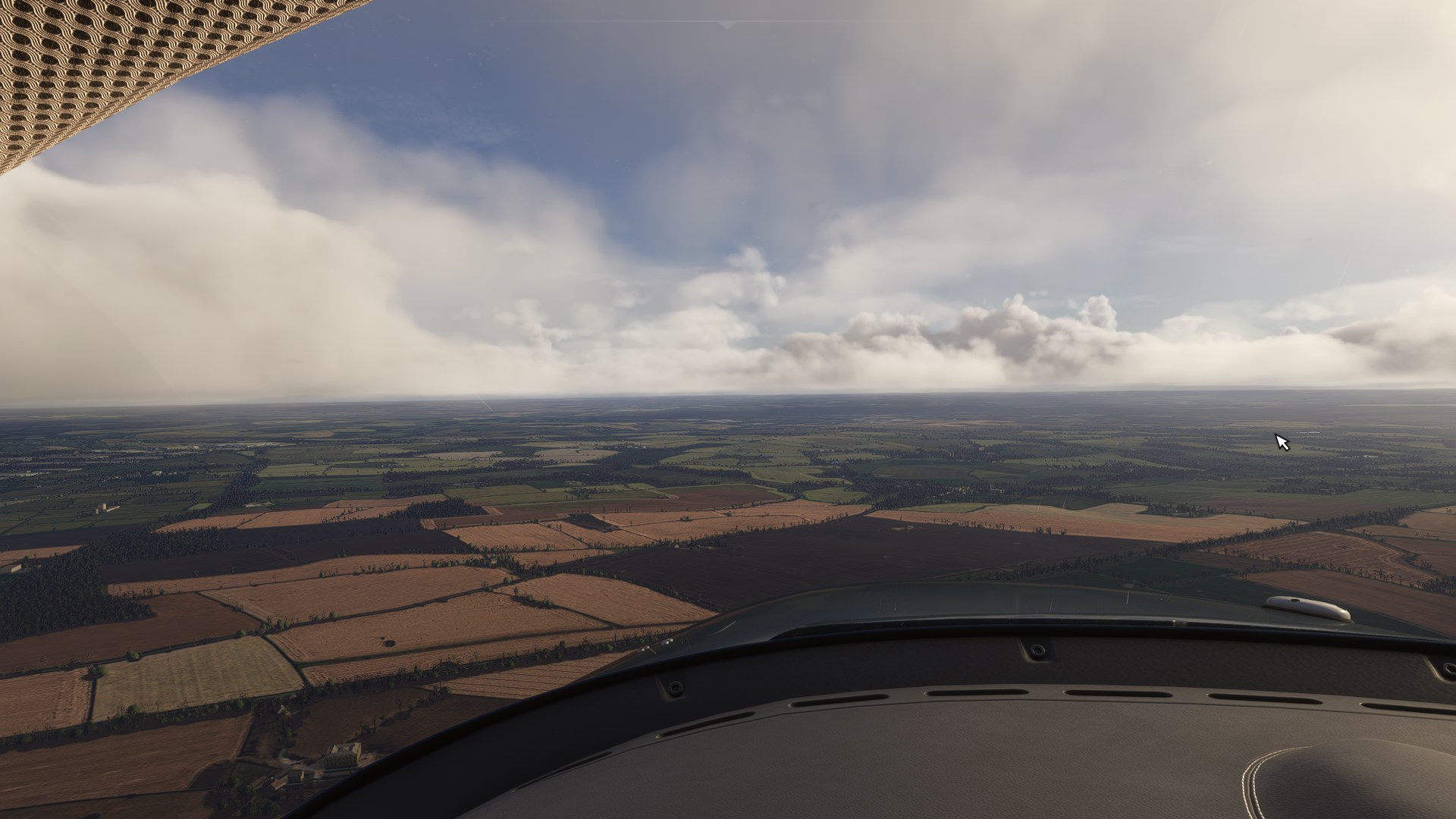
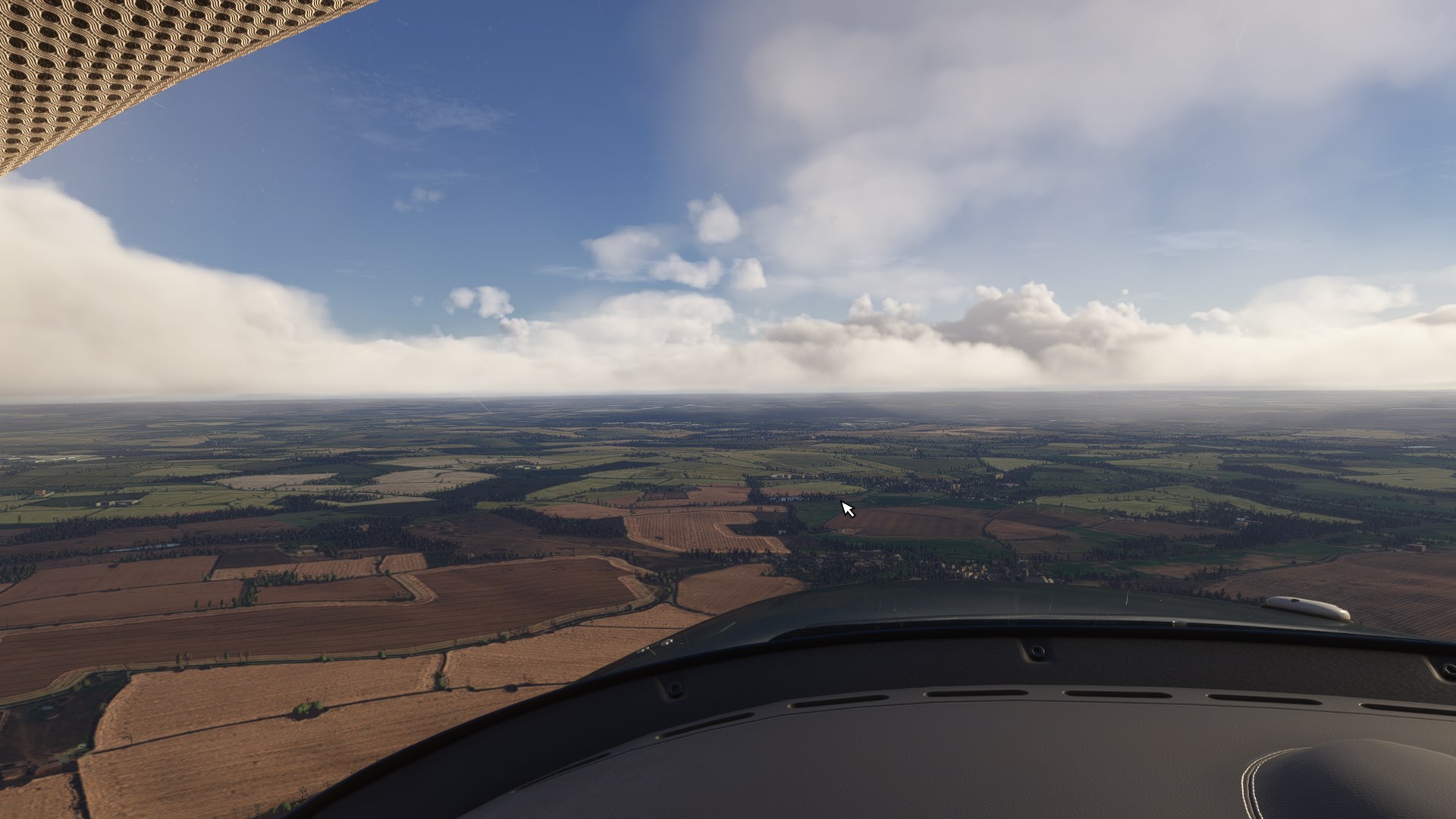
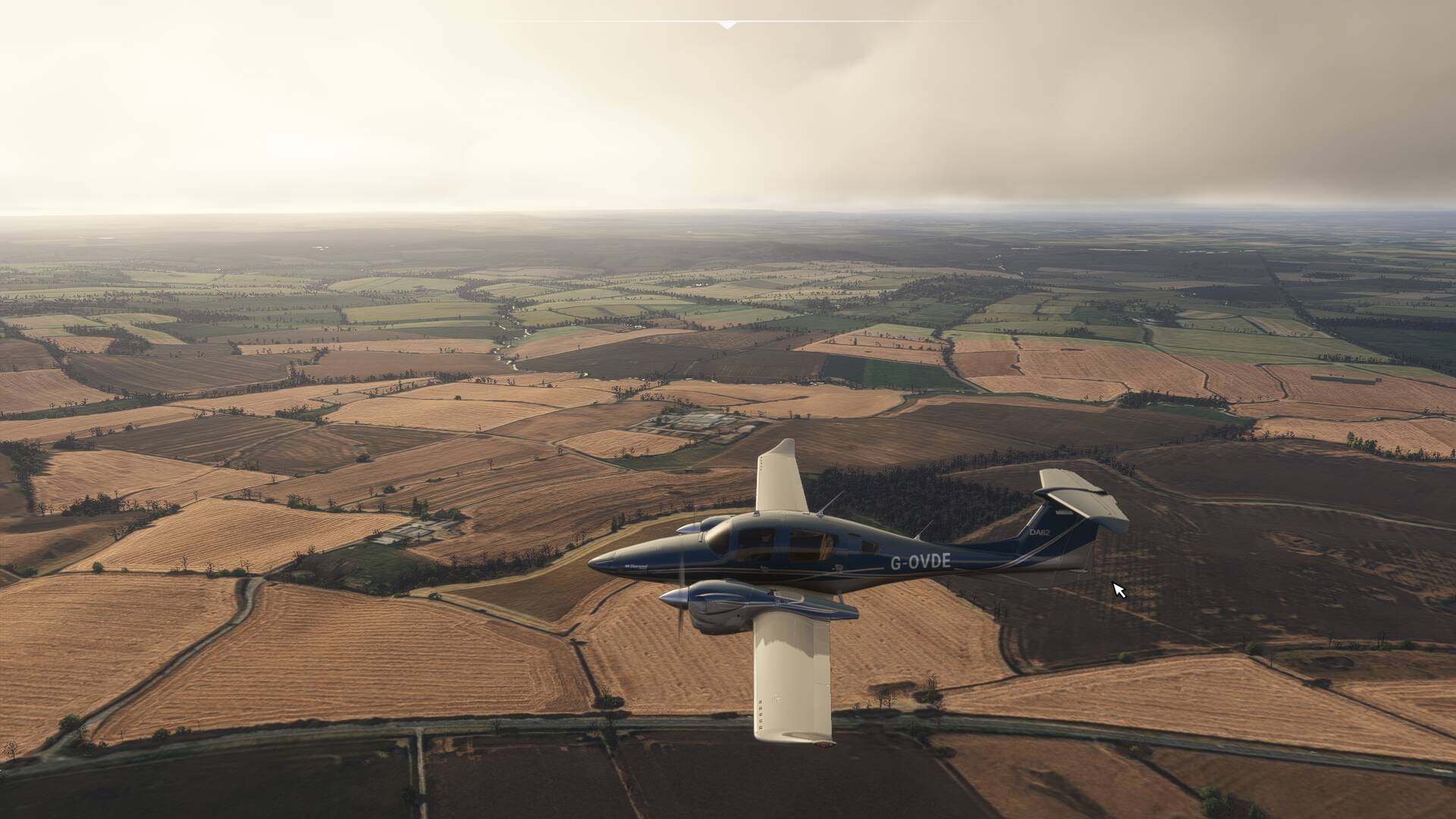
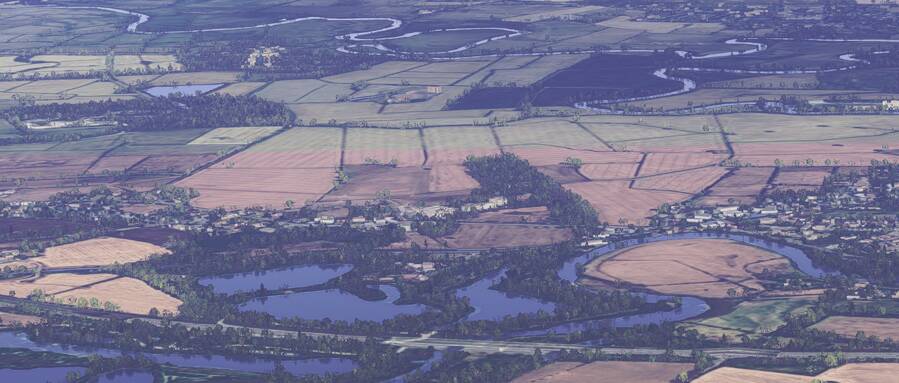
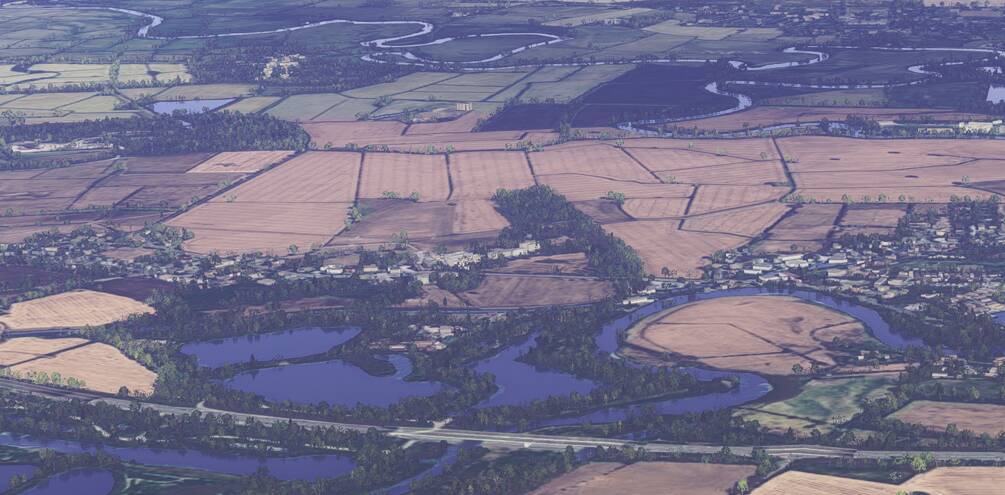
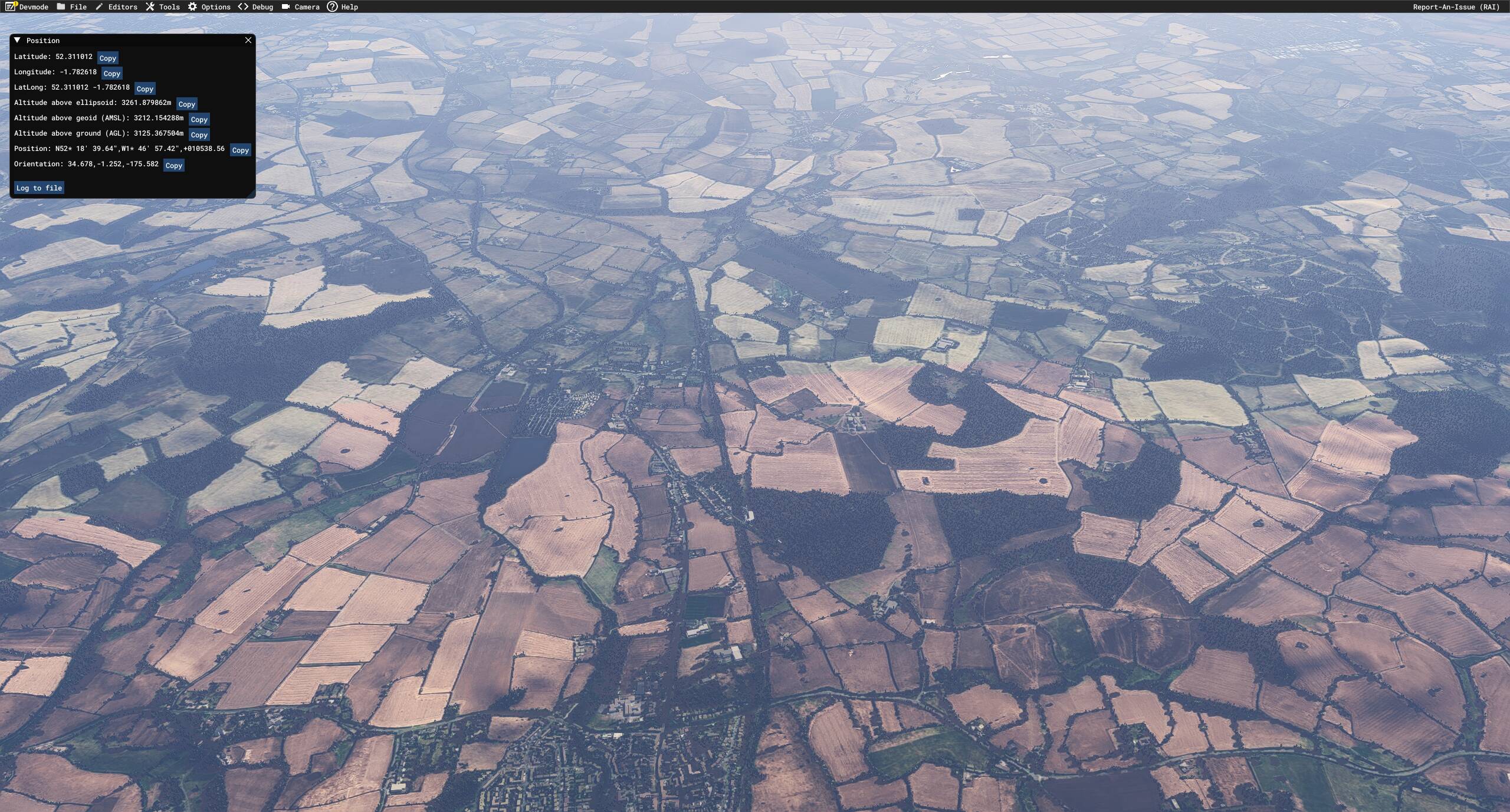
Green fields turning brown as you approach them

Using the template below will greatly help the team reproduce the issue and ease the process of fixing it. Before posting, search for an existing report. If you are not sure it’s a bug, please first report in User Support Hub.

3 tags are required - add them in the tag section next to the title above:

Feel free to delete this quote section after adding your appropriate tags.

ISSUE DESCRIPTION

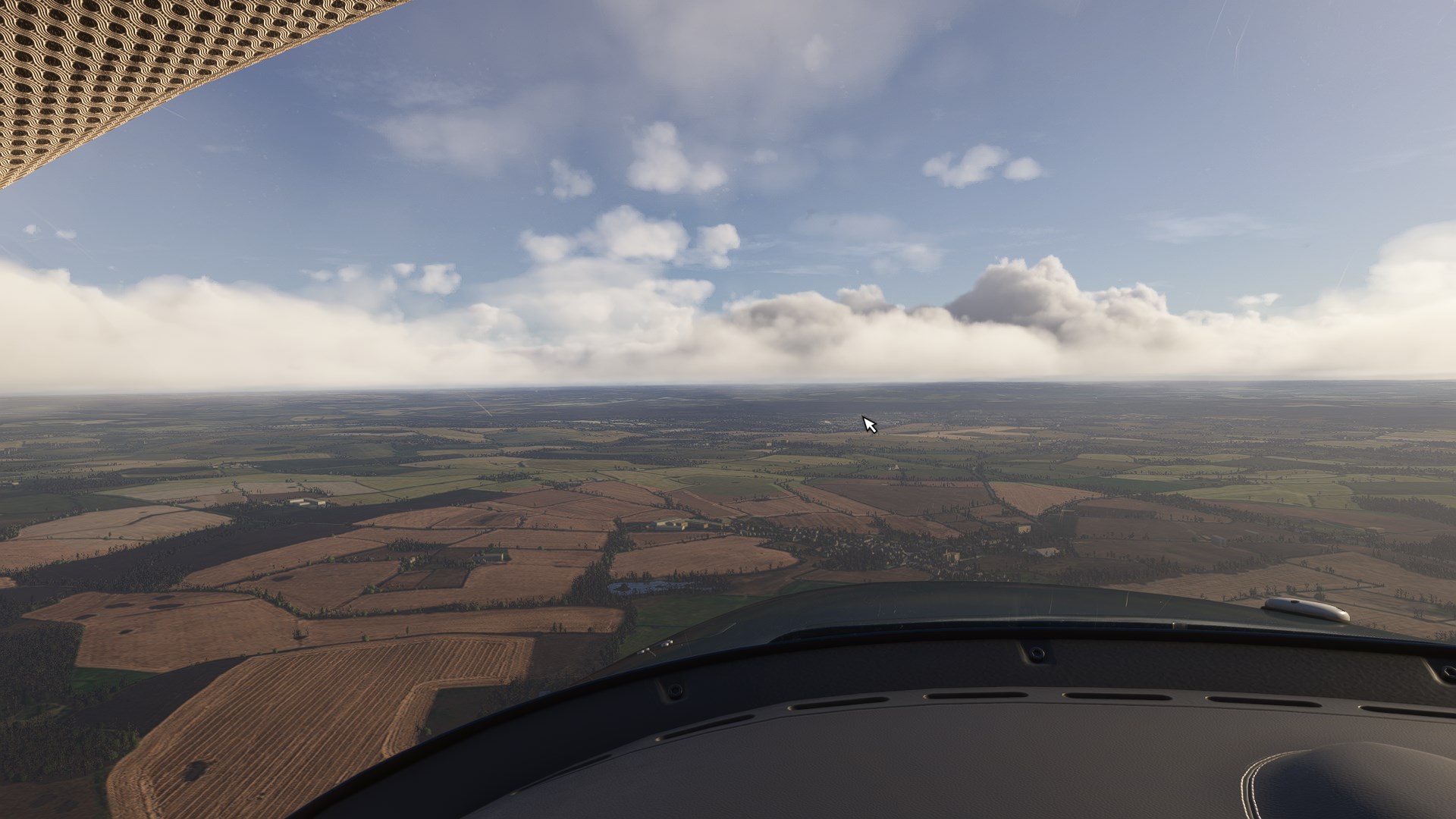
Description of the issue: In the UK in winter (I was using live time/date and live weather), fields become brown as you fly over them. This happens within a small radius around your aircraft.

Coordinate or location of issue: All over the UK

FREQUENCY OF ISSUE

How often does this occur for you (Example: Just once, every time on sim load, intermittently)?
Continually

REPRODUCTION STEPS

Please list clear steps you took in order to help our test team reproduce the same issue:

  1. Fly in the UK Low level in winter (live date/time/weather)

  2. Observe ground scenery tiles changing and popping in brown fields.

YOUR SETTINGS

If the issue still occurs with no mods and add-ons, please continue to report your issue. If not, please move this post to the User Support Hub.

What peripherals are you using:

[PC Only] Are you using Developer Mode or have you made any changes to it?

[PC, MSFS 2020 Only] Are you using DX11 or DX12?

[PC Only] What GPU (Graphics Card) do you use?

[PC Only] What other relevant PC specs can you share?
MEDIA

Yes, same issue, see my post below. It’s not only limited to UK.

OK thanks, I did search for this as an existing bug but obviously didn’t use the same wording to describe the bug as you.

I tried to replicate. I flew over South Wales. Had to use a Clear Weather Preset, since I couldn’t find anywhere in the UK lowlands that wasn’t heavily overcast. LOD 180/140

Bijan Earth FX on. Bijan Scenery on.

Bijan Earth FX off. Bijan Scenery off.

I’ll try again on a day when Live Weather has some sunny UK grassland areas.

Does the Clear Weather preset negate seasonal effects of Live Weather, like snow or brown fields, etc?

You need to be flying in live time I believe, as it appears some sort of seasonal textures are applied. I will edit my original report. Thanks.

I recently spent some time in MSFS 2024, to try to hone in on VR settings. I use 2020 for my serious flying but would like to switch to 2024 eventually.

  • The good news: 2024 is now running reasonably well. I was thinking of switching over as my primary sim.
  • The bad news: I immediately noticed this ‘ring of brown fields’ around my aircraft while flying, and have not found a solution. In VR, it’s very noticeable due to the life-size scale of the scenery out of the window.

Some searching brought me to this bug thread, and the other one in the Discussion Hub: Landscape Seasons effect view distance

I hope it can be reviewed and possibly marked as ‘bug logged’ at some point :grimacing:

I tested this in ALL SEASONS, with manually set dates & times. It happens at all times of year and is NOT season-dependent.

Here are my examples:

Getting closer, fields turn brown in square tiles (new brown tiles appeared to the left side):

More brown appearing as I fly closer:

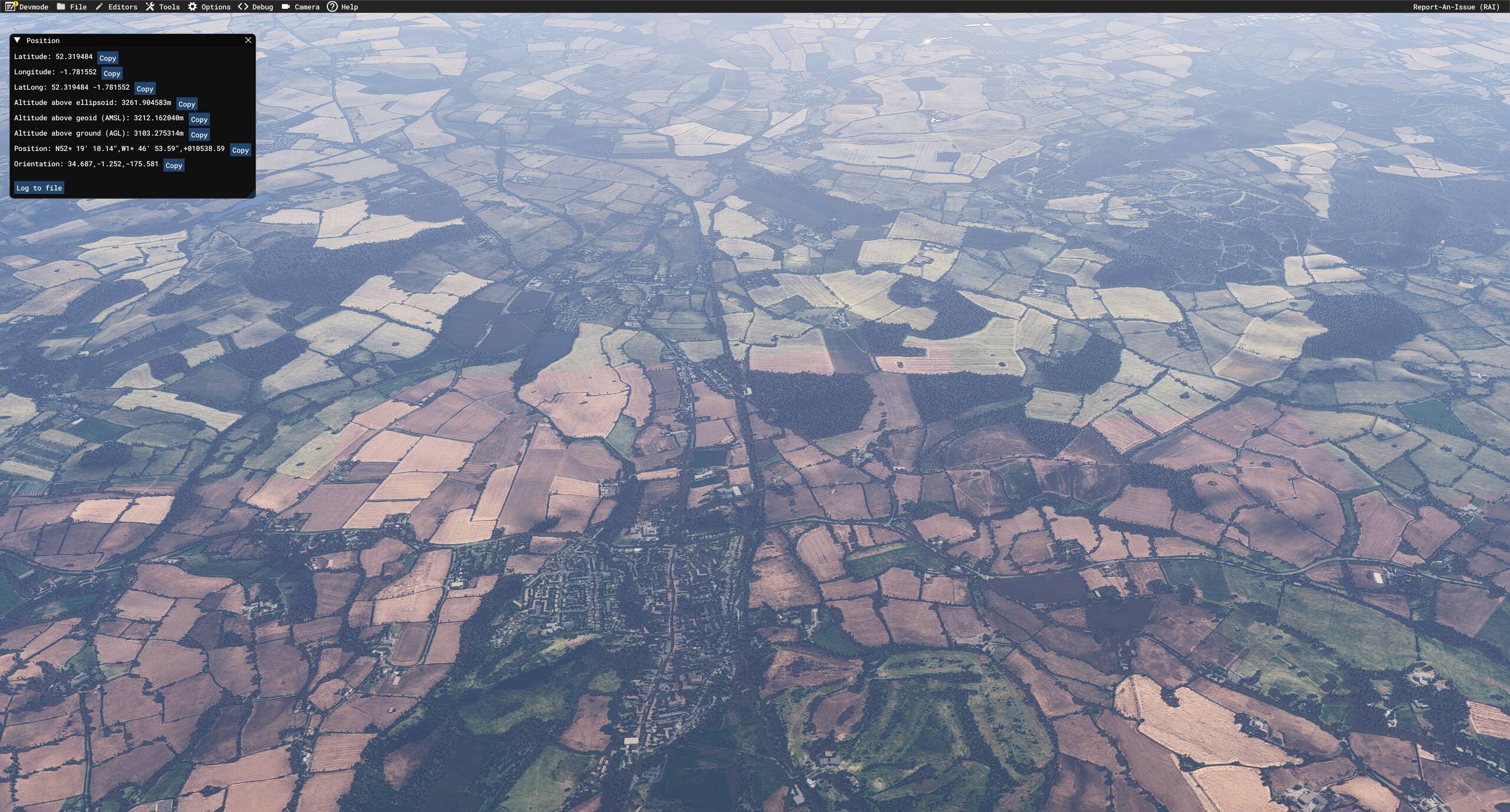
More obvious view from higher up, complete with co-ordinates in Dev Mode:

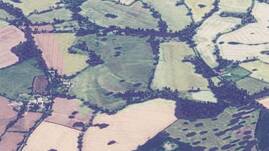
What’s interesting is that the brown filter is ONLY applied to “beige” or “light green” items. Anything deep green is left untouched. Compare the field below, from the above screenshot.

Before and after:

As you can see, the brown filter was applied but has been masked off from some of the richer, greener areas.

The above were taken in July, I believe.

Here’s a separately loaded flight in December:

Slightly further along, more brown tiles popping in:

The above examples are in the UK (Midlands), but I saw that it also happened in France, though the effect was less noticeable.

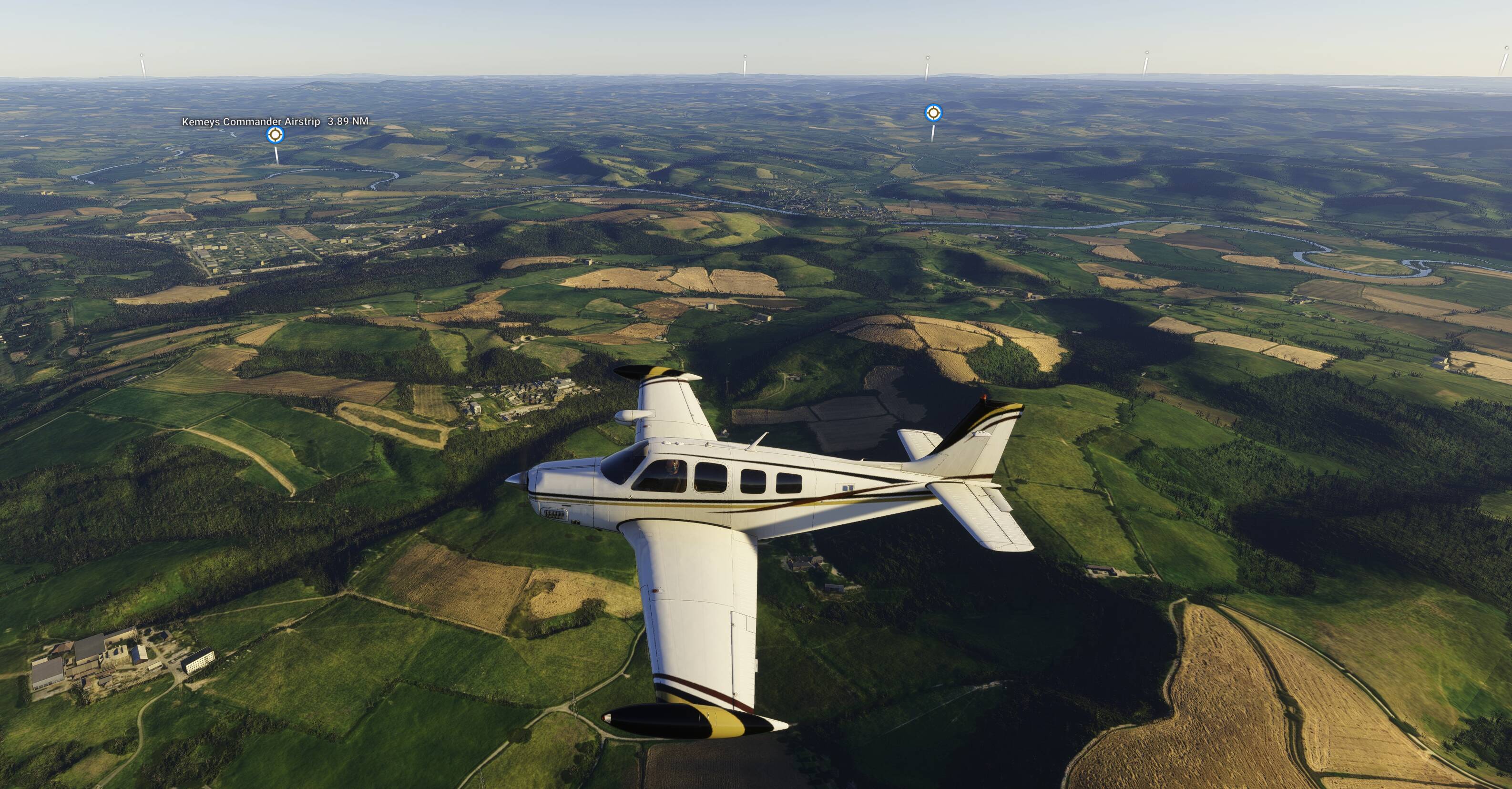
Here’s another UK example from near Gloucester (51.969, -2.137). The effect is MUCH LESS noticeable, likely due to the original aerials having “good enough” colouration to minimise corrections needed.

The field in the centre is ‘split’ (brown in the lower half nearest the camera). The one in the lower-left is partially corrected, but it’s blocky):

Moving closer. Just a few light green fields have turned brown. Most others are unchanged:

My conclusions:

  • The strength of the ‘brown’ correction/overlay is related to the original colour (probably taken as an average across a wide area to avoid too much localised variation).
  • Some areas are therefore much worse / more obvious than others.
  • The correction may have been applied to harmonise the general colour across a wide area, as we all know aerials don’t always ‘join up’ when taken at different times.
  • Time of year or seasons has NO effect on the colouration applied.

This really is a jarring visual ‘bug’, even if it has been caused with good intentions. For now, it’s enough to distract from flying over certain areas as to really spoil the experience.

Looks like 2020 has to stay in service a while longer!

If you change TLOD (Terrain Level of Detail) to Min, and then Max, does the ring around the plan get smaller / larger respectively?

Can replicate, it is like a brown circle below and around the aircraft that is moving along.
Happens with live weather on or off. It seems not happening everywhere.

You can test spawning at those coordinates: 50.075317 2.998304

Can also be seen on the world map, zooming in/out:
Same location 50.075317 2.998304:


Yes, it’s tied to TLOD. Example here above EGNX:

TLOD 10 (love those blurry textures!)

TLOD 400:

Another good location to test at:
KGLD, zooming in/out:


Hi,

This brown filter (together with the low resolution ground textures) is my main issue with MSFS 2024.

I have been complaining about it since the beginning. It is really noticeable in the Alps, especially during the winter season.

WHY is MS/Asobo applying this brown shader??? … WHY???

It really ruins the whole experience for me in MSFS 2024.

I can only suggest we try to raise it as a question in the upcoming Dev Q&A on Wednesday. Since this effect is likely applied globally, to differing degrees, it’s quite an important topic in my opinion.

I was too late in noticing it to submit it via the web form this time around. Having just about conquered the blurry texture issue (other than aggressive texture LOD drop with altitude), this brown circle effect is now the main blocker keeping me away from using 2024.

Thank you for the bug report.

We have created an internal ticket to see if our team already has this logged, and if not they will attempt to reproduce the issue and create a new bug report. This item is now marked as feedback-logged. If there is an existing bug report or one is created, we will move this thread to bug-logged.

I have noticed this starting to occur in the last few weeks. It is particularly prevalent in the UK and Northern Europe. It occurs whatever the time of year and type of weather. I have emptied my community folder and seen that it is an issue with the vanilla sim.

I also noticed this in France. I thought this effect was only applied in winter, but no it’s permanent.

I hope it’s a bug. Fields should be green the rest of the year.

I am a private pilot IRL in the UK Midlands. I went flying earlier this week and noted that fields are overwhelmingly green with the odd patches of brown and yellow ■■■■ fields.

I have now re-installed MSFS2024 and the issue is still there so it is clearly an Asobo issue.

Thanks. Good to know that a clean install doesn’t clear it. I suspected as much.

I’m not sure if it’s been there since the start or not. I haven’t used 2024 enough to have noticed. I think I saw it around the time of SU3 when I gave it a quick go, but it wasn’t until I tried 2024 in earnest after SU4 that it caught my attention enough to post a detailed series of screenshots.

Either way, it’s logged now so I hope it gets fixed before we have too many more sim updates due to it being quite a jarring immersion killer :crossed_fingers: