I recently spent some time in MSFS 2024, to try to hone in on VR settings. I use 2020 for my serious flying but would like to switch to 2024 eventually.
- The good news: 2024 is now running reasonably well. I was thinking of switching over as my primary sim.
- The bad news: I immediately noticed this ‘ring of brown fields’ around my aircraft while flying, and have not found a solution. In VR, it’s very noticeable due to the life-size scale of the scenery out of the window.
Some searching brought me to this bug thread, and the other one in the Discussion Hub: Landscape Seasons effect view distance
I hope it can be reviewed and possibly marked as ‘bug logged’ at some point 
I tested this in ALL SEASONS, with manually set dates & times. It happens at all times of year and is NOT season-dependent.
Here are my examples:

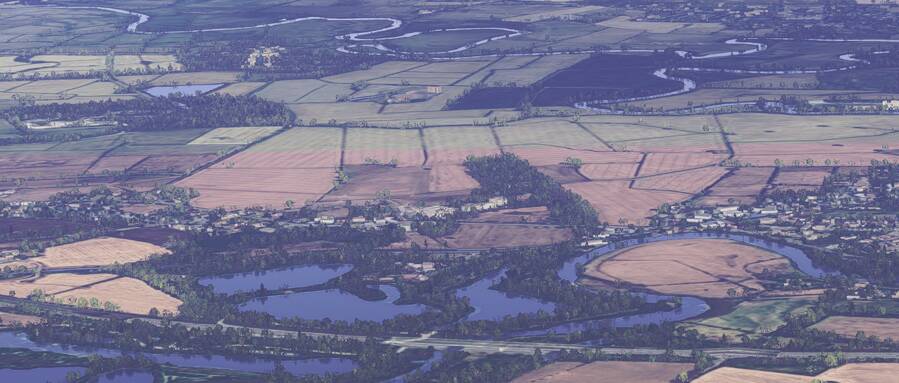
Getting closer, fields turn brown in square tiles (new brown tiles appeared to the left side):
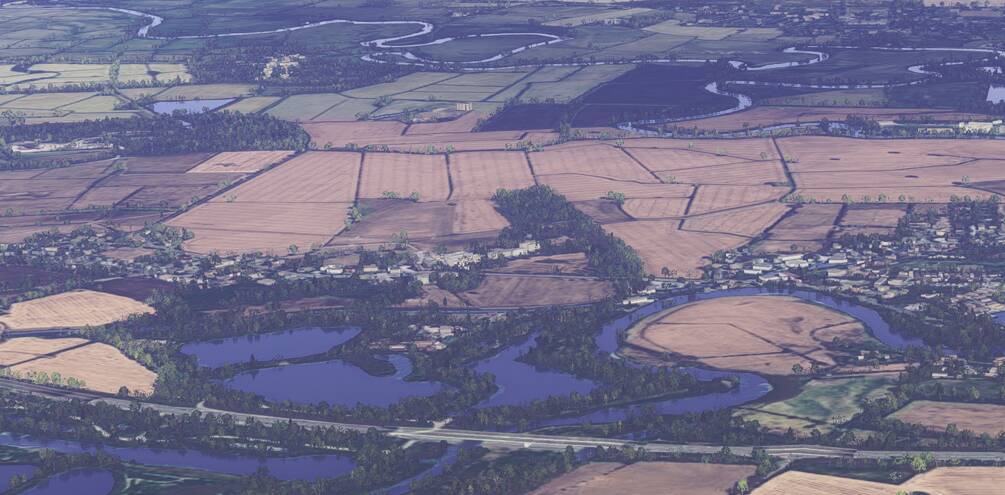
More brown appearing as I fly closer:
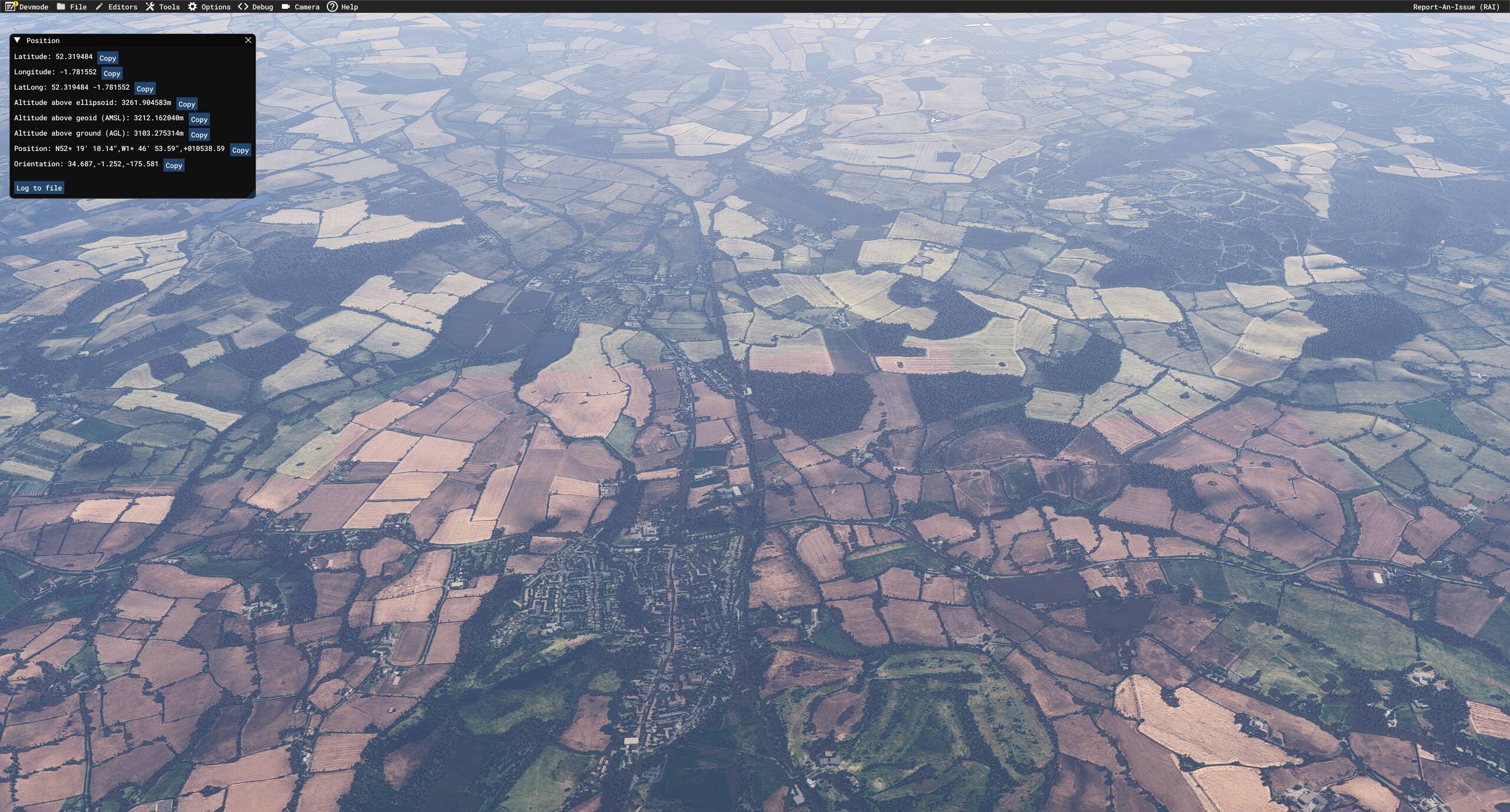
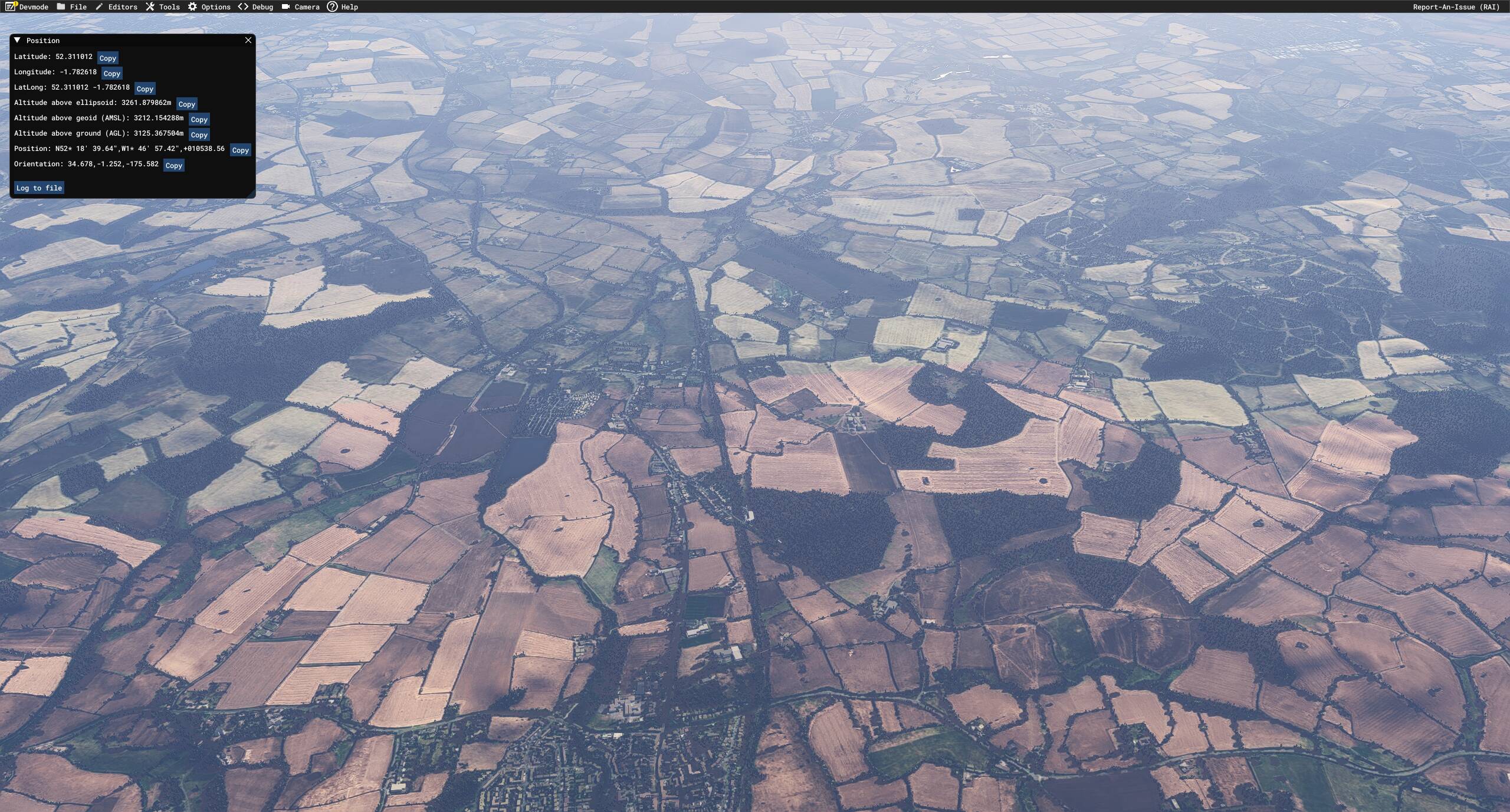
More obvious view from higher up, complete with co-ordinates in Dev Mode:

What’s interesting is that the brown filter is ONLY applied to “beige” or “light green” items. Anything deep green is left untouched. Compare the field below, from the above screenshot.
Before and after:
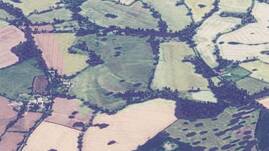

As you can see, the brown filter was applied but has been masked off from some of the richer, greener areas.
The above were taken in July, I believe.
Here’s a separately loaded flight in December:
Slightly further along, more brown tiles popping in:
The above examples are in the UK (Midlands), but I saw that it also happened in France, though the effect was less noticeable.
Here’s another UK example from near Gloucester (51.969, -2.137). The effect is MUCH LESS noticeable, likely due to the original aerials having “good enough” colouration to minimise corrections needed.
The field in the centre is ‘split’ (brown in the lower half nearest the camera). The one in the lower-left is partially corrected, but it’s blocky):

Moving closer. Just a few light green fields have turned brown. Most others are unchanged:

My conclusions:
- The strength of the ‘brown’ correction/overlay is related to the original colour (probably taken as an average across a wide area to avoid too much localised variation).
- Some areas are therefore much worse / more obvious than others.
- The correction may have been applied to harmonise the general colour across a wide area, as we all know aerials don’t always ‘join up’ when taken at different times.
- Time of year or seasons has NO effect on the colouration applied.
This really is a jarring visual ‘bug’, even if it has been caused with good intentions. For now, it’s enough to distract from flying over certain areas as to really spoil the experience.
Looks like 2020 has to stay in service a while longer!