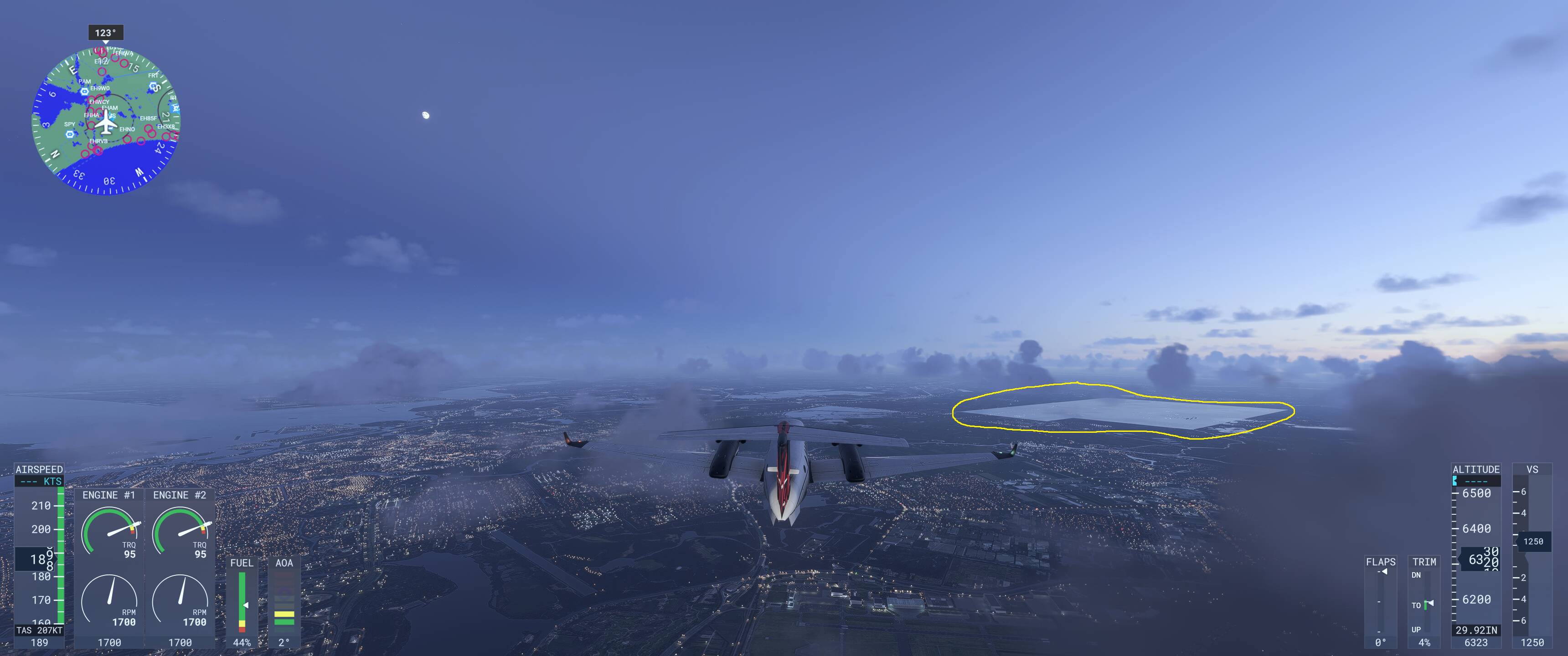
Description of the issue: Ground tiles are not showing from afar, only load once the aircraft is much closer.
Coordinate or location of issue: Just southeast of EHAM
How often does this occur for you (Example: Just once, every time on sim load, intermittently)? Every time
Please list clear steps you took in order to help our test team reproduce the same issue:
Spawn at EHAM
Take off
Fly southeast
If the issue still occurs with no mods and add-ons, please continue to report your issue. If not, please move this post to the User Support Hub.
What peripherals are you using: Thrustmaster joystick
[PC Only] Are you using Developer Mode or have you made any changes to it? No
[PC Only] What GPU (Graphics Card) do you use? RTX 5080
[PC Only] What other relevant PC specs can you share? 5700X3D, 64Gb RAM
Please add a screenshot or video of the issue occurring.
Can replicate:
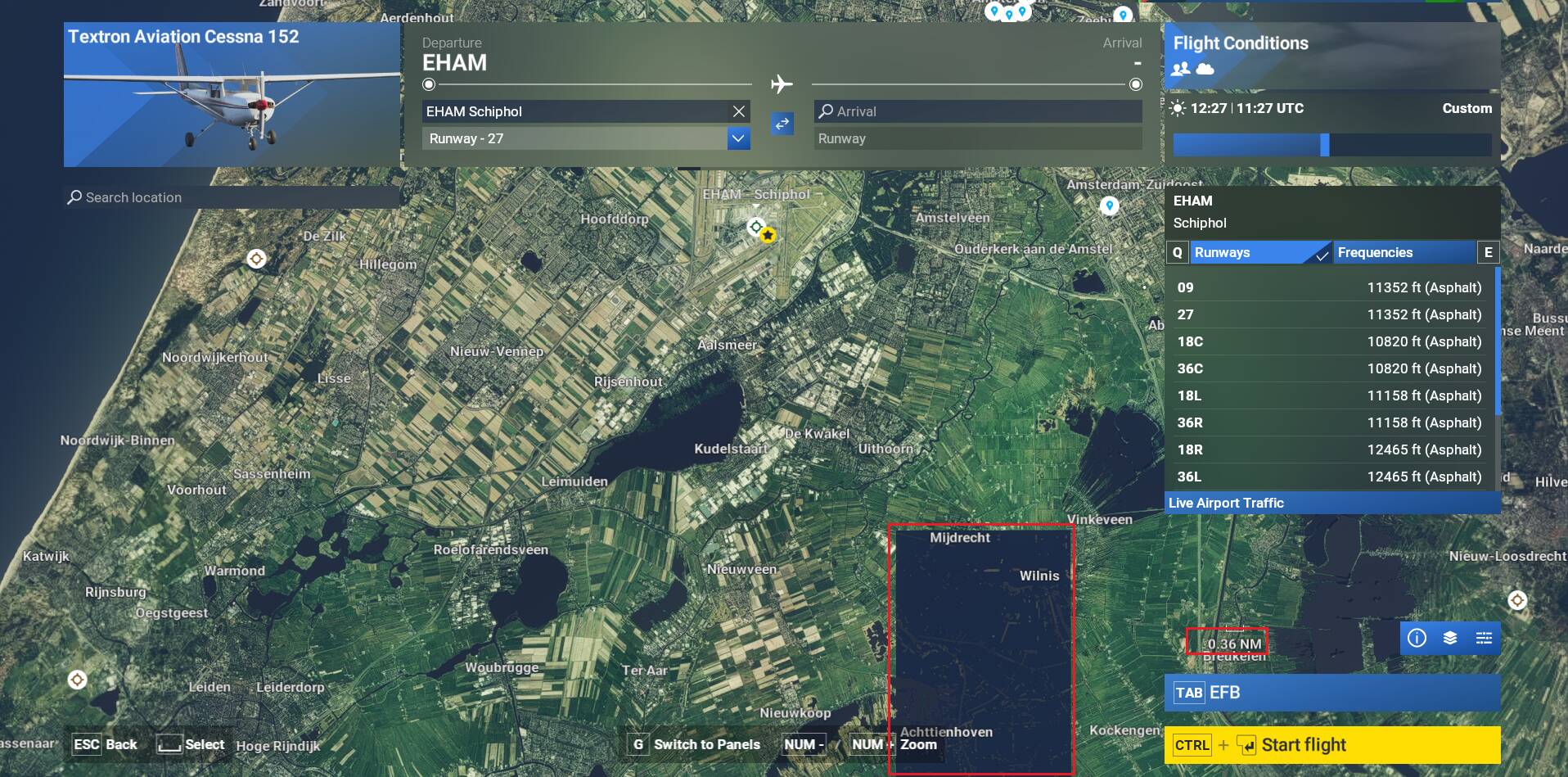
Maybe linked, at a certain scale a similar zone on the world map is displayed like if it was night time:
Thank you!
I fly out of EHAM 90% of the time, but I only started seeing this about a week ago.
Same on the on-board GPS (see attached)
Found the same problem today, hopefully there will be a fix soon
I just tried a flight, after clearing the rolling cache and updating to CU14 - the issue is still there…
Tested again at same location than my previous video but cannot replicate:
Could you provide screenshots (or video)/coordinates where you are seeing the issue ?
Thanks - it is the EXACT same place as before, seen on the map as well as during flight. Look just above the nose of the 777.
Same location:
You have enabled CU14 isn’t it ?
Correct. Enabled and downloaded.
Using the template below will greatly help the team reproduce the issue and ease the process of fixing it. Before posting, search for an existing report. If you are not sure it’s a bug, please first report in User Support Hub
3 tags are required - add them in the tag section next to the title above:
One for iteration msfs-2024
One for platform (ms-store
One for aircraft (start typing in your aircraft name in the tag section and pick correct option)
Feel free to delete this quote section after adding your appropriate tags.
Description of the issue:
big black artifacts on ground near amsterdam from a distance. And dissapear when come closer.
Every time
Please list clear steps you took in order to help our test team reproduce the same issue:
Free flight - search EHAM → then scroll near utrecht, on the South side of schiphol
If the issue still occurs with no mods and add-ons, please continue to report your issue. If not, please move this post to the User Support Hub.
What peripherals are you using, if relevant:
[PC Only] Are you using Developer Mode or have you made any changes to it? No
[PC, MSFS 2020 Only] Are you using DX11 or DX12
[PC Only] What GPU (Graphics Card) do you use? 4070ti super
[PC Only] What other relevant PC specs can you share? 5800x3d, 64gb ram
Please add a screenshot or video of the issue occurring.
Have you enabled City Update 14 in FS2024 ?
yes i enabled city update 14 and also refreshed the rolling cache, but that is not the solution in my case
Maybe the reason it is working for you in that you are on SU5 beta? I honestly do not see any other possibility…
Could be. Hopefully others users that will report the issue can mention if they are in SU5 Beta or in the Live version.
I had the issue in the live version (not beta).
i have the issue also in the live version
I had the same problem. Its fixed with su5 beta
Thank you! Excellent news!