@Sonicviz A moisture sensor would be a great idea, though in this particular plane, which spends its whole life over water at low & medium altitudes, the sensor would probably read: “Moisture = Yes.” 
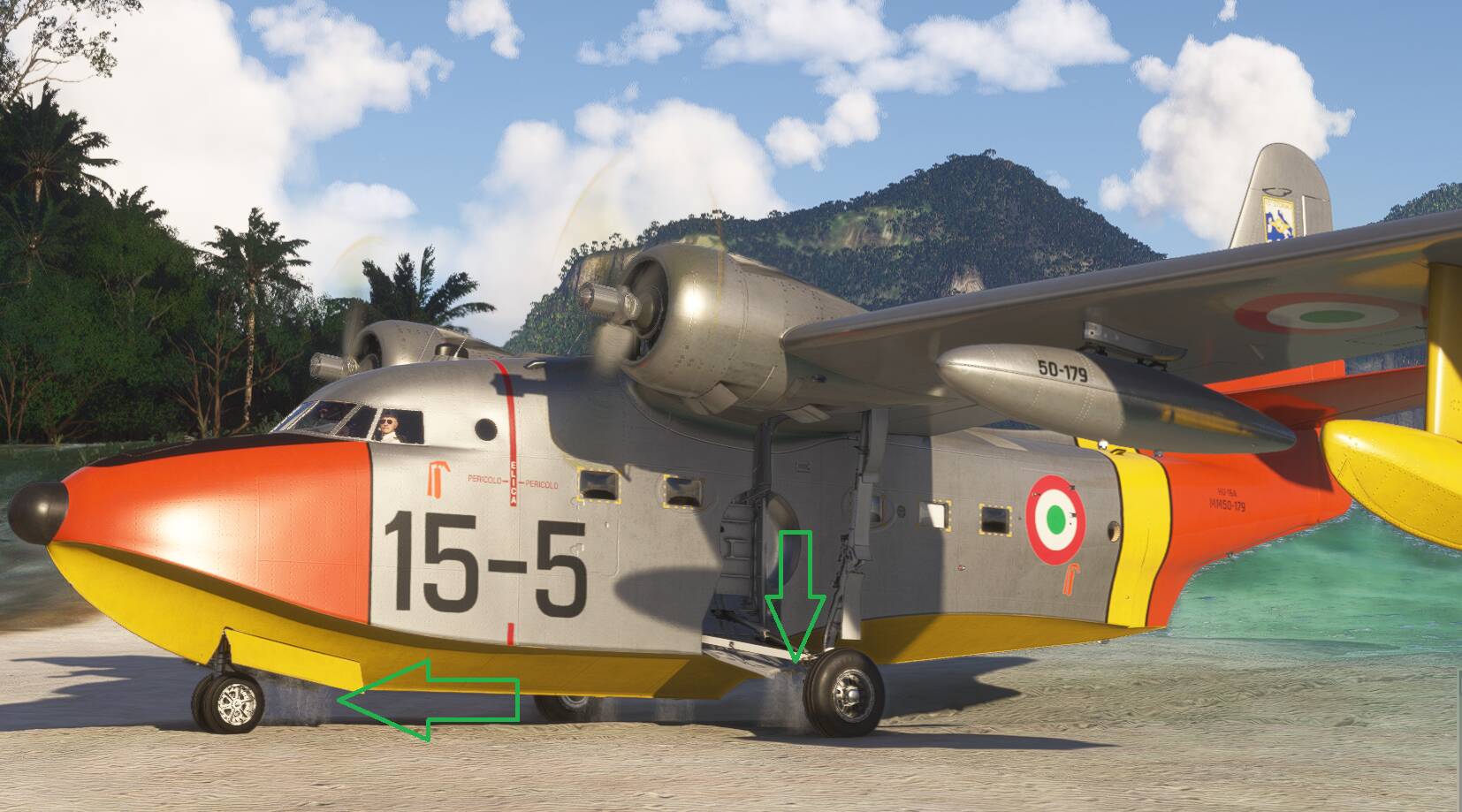
This aircraft is one of the best in MSFS 2024 in my opinion. During a recent check of world update 21 I used it to check out Lord Howe Island (YKHI) using one of my recent liveries. Naturally I landed on the lagoon and then taxied up onto the beach. To my amazement I noticed that the water cascading out of the gear wells for a short time after climbing out of the water. The aircraft’s interaction with the waves is amazing with water thrown up onto the windscreen if it hits a wave big enough. And it has wing flex too. It’s always a pleasure to fly an aircraft with such an outstanding level of detail.
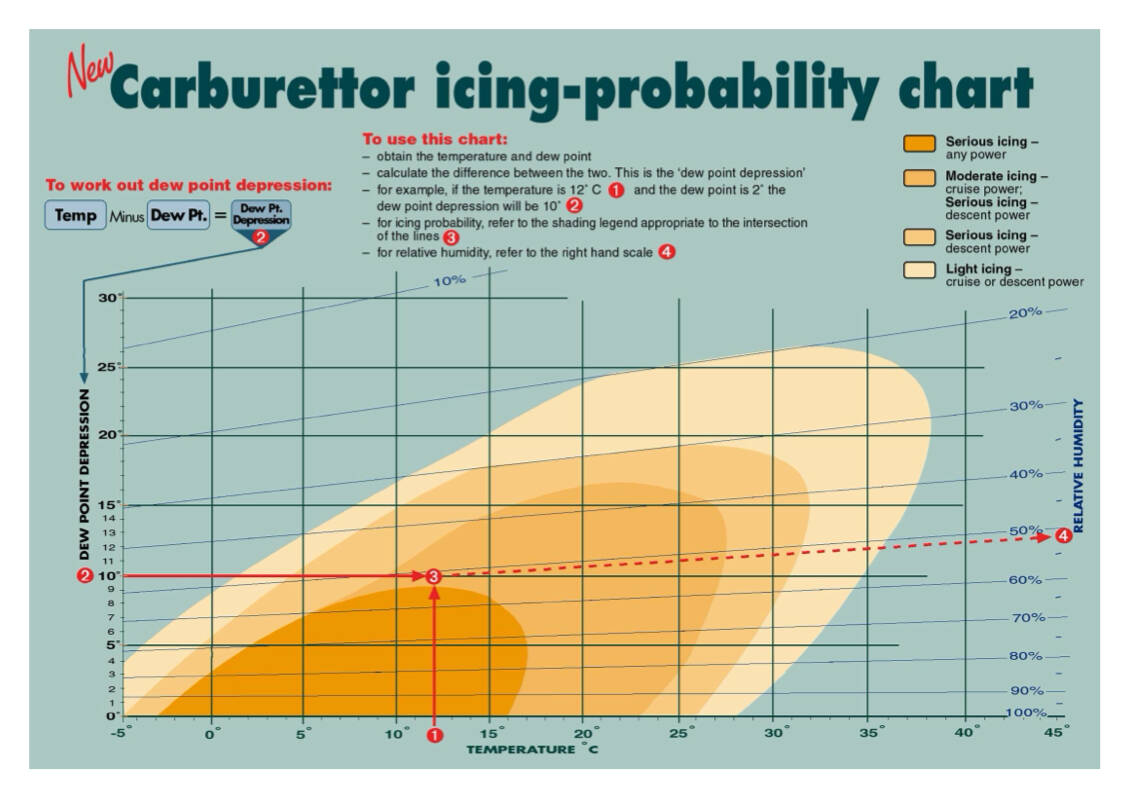
Good reference. Seems similar to this one A chilling prospect: carburettor ice | Flight Safety Australia.
So we have the temperature already. Can we get the dew point (which is a substitute moisture sensor more or less) from any of the regular weather inputs as well? That way you could use that formula/chart (encoded to a table and/or lookup) to calculate a warning indicator or alert.
The temp gauge and training are supposed to do that, but an alert to ping the driver to check might be useful. Surely this must exist already though, I would imagine.
Not in this plane, obviously, but as a general aid? Straying into OT territory though.
Hi Ramasurinen again I want to compliment you on this lovely plane it’s been very enjoyable finding nice spots to fly from-to and imagine in my head to be one of those super-rich fellows living the luxury life 
The only thing my super spoiled 16 year old son and 14 year old daughter who are traveling with me during the holidays are constantly complaining about is that there was no glass dome option for the G-111 that we bought and called “Poseidon”. Do you think the glass dome could possibly be made available sometime in the future as a retrofit option on the G-111?
To be honest it would also be a very welcome improvement for me and my wife because the nagging oftentimes is so annoying that our only option is to lock both the kids up in the nose compartment so that we can concentrate on flying the airplane.
Thanks again for your continued support to your customers; you make the flight simulator world a little brighter and lovelier every day.
Temp, dewpoint, and RH are all interrelated. Have any two, and you can derive the third (though calculating DP using temp and RH is more of an approximation).
I think they’re all simvars, though, aren’t they?
Only temp as far as I can see @ Aircraft Misc. Variables
Dewpoint and Humidity would technically be weather (interpolated somehow), but that API is still in development. That said, they could also slot in alongside Temp in the aircraft misc section easily enough, if they had them.
Check out the free addons from this creator, you’ll find some good stuff there. Microsoft Flight Simulator 2024 | MSFS Mods, Add-Ons & Liveries - Flightsim.to
Also, if you like to fly around Southeast Alaska, the Return to Misty Moorings group has changed their name to Misty Flying Club, and converted their content to 2024. Both 2020 and 2024 versions are available in their Discord: Misty Flying Club
Finally, I recommend Mamu Design Marinas (payware, about US $20 I think?), does a good job of bringing marinas around the world to life – although it does draw some docks strangely, kind of doubling them up for some reason.
@Schermvlieger Thanks very much, glad you’re enjoying the plane.
As for the nose bubble being added to the G-111, that is on the wishlist, but I have to be upfront and say that it’s unlikely to happen anytime soon.
The HU-16 and G-111 fuselage structures are quite different and were split from each other early in development, so mixing and matching their parts is not an easy thing. Adding the nose bubble option is pretty straightforward at the start of a project, but unfortunately retrofitting it to the finished plane would require many days of work alone, and would end up pretty well invalidating all the existing G-111 liveries, so those would have to be redone for it as well.
I wish such changes were simpler!
Cheers.
As long as we’re on the subject of carb heat… how exactly does that carb heat switch work? It’s spring loaded (apparently) to stay in the center position. I assumed that it was a toggle between turning on some primary and aux system, but of course the switch doesn’t stay in the up or down position… Reading above, it sounds like there’s not really a heating system for the intake, it’s just two intakes, one of which is heated. So does the switch toggle between those? Is the aux system the heated one? Is there any way to tell (beyond the intake temp) if the system is on?
Also, is there supposed to be a % tooltip item for the cowl flaps and oil cooler flaps? If so, I don’t have it, which means I need to figure out what’s screwing things up…
@DaveR44 Yes, there should be tooltips for the oil cooler flaps and cowl flaps. If you set your instrument and control tooltips to “instant” you should see them.
The carb heat is controlled by electrically actuated doors, one for each engine, that can move between two intakes: direct (not heated) and alternate (heated). They can be set from 100% direct to 100% alternate, or any mix you like between them.The heating is provided by passing the air through a baffled shroud over the exhaust manifold.
The switches are momentary spring types, just like the prop and cowl flap ones. There are two red indicator lights on the copilot’s side of the instrument panel that illuminate when you have max alternate air set.
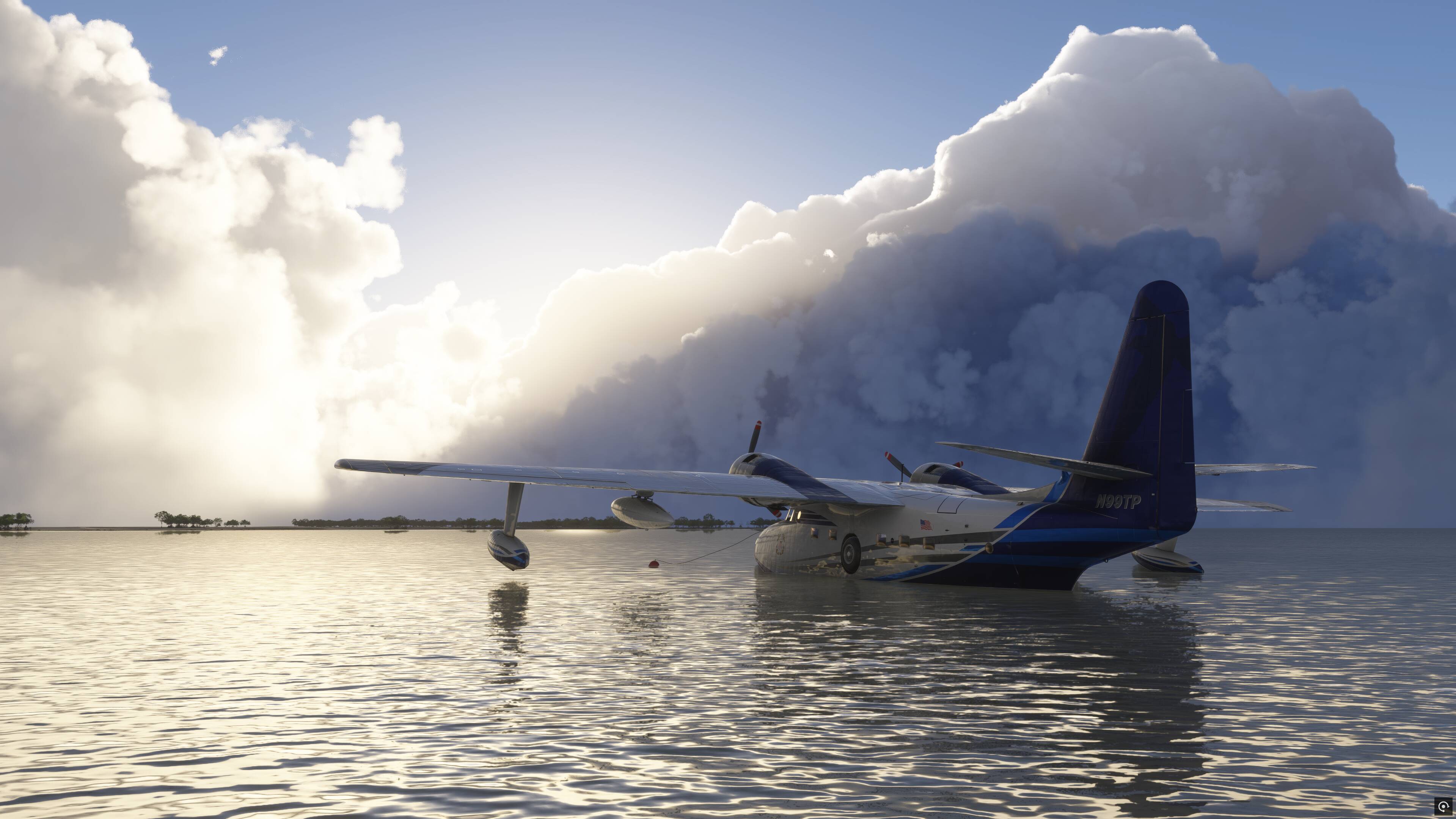
This is such a sleeper. Just took the G111 on a multi-day trip from Florida all the way up to Anchorage. Performed absolutely beautifully. Ran the G1000/drop tanks variant. So much fun - forces you to mitigate icing conditions, low cruise altitude lets you enjoy the scenery, and there is nothing cooler than landing on the water, taxiing onto land and onto the ramp, fueling up, then wading back into the water and departing. Did this at Watson Lake and it was so cool. High fidelity is great. My ONE complaint (and it is so nit-picky) is that in the old-school avionics version of the HU-16 I couldn’t figure out how to hear the VOR identifier audio and there’s no DME available. But… small things. This has become my new favorite plane to fly.
@DriestKnight746 Thank you very much! Yeah, ever since Asobo added a setting for water depth and fixed most of the beaching issues back in SU3, it’s been one of my absolute favourite things to do in the plane. Such a fun way to explore remote places.
The VOR identifier should be audible (if the VOR has a working one anyway), if you press the NAV1 button on the audio panel, but you will likely need to turn the engines WAY down, to around 20% or lower on the slider, or use the sim’s headphone simulation, in order to hear it. The identifier sounds are very quiet to start with, and the HU-16’s engines are on the far side of “too loud” in the cockpit, but there’s nothing I can do about that for the time being. The G-111’s engines are significantly quieter overall.
Can you please try this test below and let me know if it works for you? Start at KHQM (Hoquiam) and tune the HQM VOR (117.7). This VOR works great for me.
Cheers.
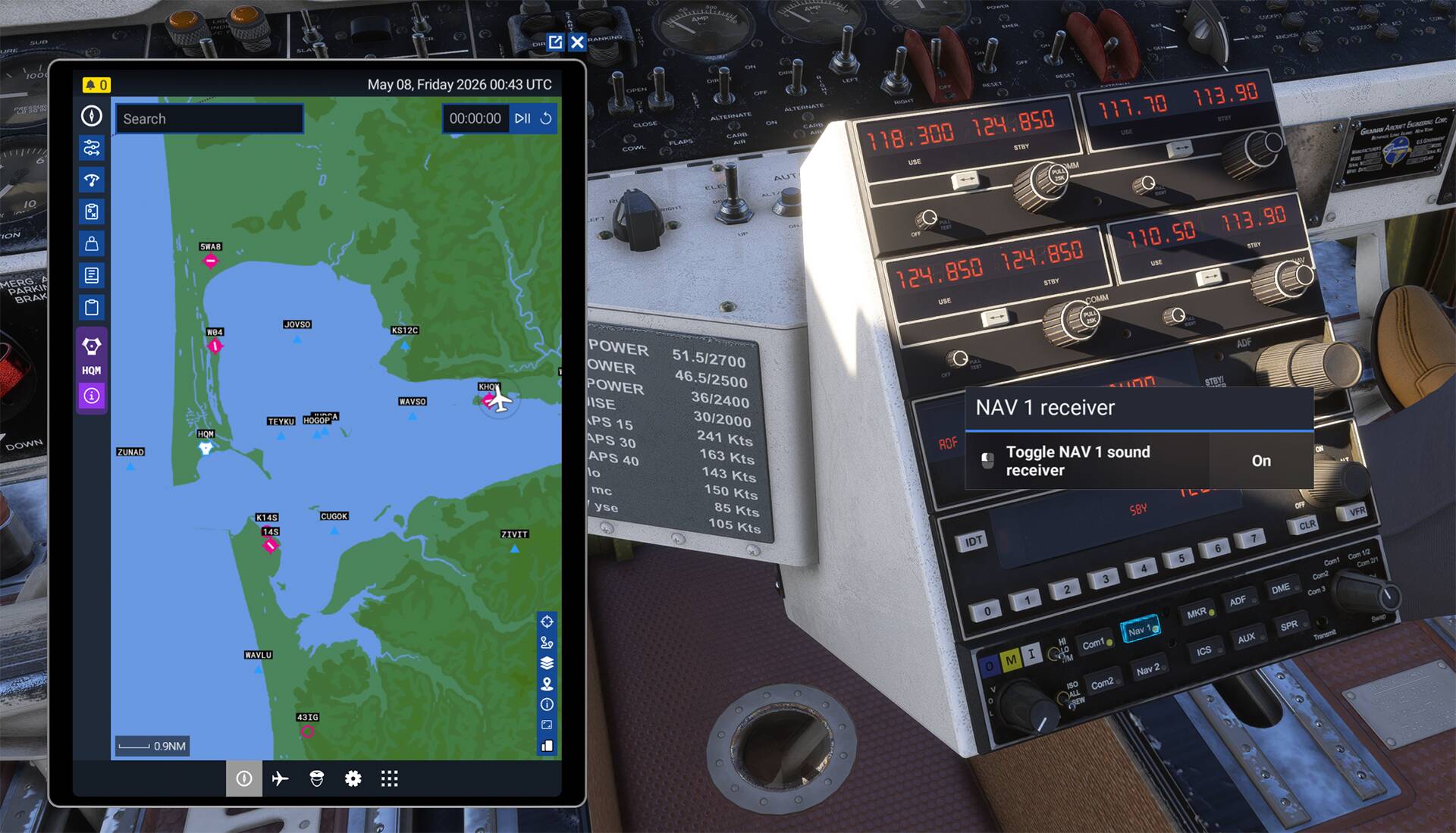
Oh man you’re right! It works great! Quickly tuned it in after spawning cold and dark on the ramp before I turned the engines on. Definitely the engine noise. I also didn’t know about the headphone mode setting. Such a peaceful vibe haha! Did a couple of touch and goes at the field - caught the sunset. Thanks for the guidance, and for the plane!
@DriestKnight746 Great, thanks for checking.
Yeah, I don’t recommend using the headphone mode for actual flying, as a lot of nuance in the sounds gets lost or mangled a bit. Turning the engines down is the best way.
Cheers.
@Ramasurinen
I’m not only a sucker for bush flying, for which the Albatross works surprisingly well, but also for camper van life. Now, looking at the little kitchen in the G111 I almost fainted out of delight. This plane is the best of both worlds - remote camping (even on water, lol) and flying. YEAH.
It’s quite a handful to work with in strong crosswind conditions, especially on the ground after touchdown. But that makes it especially rewarding because it’s not easy and it takes practice to get right.
I so enjoy flying this, thank you very very much for this awesome aircraft. I wish every “standard” plane would show this level of willingness by the author to go the extra mile to make it memorable. Thumbs and toes way up.
Seems to me it might be easier to bring the G-111 panel back into the HU-16, but I’m not a dev so that’s just a guess.
And regarding coms audio… I don’t know about 2024, but 2020 has the option to run multiple audio sources. A lot of times I’ll plug in a headset with radios routed there and the rest of the sim’s sounds through the monitor audio. I run a 34" 4K Samsung that has very respectable speakers for a nice rumble when those radials crank over.

10 Likes
Does the Albatross have oxygen for such a long time?