Welp this is new, assuming something along the line has borked spectacularly …
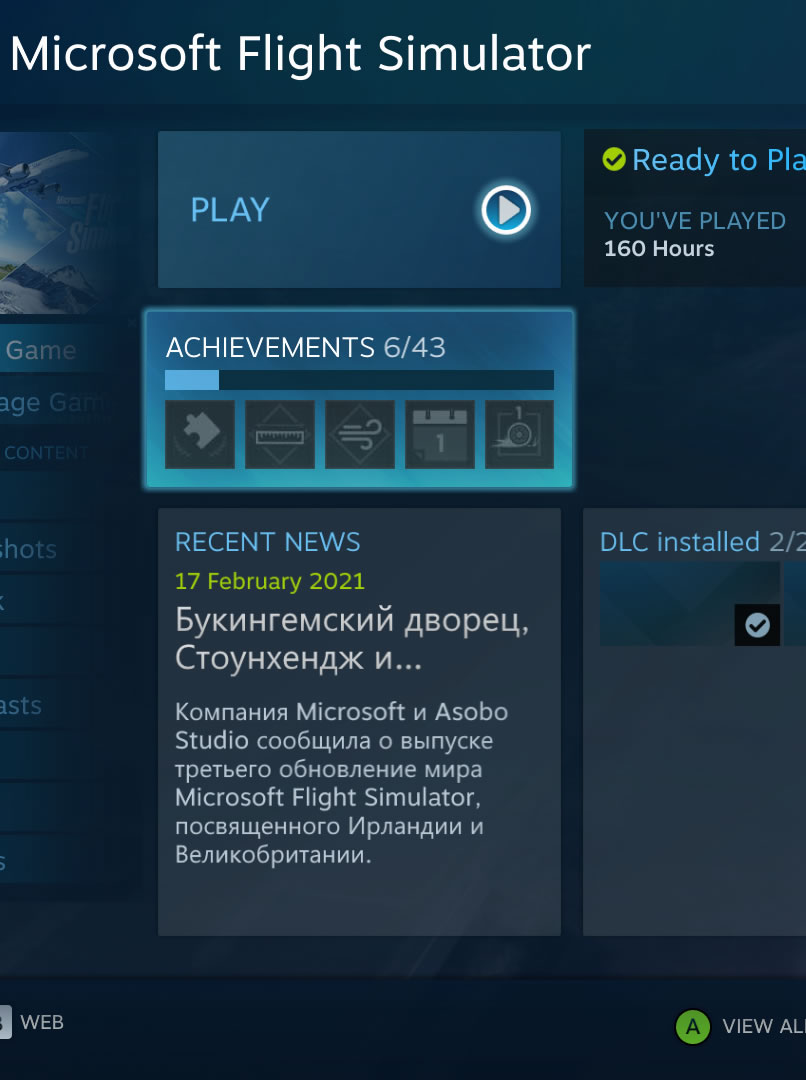
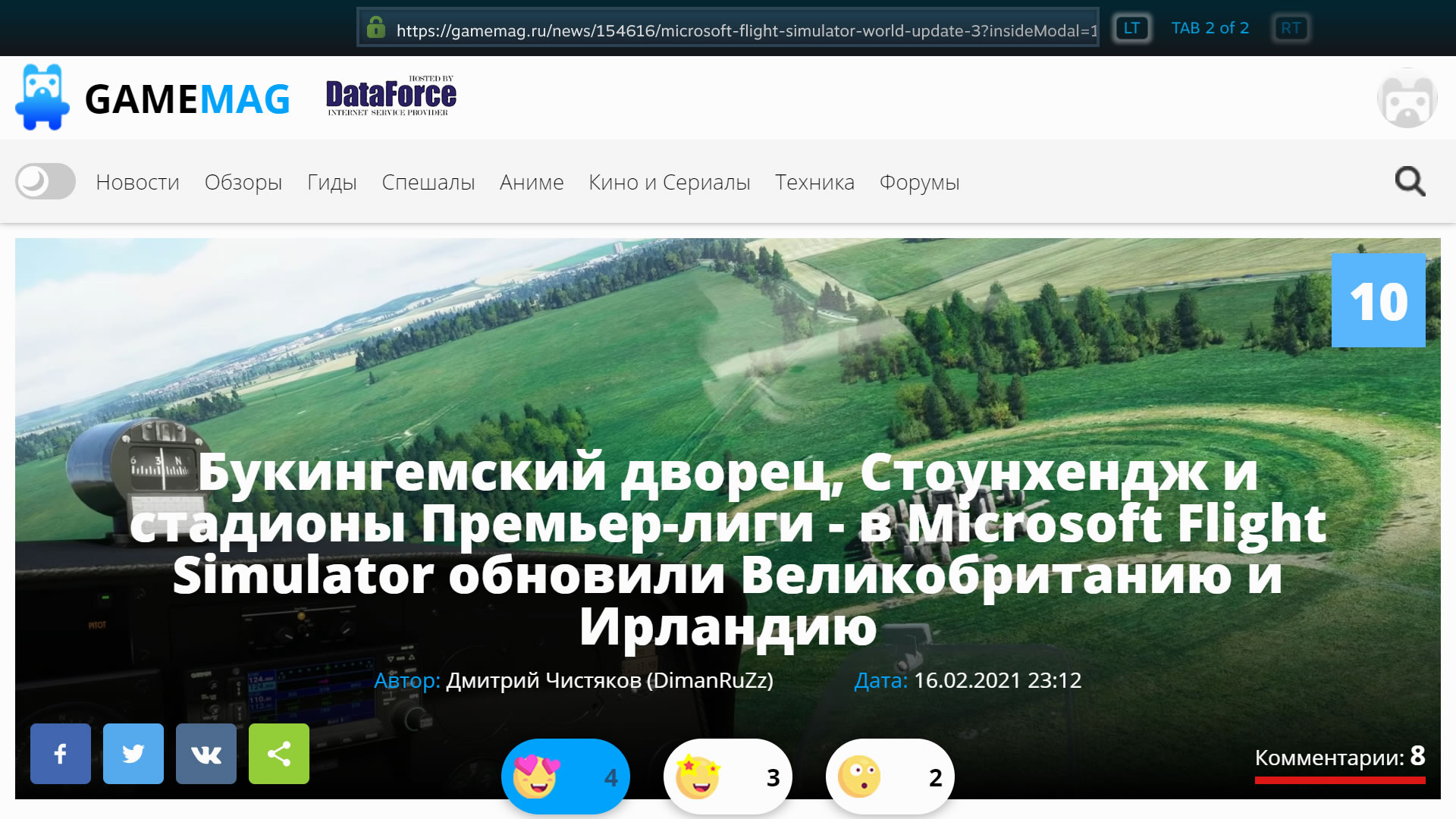
Working perfectly all day, relaunched the game after lunch and suddenly Steam wants to re-install FS from scratch. The new icon is pixelated, the FS steam page is in Russian and links to a random Russian webpage gamemag .ru and its trying to redownload a new install of the game onto my C drive along side the previously working / now broken copy on my E drive.
Not up to any activity that would invite this sort of issue, no dodgy downloads, PC is protected adequately and Steam is protected with two-factor auth.
Owning this game is such a rollercoaster. Guessing this is a full uninstall and re-download?
Thanks for the advice guys.
Hello - have you changed any of your language settings recently? Is your install path matching the path you selected? If you still have all of the data, it’s worth trying to point it back to that install path seeing as that must’ve changed if it’s trying to re-download everything. I would certainly run a quick virus scan as well, as this seems very odd. I’ve escalated this for you as well.
Hi there,
Much appreciated for the help! Having a coffee and chilling the nerves, if I have to redo a bunch of stuff its one of those things. Dev stuff is all backed up so just makes Sunday a little interesting
Double checked system Language settings and can confirm they are still ‘English (United Kingdom)’ & Steam profile language is ‘English’ too. Good call on redirecting the install path, I’ll give that a go now.
Cheers
So Steam is installed on the C as normal. My MSFS is installed in the steam library on my E drive. For some reason (what ever happened this afternoon) Steam had reverted the default library back to C and was attempting to redownload the “missing files” instead of linking to them on E. Just to confirm there was no steam or Windows update today to my knowledge.
Resetting the install path and default steam library back to E hasn’t worked. It’s still looking in Steam on C for the files despite the settings pointing at E. Going to scrub the lot and reinstall Steam and MSFS from scratch, at this point it seems prudent.
Very weird indeed… I presume there was some sort of steam client update that might of caused this, but that doesn’t explain the russian version popping up on your steam library and news. Do any of your games on the same drive as MSFS fail to load?
There have been instances of Steam (under high load, usually around the holidays or sales) where people’s accounts have been cross-connected to other profiles. I myself was trying to buy a game during the Holidays and ended up seeing Romanian language a few years back.
When odd things like that happen, the easiest solution is to log out of Steam on all the devices that you’re logged into the Service, reboot, launch Steam and authenticate again. Also,waiting for bit for Steam to get out from under load is helpful (if that’s the case/timing).
@Angernerve
Kerbal Space Prog being the other game on E fired up fine and I had no issue getting into photos or my DCS backup. I hit the nuclear option and stripped out Steam & MSFS for a fresh install. About to set the FS dl going and hit the sack, but its worth noting Steam is still showing the FS news page in Russian. I’ve confirmed all the language options are in English both on the PC and in Steam, I’ve put a ticket in at Valves end, see if that’ll find a fix there. Appreciate the help, I’ll keep an eye on this if I can be useful answering any more questions
@CasualClick
I’d heard of that, it’s a fair shout given it being a weekend in our current world predicament. Still, gave me the excuse to have a steam Library clean out and dust the case fans. Hoping this is a one time issue, I’m trying to work on scenery!
Afternoon, it’s happened again. Working perfectly all day, relaunched the game and suddenly Steam wants to re-install FS from new as before. Did the latest patch update this morning, that’s the only difference this time.
At any point across a month without warning or evident reason this game just uninstalls itself and requires a full reinstall from scratch. If there’s been any progress towards a fix? I guess I’m spending the next 12h on a surprise re-install marathon. Much appreciate any support or ideas you guys might have towards preventing this from being a regular feature, cheers.
Edit: I’d assume its something in the FS side that’s resetting the default C drive location so when I come to restart the game it skips over the E drive location and assumes I need a new install. I’d guess I need to change that path back to E to fix this, where ever that might be?
I can’t imagine what that setting might be. My Packages are deployed to another physical drive just because I try to keep C: for OS only (and it’s too small to hold the sim comfortably). Once Steam’s done pushing whatever client side files it needs to, the MS Installer kicks in and detects the one-off installation and prompts for an update to that path.
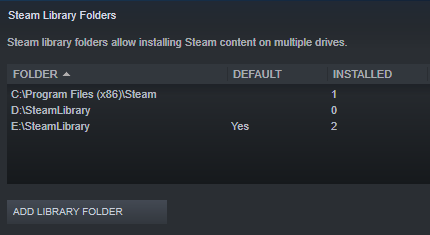
Do you have the custom paths defined in Steam Library? Steam-Settings-Download-Steam Library Folders? If so, is the path to where you want the Sim to be installed set as Default?
Hi @CasualClick
Cheers for the reply! Appreciate your awesome help om the forums.
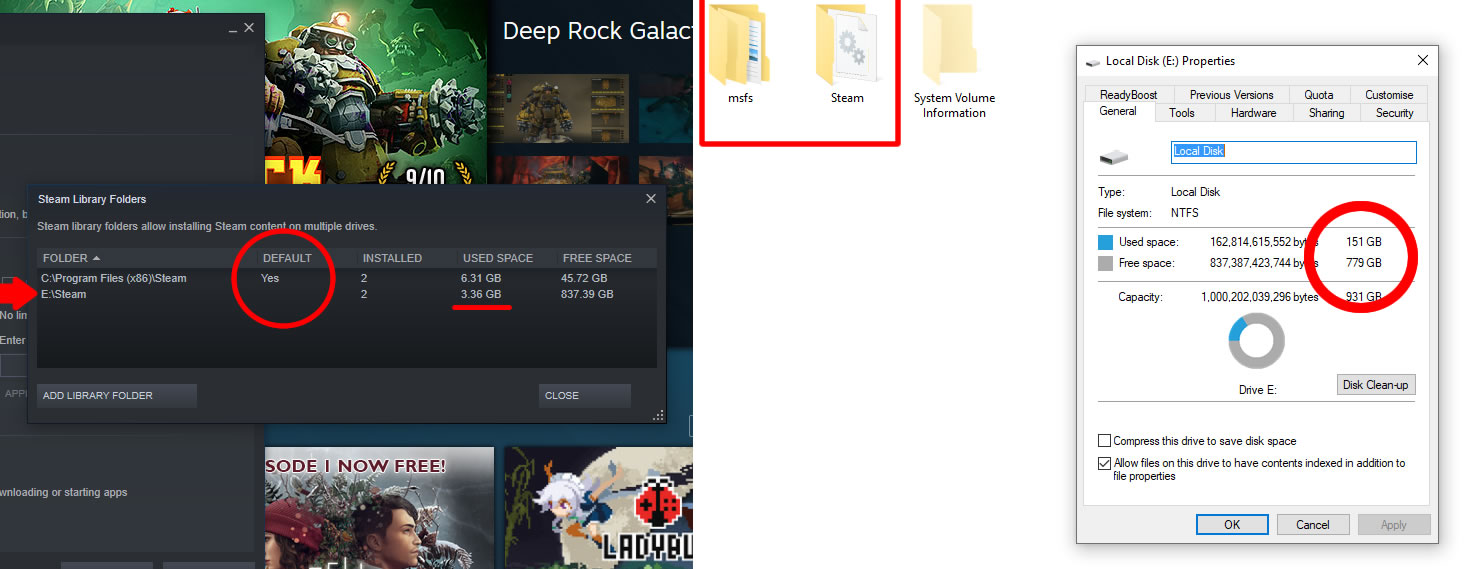
Good shout! My set up is as yours, so I checked. Steam had reset the default to C. There was a MSFS Steam update recently, last week maybe, but its worked fine up to today. Looking closer, Steam isn’t even physically detecting MSFS installation. Used Space detected on Steam vs the files on E drive where default is now pointed to. After setting default back to E drive it still wanted to reinstall fresh.
Edit - To follow on from that, my steam client doesn’t think its installed. It’s as if updates are uninstalling the game on steams end and resetting the default steam file?
Wow. Okay - I’ve not seen why Steam would be acting that way, but it might be time to settle why once and for all since that’ll impact whatever else you have installed going forward.
This was the only official KB note I could find.
This part →
Add previously existing alternate installation libraries/folders to Steam
If you had previously installed the games to an alternate location outside of your main Steam folder please try the following:
Launch Steam and go to Steam > Settings > Downloads and click the Steam Library Folders button. This will open a window with all your current Steam Library folders.
Click the “Add Library Folder” button and select the folder with your installed games.
Once you have added the new Library folder your installed games should appear in your Steam Library.
**
While it’s already defined in Steam, I wonder if removing it and then readding it might get it to recognize the folders and size correctly? Not sure what the risks are though.
Also this note with a cumulative set of things to try. Obviously not Verify Files. But clear/flush cache is a low-hanging and should be relatively safe thing to try.
Cheers for the steps to try. Will say MSFS is the only game I’ve had this issue with through steam, as bugs go its pretty unique!
Big Picture helpfully didn’t tally up with steam DT changes = Big Picture > Settings > Disk Management > [your drive] click Set default.
Clear cache (and argue with steam login servers) didn’t work as didn’t ‘repairing the library folder’.
‘Add Library Folder’ would detect the “empty” steam file as already existing with a condescending error message “Steam will manage multiple game installs in a single folder for you” and then close.
‘Selecting the folder with your installed games’ would complain its not a steam folder on default C. Removing it and then re-adding still resulted in a Steam file of 0kb and “New steam library folder must be empty”.
Trying the above on a fresh steam Library Folder on a fresh drive still resulted in the error message.
Much appreciated @CasualClick. Going to thank you now in advance while I have the chance for your heads up on the possibility to avoid the 150gb download, as that’s looking pretty close on this ladder.
One ting you could try here is to create a new steam library on the drive with your MSFS install and copy the files from the steamapps/common/ folder into the new steam library after you have set it up. Then get steam to download MSFS and when it asks you where to put it, point it to the new steam library - this should detect the existing files and only download anythign missing. This is a leap of faith though as you need to let the download start for it to properly detect the files are already there (it’s a bit like it does a verify files thing).
Now I’ve wirtten this though, it might be as simple as doing this with your current libary folder on your MSFS drive - but as far as I know, to get steam to essentially use existing files instead of downloading, you need to actually let the download start. This is what I’ve done before when I wanted to move games from one drive to another without having to re-download (and that was before they implemented the “move game” feature on steam).
Problem: Steam randomly requires a fresh install of MSFS by resetting the default steam library back to C, away from your custom steam library / MSFS drive, then acts as if MSFS was uninstalled despite the files still being on your PC. Appears to occur on or around an update either on Steam or MSFS’s side.
Create a new steam library on the drive with MSFS install
(May require removal of old custom steam library, save common/MicrosoftFlightSimulator!)
Duplicate default C Steam/steamapps file into new library (minus common file and workshop!)
Make new common folder inside your new steam library steamapps file
Place existing MSFS install inside new library steamapps/common file
Set Steam Big Picture to new steam library default
Restart PC
Check Steam desktop client library default is set to your new library (change appropriately)
Take leap of faith and run MSFS installer pointing it to new steam library
MSFS installer will ‘detect existing files’ and replace as necessary
Run MSFS and point 150gb update to your previous 150gb file location
MSFS will detect and replace as appropriate, mine took 90s then continued to load as normal
Once loaded in game, check content manager for correct addons and updates
Its 1am so I’m not touching wood but hopefully that’s fixed until the next update and this walkthrough is a solution. I guess lets see if this happens again after a next update and if this solution is repeatable.