Hi, i struggle to get over 30FPS, i have changed settings in both Nvidia and MSFS, but i can’t get over 30-35FPS, i have tried V-Sync on/off, fixed refreshrate on my monitor. I have some settings on Ultra, and rest on high. I think i can get atleast 40 out of my spec.
CPU: Intel i7-12700k 3.6 GHz
GPU: RTX 4070 OC 12gb
Ram: 32gb DDR4
Monitor: Philips 32" Curved 2k, 165hz
Storage: SSD
OS: Win 11 Pro.
Have you increased your render scale?
No, i run native 2k
Be careful not to get too obsessed with fps. The average human eye sees very little difference above 30fps although there are those who will tell you anything below 60fps is “unplayable”. Okay, I hear them but what works more for me is smoothness with no stuttering in MSFS, not the latest high speed shoot’em’up game.
Finding an ideal setting is like searching for the Holy Grail, complicated by the fact that there must be thousands of different system setups - even two identical rigs can produce different results!
I’ve been messing about since day one, trying all the time to improve matters and have found that some Utube videos can be very helpful. Two I’ve used in the last couple of months are:
and
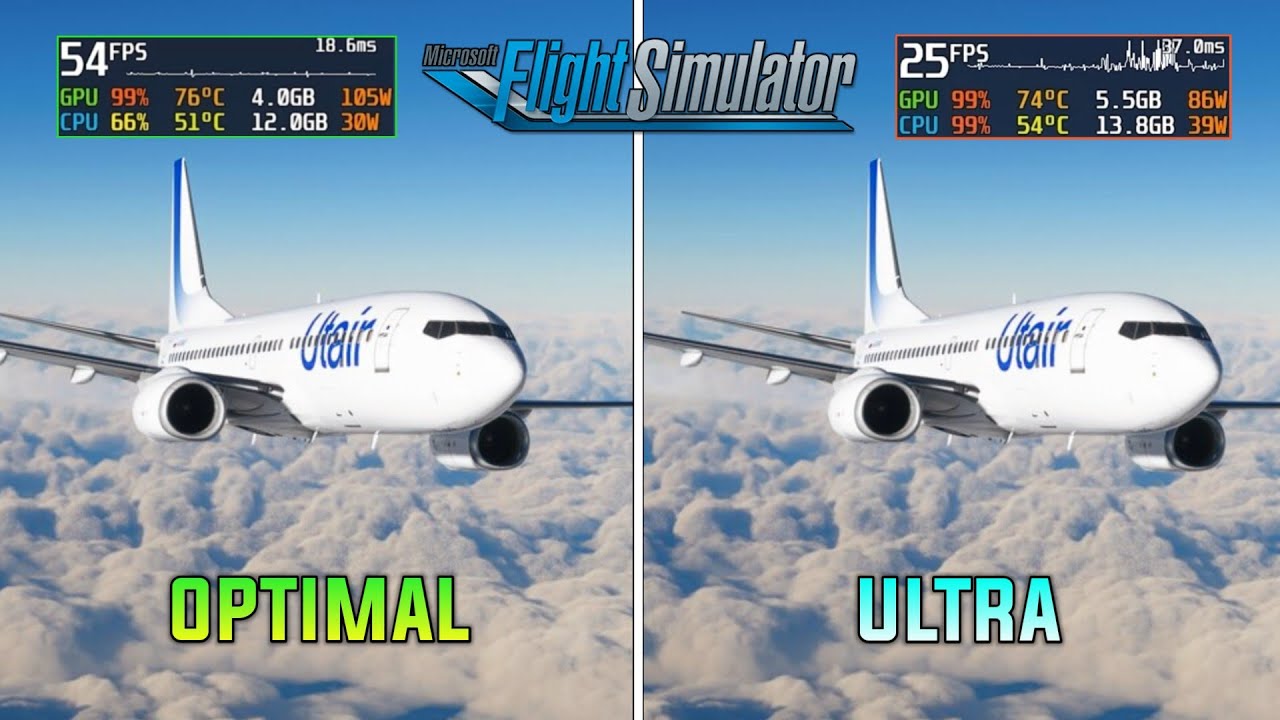
mainly because they just show you what each setting does so you can decide what you want.
I have a similar rig to the OP and easily get 40-45fps with mostly Ultra settings, but turning off some I don’t use.
I’ll add another here I found a few days ago which I’m currently experimenting with, so far so good.
You should be getting more with that setup. For reference I have a 4070 5800X3D 1440p ultrawide and I’ll average 60fps in most places. 100+ with FG on. Lower fps is indeed great if it’s stutter free but the more the headroom the better.
Did you consider running DX12 with frame generation on? Tired it if you haven’t.
Vsync on in game? Also make sure your monitor is set to the default refresh rate. That can make the world of difference. Mine was set to 60 instead of the default 100hz.
In your BIOS make sure that the correct RAM profile is selected, by default BIOS will select a lower speed.
Make sure there is no unnecessarily low max temperature set for your CPU or it might get throttled down.
SSAA will really bring your FPS down, anything over 4x makes little sense.
Use DLSS for smooth performance.
This is a bit vague.
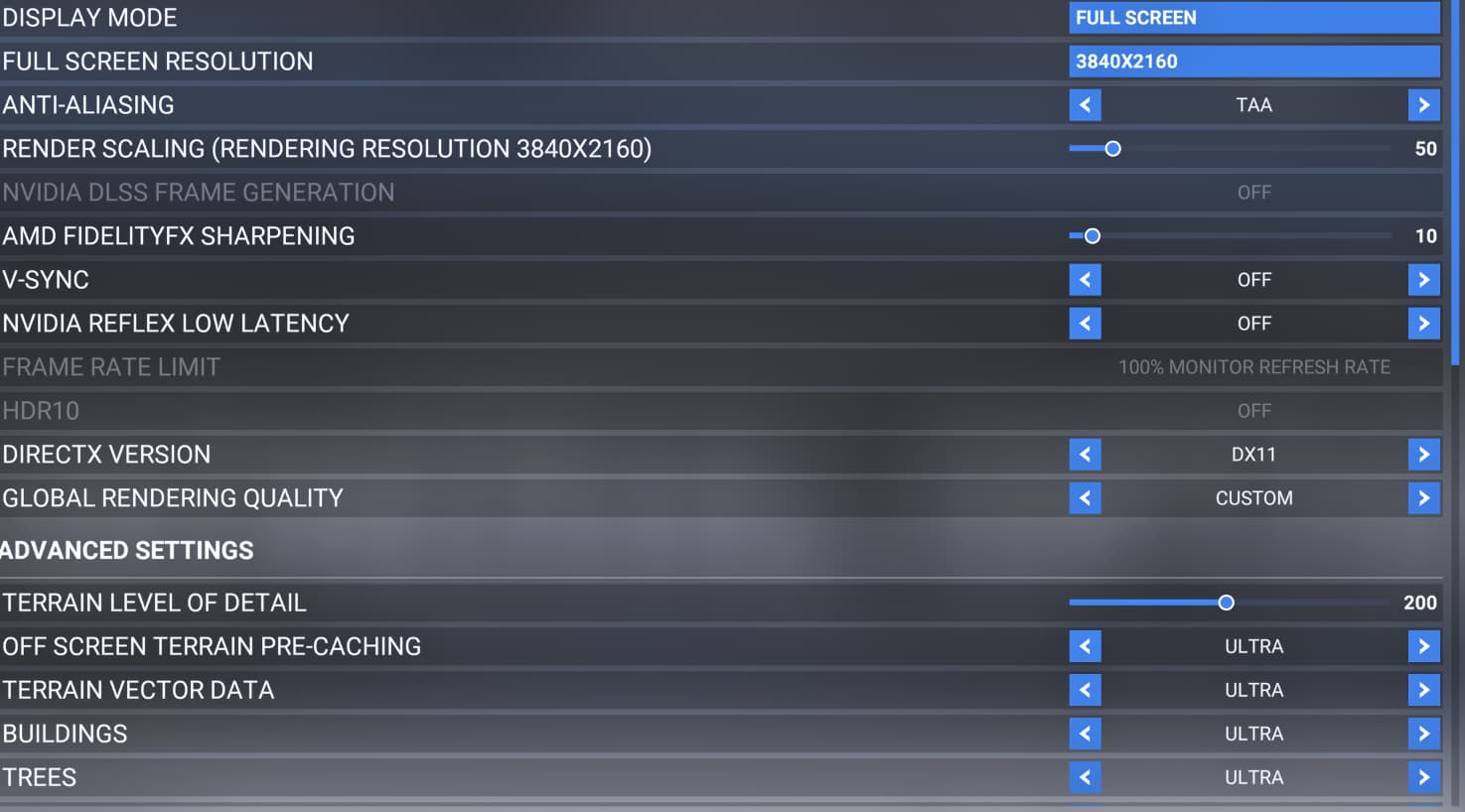
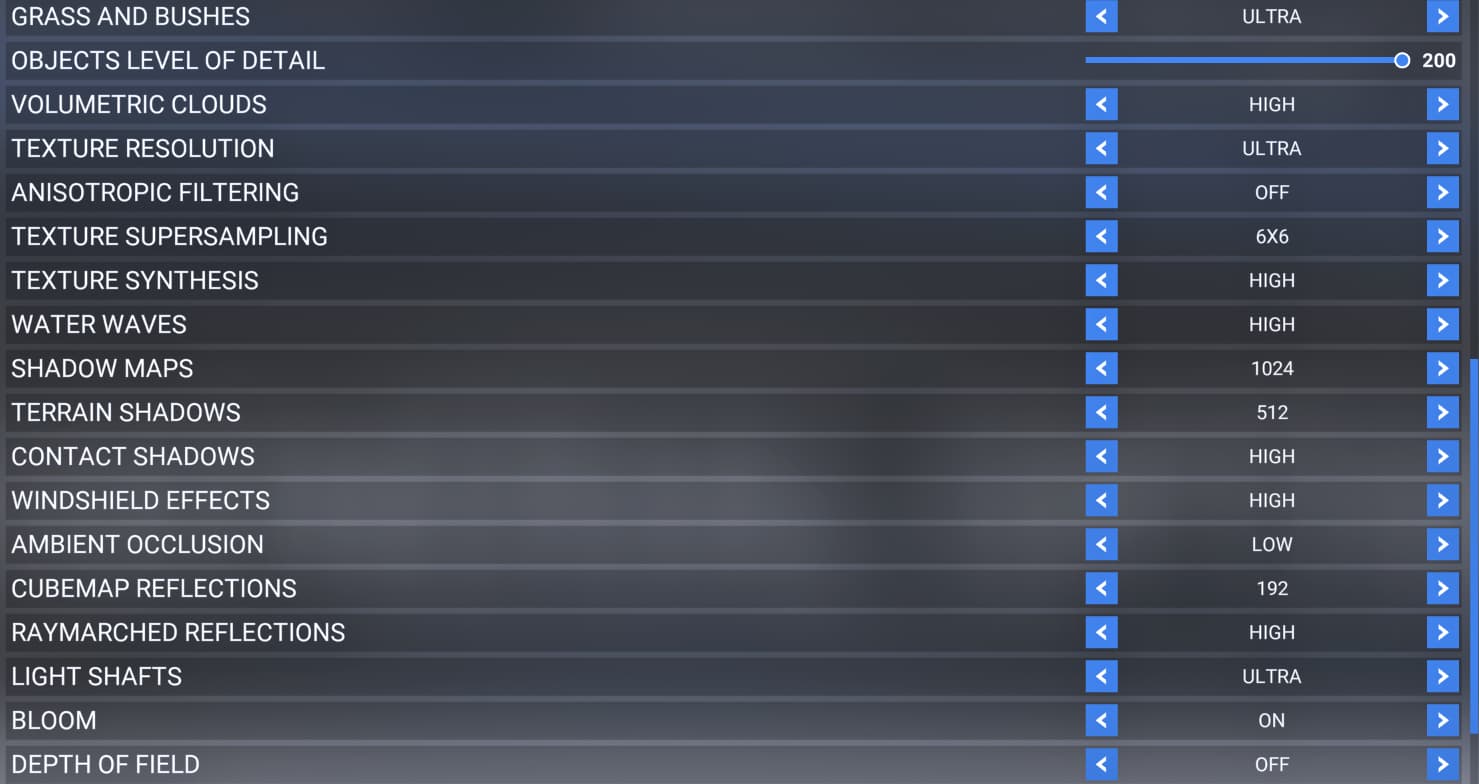
Can you screenshot your general settings and post it here?
Hi, i have been through those videos and made those changes, but no joy.
“The holy grail of MSFS” does not work for me because i got CTD when i activate DX12, so i can’t use FG either. I got error: nvwgf2umx.dll and D3d12.
The very first thing you should do is go into settings and turn on developer mode. In the new toolbar at the top, you’ll find an FPS display option. Turn that on and look at your stats.
Not only will it show the FPS, but also the frame times of your CPU (aka main thread) and GPU, and which one is your limiting factor. When we know if you are CPU or GPU limited, then we can start narrowing down the problem. I.e. Reducing graphics settings won’t do a thing if you’re CPU limited.
I have tried that and i’m CPU limited.
Can’t run DX12 because of CTD (nvwgf2umx.dll) error.
And MSFS support says that i must downclock my GPU, because it’s a 4070 OC card.
I have tried Vsync (on/half rate/ etc) Monitor is set to default Hz of 165.
Ofc, i can do it when i get home.
You said you have settings pretty high. Does that include TLOD and OLOD? Those impact the CPU a fair bit. The other CPU hammer is your AI traffic settings. I would start with dialing those back if you haven’t already, especially the traffic.
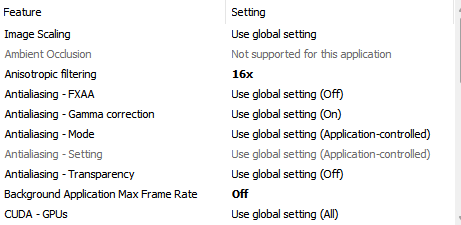
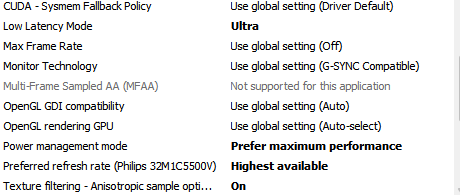
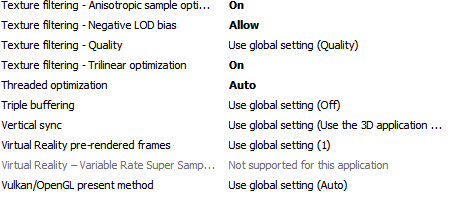
Im starting up now and provide my MSFS settings and Nvidia settings…stay tuned.
This is soo wrong it hurts, even though it is repeated over and over again in various forums. Something to read: How many frames per second can the human eye really see? | PC Gamer.
I have XMP enabled.
My 4070 is an OC card out of the box and I don’t get that error. Likely corrupted file.
You may want to consider the ddu tool and do a clean Nvidia driver install reset to default values.
I did that yesterday before i started this thread.
I would start by cutting the object LOD in half to see what that gets you on the CPU and further adjust up or down depending on the results. I think I run mine about 80 on a 5800x3d and I’m happy with it. If you are shooting for 60 fps, you’ll want your frame time steadily under 16ms. At that point you can focus on the GPU if needed. For that, I would turn all ultra settings down to high. I seem to remember others reporting the visual difference is minimal and not really worth the extra performance hit.
When testing, it’s best to do so at a busy major airport and tune to a “worst case scenario.” Basically get your performance happy there and you’ll be happy anywhere.