hi, does anyone know how to remove default liveries from CRJ? I delete the texture files and their corresponding model file, but when I delete them and enter the SIM they appear as I show them in the photo, it is the marketplace version

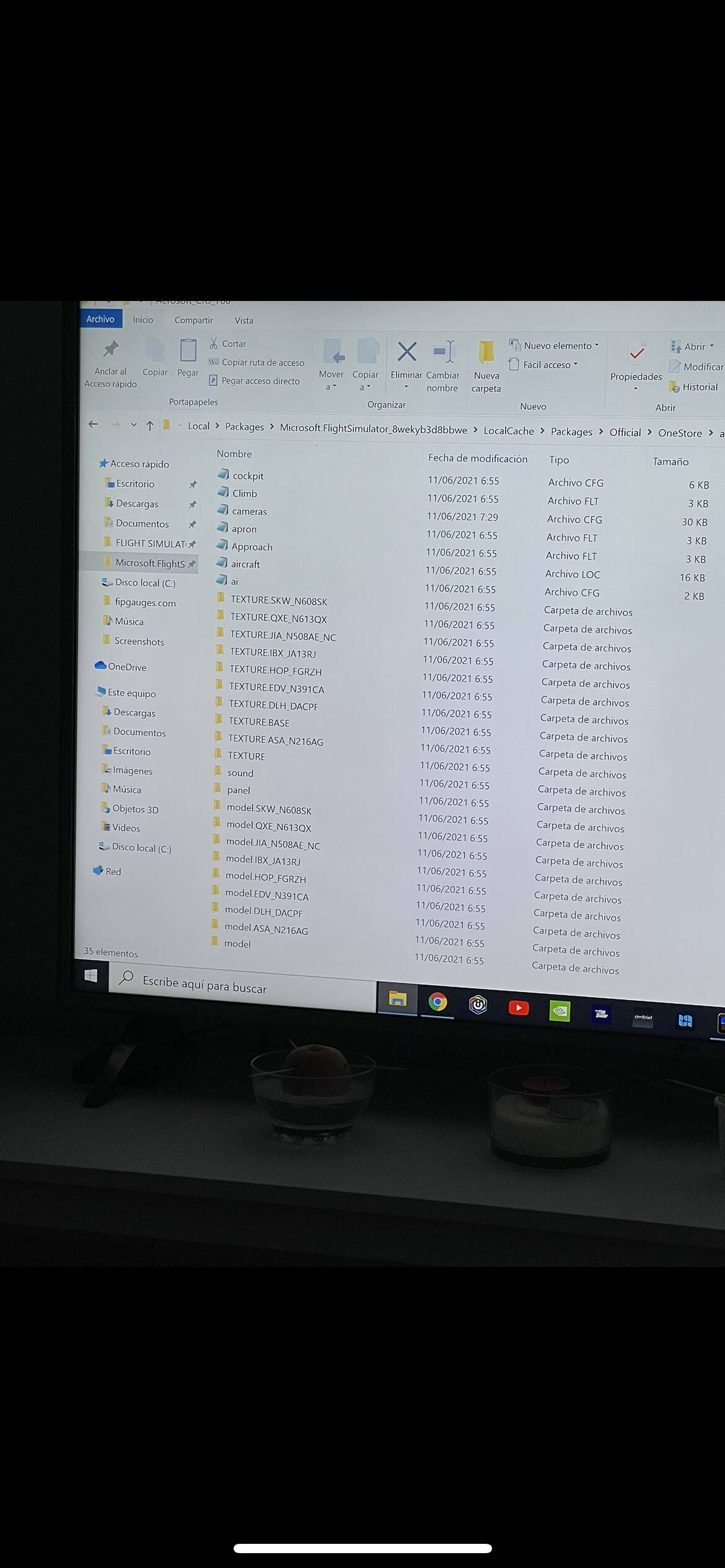
you gotta remove the [fltsim] entries in the aircraft.cfg, but considering you have the marketplace version i think that’s under DRM
1 Like
Just open the aircraft.cfg file for the aircraft you want to remove, and look for this line:
isUserSelectable = 1 ; Is the plane selectable by the user
And change it to this:
isUserSelectable = 0 ; Is the plane selectable by the user
1 Like
with the crj 500 I have set the values to 0 and there is no problem
with the crj 700 if I put all in 0 the plane does not appear in the selection of planes
on both I have third party liveries installed
with the crj 700 I need to put at least one of the default liveries in value 1 or the plane does not appear,
If I set the default liveries to 0 the aircraft does not appear in the selector, however if I set one of the default liveries to value 1, the default livery plus third-party liveries appears.
I do not understand why this happens since with the crj 500 it does not happen!
But doesn’t the livery only correspond to one type? like you have a livery for the crj 500, then you also have another livery for the crj 700.
Technically, it should be possible to set the default crj 500 and crj 700 default liveries to 0.
But keep the crj 500 and 700 liveries that you want to show as 1.
1 Like
Yes, I understand perfectly what you say friend, but I do not know why with the crj 500 I can set all the values to zero and there is no problem, but if I put all the values of the crj 700 to 0, the crj 700 aircraft or any third party livery does not appear , It is strange since I also have 4 third-party liveries for the 700 that work perfectly if I set the value at least in a predetermined livery
I think there’s something different with how the crj 700 is doing on the references. Because I think this is also happening on the FBW A32NX mod. If you ever tried doing the same to them. You’ll know that the FBW A32NX has two aircraft liveries. One is the default Airbus House livery, and another one is the FlyByWire team livery.
The thing about these two liveries is that, only the base airbus aircraft has the FLTSIM.0 with the isUserSelectable = 1 this one is pointing to the default Airbus House livery. While the one with FBW team livery, has a very simple aircraft.cfg that doesn’t have isUserSelectable = 1 on it. Like this:
[VERSION]
major = 1
minor = 0

[VARIATION]
base_container = "..\FlyByWire_A320_NEO"

;===================== FLTSIM =====================

[FLTSIM.0]
title = "Airbus A320neo FlyByWire" ; Variation name
ui_variation = "FlyByWire" ; e.g. World Air, IFR Panel
texture = "FBW" ; texture folder
model = "FBW" ; model folder
atc_id = "A32NX" ; tail number
atc_airline = "FBWSIM" ; airline name
What happens is, if I set the isUserSelectable = 0 in the base FBW aircraft.cfg. It makes both liveries disappear from the menu.
So what I’m thinking is that there must be something in the livery side that is “dependant” on the base aircraft to be available. And I’m wondering if your crj 700 liveries are designed with the same way.
The only solution I can think of is to actually use the format of the crj 500 but changing the texture files and the structure of the crj 700. And hopefully, you could break the dependancy of the crj 700 liveries to the base aircraft.
1 Like
Easyest way to solve the issue is to edit the [FLTSIM.X] entrys. The one you want need to be subsequently X=0, followed by X=1, X=2 and so on. The ones you do not want, place // in front of [FLTSIM.X]. The sim won’t read those lines and the ones that follow in that section until it comes to a next [XXXX]
1 Like
Thank you so much
I don’t know.. I don’t have CRJ myself, so I can’t answer your question on the gelation and water effects.