Yeah, I didn’t read your previous post properly :).
Another example showing that clearing WASM files won’t prevent crashes. I used to clean it before every flight and still had WASM crash at the end of 18hrs flight. I stopped doing long flights in FS2024 after this. When I want to fly a wide body I do it in xp12. I am looking forward for FlightFactor A350v2.
Can anyone explain to me why the 1000 variant begins to roll forward on it’s own upon startup, where as with the 900 you need to give it a bit of throttle first?
Thanks
Same airport, same gate?
Slope will make a difference.
No. Different airports, different gates, different ZFW/TOW yet happens every time. I always naively assumed it was because the 1000s engines are a different model and slightly more powerful but that doesn’t make much sense when you consider the 1000 is longer and thus heavier.
1 Like
Higher residual thrust at idle and more inertia when on the move.
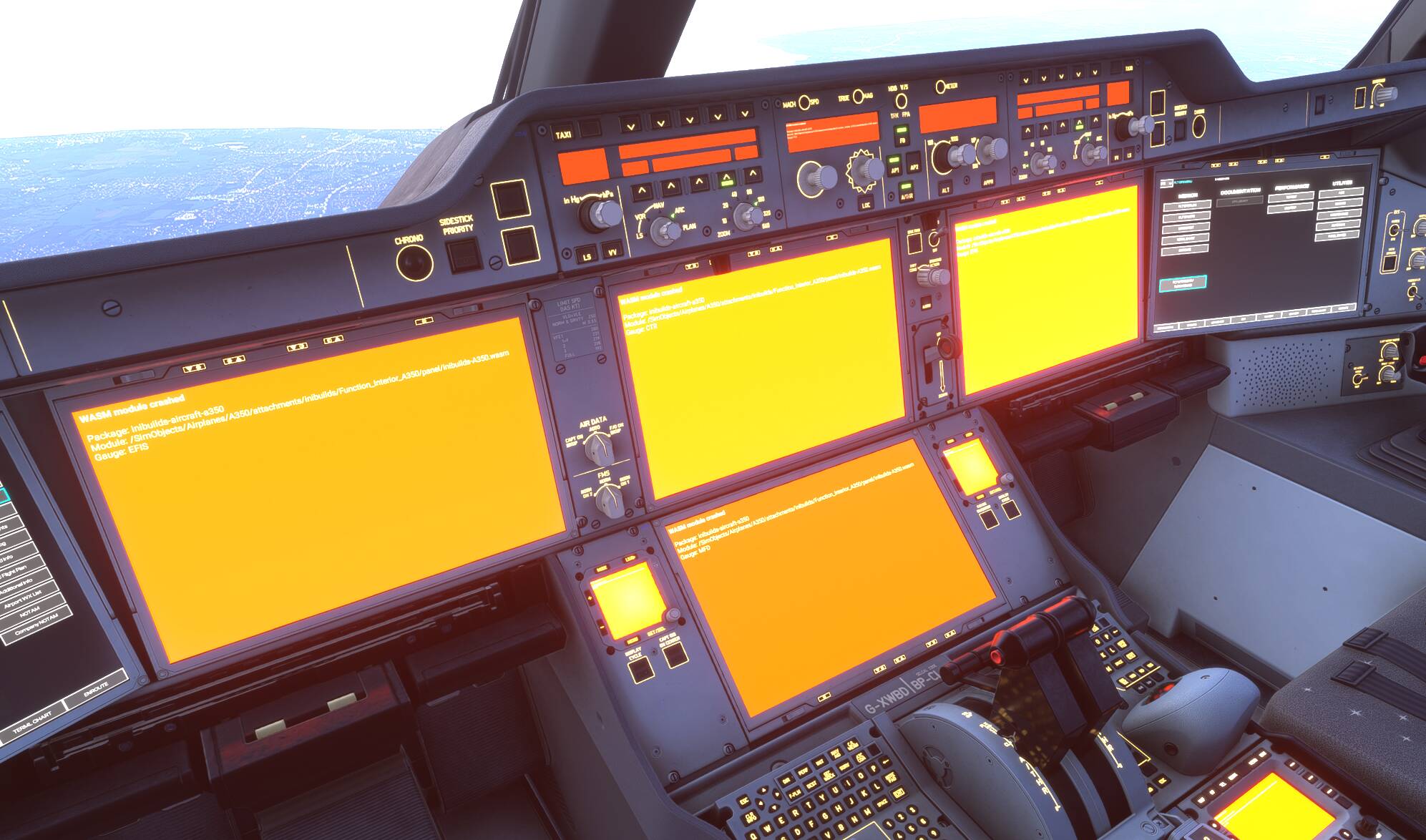
It’s so full of bugs and errors even when not WASM crashing.
Outrageous that there are so many issues with it given the price of it, how it was marketed, how long it’s been out, and how many updates it has had.
7 Likes
The most unstable addon I own for sure. About 1/4 of my flights with it are unsuccessful for one reason or another. CTDs, WASM crashes, sometimes I find it with the AP off just flying in circles.
Was haunted with plenty WASM crashes but want to let you know, that I made a full reinstall of the A350 about 2 weeks ago and have not run i to any WASM crash in about 10 flights, some more than 9 hours long and with changing the star and arrival runways.
It might be a coincident, I might just he lucky, but I wanted to let you know nonetheless.
I am on the SU5 beta, btw
2 Likes
I’m on Xbox series X and hadn’t had any WASM orange screens of death in SU5 beta - until today when I was doing a short hop from Casablanca to Madrid and was programming my approach during the climb. As soon as I picked the VIA, bam, orange screens 
6 Likes
I still can’t believe they haven’t gotten to the bottom of these WASM issues yet, I had one last week in their A300 and it’s so infuriating when your flight is ruined, mine was also when inputting the approach data.
4 Likes
Yes is many thanks for them , you wasted 100$ for this , and its broken …. 
2 Likes

I would strongly encourage iniBuilds to enable free trial or rental options on the marketplace.
This aircraft in itself costs more than the whole simulator. With no option to even check how it works, especially on Xbox, I will never have the trust to blindly spend this much money, however much I’m interested in it. What I often read in these forums is not encouraging, and the WASM crashes affect all iniBuilds aircraft in the sim, the default Airbuses included, so I’m not sure how much A350-specific updates help.
Without the ability to test on my own system, I simply can’t afford to buy something so expensive and complex. I think this product would particularly benefit from a free trial option.
14 Likes
Version 1.2.5 is now available on the Marketplace, and the disappearing T/D waypoint issue is finally fixed, and the flight plan doesn’t refresh like crazy - hurray! Overall, it’s a great release, the A350 just keeps getting better and better.
8 Likes
It has improved by leaps and bounds since release, but the flight model certainly needs tweaking. The plane still jumps into the air with 3 degrees nose up, this cannot happen in the real world because a fully-loaded A350 weighs tons and doesn’t behave like a paper plane. If this can be fixed, along with the insanely loud landing gear noises, I think I could love this plane!
2 Likes
Yeah. The flight model of the a350 really isn’t great.
And there are so so many systems errors and bugs still. Have reported these since release but so many remain unfixed.
I’ve not heard much about that from non-simmers. Are there reliable A350 type-rated pilots who have reviewed the aircraft and said as much?
5 Likes