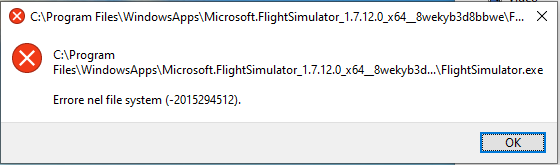
I am still struggling with this after a week! Having installed through Game Pass I can get to the content manager screen, choose a download location and click update. At this point I get the “Please wait…” message and then intermittently what looks to be a message regarding a .fspackage file. I say “looks to be” because it is on screen so briefly that I can’t read it properly. The performance tab in task manager shows a download speed of 32 Kbps and no files ever seem to get downloaded. I have tried all the suggestions I have been able to find including running as administrator, setting autotuninglevel=normal, turning off the firewall, turning off the VPN, turning on the VPN and choosing New York as the location, stopping the download and deleting the package files (pointless because no package files have been downloaded). I really am at my wits end with this. Does anyone have any thing that I might not have tried yet or should I just go back to X-Plane?
On Thursday they will tell us when they will release an update. Don’t waste your time until that arrives. There is a large contingent of people experiencing a range of similar issues. The problem is on MS’s end. Yes, and if you can stand it, go back to Xplane. That’s what I’m doing.
Is anyone else having issues with a link to the forums opening up constantly in Chrome while downloading? it has opened over 50 times while im installing. I refuse to install unless there is a fix.
So I tried all the suggestions in the thread. Still stuck at 3.68 GiB. Did get it to start final installation two or three times but in crashed Windows 10 Pro and generated a report. I am under the impression from other posts that Microsoft is devising a fix that is being sent out on Thursday 05/27. I hope they are right.
If you get to the screen with the plane and it’s stuck crash out of the game and re open with admin rights keep trying or you will need to reinstall the game completely.
For people where the game gets stuck with downloading files you need to crash out of the game go into install folder and delete the last 1-3 files it downloading and open the game again.
I have done 20 installs so far across the world via remote and was able to fix every single install it requires a certain pattern and you need to use car5 cable forget WiFi for ow direct plug in for sure!
All these little issues if you follow my install guide to the T it will work for sure.
Reread the guide several posts up and try again please
Anyone else getting the 0x80073D05 error on MS store/xbox when trying to download the installer? If i cant fix it im close to requesting a refund because havent been able to even download the sim… not happy.
Resolved Issue Causing CTD Desktop seconds into a flight.
Resolution: Graphics Setting Set Trees to LOW - Anything higher will cause CTD.
Since release had the same issue soon as actually start a flight the sim would crash to desktop with no error code.
After ensuring everything had the latest drivers and trying multiple configurations discovered that the Graphics Setting Trees on anything but LOW causes the CTD. Everything else can be set to Ultra or High and not cause an issue.
Anyway hope this helps someone that might be experiencing the same or similar issue. And yes I was finally able to find my house.
You need to rebuild your ms store if you are getting error rebuild using power shell command also make sure you install the flight sim installer app on drive C it’s only 2GB after installer kicks off you can install the game on drive D if needed.
All man stores are usually do to install on a different drive or ms store error which power shell command fixes google Microsoft store power shell reset
Open power shell with admin right and copy and paste this into power shell and run it to fix your ms store then download and install Xbox beta app and run it using admin right and download flight sim installer to your C drive and try again
After update bios, update to build 20197 i am here again…
I have already made a new user on windows, downloaded the game, I run as administrator and it gives me this error
I FINALLY got it to work! The secret for me? I deleted the packages file and let it redownload entirely. The secret sauce was that I used a VPN connection over my ISP. For whatever reason “Spanktrum” is throttling downloads even at the 300 Mbps that I pay for each month “something” was happening to those files. When I re-downloaded everything over VPN it only took a couple of hours. I let it run all night just to be sure. This morning I crossed my fingers and Voila! I was flying. I think the secret to all of this is the download manager. I don’t know if it’s a poorly written, the servers are overwhelmed, or what but I know the throttling will keep it from every downloading. That’s how I got it to work. 1080 Ti, 32 MB, i7 3770 CPU. I installed the main program on my SSD and let the package files it on a WD Black 4 TB drive. I hope this helps someone else!
It sure what you did wrong but nee developers windows 10 dropped today again might want to uninstall everything the sim rebuild the store and install latest windows 10 update today and try the install again with your getting the installer issue.
Also I herd some patch is out tomorow from flight sim so might want to start updating windows today and go from there for now to fix the syntax error.
I had my installer syntax error fixed during last windows 10 update released recently
Done! Strange deal! I un-installed the sim, created another user on my machine, and downloaded and installed it using that login! It failed, and I also realized that a lot of my apps were not available in that login, so I also deleted the account.
Then I went back and re-installed the sim as I usually did, and this time, it took! So I’m now up and running. Finally! I was ready to blow the whole thing and go back to FSX!