Investigating How MSFS Draws Clouds for Weather

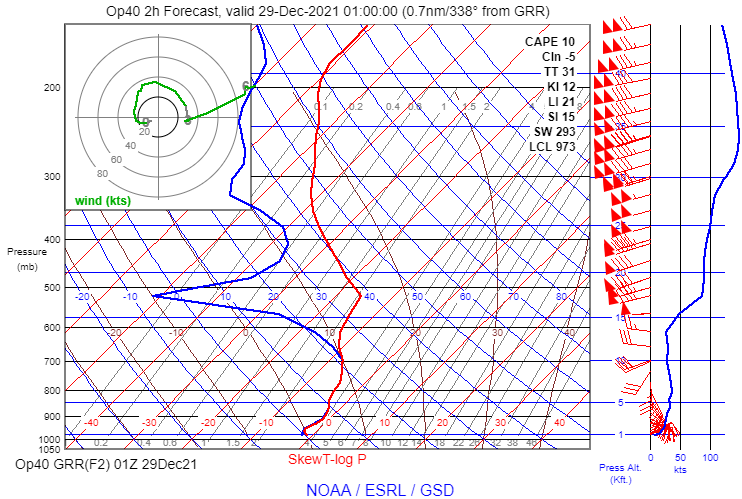
Bummer that live weather wasn’t working! Thank you for checking. As the weather system moves eastward, there will be areas to the east of Wisconsin tonight with deep saturated layers. Here is a RAP model forecast sounding for 01Z at Grand Rapids, Michigan (KGRR), showing saturated air from the surface to about 11,000 ft MSL:

If anyone is interested, southern Michigan would be an interesting place to test tonight to see how the clouds look. The real-world time is well after sunset, but the sim time can be adjusted to view the real-world weather in daylight.

Agree, only when the bit is made for that type of drill it works. Same with METAR and forecast, only when they 100% matches it works together. If they not matches we need to do manual things with them to match before we use them. Easier to make a bit match a drill than make METAR match forecast because forecast/weather is more complex than a drill

I just had a chance to load the sim and test an area where a deep cloud layer is present in model data currently: Houghton County Memorial Airport in Hancock, Michigan (KCMX). This airport is on the upper peninsula of Michigan. Here are a few recent METARs:

KCMX 290614Z AUTO 12010KT 1/2SM SN FZFG OVC003 M03/M04 A2960 RMK AO2 P0001 T10281039 $
KCMX 290553Z AUTO 13009KT 1SM -SN BR OVC003 M03/M04 A2961 RMK AO2 SLP043 P0000 60001 T10281039 11028 21050 58018 $
KCMX 290500Z AUTO 12010KT 1 3/4SM -SN BR OVC004 M03/M04 A2963 RMK AO2 P0000 T10281044 $

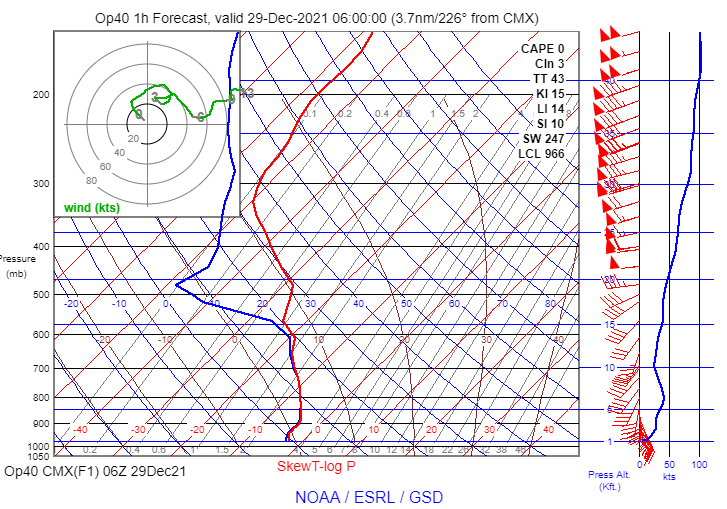
The RAP model sounding for 06Z shows a stable saturated layer between the surface and about 11,000 ft. MSL, and very high humidity from 11,000 ft to 14,600 ft. MSL:

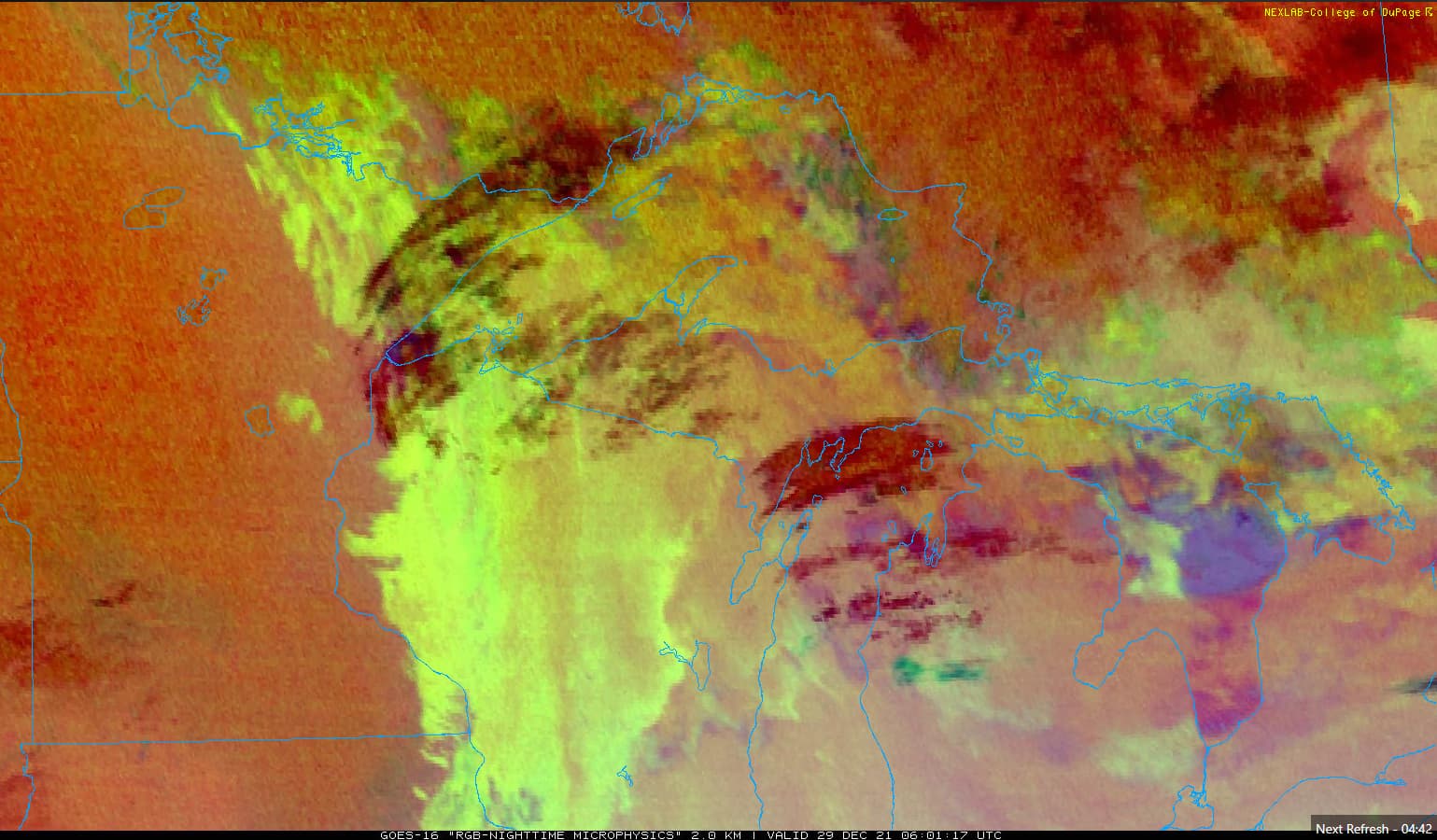
The nighttime microphysics cloud image depicts a combination of low stratus-like clouds with higher cirrus clouds passing overhead. It is difficult to see the layers clearly in the still image below, but the animated image shows the pattern unmistakably.

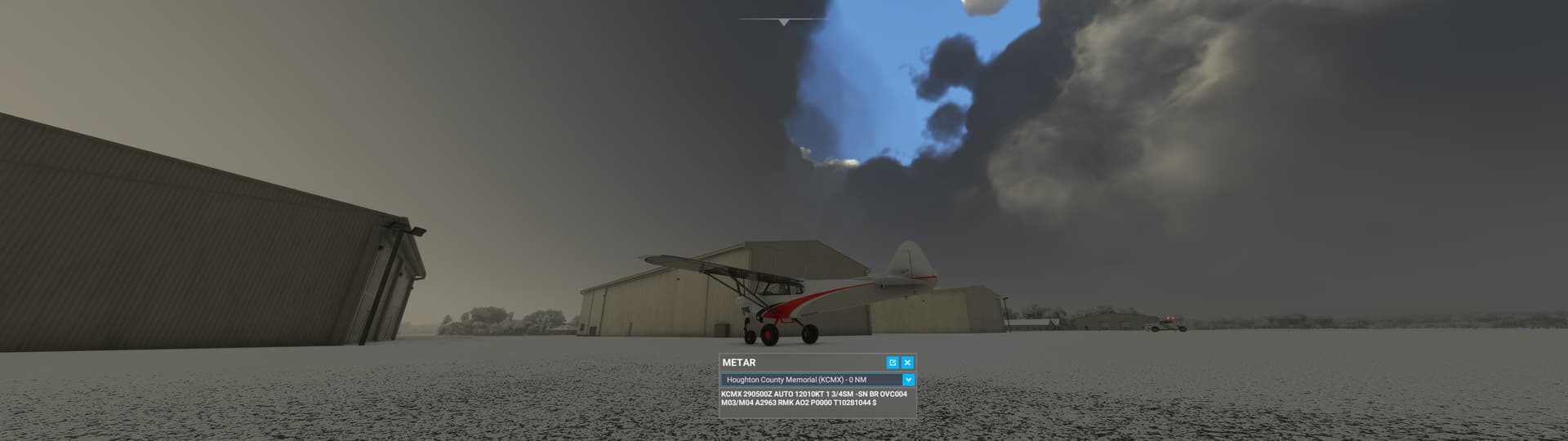
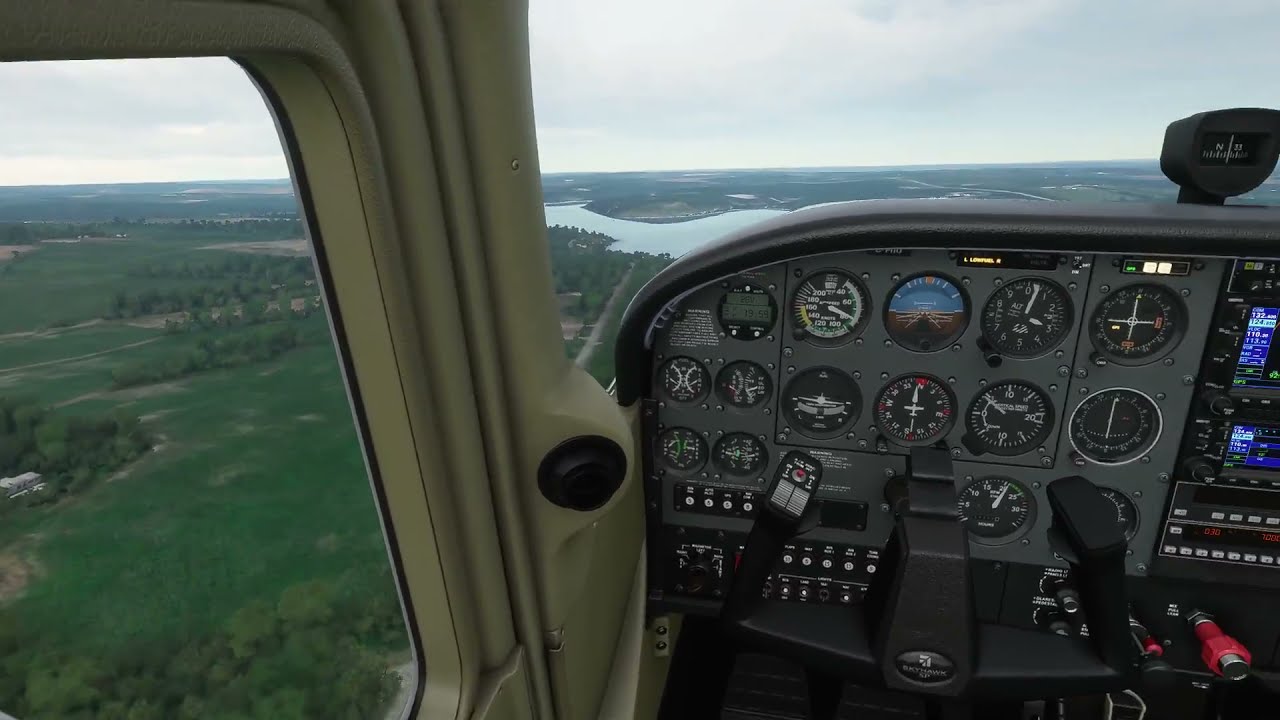
Here is the view after loading into the sim at a parking space (I adjusted the time of day to allow for easier viewing of the clouds and weather):

The in-sim METAR has not yet updated to the observations near 06Z, but conditions haven’t changed much in an hour according to the recent METARs shown above. The sky condition was nearly overcast, but there was one notable break in the clouds passing overhead, as shown above. The cloud formations visible through the break look suspiciously convective.

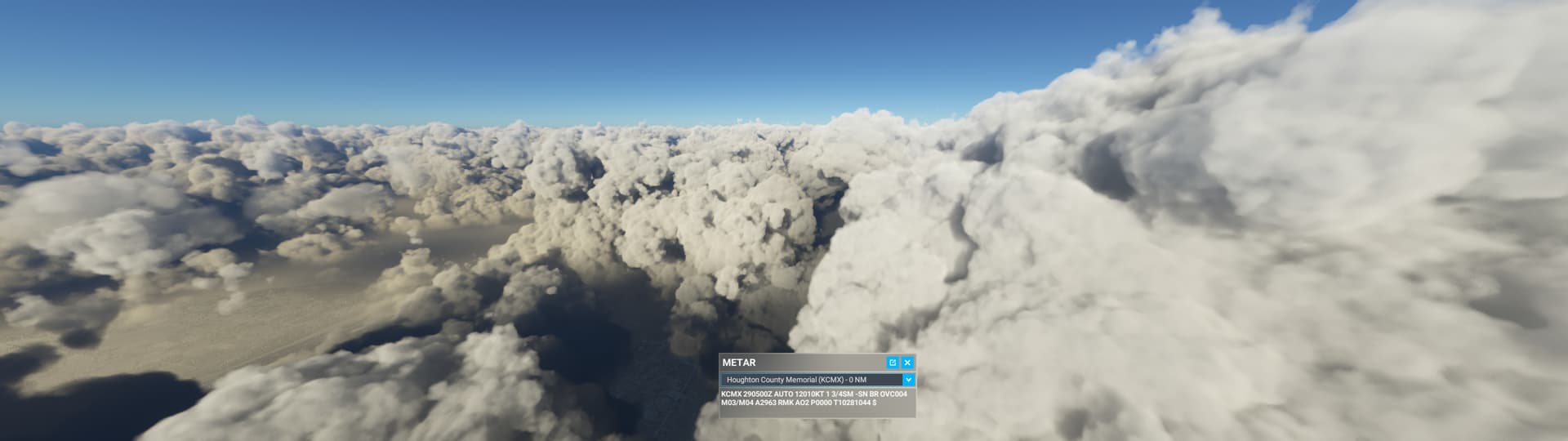
I used the drone camera to quickly climb through the cloud layer. As I expected, there was a single thick cloud layer extending several thousand feet up from the surface. I had to climb for a surprisingly long distance before I could no longer see the ground. Once I broke out above the clouds, this is what I saw:


These clouds are clearly convective in appearance, and there are a lot of individual towering clouds spaced relatively close together. Based on my tests of the cloud drawing parameters in the original post, it looks to me like the sim is using a scatter parameter above 0 here. If scatter=0, the cloud tops are much more uniform. There are also noticeable breaks between the clouds, indicating that coverage was not set to 100%. The ash-like appearance of the cloud tops suggests the density parameter was relatively high, but on the other hand, I needed to ascend far into the cloud before the ground disappeared. That suggests the density of the lower part of the cloud was low. Since this was a single contiguous cloud layer, I don’t think it’s possible for two density parameters to be used at different heights.

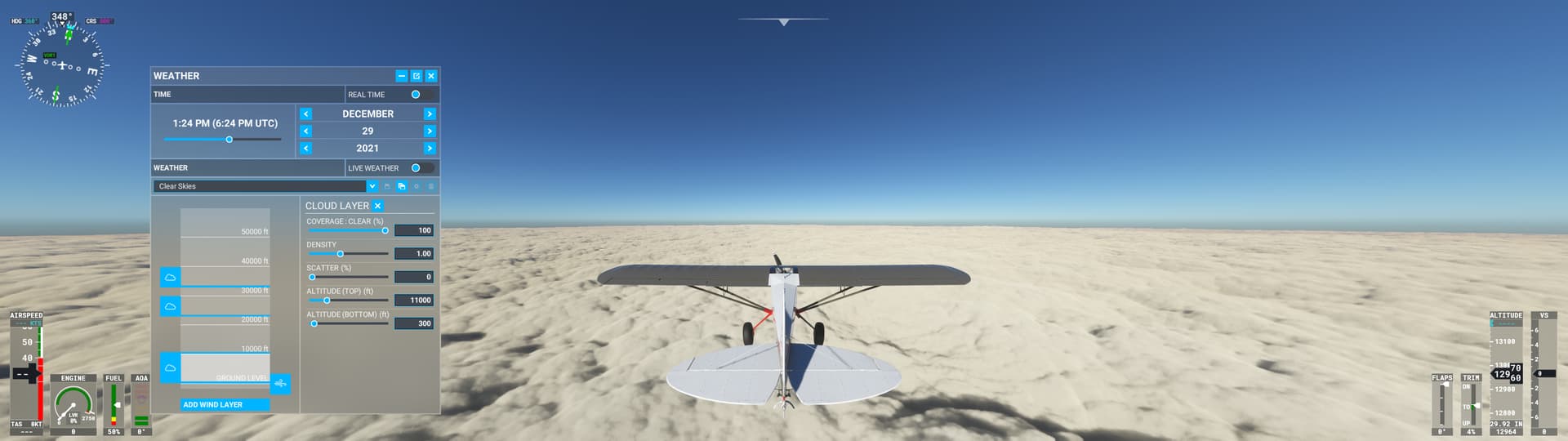
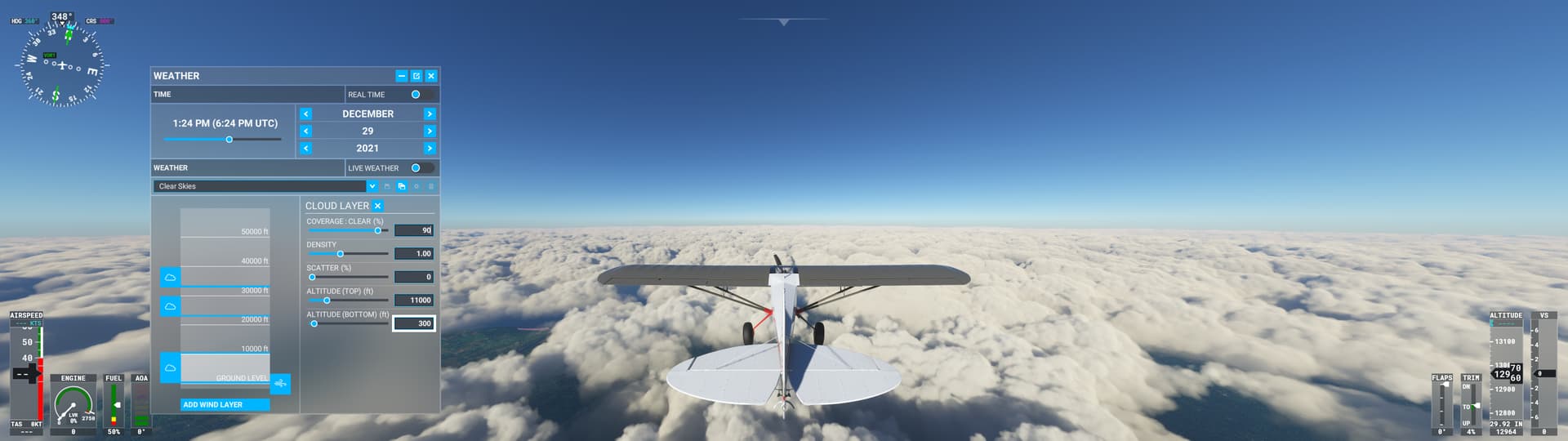
In any event, it is certainly possible to create a stratiform layer between 300 ft. AGL and 11,000 ft. AGL with scatter=0, coverage=100, and density = 1:

Even if the coverage is 90% instead of 100%, the clouds look reasonably stratiform with scatter=0:

This example confirms my suspicion that the cloud engine’s default behavior is not properly tuned for thick stratiform clouds, which leads to overproduction of convective cloud types.
If I was a developer on this project, this is EXACTLY the type of feedback I would want to be getting.

I mentioned back at the beginning of this topic that you should reach out to Jorg and get a consulting gig… Still hoping that might happen.

Thanks for the deep dive investigation. I’m late and haven’t had a chance to dig through everything. As a 3D graphics dev working in the field of meteorology, the Flight Simulator clouds have always struck me as more of a graphics thing than a weather thing. For example, the three sliders that control the clouds’ properties are mainly there to control how clouds look, not meteorological properties of how weather behaves.

It’s neat to see that the Density slider is finally controlling the density of the condensate in the clouds, or really just their opacity. I remember trying to modify visibility distance with cloud layers using these sliders in earlier builds, and it didn’t work at all. I’m guessing they had it disabled because it wasn’t fully implemented or was causing nasty graphics glitches like the stacked plates the volumetric effect produces (which are now super apparent with high densities).

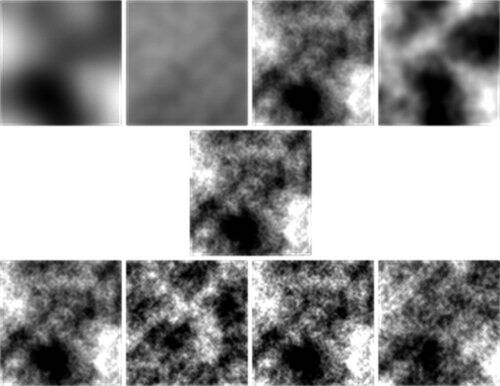
The simulator had no implementation of humidity from what I could tell until a recent update, which is pretty basic to clouds. Instead the clouds look like they’re layered patterns of noise, something like a Perlin noise function, on a volumetric effect.

Where the cloud properties are controlling the scale, distribution, and turbulence of the noise function from which they’re comprised. These incidentally look like properties of real clouds and their behavior, but I don’t think the underlying processes are represented.

The clouds don’t convect either. Instead, the noise function is simply translated within the volume in the vertical direction. It looks pretty good, but the beauty is skin deep. Not that this should be a complex weather simulation of course. It’s a $60 video game after all.

But one of the takeaways is that the clouds might all basically be the same with some variance in their appearance. This could throw some roadblocks down the way to getting more realistic cloud types and behavior into the sim.

Asobo is probably well aware of these limitations. They’re there because aesthetics of the game and, most importantly, development time had to be prioritized.

Which products from the Meteoblue NEMS model would help Asobo draw clouds with the right properties? It would have to be things basic and readily available that they could directly plug into these three cloud sliders. I doubt Meteoblue is going to start running new products on their model that are the equivalent of a forecast sounding analysis at every grid point. And I also doubt Asobo is going to get very deep into this in terms of simulating weather. They need to just connect the wires together. Inversely couple cloud Scattering with Lifted Index? Vertical velocity at different layers for large scale ascent and thus low scattering?

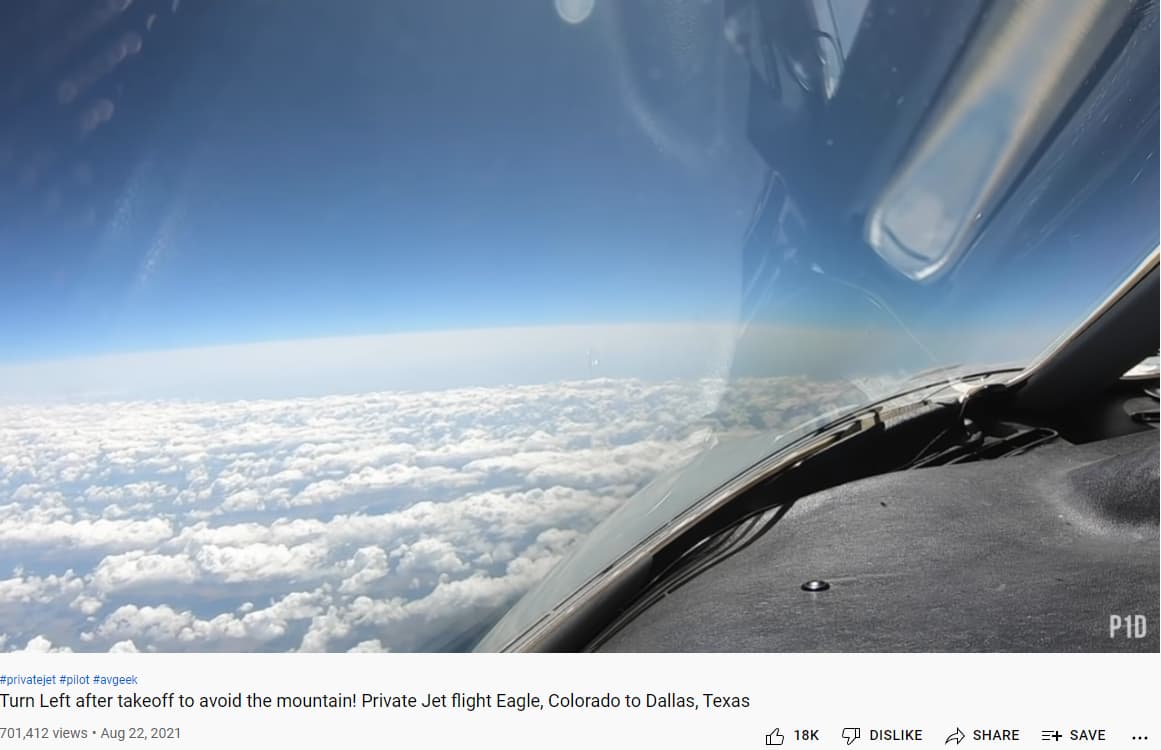
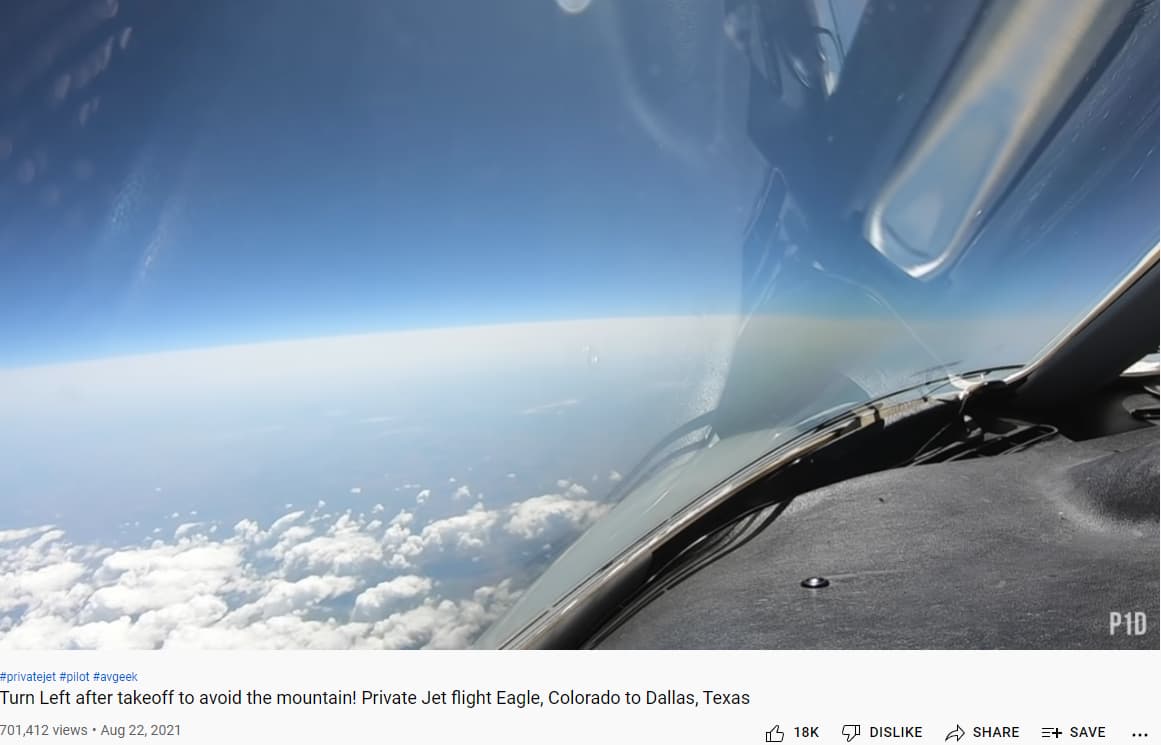
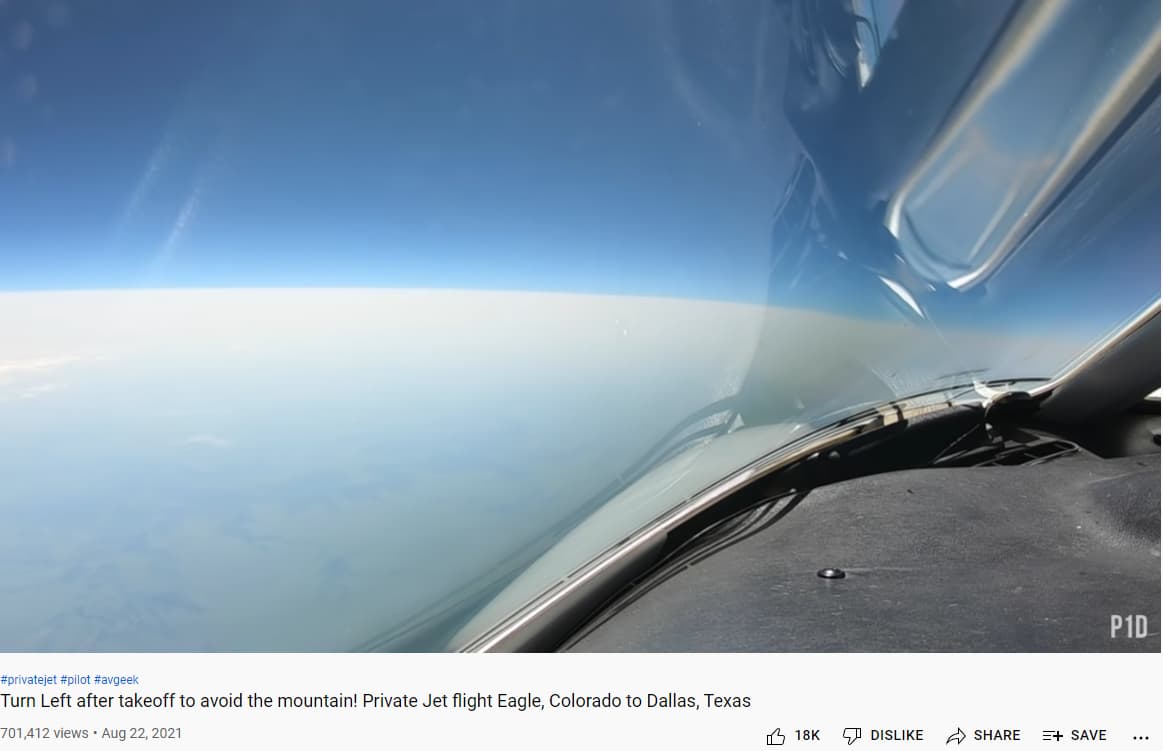
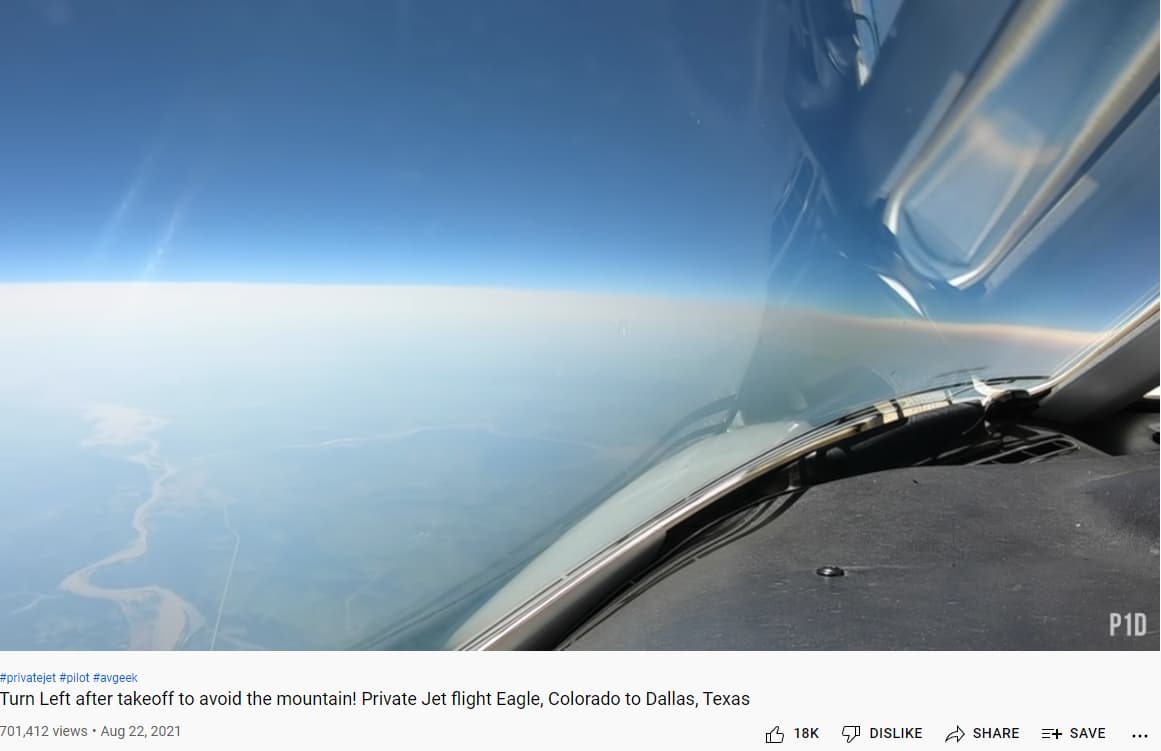
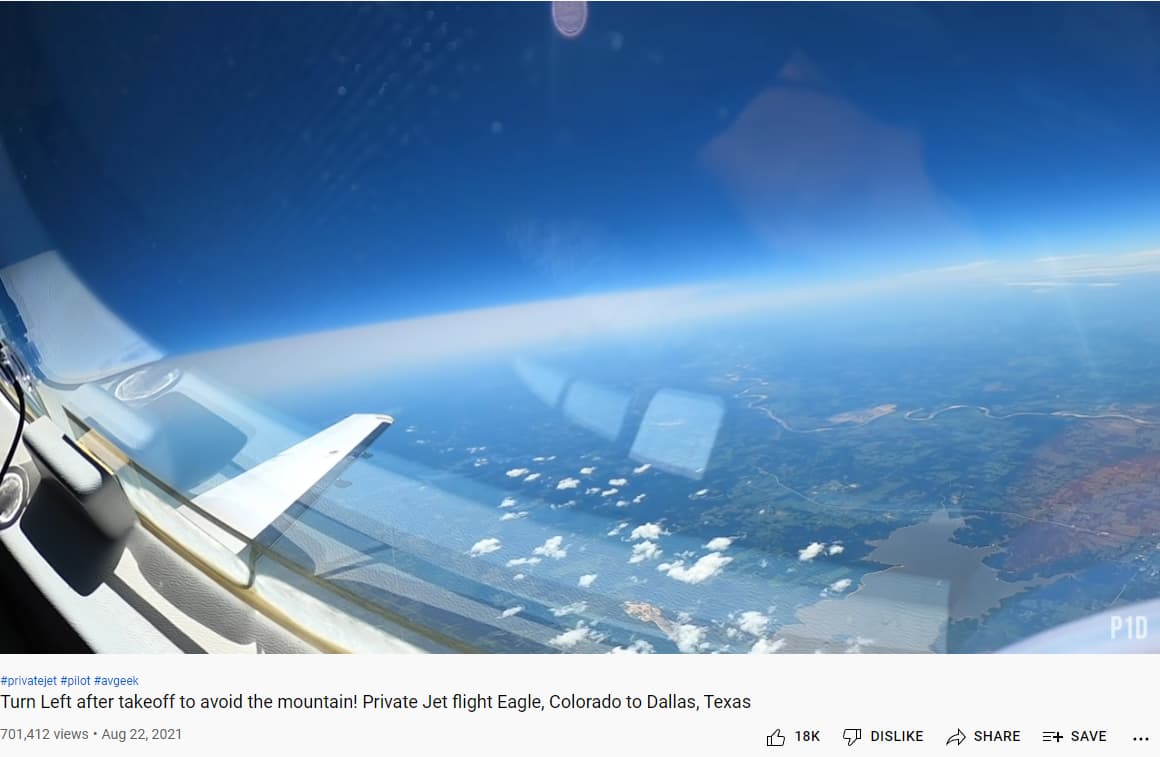
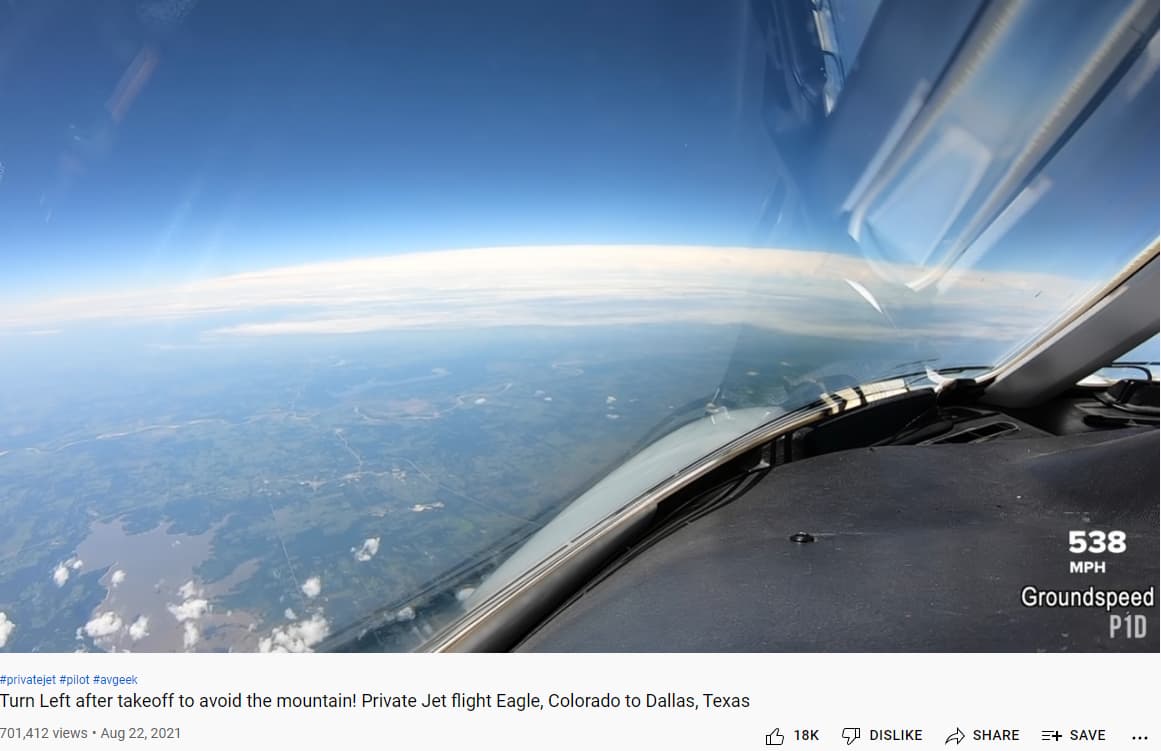
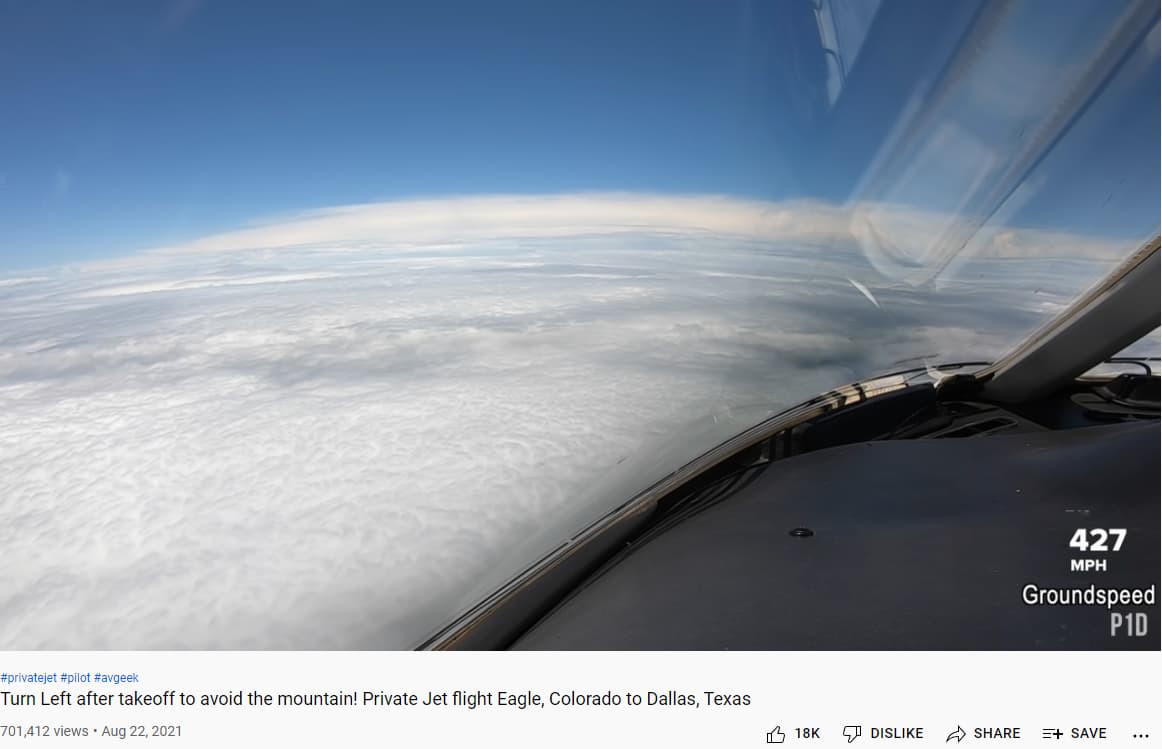
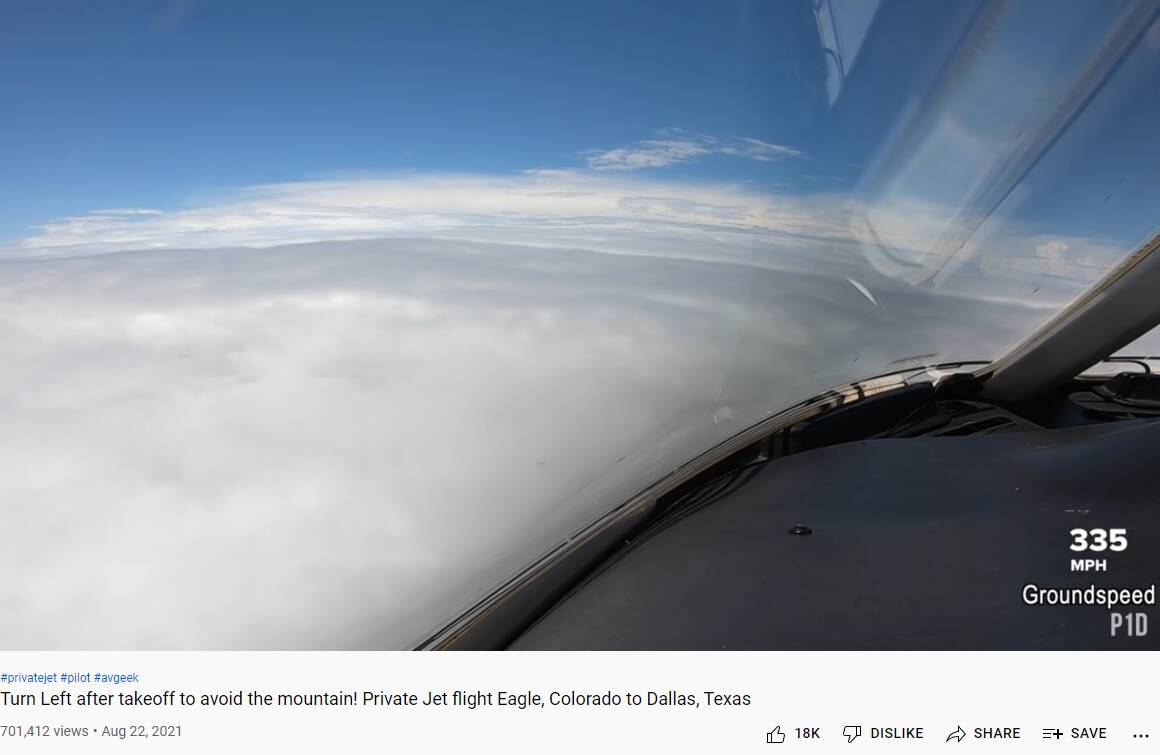
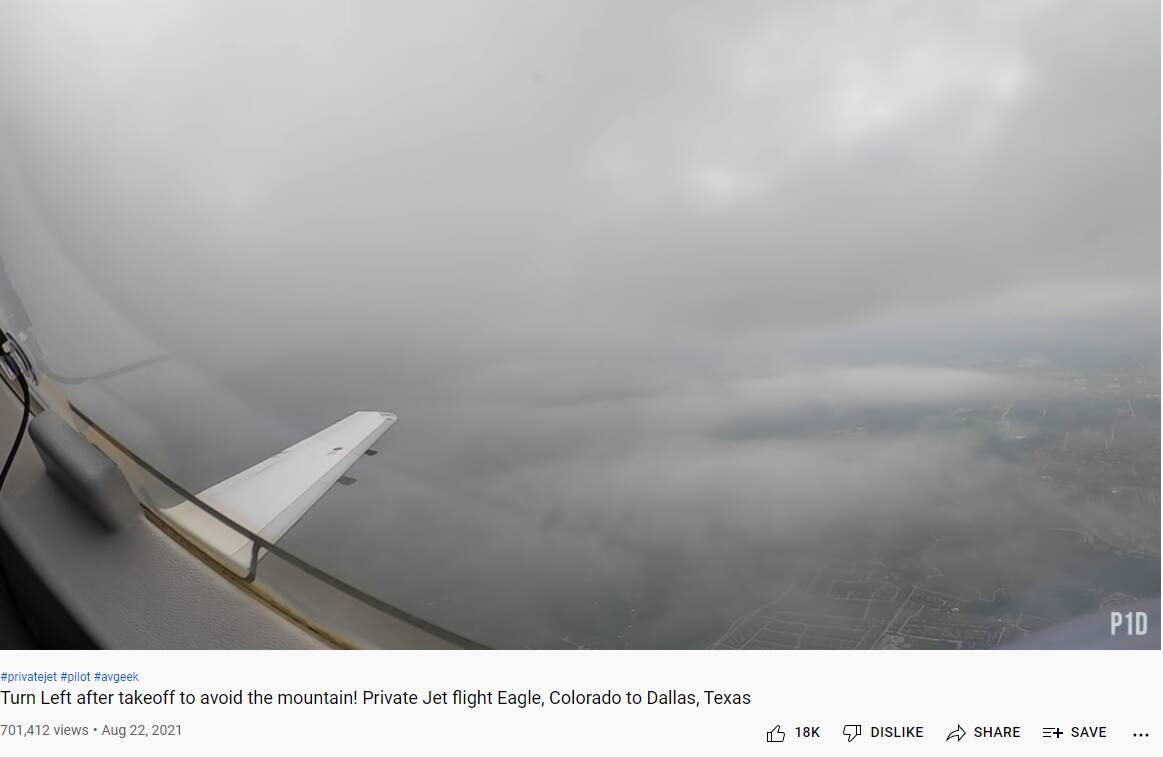
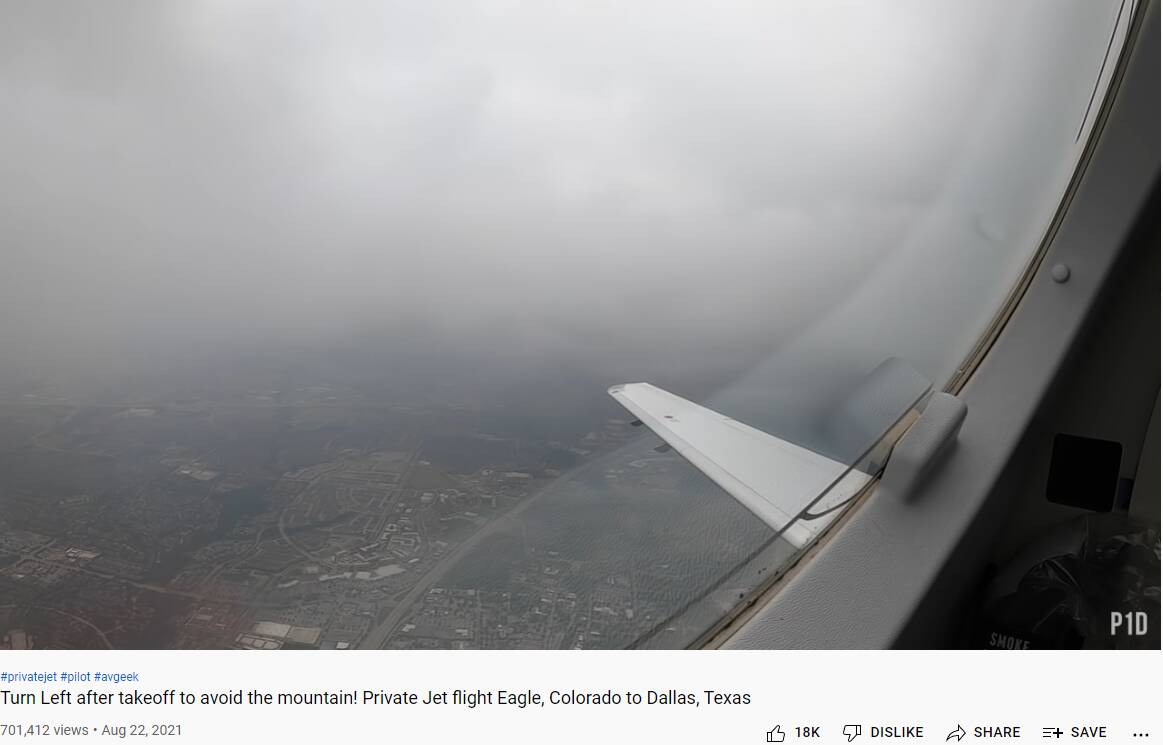
I’m a big fan of a guy with a youtube channel named Premier1Driver. He has some of the best cameras I’ve seen. He has a video called ‘Turn left at the mountain’ or something like that (see bottom left of the pics). Its a flight from KEGE to KDAL. It starts in great weather and ends in rainy-ish weather. Along the way is something I had never seen before – its a lower visibility area as seen from around 40 to 42 thousand feet.

So I am wondering how the area shown in these pics would be represented by these graphics products shown by @WxMarc . @SkipTalbot would probably also know.

Could this be how the area that @WxMarc mentions as probable multiple thin stratus layers appear?


Alternatively, perhaps it looks like this:


Either way, the idea that the current way of doing things - the current algorithms or calculations – the idea that these are set in stone and the weather data has to be molded into them is absurd beyond belief. You change what you need to change to create as many believable representations of reality as possible. We don’t need everything that exists in reality…we need a good collection of representations…however they are achieved.

Thank you for the in-depth analysis! The noise, translation, density, they explain nicely the cloud drawing technique in MSFS.
However, do you remember how the clouds looked like before SU7? Nobody even thought about analyzing how the clouds were created from the Meteoblue data, or what graphic trick was used to achieve their appearance. The clouds were simply amazing, leagues ahead anything seen thus far, and the immersion was addictive.
This was broken with SU7 for no obvious reason, and branded to us as an improvement in accuracy.

This is my perception also. The three sliders control appearance-based properties – not the underlying atmospheric physics. The sim is receiving weather model data from Meteoblue that is largely tailored for simulating atmospheric motion and thermodynamics, and it needs to translate that data into three appearance-based properties. The translation process needs to be tuned to produce realistic-looking clouds.

I started investigating this after the SU7 release, with so many reports and screenshots of inaccurate or unrealistic clouds. Some of the reports appeared to be new problems, but others showed problems I’ve seen in the sim since the beginning. That led me to suspect that the METAR vs. model data debate was not the only important issue. Perhaps the more important issue is the algorithm the sim is using to translate the weather data into visible clouds.

Thank you for the example and details here. This corresponds with what I’ve noticed in testing the three cloud parameters. It looks like there is a default shape for each cloud layer, and the three parameters modify the default shape (or pattern) in various ways. It’s impressive that they were able to create such a variety of clouds by modifying a single shape (or pattern) with three simple sliders.

On the other hand, the tests I reported in the original post suggest that significantly different values are required to produce realistic appearance for different cloud types. That doesn’t bode well for fine-tuning a translation algorithm that creates appropriate clouds for any location in the world. The algorithm would need to use very different values for density, scatter, and coverage to produce realistic clouds depending on the local conditions.

This is the key question! It would require a lot of testing to see what works best, but I think there are several candidates they could try. Here are a couple I’ve been thinking about:

  • Output from the model’s convective scheme: As an example, the GFS model’s data files include convective cloud parameters. These are generated by the model’s convective scheme, which attempts to simulate the average effect of small-scale convective circulation on the lower-resolution model grid. The GFS model actually calculates coverage, base, and top altitude for convective clouds. One option: if the model is not producing any convective clouds, scatter should be set to 0 and coverage should be set in a way to encourage contiguous solid stratus decks.

  • Lapse Rate: The sim is already receiving temperature and wind data from Meteoblue at 24 different levels. The sim could calculate the temperature lapse rate between the bottom and top of cloud layers to determine the stability of the cloud layer. If the lapse rate is stable, the parameters should be set to encourage stratiform clouds. This would be more computationally intensive, especially if the sim needs to calculate lapse rates for several grid boxes extending into the distance. On the other hand, the sim is doing so many calculations for every frame already. Would simple lapse rate calculations add a heavy computation burden?

Yeah, I remember how awesome the weather looked. I also remember how the weather engine was only half implemented.

Asobo started showing off the sim with a glorified tech demo. It looked amazing, but only for the few features they had implemented. Lots of stuff was disabled, or fine tuned only for a particular use case that looked good.

Then they released it like that. The game wasn’t finished though, so they had to start bolting on extra features, and guess what? Stuff started breaking. Compromises had to be made. And the graphics tricks that were used to render the prefect cumulus puffball were exposed as the illusion they are when more diverse and accurate weather was attempted.

We did pick the clouds apart even in the beginning though only because some of us were curious weather and graphics geeks. This is the basic technique they’re using if anyone is interested:

It’s fascinating and insightful as to how Flight Simulator works, why some of the cloud artifacts/glitches appear as they do, and what some of the limitations of the clouds are.

Thanks for this!
I just hope MS doesn’t lock themselves into the paradigm where the clouds are just a graphical endeavor. Or at least have four or five different mechanisms for radiative fog, inversion topping stratus or stratocumulus, cumulus with the updrafts controlled in ascent speed and altitude by the easily obtainable parameters like CAPE, LCL, LFC (energy, bottom, and top respectively); nimbostratus with possibly convective pockets embedded, … These all seemed quite right (except the fog although not entirely) early on.
There were also at least some attempts of orographic effects. It really gave the impression that there’s a weather simulator (some kind of simplified Meteoblue data downscaling model with an additional 1D cloud model) running within MSFS. This is entirely possible on a decent PC, using adaptive resolution based on distance, etc. A few thousand operations in each time step should be a justified cost for weather in a flight simulator.

You are probably aware that a METAR is a surface weather observation. Its job therefore is obviously to provide a comprehensive picture of what can be observed from the surface. No one suggested that it is the only met product necessary; the point is that they can’t just be dismissed as inaccurate or meaningless (as it seems you’re trying to do). This was a pedantic attempt at an argument instead of a real point of debate. :wink:

And yet, these machines have replaced trained surface observers… almost everywhere. Probably because they’re the best we’ve been able to come up with for generating an accurate analysis of conditions at an airport. :wink:

In my 30 years of experience, weather is the weakest part of a pilot’s training (in the US, not sure about other areas.) The vast majority of pilots, from GA to airline level, never do “get good at understanding it,” which is why we’ve been trying to change that.

This entire discussion is a circular argument. When someone expresses support for METAR incorporation in sim weather generation so that conditions at a given airport roughly match reality, they are promptly attacked by people who seem to prioritize prettiness over accuracy, and attempt to convolute the purpose of a METAR by pointing out all the things it doesn’t do (because it was never intended to.) Then they pretend a model run only twice a day can be better at generating accurate surface conditions then a direct observation issued minutes ago. These things are simply illogical.

Of course, no, the sim doesn’t (and never will) draw accurate weather everywhere. If we had that capability, we’d be using it in other areas than a video game ;). But, mid and high level cloud layers are probably a bit less critical than gross differences at an airport, aren’t they? All the times pre-SU7 for instance when the field was VFR when it shouldn’t have been, etc.

None of which is to say they shouldn’t keep working to improve it all. Marc’s SKEW-T comparison work was really interesting and definitely highlights some challenges.

Locally, we still have a “guy”. His observations are augmented by some of the new tech, but she still wanders out to the weather box and takes her readings. On particularly iffy days, she even lets loose a balloon to check vertical vis. (too many large lumps surrounding the airfield to get that data wrong. :wink: )

I was just reviewing some videos I had taken in the past. I have to admit the algorithms worked better in past iterations. If they were able to give us that kind of cloud diversity before, I am confident we will get it back once they get a handle on the METAR/forecast blending.

Pre-METAR overcast day with some breeze and mechanical turbulence. (But, note the unlimited vis.)

I’d hope it would be programmed as such that complex calculations are done on the server side once, with “simple” injection parameters being sent to each to each user reducing the burden on us and not impacting performance.

Very nice… yes human augmentation definitely still has value, and is used where appropriate.

I’m confident as well that we’ll get back to a wider diversity of cloud depictions and that’s great as long as accuracy at airports doesn’t suffer.

You mischaracterize the argument and what people are saying, and that’s why we keep having to go round and round.

This game promised a realistic, dynamic and comprehensive weather experience. It’s not that METARs are worthless, indeed they contain valuable information, but their shortcomings make METAR usage in such an application problematic. We want to make sure people understand those shortcomings and how they apply to Flight Simulator. It’s not to attack people, but when folks start advocating for solutions to sim weather we had decades ago, expect those who instead want to see Asobo focus more on their model based approach to speak up.

Everyone thinks their own way of playing this game is the most important. It’s not.

Well, exactly. Pre-SU 7 and METAR incorporation, we didn’t have that, right? Airport conditions often were dramatically different from reality, to the point that use of any real-world data or flight planning tools was fairly impossible. Now (minus the known cloud height bug), aren’t we closer to what they promised?

The simulator was launched half baked. We never had realistic weather because they simply weren’t done implementing it. The simulator was more often the culprit for bad weather than was the weather model. The addition of METAR data, which began last year I believe with winds, pressure, and temperature, has complicated the situation as much as it’s improved it. I could reliably fly with real ATC on PilotEdge prior to SU7, but that update showed just how disastrous it can be when data is improperly used. They’ve fixed a lot of the most egregious issues, but I want to see them work on what they pitched in their original demos and marketing pieces, not pull half of it off and then regress back to what we had in FSX.

The regression wouldn’t be so nauseating if the sim actually displayed what the METAR says, but more than 90% of the time it doesn’t anyway, so the METAR stuff is just so annoying, has spoiled the look of the weather and gained us absolutely nothing.