ISSUE WITH X52 PRO controller…
So I set up a flight from London City Airport to London Heathrow via World Map (Textron Aviation Cessna 152).
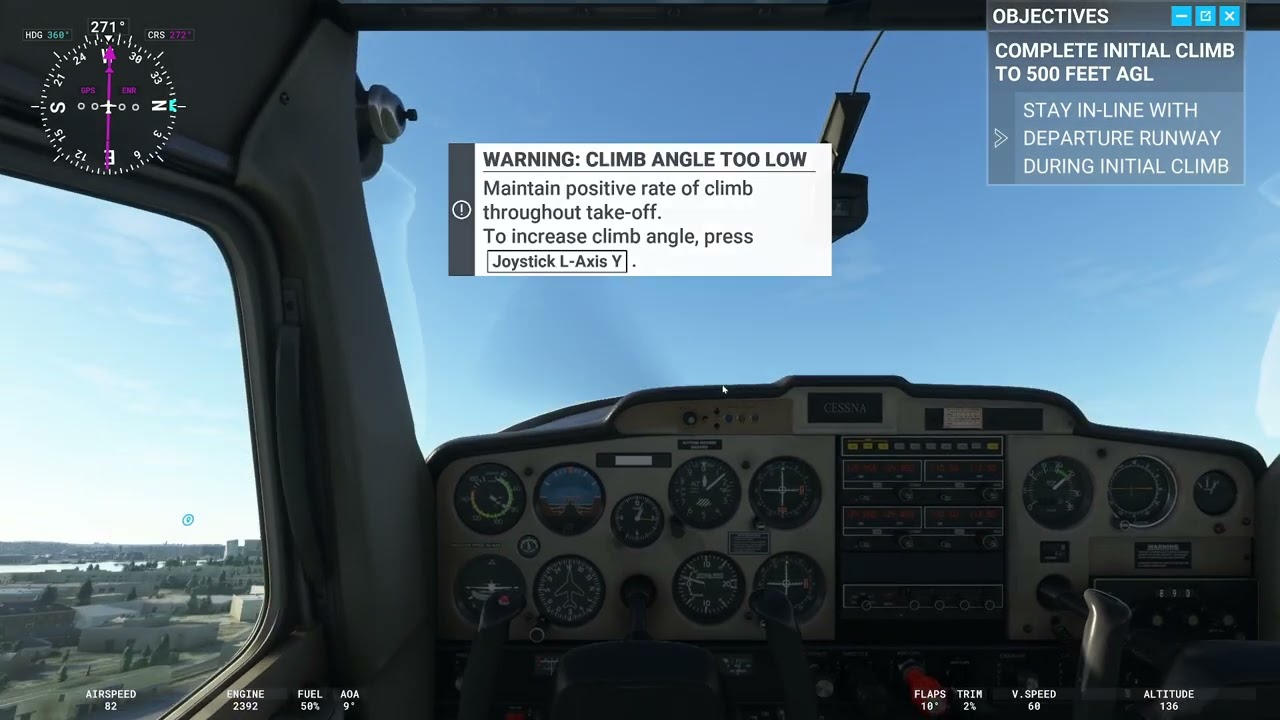
As soon as I take off (and not before) the throttle will move slowly to zero. If I put throttle on max it will immediately set to zero.
When I crash land (it’s set to being invunerable) and grind the plane to a halt… if I put throttle on max it will slowly move to zero, UNLESS I set the parking break on(!), then it will behave itself as I expect.
I don’t see any multiple assigned controller options anywhere.
PLEASE NOTE!!
Throttle works normally before and during take off. Parking brake on or off.
Throttle works normally with tutorials, all the time.
Windows sees the controller fine and it works perfectly fine.
It appears to be a bug(?), because the issue doesn’t occur with tutorial or before take-off under world map. I can reproduce this every single time. Unless I’m missing something…
(Windows 11, FS Premium Deluxe 1.27.21.0).
Any ideas?
Thx
Topic moved into #self-service:basic-gameplay-help for Community Assistance 
Does the throttle lever itself PHYSICALLY return to zero, (flop backwards), or does it remain physically stable?
Have you tried any different joysticks? Have you checked that connections between the different parts of the joystick are plugged in firmly? My Saitek (Logitech) X52 (not pro) sometimes has the connectors jiggle loose and I now check them before each flight.
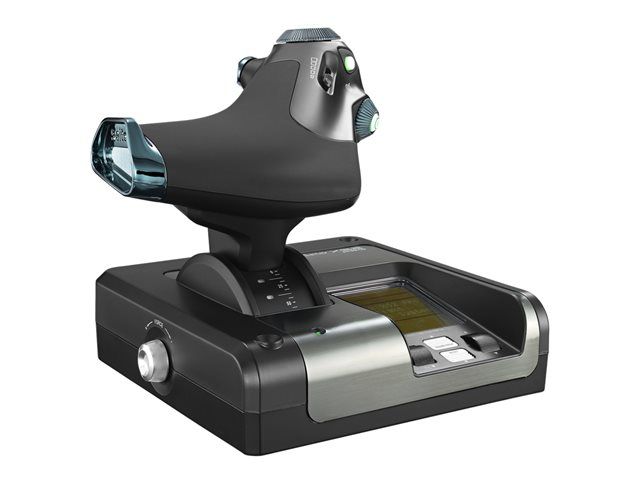
The throttle (see picture below) PHYSICALLY behaves as intended. FS2020 itself is making this issue happen but only under the conditions I’ve specified.
No connector issues, as stated the issue only happens after takeoff, and only happens when I do world flight… not tutorials.
I have the non-pro version and I love it except that the axes, (sliders, rotating controls, etc.), become very noisy and are virtually impossible to repair.
I have not experienced anything like you are saying, though I haven’t done any “tours” yet.
How old is your install?
Have you tried what I’ve heard called “safe mode”? (Where nothing but the base game is installed.)
Just thought of something.
Can you find the joystick configuration/calibration file and rename it and move somewhere else - and let the sim re-create the file from scratch?
This sounds SOOOOO wierd.
Does this happen with other aircraft?
Probably. I went with this basic aircraft after I was having issues with another one (it was probably the same issue).
But it doesn’t happen with the tutorials or when I’m on the ground.
Oh btw this was only installed from scratch about 3 weeks ago. Guess I’ll wait for the next update which is just around the corner to see what happens. Gonna be several days before I play again.
I don’t know what your time constraints are, but I would like to see what happens before the next update as updates seem to bring their own suitcases full of regressions with them.
Knowing that this happened before the next update, and that happened afterwards could be invaluable information.
Just asking. . . .
Do you have the right profile set for that aircraft?
Not sure what you mean. X52 Pro is set up with default X52 Professional H.O.T.A.S. profile, Textron Aviatoion Cessna is just selected, weather is set for clear skies.
I’ve been working all week so now I’m trying to fly again.
I’ve just updated to 1.29.28.0. Seems like most of the additional content needs to be redownloaded again, I haven’t done that yet, I’ve started it in safe mode and tried again. Sadly no change.
Here is a video which compares flying to sensitivity settings, it just doesn’t make sense IMHO:
There was nothing scheduled to be done in this regards in SU11.
As it hasn’t been confirmed as a reproducible issue with other users in the sim, it probably won’t get automatically fixed.
Have you checked to see if there is any Piloting assists on, either in the Assistance Options, or in the On Screen Menu?
That could cause this.
BINGO!
I’ve worked out if piloting → assisted takeoff is set to off then the issue disappears. Turn it on and it’s back.
THANKS! PROGRESS!
Can anybody reproduce this with the Textron Aviatoion Cessna? (although I’m not sure yet if it’s this specific plane that’s the issue or other planes).
Bear in mind the Assisted piloting functions are known to be a bit quirky.
In my experience they are best left off.
Noted (and will adjust what I do - seems sensible) but I believe this to be a bug. It would be nice to know if others can reproduce this under Windows.
Although I’ve played FS since the second or third version I still regard myself as a novice flyer in this game. Now I’ve got a decent controller (rather than using a keyboard) I’m taking things a little more seriously.
I’ve renamed the title of this thread to something more appropriate.
Ticket has been created: #174582 and #174586
STEPS TO REPRODUCE ISSUE.
- Start flight simulator 2020 under Windows.
- Go to Options → Assistance Options. Make sure all are on easy. Default options ideally.
- Under assistance options, make sure piloting → assisted takeoff is set to “on”.
- Apply and Save.
- Go to world map
- Choose a Textron Aviatoion Cessna
- Set departure airport to EGLC.
- Set arrival airport to EGLL.
- Click “Fly” and then “Ready to fly”.
- Release parking brakes.
- Increase and decrease throttle, all the way up and down - slowly. Notice it’s working fine.
- Now increase throttle to max and take off.
- Repeat step (11). Notice the throttle now behaves eractically.
- Press escape.
- Under assistance options, select piloting → assisted takeoff and set it to “off”.
- Apply and Save.
- Escape back to the flight. Notice the throttle is now working normally.
Can anybody please confirm this issue at their end. Let me know what your thrust controller is (I don’t think this is controller specific).
I used a 3d party AC (Just Flight PA-28) but also had the problem with the stock C172 (steam gauge version). I am using the Logitech Extreme 3D controller.
I did step 12 and it would go back to idle while slowly going down the runway, lol
Took off the assisted takeout, just tried it out and it worked perfectly
Hi. I’ve got the same problem with any plane I’ve tried but the Assisted Take-off cued it.
Great. Please state your controller (for what it is worth). Thx.