Sensitivity looks good. Can you share a screenshot of your EFB calibration page for each detent?
The thing is, at times the blue gauge moves without touching the throttle. It mimics what the video shows above. I have no control over its position.
That’s because the positions and values all wrong. Those lines has to be in the same order.
Toga has to be at the top. Followed by FLX underneath it. Then CLB underneath, then Idle, and so on.
You screenshot is showing CLB valued lower than IDLE, which is wrong. And your FLX value is between CLB and IDLE, which makes no sense.
Yes, I know. But believe me its because it moves on its own and can’t set it where I want to. Too many flimsy plastic parts. I knew from day one it wouldn’t last long.
Do you have any other hardware connected? You should only have 1 hardware and 1 axis bound to the throttle axis command. If you have other hardware bound to the same throttle axis command it will conflict and caused the issue.
Like for example, the Thrustmaster sidestick if you have it connected, by default the throttle slider is bound as a throttle engine axis because it’s designed to be used independently without the quadrant. It’s easy to overlook it because if you have the quadrant connected. You have to manually remove the throttle engine axis binding from the sidestick slider. And this applies to any other hardware you have connected. Gamepad controllers, even keyboard is best to clear every binding. So that you only have the very bare minimum commands that you bind.
Hahaha, you’re right. That was the reason. You’re the man.
Just bind the sidestick slider into the Brake Axis instead. That way you can have a brake that you can apply different pressure depending on how much braking you want to apply manually, rather than either full release or full 100% braking if you bind it to a button.
Unless of course, if you already have pedals with toe brakes, then I guess you would already have the brakes axis applied to your toe brake pedals so the slider would be free for you to bind into something else.
Good info. Where do i find this .cfg file?
Only if you use the FlyByWire A32NX Development version mod. That CFG file is only used for that aircraft. You can find it on the Packages Folder, outside of the Community folder. Inside it there’s the FlyByWire folder and work folder under it. The throttle configuration file is in there.
Hi Neo4316
I have just installed the " Development version ff965b2 " and experienced the same problems as many posters on this thread, and what I found is the " Sensitivity settings " in Controls causing the problems. Because they come with the default setting for the Quadrant they make the calibration using the " Flypad " impossible, resulting in the numbers fluctuating and red warnings on the Flypad and stopping you from saving settings.

I found it also prevented the animation from going up to TOGA … for me anyway
This is when I thought the Calibration was at fault, but after many " 5 position calibrations " that gave the same result I went into the " Sensitivities " setting and moved them to the linear setting as in puffy cumulus photo ( posting 659)
As soon as I set the " Sensitivities " to linear the calibration on the Flypad worked immediately and calibrating the FBW took only seconds to achieve.
For me, it looks like before you even think of using the Flypad go to sensitivities first!
I just thought someone like yourself could create a post showing folk the correct logical steps to setup the Quadrant without the stress… ( I am sure I will forget how to do it in weeks )
These are just my findings, someone can correct me if they are wrong, I just thought folk may find it helpful.
Yeah, I was thinking of writing all the steps.. But it’s going to take a lot of effort to write them since there’s a lot to write. And with the FBW mod, it’s constantly changing, and what I write at one point might change when they implement a new feature or something different.
But I do understand the frustration though, this whole linear sensitivity has been pointed out very early even when the custom FlyByWire feature was implemented in then experimental version. So I assumed people who already use the Experimental version would already be reading the guidelines on how to calibrate the throttle from the notes in the Github page and apply the linear.
It’s also usually the logical first step when you feel your throttle is misbehaving. I know before they implement the custom FlyByWire and the throttle calibration tool many months ago, the sensitivity curve is the only place I have to go to so I can match the detents. But after the calibration was introduced, the notes in the github said to change it to neutral. So it’s assumed that people has done their due dilligence to do this.
True, its very fluid at the moment, there must have been about 4 different methods in the last 4 months. At least I can check my posts on here to remind me what to do for the next time.
Wow this TCA topic has gone big.
I must admit the thing works fine with both the 320 and crj.
I do however struggle to get it to work good with the 747.
Idle is not idle and thus making landings a laugh.
Can someone point me in the right direction regarding the best sensitivity settings?
A screenshot will be awsome.
Thanks in advance
Dutch
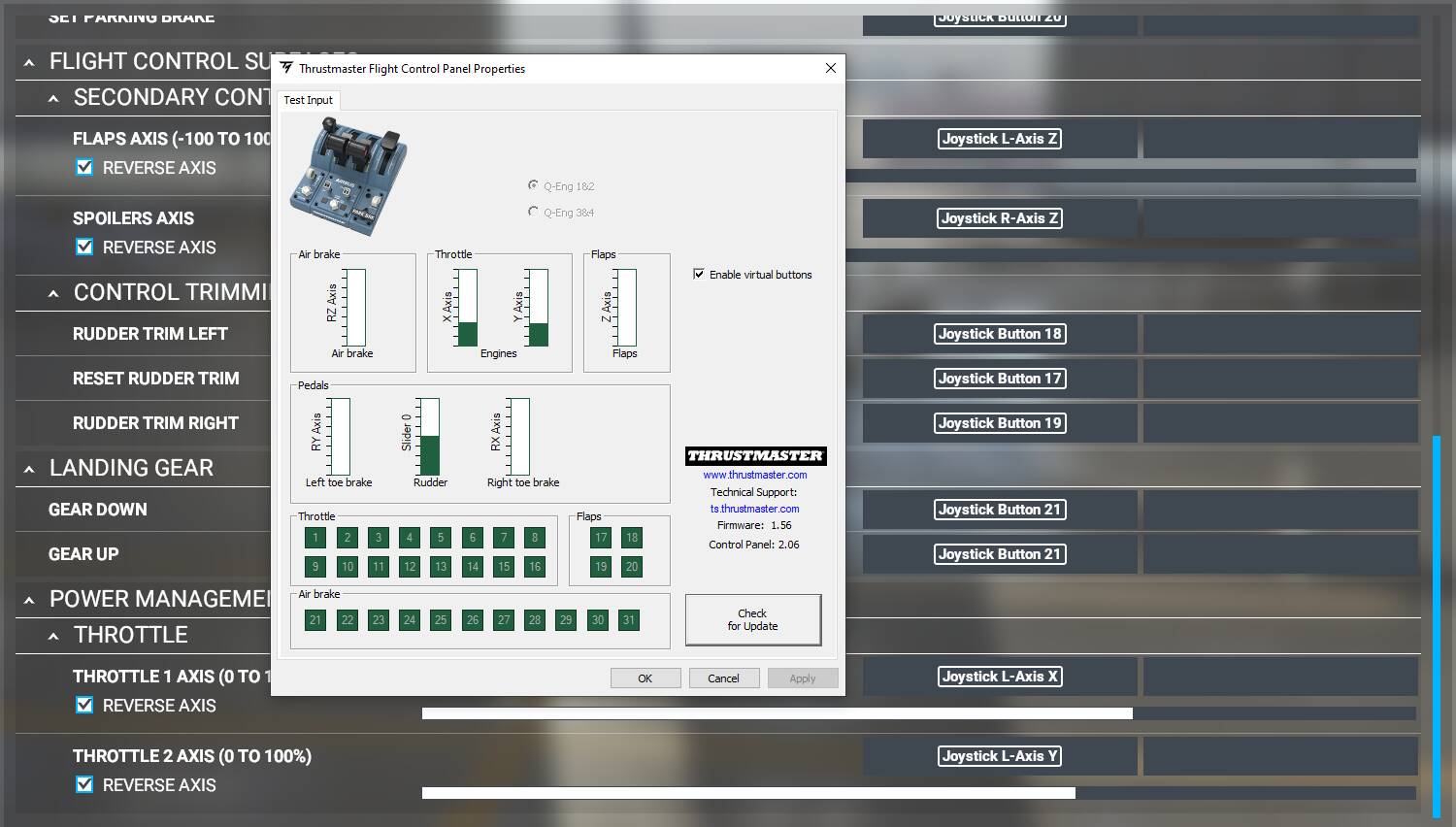
So I’ve got an issue with the game apparently not correctly reading the throttle axis’? The axis shows correctly with the Thrustmaster setup through Control Panel, but in game the readings are…Weird. It seems abnormal to me, considering the Control Panel display shows everything lining up correctly. Does anyone have any suggestions/recommendations? If this is an easy asked/answered already, I apologize!
Thanks for the help.
Throttle Idle Detent
Throttle Climb Detent

Throttle MCT Detent

Throttle TO/GA Detent

It’s very minor considering the difference in scaling, but the IDLE detent on the Control Panel, doesn’t look aligned to me. It looks like one is short very very slightly.
See if you can do another hardware recalibration process. I’ve provided them in more detail in this post here to make sure everything is lined up properly when you calibrate them properly.
Thanks for the reply! Following instructions, and those found on the other thread (My dumb rear forgot to actually do the axis setup in MSFS), everything seems to be set up and working properly. But I am still getting a slight inequality on the IDLE detents. I’m legitimately not sure if this is something I’m messing up in calibration (I followed those steps plus the missing one), or if it’s just a factory mess up. Admittedly also unsure if this is something return worthy considering the price paid imo.
I can’t thank you enough for posting this cfg file. I have been pulling my hair out trying to get the TQ set up using the EFB etc. All working now though. Thank you
Is there any indication when FBW will update the EFB to include the throttle settings/configuration in the Stable version?
I might be wrong, but I think they’re related to the custom Fly By Wire functionality. So if the next stable version is not including these custom Fly By Wire feature, I don’t think the calibration would be included as well.
I’m sorry to hijack this Thread. Can somebody give advice on how to setup this quadrant for Boeing aircraft? Thanks in advance.