I’m getting quite upset here because I’ve been encountering this “you’ve collided with an object” message doing the JFK landing challenge. At first I figured maybe it was something I was doing wrong, but this last one sealed it for me that something is wrong within the game/Sim. This last time was a total smooth butter landing. I was just ever so slightly past the blue landing marker, I came in nice and smooth with a great vertical descent speed, I didn’t have the wings tilted left or right, and again got that dang message!! There is nothing to collide with on an open clear runway. For a few past attempts I figured maybe, possibly, I wasn’t too straight and a wing clipped the ground or something. But after this last landing it was perfect so I know something is going on. I seem to recall others posting about this collided with an object message but it’s late and rather than Google and pour through posts I figured I’d post here and ask. Any encounter this? Is there something amiss or is it something I’m doing and missing?
It is a widespread problem that seems to be related to photogrammetry scenery not loading fast enough. The end result is giant cracks across the runway which result in loss of aircraft upon landing. I had a 10+ hour flight (among many others) ruined by this, so I feel your pain. I have seemingly had good luck with disabling my rolling cache as a workaround.
I just tried it, and no problem. Let it taxi all the way down the runway and didn’t run into anything. Hope you get it resolved.
Sounds like geoffda has more info on this than I do.
Phew! Good to know it’s not something I’m doing wrong. I could get if I was descending too fast or clipping a wing doing a last moment adjustment but that last time I was just like “No god dang way!!! That was butter man!” I literally yelled that at the screen lol. Just did two more and had the collided error again and the last one went without issue. Oh well, the trials and tribulations of MSFS2020 
It happens on contact with the runway for the landing challenge.
Been there! Had the best 787 landing of my life cruelly snatched away  . Anyway, it doesn’t seem to be airport related per-se (even though it seems like it when it happens repeatedly), so you may get your JFK landing yet! Sometimes you get smacked down while other times it works…
I’ve been doing moderately decent with the JFK challenge, my high score is 1,303,665. And up till the most recent update I’ve been doing fine. Then I started noticing the collided with an object message and started wondering what the heck was up.
Found another issue, or least what I “think” might be an issue. The Hachijojima challenge… I noticed that auto throttle is enabled and auto trim is enabled too. I figured out where the button is to disengage auto throttle but haven’t figured out yet how to disable auto trim, which only time I’ve seen auto trim so far is when autopilot is enabled. I’m not a real life pilot so please forgive my ignorance, but I can’t understand why these auto systems are enabled for a landing challenge. I was wondering why I kept fighting to reduce altitude and speed then realized why. Then I noticed what appears to be either a bug or possibly some preprogrammed downwind event or something but it seems lately every time as I get right up to the runway on the Hachijojima challenge the plane suddenly loses all lift and nose dives into the small cliff. So I’ve been having to come in higher then drop altitude quickly to land. If I try to come in lower and smoother as soon as I get close to the runway start I suddenly start nose diving. It makes zero sense. I give up for tonight. I’ll say, this seems to be a new thing for all these landing challenges since the latest update where they fixed the leaderboards. Before that things were fine for the mostpart.
Had similar problems with JFK - this happens on approach, but not on takeoff from same runway+heading, really annoying to fly from Miami and encounter this:
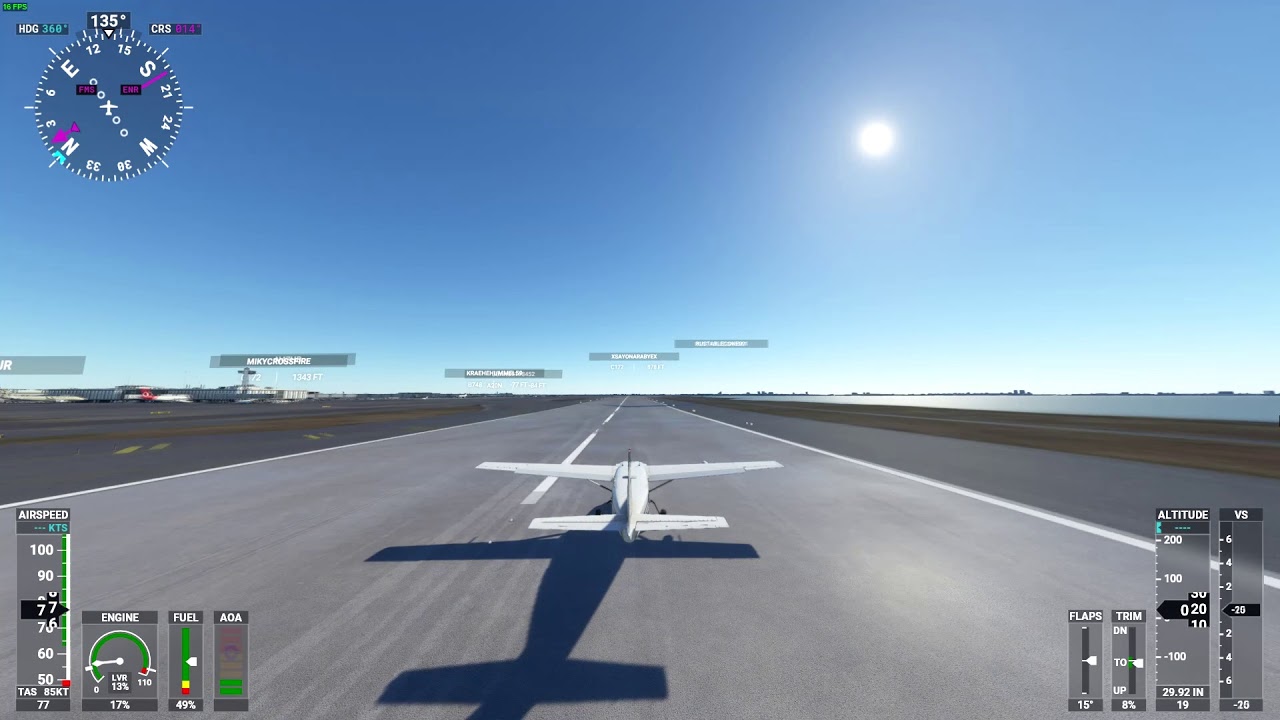
Wow, that is bad!! I’ve never had that happen luckily, just the landing message.
OK guys. I just figured out what my problem was. Well, at least this is my assessment from doing landings tonight. I found that I was adjusting the view in cockpit too high so I could see over the panel. I’m thinking that led to my view being skewed and I have been coming in too sharp of an upward angle which likely led to the tail hitting the ground. Since I stopped raising the view everything has been just fine  So this appears to be user error on my part.