The live weather has never been fixed, no. The 225/3 has been improved, yes, but that’s about it.
So why the hell are we getting “japan updates” and such when the basic features of the program are still broken!?
I guess because too many users don’t consider it an issue?! Enough people voted for it, though, to make it on the official Feedback Snapshot list—however, MS/Asobo are hiding it, despite their claim that they’re “transparent”.
You may draw your own conclusions from that.
#1 issue… shouldn’t have to pay for REX. I’ve never had weather match a METAR often times it’s not even close, 30kt winds when metar says 3.
1 Like
Snow is also broken. Just check any metar that has snow (badbadweather.com) and compare it to the sim. Sometimes you’ll also see the temperatures completely off
Because different teams work on different parts of the game. And in the case of Japan it might even be different companies.
Because there was a Gaming Con in Japan that they needed to juice for X-box release. This is all still Pre sale marketing for the X-box product. We got to pay for it!
I also have the same problem.
Solution to this BUG is existing already.
- start sim.
- don’t select Live weather, set clear weather with Preset.
- prepare all to flight and start it.
- on upper bar (you’re inside cockpit or external view) select Live weather, it will apear after while.
- prior end flight, set again for sure clear weather on upper bar.
- end flight with ESC, …
That’s all. Prior then start new flight, continue with point 2, you don’t need restart sim. WORKING!
2 Likes
I also experience this same issue. Perfectly reproducible.
It’s great that there’s a workaround so we won’t have to wait until Asobo is able to squeeze this in their priority list, but it’s not a permanent solution.
One could argue it’s just a few more clicks and watch outs to get consistent live weather, but those “few more clicks” add up with all other workarounds and you end up with a massive checklist of your own just for starting the sim the right way, even before doing anything on your plane.
2 Likes
Exactly. I’m wondering why the guys at VATSIM don’t seem to be concerned about that. Cross the Pond will be a hell of a nightmare with all the MSFS users…
Me too. I hate this issue. Lightning and TS everywhere. It is not nice to hear that thunder all over. They need to fix it then ! Be simple Asobo, we want METAR synched weather at airports. Weather is one of the 3 or 4 major parts of a simulator.
1 Like
Is anybody here able to check the upper winds at FL340 around KBZN (blue cross in the image) with live weather enabled?
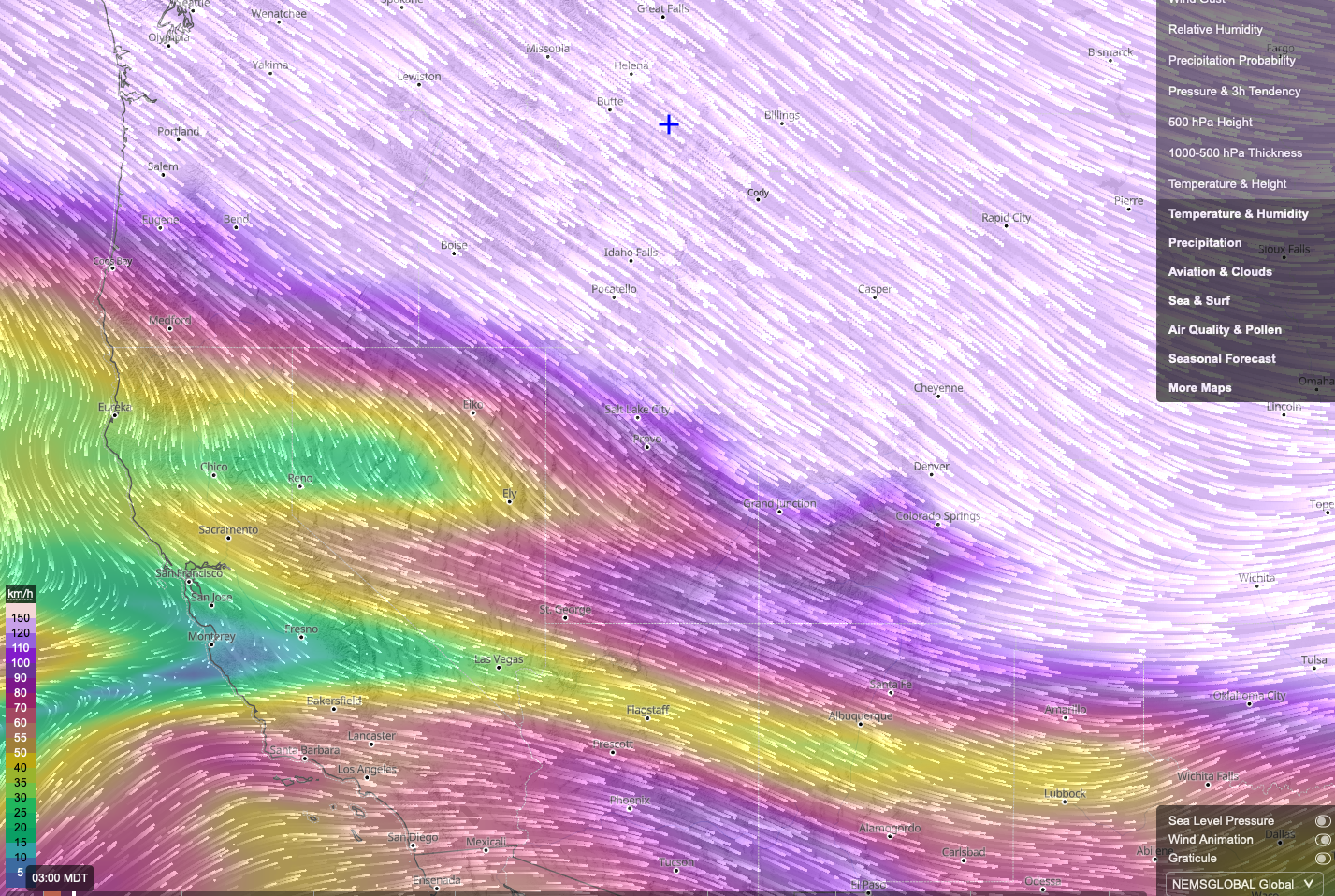
I’m not able to do it myself at the moment, unfortunately…
EDDH 190820Z 24006KT 210V270 9999 FEW010 SCT042 09/07 Q1020 NOSIG
in game: overcast cloud cover at 1000 ft, Nexrad shows solid red, yet no precipitation anywhere
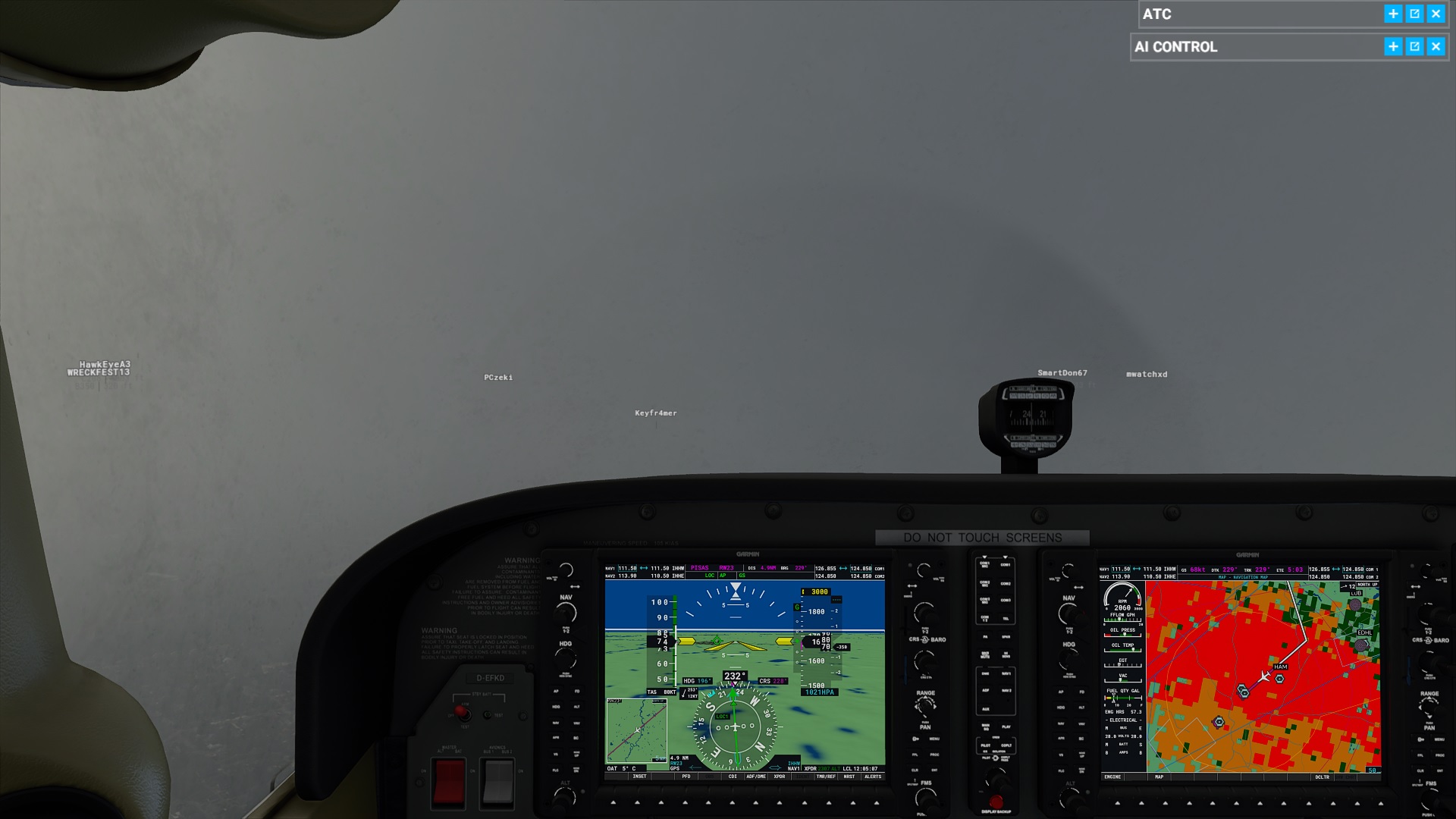
Pet peeve #1: Of course there’s no precipitation. When I start a flight in the dry and fly into rain (according to Nexrad or the WX radar), I never ever get to experience rain with Live Weather, even when the Nexrad shows solid red (“heavy rain”) or even purple. The rain effect is never triggered. Only when I begin the flight in the rain, the rain effect is visible.
Pet peeve #2: What’s up with clouds sitting literally on the ground? I see them frequently and all over the world in the sim.
3 Likes
…that’s what they (MS/Asobo in recent interviews) call “fog” nowadays.
That is exactly what i experience during my flights.
The whole point of a simulator like MSFS is to replicate realism, including real time weather. But I also realize that depicting something as variable as real world weather is extremely challenging. Perhaps the weather that we see is accurate given the parameters that the developers are using. In other words, how many and which observation sites are used to report weather conditions? If the closest reporting station to my location is 15-20 miles, the weather can very well be different enough to think that live weather is not working properly. Also, what is the time delay in loading the weather information? Is the weather supposed to be truly “live”, or is there a 30-90 minute delay? I live in a part of the US where weather can change quite dramatically within a short period of time. I would appreciate the developers answering these questions so we can all better understand what to expect from the program. I hope they make this a priority. In the real world few factors are more important to a successful flight than the weather conditions.
The “Live” weather is generated by a worldwide computer forecast model generated twice each day at 0000Z and 1200Z. The in-sim weather is a prediction of what the weather “might” be at a given place and time, not necessarily what the weather actually “is”.
Asobo have implied that they are (or plan to) incorporate some elements of actual real-time METAR observations into the Live Weather model, but I don’t know if that is actually the case (yet).
1 Like
They are using METAR reports, according to their Known Issues list:
We use METAR reports and Meteoblue weather forecasts to represent the live weather experienced in the sim. They are updated at regular intervals, but they can lack precision. Most of the time they will match but sometimes, they will not.
And the forecast model doesn’t explain the huge deviations we’re getting for temperature, pressure and/or wind. I’d be more than happy if MSFS would reflect accurately (not perfectly) the conditions given on the Meteoblue’s website.
2 Likes
I also want to contribute something positive: Tested it myself, the winds at FL340 were 300/90–spot on. If temperatures were as accurate and the rest of the weather reliably, I’d be more than happy now…