mursNine the sudden transitions sound like a connectivity issue. As for the launch globe, I think that’s just a generalised graphic, and probably isn’t updated very frequently.
works perfectly for me. Flew the the hurricane in the Mediteranean last week and even saw the ‘eye’ on my weather radar in the cockpit. A nice little bullseye! I was at 15,000ft and could not make more that 95kn into the headwind until I dropped to 5,000ft
on multiple occasion and multiple flights I have had up to 49kn winds, once landing in 30kn winds.
Flying a lot around my area and it has matched perfectly… eerily so
so perhaps it’s region issue. I have seen far mor einconsistenmcy with air traffic, though especially in Oz, and ESPECIALLY in Melbourne we are still under a full lockdown (eased today), but I am sure that impacted live traffic
I have tried this solution as well as many other steps with no success. When it gets broken, then nothing helps but reloading the sim.
What’s maybe interesting, the sim usually works fine for me, assuring real wether in all parts of the globe in many consecutive flights. The real weather broke maybe 3-4 times, and it was always (the last 2 times for sure) after flying a bush trip. Before flying a bush trip, I can be sure I get the weather which is more or less consistent with what I see on the world map.
It’s an issue, likely not related to the wx injection itself. Please file a zen desk report and and vote on these topics. The more feed back they get, better chance of getting it fixed.
https://forums.flightsimulator.com/t/wind-speeds-still-too-low-at-ground-level-post-patch-2/274436
I tried consolidating the votes for the live weather in this thread, as it seems that the votes so far are spread over too many topics and got buried by other (also important) reported issues. I asked people there to share their view (good and bad) on the live weather in version 1.8.3.0 and to vote if they’re not happy with the current implementation.
Cheers
Patch 1.9.3
Spawned at my home airport where heavy rain is actually going on. Was also present in the game.
Took off from runway 24 with a 5 knot right crosswind. The wind was correct on the ground, and I needed right aileron and left rudder to maintain runway track during the takeoff roll.
I did a circuit to come back around for an ILS approach.
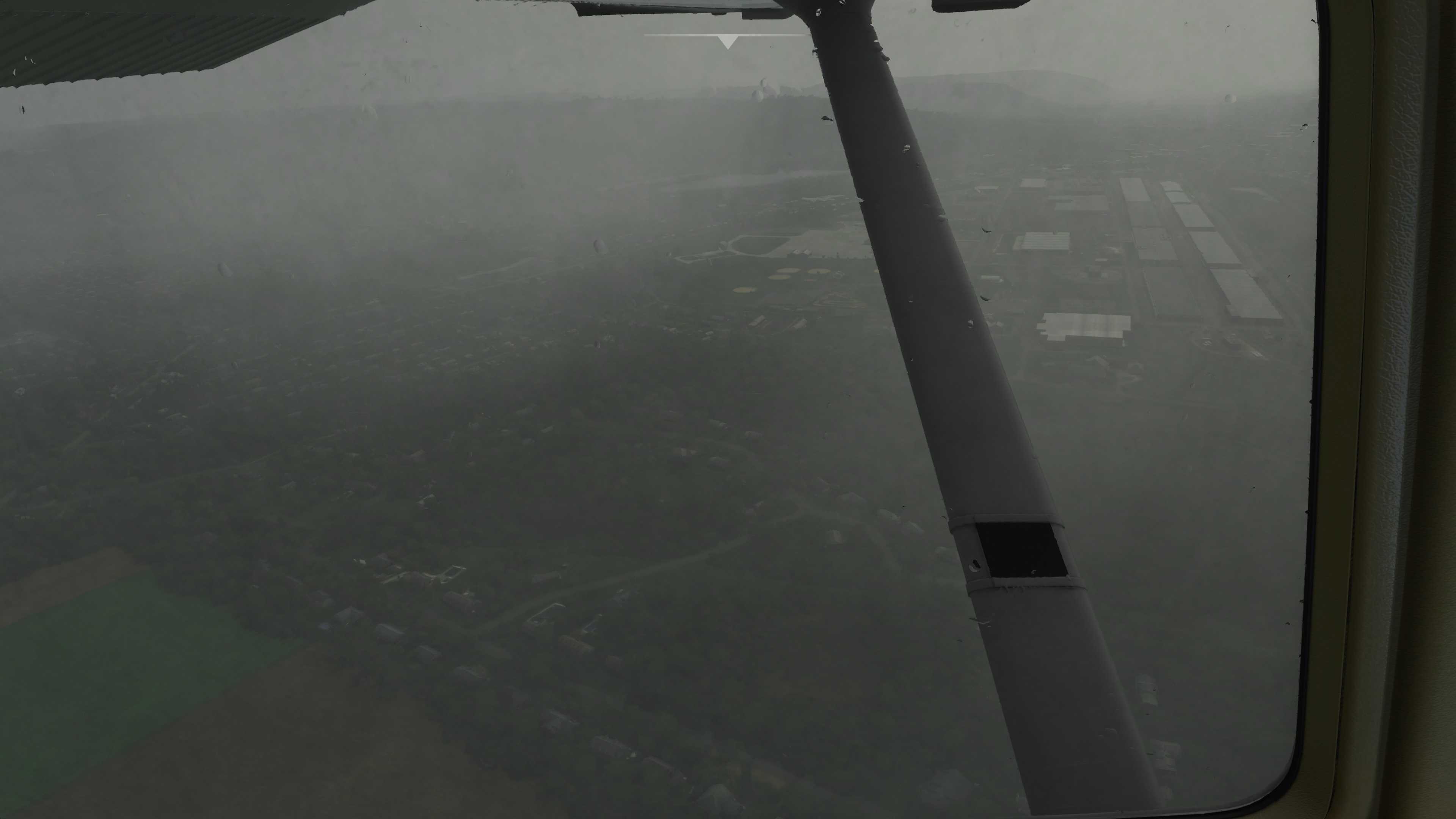
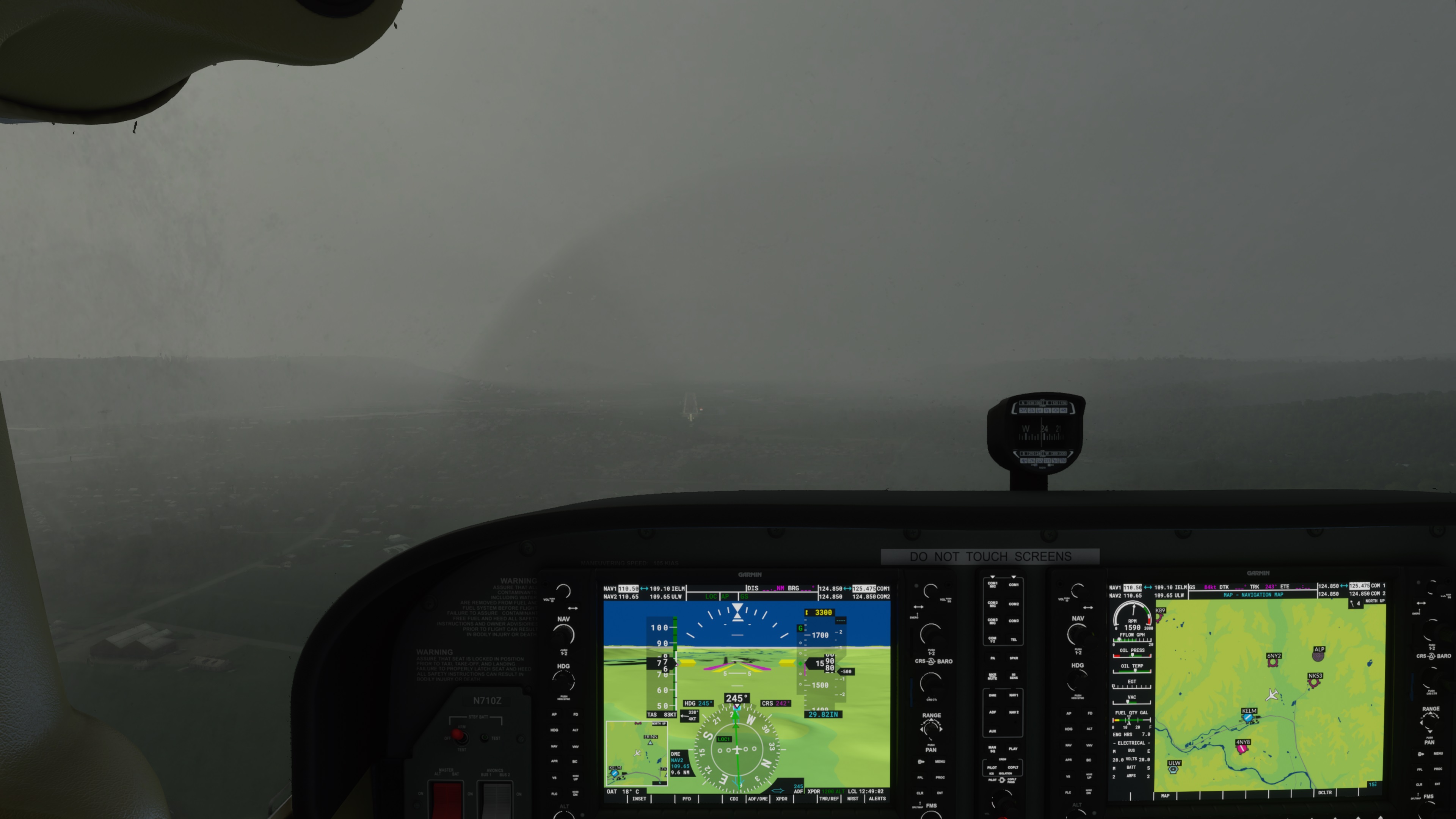
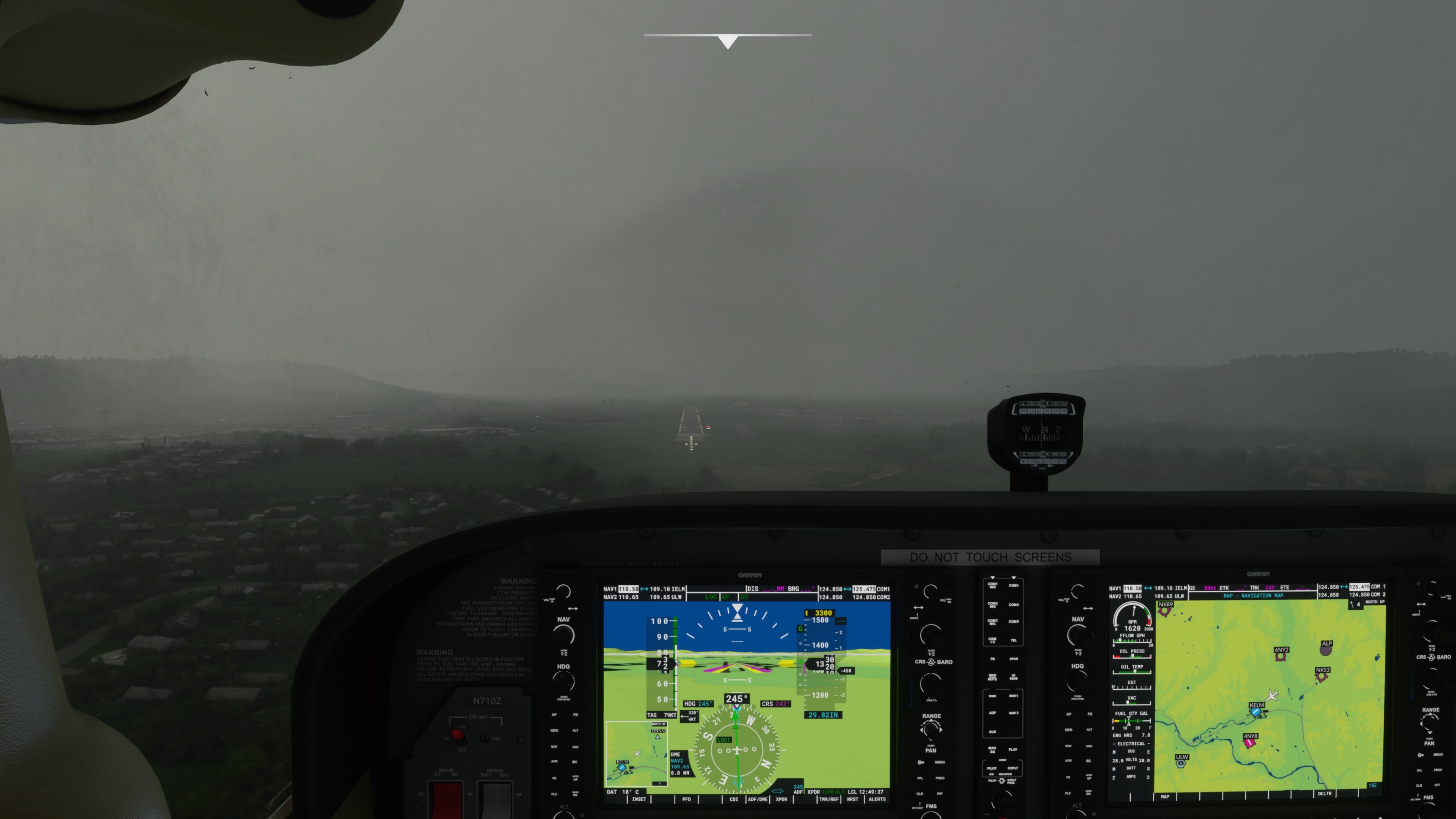
The biggest change appears to be that true low-vis is being simulated! Here are three screenshots taken during the approach. The rain had mostly stopped , and I was below the cloud base, but the horizontal visibility was definitely restricted by areas of fog.
I also saw a couple of lightning flashes, and head thunder.
Yes, I have seen some improved live weather on my end since the update but still no thermals or turb. in a thunderstorm. In fact, I never see turbulence unless flying over mountainous terrain. Wondering if this is just not modelled right now.. Anyone have a different experience?
Looks like they fixed the surface winds. Palm Beach, FL matches the METAR with a south wind at 12 knots, which is pretty slick for model based weather!
The new bug now is the lightning. Frequent flashes and loud crashing thunderclaps in the simulator. Palm Beach is reporting thunder, but the simulator is only drawing these translucent pancake blobs. There’s no deep convection or anything resembling cumulonimbus, or even rain. Frequency and proximity of the lightning is way too intense too.
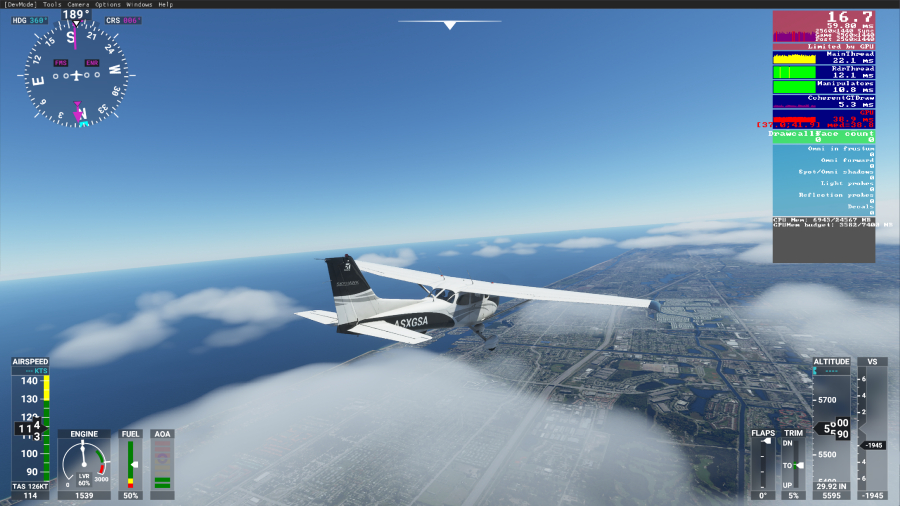
Live weather is still only working for the first flight though. You have to completely start the sim after each flight for it to work. They think they have fixed this, that is worrying.
For me it worked after patch 2 already. This morning i did a couple of flights without restarting. Have you reported to Zendesk?
Yes, several times! Will continue to do so. I wonder if it’s dependant on which server you are connected to. I’m on Nothern Europe by default. Thanks.
It kinda looks like it… sometimes? That looks like the same misty cloud blobs and rain we’ve had.
Pittsfield KPSF is reporting 1sm and IFR right now. The simulator said 3.53 miles on the loading screen and draws a thunderstorm. Yet visibility is unlimited below the cloud deck.
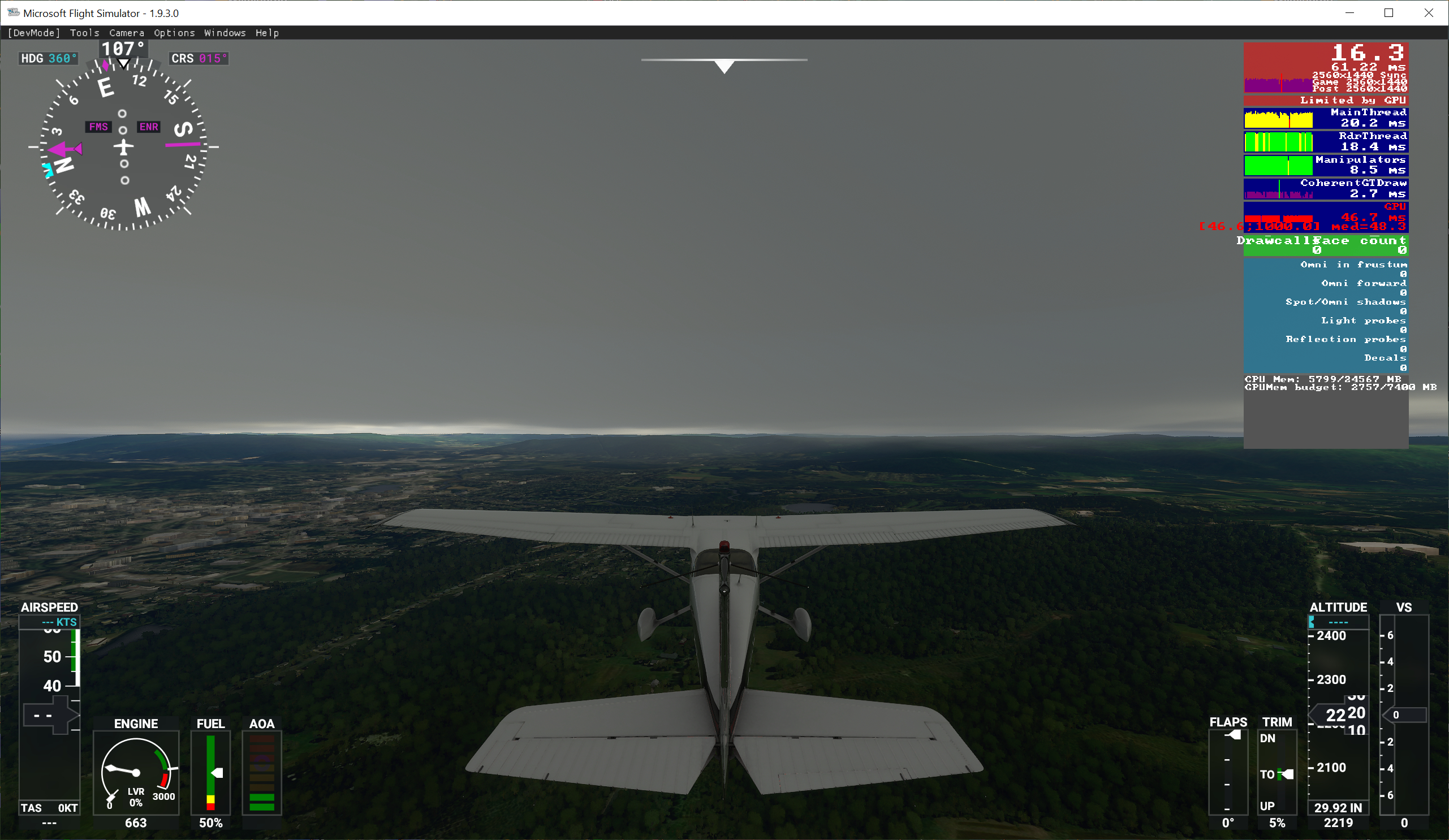
If you actually get into the clouds, it looks much like your screenshots. So it seems like visibility is still being simulated with fixed layers of clouds that are dependent on elevation.
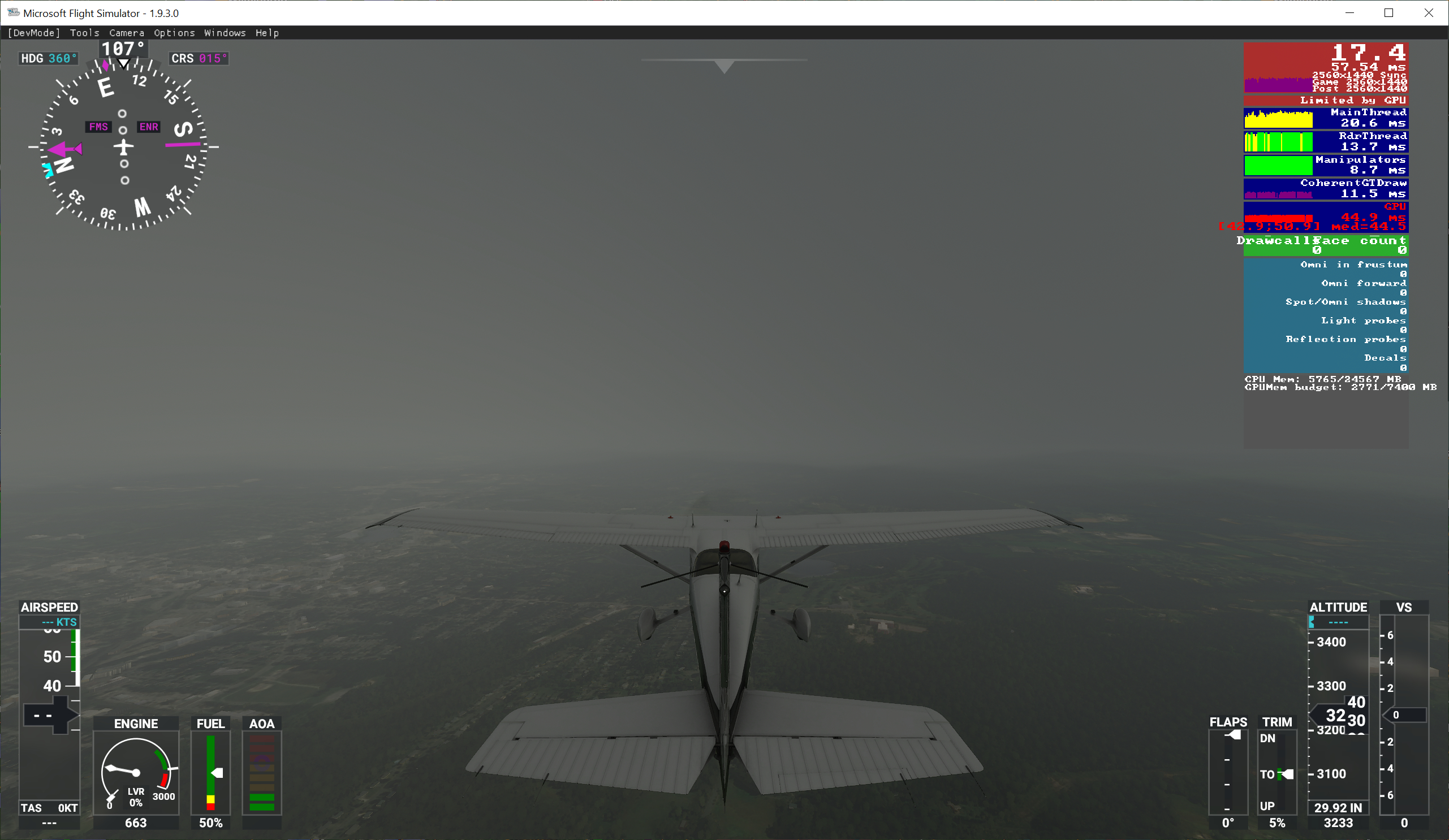
Meanwhile at KSNA, visibility is reported at 5 sm with haze but otherwise clear skies. But in the simulator it’s just unlimited visibility once again. No mist from that Pacific marine layer or boundary layer haze.

I’d say visibility is reduced (arbitrarily, not to a specific level) if there happens to be weather in the area and the simulator happens to draw a rain or cloud layer at or near ground level. But visibility is otherwise not being handled correctly or realistically.
That misty rain/cloud, the brown aerosol, and the default atmospheric scattering could be increased or decreased to produce the correct visiblity in the correct layer. I just think it has yet to be implemented.
Yes, it appears that the lighting is now a bit overdone.
I am currently enroute from KELM to KILM in the TBM at FL290. There is (in real time) a cold front with a lot of embedded convention stretching from Quebec to Virginia. It is properly placed in-game in almost exactly the right location. I took off In heavy rain, and remained in cloud until just a few minutes ago when I broke out of the tops in southern Pennsylvania at FL290
Winds aloft are within 5 degrees and 5 knots of the GFS upper level wind forecast at my present location, and the temperature is exactly the same as forecast at -30C.
So far, this is the best Live Weather experience I have had in any flight since release.
Sim does a real nice job with large scale systems like extratropical and tropical cyclones, and large frontal boundaries.
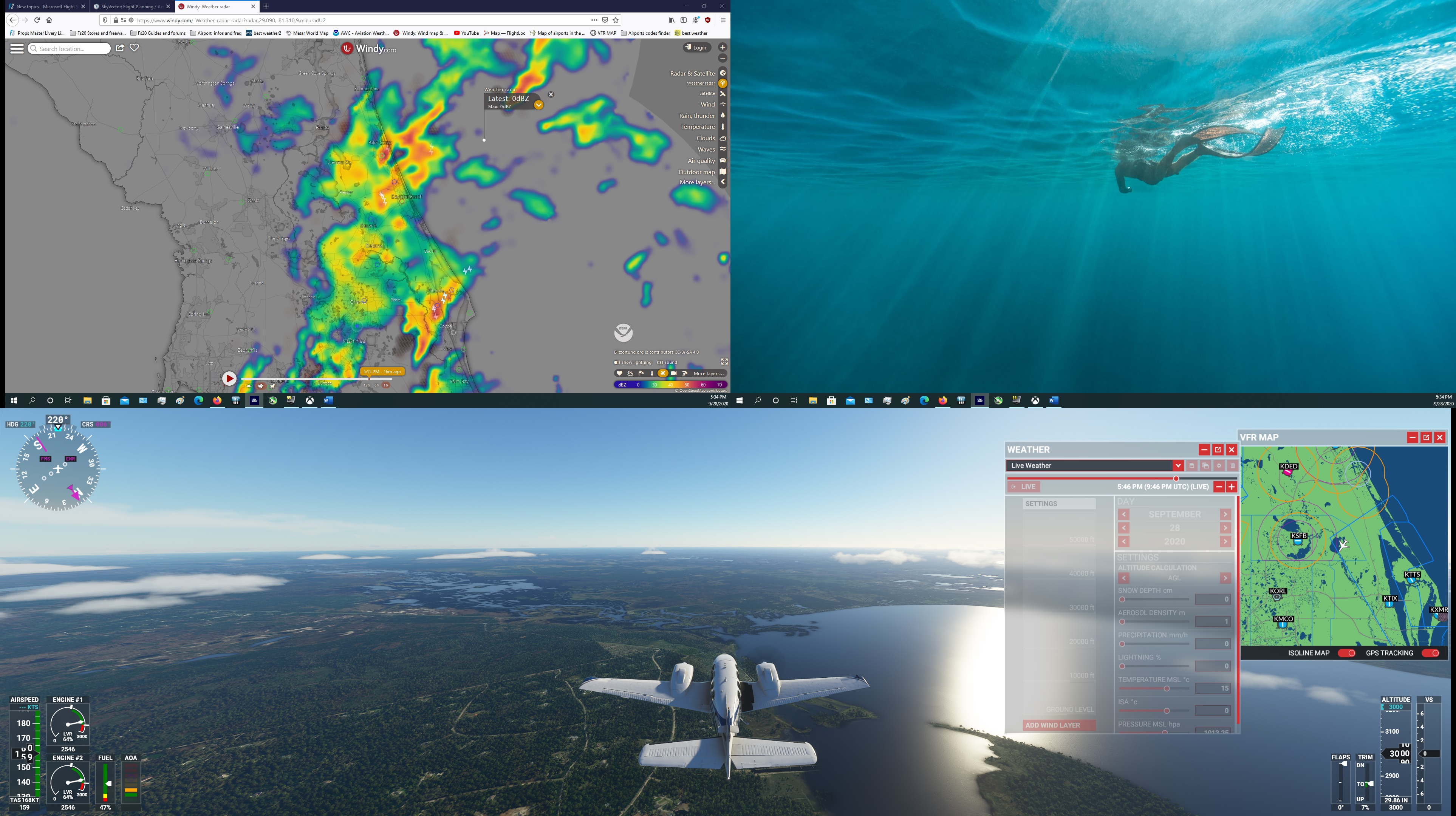
Looks like it really struggles with some of the convective modes, however. All of central and southern Florida is a total sparkfest without matching clouds:
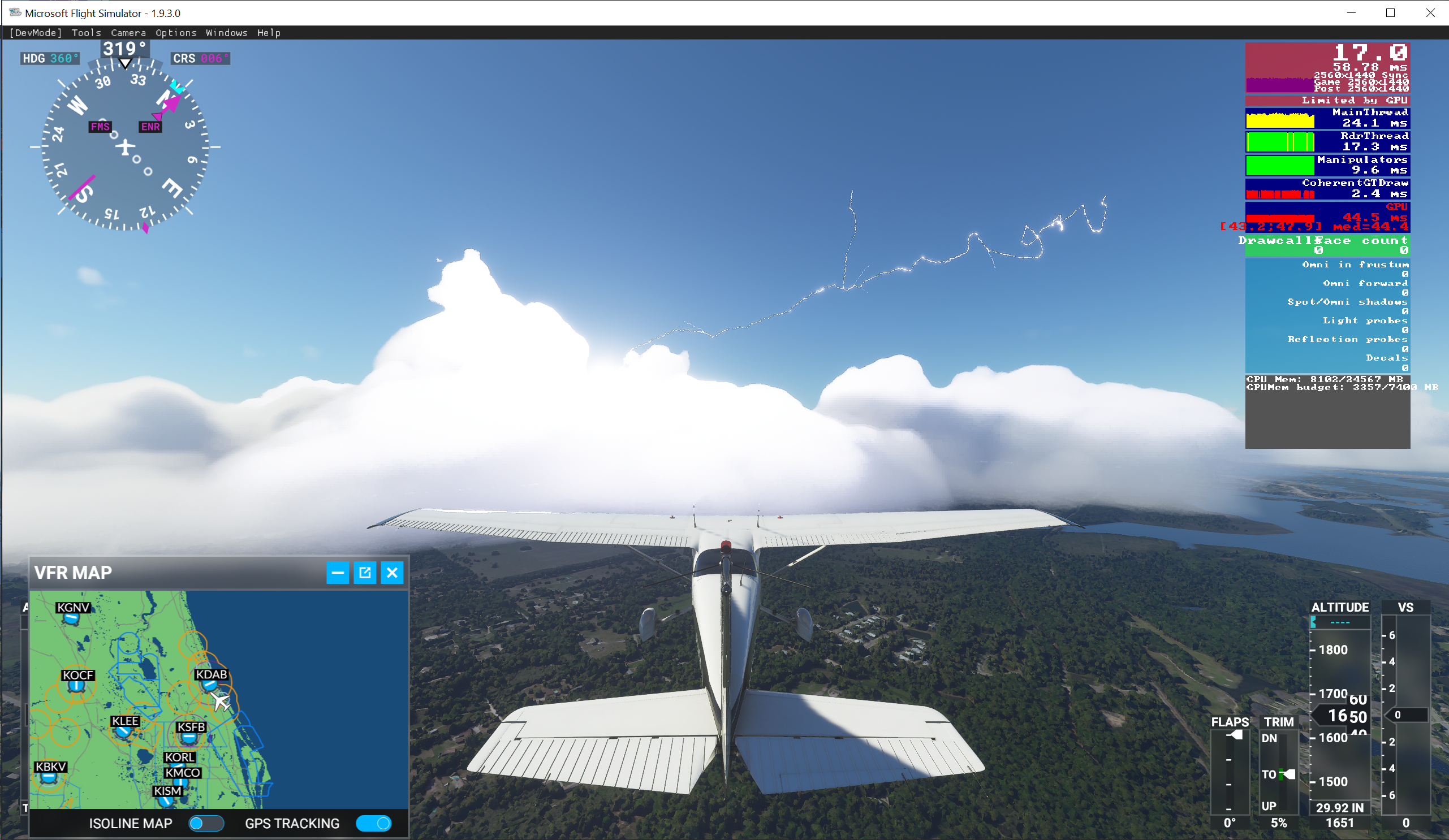
Clear air lightning channels shooting out of tiny fair weather cumulus. It looks totally surreal. It looks like it can’t handle scattered airmass storms. I wouldn’t expect the sim to nail these random pop-up storms, but the global model should be showing some deep convection i n the region, and the sim should at least only produce lightning if there’s deep convection in the area. You can see lightning all the way down to the Everglades, but you don’t get deep convection and cumulonimbus until you’re hundreds of miles further north up by the cold front passing through Tallahassee.
So I’m really curious how they’re doing the lightning then, whether they’re pulling lightning data from a different source that’s totally disparate from the global weather model. Or if they’re oversimplifying a “lightning parameter” from the global model, like say just using atmospheric instability without considering whether or not there’s deep convection there.
I noticed this in the Known Issues…
We use METAR reports and Meteoblue weather forecasts to represent the live weather experienced in the sim. They are updated at regular intervals, but they can lack precision. Most of the time they will match but sometimes, they will not.
If you observe wildly inaccurate weather, please submit a bug report
AFAIK this is the first mention of using something other then MB information… and specifically the use of METAR reports (source?)… to create the weather.
Clear Skies / Few Clouds with Lightning strikes?
Apparently they managed to spoil what was already the worst thing about the simulator, the wheater system.
I just started a flight on SBGL (rio), the menu showed that it was having a rain with lightning strikes (it was correct), but after starting the flight, the sky was with few clouds and lightning everywhere!
Please Asobo, remove the lightning strikes, at least until you fix the simulator’s weather system.
I think I will have to surrender to REX Weather Force 2020 …
They improved the weather system in some areas like surface winds, but Asobo’s MO seems to be releasing features before they’re ready for prime time or properly tested. The live lightning wasn’t ready lol.
Possibly they are starting to blend r/w METAR wind data as they said was their intention a few weeks ago. I’ve been to three airports pre-patch 3 and 3 post-patch, where both the airport surface wind and temperature were quite close to current.
The unnatural low wind speeds on runways do seem to be fixed in patch 3.
I just landed at KILM. On descent and approach I was seeing lightning flashes from what appeared to be garden-variety cumulus - but after landing, and while taxiing to the ramp, these began to grow considerably in vertical extent into much more cumulonimbus-looking cells. It was almost as if the weather system was taking its sweet time about building the clouds into their final form.