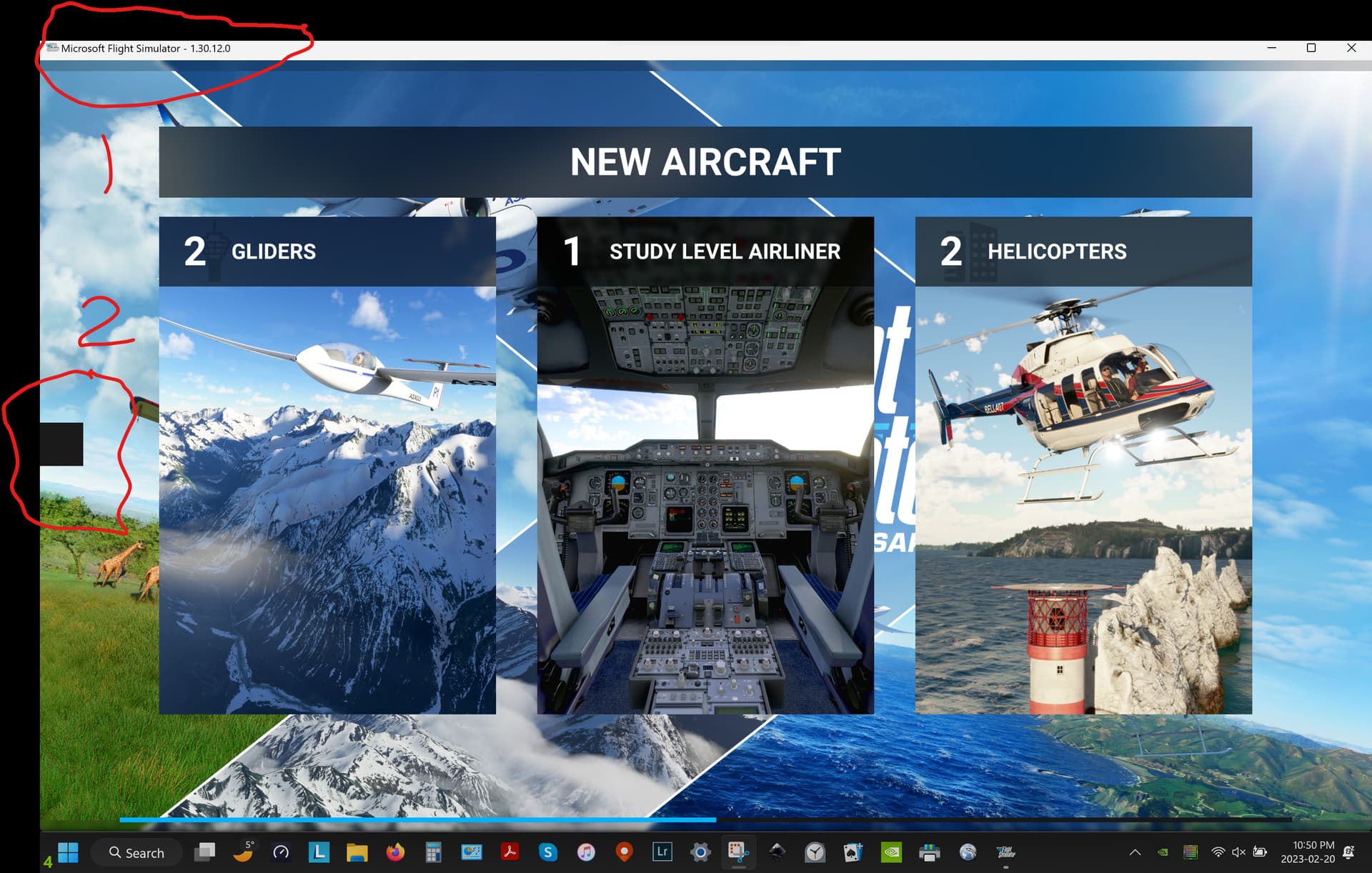
Today I noticed a small square on the left boundary of the screen and that the top menu bar is gone. I thought an F key brought back the menu bar? I’ll try to attach a screen shot.
There looks to be a thread on this-you can continue here. Strange black square box left hand side monitor
Hello, try full screen - you need to load into the game and in the Graphics options select Full Screen or Borderless, and apply. Then see if the square is gone? It could just be an error or bug. If you want Windowed mode then you could set it back to that afterwards and see if all is ok.
Edit: thread posted above could help too 
Thanks but cycling from Windowed to Full Screen and Back had no effect on the little black box. Still there only in MSFS.
Any comment on recovering top line menu.