Thank you using the Bug section, using templates provided will greatly help the team reproducing the issue and ease the process of fixing it.
Are you using Developer Mode or made changes in it?
no
Have you disabled/removed all your mods and addons?
yes
Brief description of the issue:
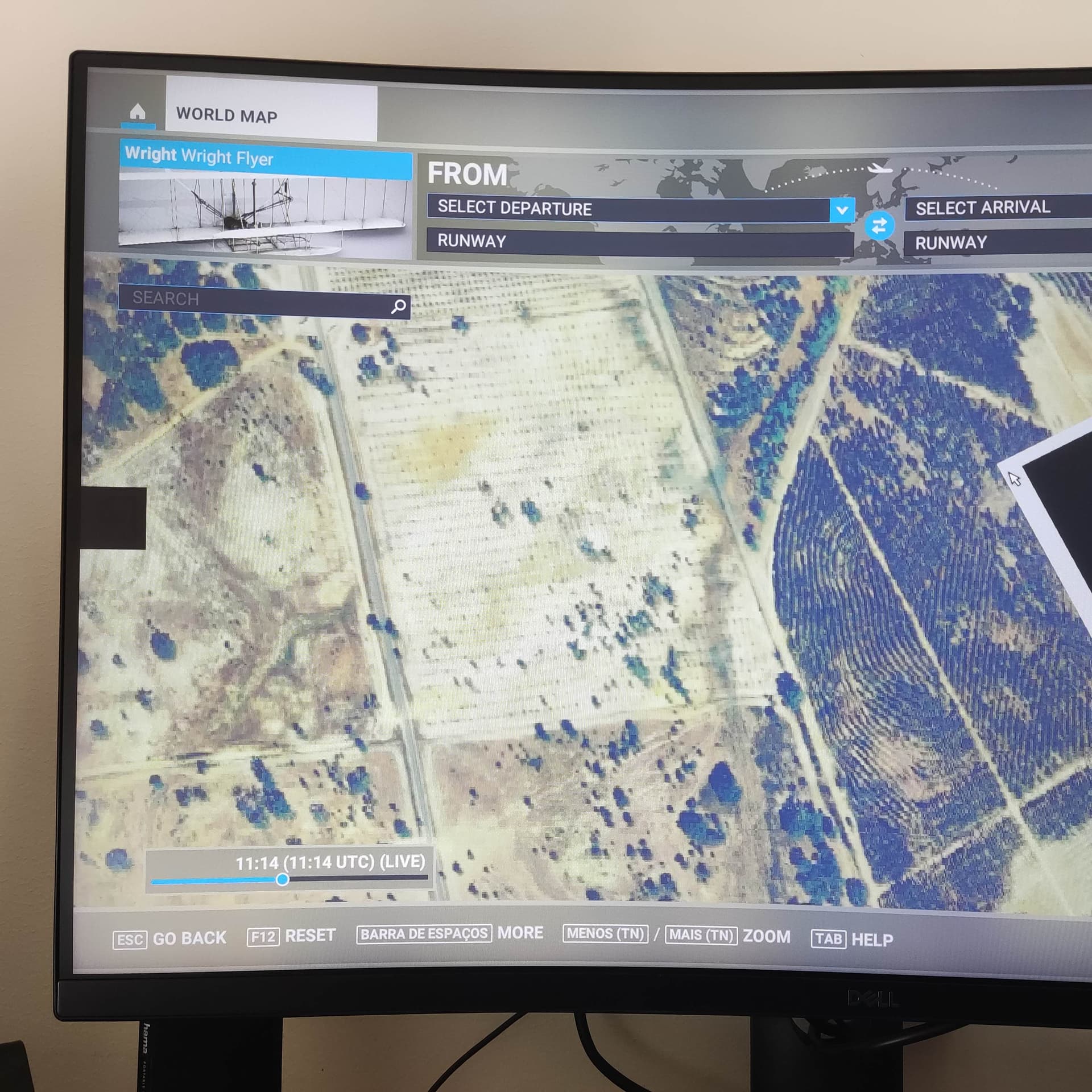
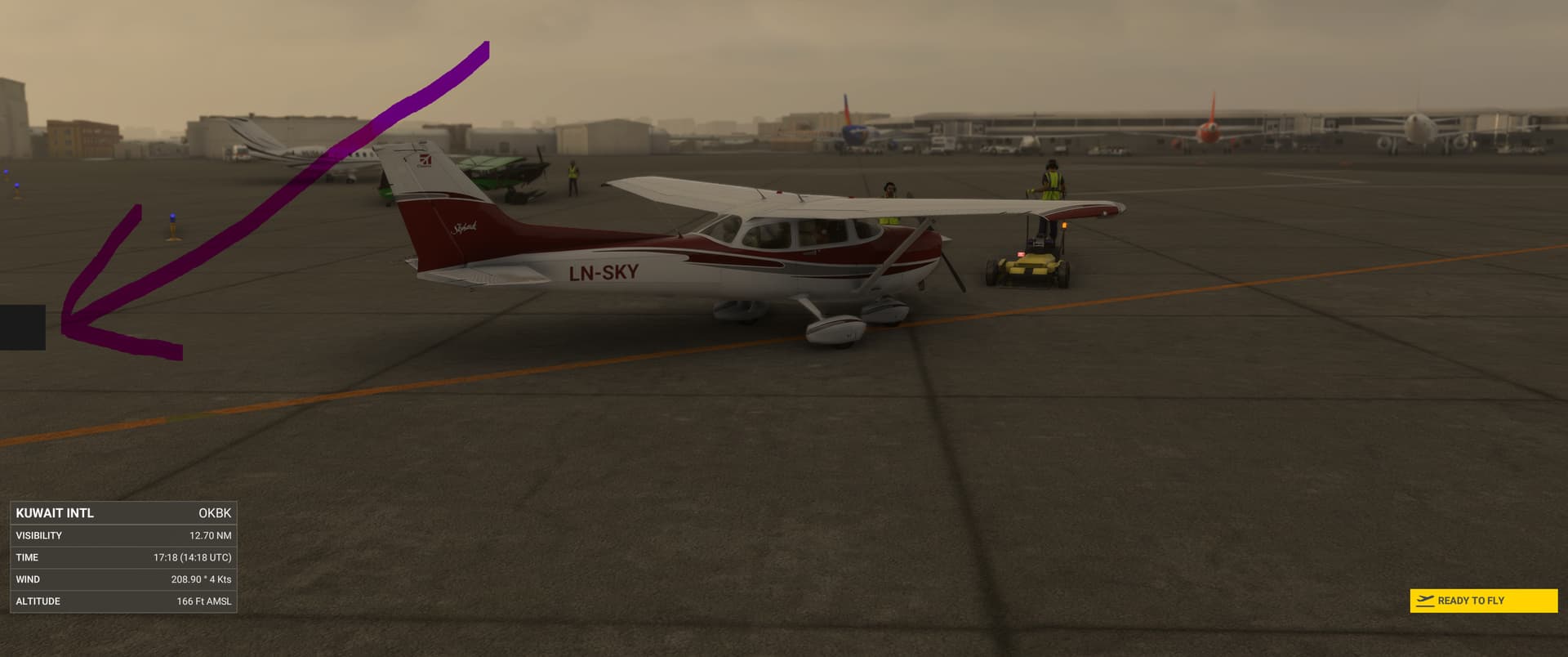
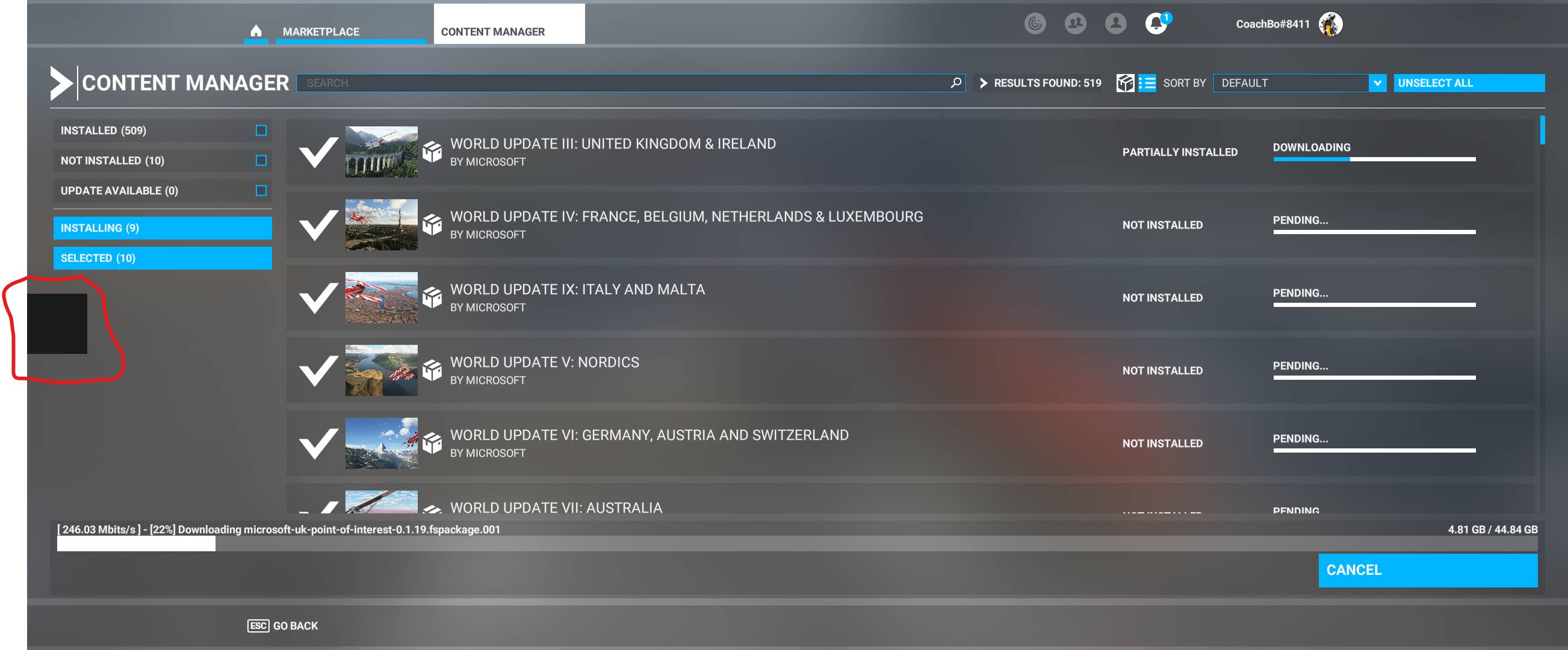
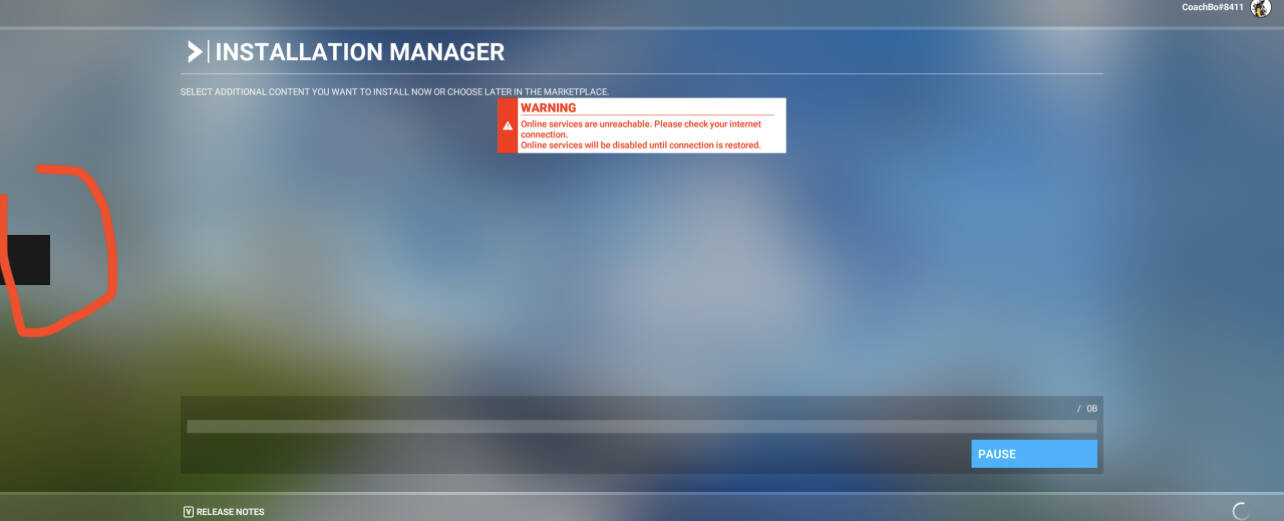
there us a small square left hand side of monitor in all aspects of in game after update
Provide Screenshot(s)/video(s) of the issue encountered:
Detailed steps to reproduce the issue encountered:
rebooted game 3 times in windowed and full screen same result
PC specs and/or peripheral set up if relevant:
windows 11 dx12beta nvidia gtx
Build Version # when you first started experiencing this issue:
today
 For anyone who wants to contribute on this issue, Click on the button below to use this template:
Do you have the same issue if you follow the OP’s steps to reproduce it?
Provide extra information to complete the original description of the issue:
If relevant, provide additional screenshots/video:
Do you have the same issue if you follow the OP’s steps to reproduce it?
Provide extra information to complete the original description of the issue:
If relevant, provide additional screenshots/video:
I have the same issue. Appeared after SU11 install
Same problem here on Windows10 22h2
That’s it alright, was about to send my screenshot! Exactly the same.
Same here after sim update 11 no add ons instaled
Do you have the same issue if you follow the OP’s steps to reproduce it?
Yes
Provide extra information to complete the original description of the issue:
Same black square rigth side of screen after sim update 11
If relevant, provide additional screenshots/video:
It seams like an UI problem. When you click on something on the game it flashes white. I am on Windows 11 on dx11 with a fresh instalation no add-ons
Do you have the same issue if you follow the OP’s steps to reproduce it?
Yes indeed.
Provide extra information to complete the original description of the issue:
Windows 11 a common denominator?
If relevant, provide additional screenshots/video:
It appears on the console window too
No there is a post here on Windows 10
Also did video drivers change. Now on 526.86 .No joy and confirm on Win10 Pro 22H2 Build:19045.2251
Do you have the same issue if you follow the OP’s steps to reproduce it?
Yes, the same.
Provide extra information to complete the original description of the issue:
Steam, VR, Windows 20
If relevant, provide additional screenshots/video:
The square appears in the menus, not in the game for me.
Do you have the same issue if you follow the OP’s steps to reproduce it?
Same issue here, as soon as MSFS is staring the square comes on
Provide extra information to complete the original description of the issue:
I have a NVIDIA RTS 2060 , and it’s only MSFS that has this problem, tried on other games but there the square does not appear
If relevant, provide additional screenshots/video:
Reported the same issue earlier. I’m happy to see I’m not the only one going crazy. I don’t think I can bear another reinstall.
I just spend more than 24 h to instal all the game and the new update on my new PC… I do not want to do it again and maybe have still the same problem. But if any of you do it and it get fix just tell here on the forum. Maybe there is a way to fix it without other update
Do not forget to vote! The more the better
Same here with latest 40 edition update. Windows 10. RTX 3080
I’m hoping by posting this; I’ll learn if anyone else is experiencing the same issue.
I initially enrolled in the beta for SU11 and opted out a few weeks ago when this black square appeared on my screen and remained. I followed the steps to roll back to SU10 after seeing the global maps issue by deleting specific folders as requested, and the square went away.
Yesterday, SU11 was installed with no problems, and upon startup, the square reappeared. I did a vanilla install, deleted everything from the existing Community folder, and unfortunately, the square reappeared upon startup of the clean sim. It’s frustrating, but I wanted to gauge if anyone is currently experiencing this. I’ve opened a ticket and sent over several requested system info docs.
Am I on an island with this issue? I haven’t experienced any other issues beyond this one.
Thank you!