Here we go again. On Xbox X.
Your connection had an issue while streaming data, you have been switched to offline mode.
then a minute later a different pop up:
WARNING You are currently offline and do not have the optional Offline Mode files installed, so cannot continue your current flight. Microsoft Flight Simulator will automatically attempt to reconnect to the internet. Please check your connection, or alternatively you can download the Offline Mode files.
10 times in a short 2 hour flight from NZAA to YSSY.
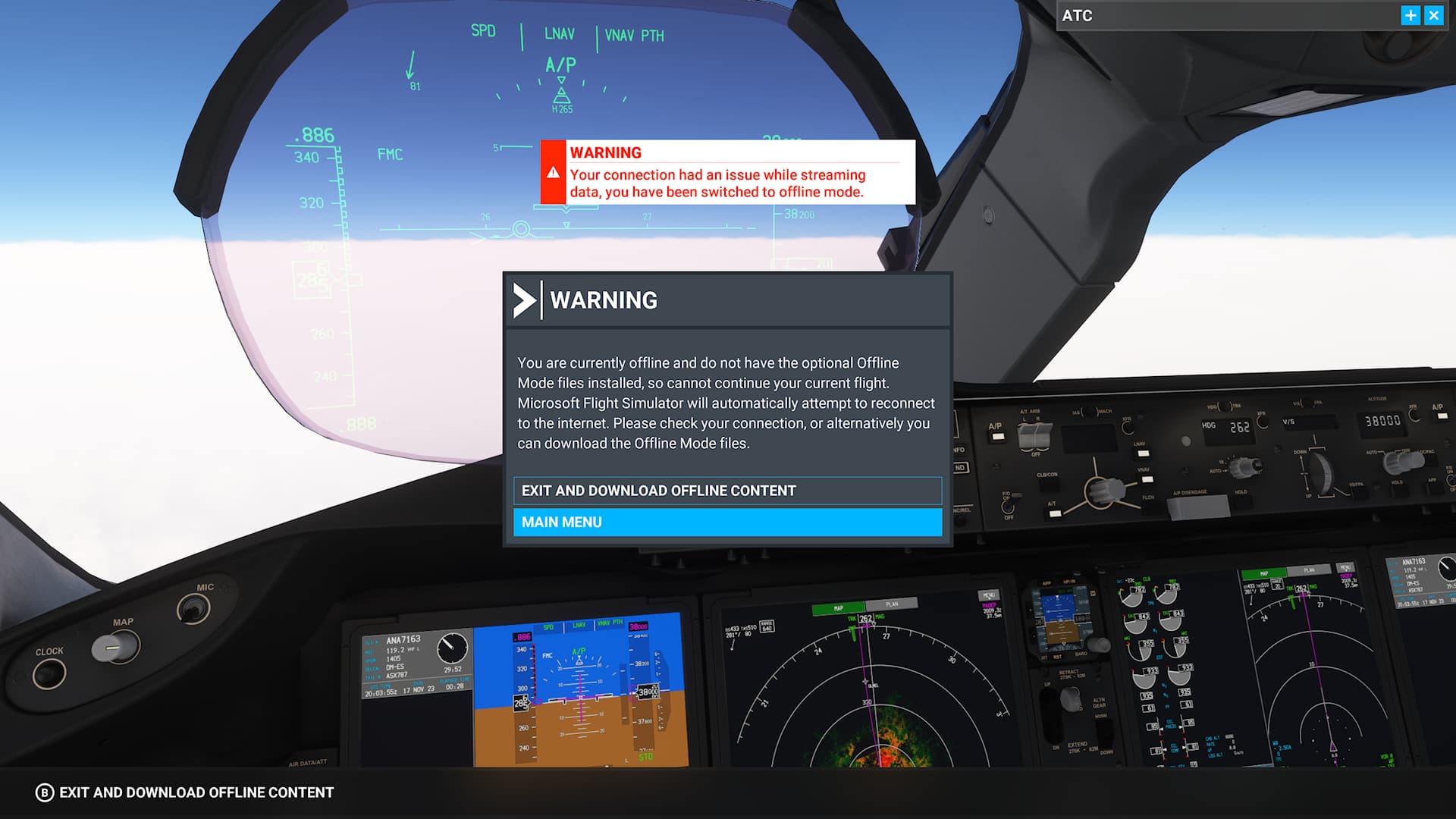
There are 3 issues:
- Asobo said in previous Sim updates they would prevent the popup (or make it less intrusive) and have a more graceful fallback when there was a connection issue - so that you could just continue flying.
- The popup WARNING message in the middle of the screen does not go away even when it reconnects by itself automatically and continues - instead I have to do what it says and press the “B” button on my controller to “Exit and download offline content”…
- When I press “B” … it takes me to the MSFS Addon (for WASM) which says “Installed”. so it’s linking to the wrong thing. It FAILS to recognize that I DO have the “World Offline Mode” files installed.