I’m using a 34" ultrawide and the eye tracking works well right up to the edges even though it is larger than the officially supported size limit.
Is there a way to turn off the eye tracking and use only the head tracking using FaceTrackNoIr?
Yes, you can disable gaze in the settings in FaceTrackNoIR and only utilise the head tracking. The tracking is not as good through FaceTrackNoIR, it is either very jittery or if you smooth it out, too laggy. The native tracking is honestly much better but it may be a trade off to get the additional config and 6dof.
Cool. Thank you for letting me know!
Do you think the head tracking will improve once native support is added in terms of settings and curves?
Considering purchasing so was wondering. Thanks again.
Absolutely. The tracking is already very good, the issue is that you can’t turn off head or eye tracking, you are stuck with both which may be an issue for some. The other issue is only rotation is supported at the moment in the sim. You can’t move your head around or lean forward to get a closer look at instruments or over the glare shield for a better look at the runway - you need to bind keys to do these. Other sims support the full range of motion though and Asobo have said that additional configuration will be coming in the future for Tobii - just hope we don’t need to wait too long.
FWIW, I have moved from TrackIR to Tobii with no regrets. It isn’t perfect but I prefer the convenience Tobii offers and have some workarounds for the missing elements in the meantime while we wait for additional native support.
Awesome, I’m in the same boat in terms of track IR and finding that a bit inconvenient.
The head tracking in Tobii sounds good but the eye tracking sounds like something I’ll need to get used to.
After hearing your opinion, I’m leaning on giving it a go 
Yes, I am aware that my monitor is larger than the recommended size. So far I haven’t had what I would consider “show-stopper” issues because of that.
I know more development is coming, and the current state is fine with me. I don’t use it 100% of the flight at the moment - still learning the eye tracking function, but that’s on hold while my new gaming rig components arrive.
I’ve seen other folks mention FaceTrackNoir, but I haven’t checked it out yet.
Just an update on my experience with Tobii. I managed a few 1 hour flights over the holiday period and Tobii was flawless for me. I use it during take off and landing and when sight seeing during cruise although will usually toggle head tracking off when I’m using off screen tablets for maps or instruments - not necessary but just my preference.
Very satisfied and won’t be going back to TrackIR.
Just my 2c… I used Facetracknoir before native support, it was very good with full 6dof. However, I prefer to use tobii native with 4dof for the simple reason it is WAY smoother panning around, also it supports eye tracking which works really nicely. As everyone says, looking forward to native support with full 6dof and eyetracking. IMHO the default sensitivity settings are just about perfect anyway. You can also map a key to the keyboard to disable tracking which is handy when using dials etc.
Agreed. I mapped a button on my Honeycomb Alpha if I recall. “old” gaming rig all but died, so I’ve been building a new one. It’ll be a beast compared to the old hardware. Can’t wait to get MSFS loaded up and use the Eye Tracker again!
Do anyone have the link to the page where we can vote for more options in MSFS2020 for Tobii?
Jayne’s also already confirmed that they’re working with Tobii to add more options;
Support for Tobii Eyetrack - Bugs & Issues / Resolved Bugs - Microsoft Flight Simulator Forums
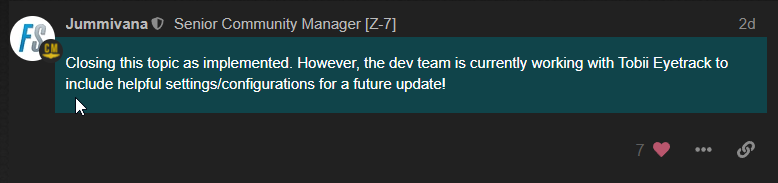
Yep at least some good news after the end of year break 
Just got Tobii after getting sick of Trackir and having to wear something on my head. I think Tobii is amazing and the future outside of VR. Although DCS still doesn’t officially support Tobii(for some dumb reason), the 6dof implementation through the game hub is still very usable. MSFS2020 just needs 6DOF and it’ll be perfect.
Also, there’s news that Sony has approached Tobii to help implement eye tracking in PSVR. That’s great and should solidify Tobii’s place in the industry encouraging better support.
Agree! I cant imagine flying VFR without Tobii anymore…
I see in the release notes that SU8 beta adds a Tobii settings menu. I’m not on the beta so can’t confirm either way but hopefully this is more than just a Tobii on/off toggle. Anyone on beta can confirm?
Confirmed, Tobii now has 6DOF (brilliant!) you have to go it to controllers > Tobii > sensitivity and set the “position” slider as required N.B. You can now set the sensitivity of all axis as well!
Can we disable “Eye” tracking but leave Head tracking on?
Jim-Sim